Service, ProfessionalService and SameAs schema for Wix businesses
Module 6: Technical SEO, Structured Data & Rich Snippets for Wix | Lesson 79 of 683 | 25 min read
By Michael Andrews, Wix SEO Expert UK
Most Wix businesses offer services, yet very few implement Service schema. This is a missed opportunity. Service schema tells Google exactly what you offer, including descriptions, pricing, and the geographic area you serve. ProfessionalService is the more specific type for licensed professionals. This lesson gives you both implementations.
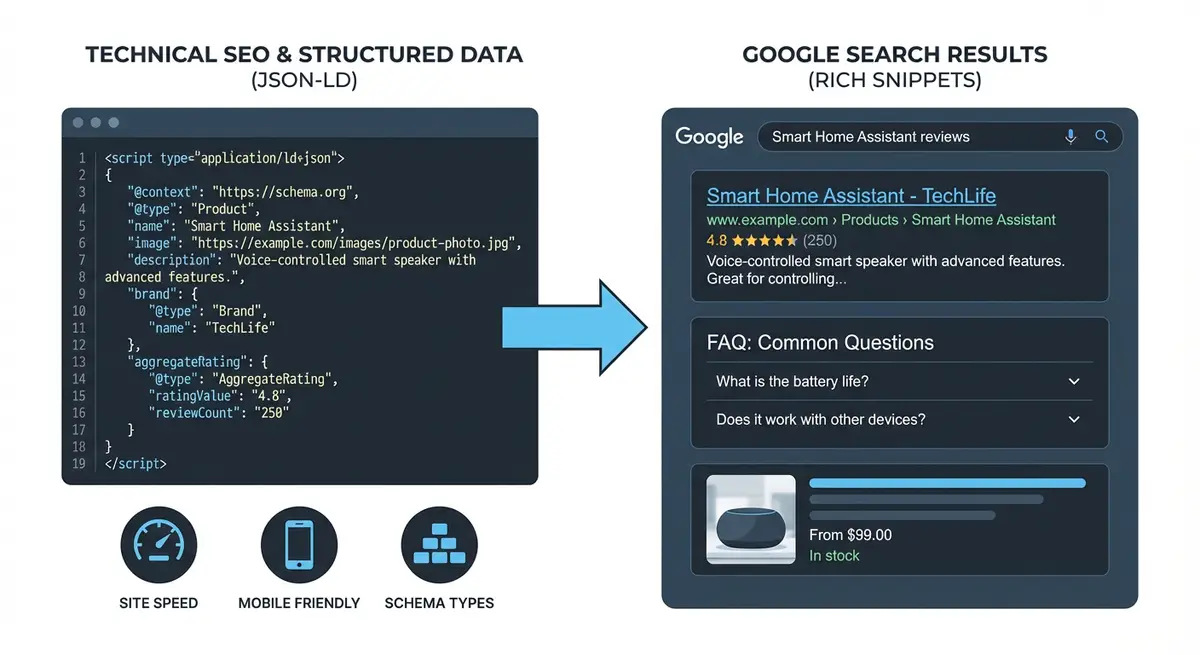
When to Use Service vs ProfessionalService
- Service schema: for any business offering services (cleaning, web design, marketing, consulting)
- ProfessionalService: for licensed or credentialled professionals (therapists, lawyers, dentists, accountants)
- You can use both: ProfessionalService for your business entity, and Service for individual service offerings
Full Service Schema Implementation
{
  "@context": "https://schema.org",
  "@type": "Service",
  "name": "Wix SEO Audit",
  "description": "Comprehensive SEO audit for Wix websites covering technical, on-page and off-page factors",
  "provider": {
    "@type": "LocalBusiness",
    "name": "Your Business Name",
    "url": "https://yourdomain.com"
  },
  "areaServed": {
    "@type": "Country",
    "name": "United Kingdom"
  },
  "hasOfferCatalog": {
    "@type": "OfferCatalog",
    "name": "SEO Services",
    "itemListElement": [
      {
        "@type": "Offer",
        "itemOffered": {
          "@type": "Service",
          "name": "Wix SEO Audit",
          "description": "Full 50-point technical SEO audit"
        }
      }
    ]
  }
}
The SameAs Property
SameAs is the property that connects your Wix website entity to all your other verified profiles across the web. Every social media profile, directory listing and professional network page that represents the same business should be listed in sameAs. This creates a web of verified connections that Google uses to confirm your entity identity.
Complete How-To Guide: Implementing Service Schema and SameAs on Wix
Follow this step-by-step guide to implement Service or ProfessionalService schema with sameAs properties on your Wix business site for enhanced search visibility.
Follow these steps to add Service schema and sameAs markup to your Wix site
- Determine whether your business should use Service or ProfessionalService schema (ProfessionalService for licensed professionals like lawyers/accountants/doctors)
- List all services your business offers with descriptions and price ranges
- Write out the JSON-LD code starting with @context and @type properties
- Add your business name address telephone and url properties
- Add the serviceType property for each service you offer
- Include areaServed with the geographic regions you cover
- Add hasOfferCatalog with individual offers for each service including price and priceCurrency
- Add sameAs property with an array of ALL your verified social and directory profile URLs (LinkedIn/Facebook/Yelp/industry directories)
- In Wix Dashboard go to Settings then Custom Code
- Click Add Custom Code and paste your JSON-LD in a script tag with type application/ld+json
- Set placement to Head and apply to All Pages or specific service pages
- Test the implementation at search.google.com/test/rich-results
- Fix any errors and resubmit for testing until you get zero errors and zero warnings
How to Add Service and ProfessionalService Schema to Wix Pages
Service and ProfessionalService schema markup tells Google precisely what your business offers and who it is for. These steps walk you through implementing and validating this schema on your Wix site.
How to implement Service schema and sameAs markup on Wix service pages
- Step 1: Log in to your Wix Dashboard and navigate to the service page where you want to add schema. Open it in the Wix Editor and click the three dots next to the page name to access SEO settings.
- Step 2: Scroll to the Advanced SEO section and locate the Structured Data (JSON-LD) field. This is where you will paste your Service schema object.
- Step 3: Build your Service schema. Set @context to https://schema.org, @type to Service, name to your specific service name, and serviceType to the category (e.g. "Plumbing Repair" or "SEO Consultancy").
- Step 4: Add the provider property linking to your Organization or LocalBusiness entity: include @type (Organization), name (your business name), and url (your homepage URL).
- Step 5: Add the areaServed property as an array of City or State objects if you serve specific areas. Each location should have @type (City) and name (the city or region name).
- Step 6: Add a hasOfferCatalog property with your specific service offerings. Each offer should include @type (Offer), name (the specific offering), and priceSpecification if you have public pricing.
- Step 7: Add the sameAs property as an array of strings. List every verified social media profile URL and business directory URL for your business. Include Google Business Profile, LinkedIn, Facebook, and any industry-specific directories.
- Step 8: Paste the completed JSON-LD object into the Structured Data field in the Wix Editor page SEO settings. Ensure the code is wrapped in a script tag with type="application/ld+json".
- Step 9: Alternatively, navigate to Settings > Custom Code in your Wix Dashboard. Click Add Custom Code, paste the JSON-LD script, set placement to Head, and apply to the specific service page.
- Step 10: Test the page immediately using the Google Rich Results Test at search.google.com/test/rich-results. Enter the page URL after publishing and review the detected structured data items.
- Step 11: Fix any errors shown in the Rich Results Test. Common errors include missing required fields, incorrect value formats (e.g. priceRange must be a string like "£50-£200"), and invalid URLs in the sameAs array.
- Step 12: After passing the Rich Results Test with zero errors, monitor Google Search Console > Enhancements monthly to track how many pages Google has validated your Service schema on.
Essential Resources
- Google Rich Results Test: Validate Service and ProfessionalService schema on your Wix pages
- Schema.org ProfessionalService: Reference for professional service structured data markup
- Schema Markup Validator: Deep validation of sameAs and nested schema structures
- SEO Fix in a Box: My Wix app. Free to install, it scans your site and shows what needs fixing, and paid plans write the fixes from your own Google searches
Was this lesson useful?
It takes 1 minute to tell me. The course is free and I want to keep it that way, and your feedback shows me what is working and helps other people find it.
This lesson on Service, ProfessionalService and SameAs schema for Wix businesses is part of Module 6: Technical SEO, Structured Data & Rich Snippets for Wix in The Most Comprehensive Complete Wix SEO Course in the World (2026 Edition). Created by Michael Andrews, a Wix Marketplace Legend Partner with 14 years of hands-on experience, 800 completed Wix SEO projects and 456 verified five-star reviews.