Best SEO Apps for Wix in 2026: 7 Apps Compared Honestly
By Michael Andrews | Published: 2026-11-01 | Updated: 2026-11-01 | 11 min read
Seven SEO apps from the Wix App Market and Wix's own free tools, scored on what each one does. The best app for each job, and where each falls short, including my own.
I have worked on Wix SEO for 14 years, and I also built one of the apps in this list. So I will be upfront from the start. My app is first because it is mine. Every other app here was checked on the Wix App Market on 1 November 2026, using what its own listing says it does. Ratings and prices change, so check the listing before you install anything.
The quick answer: the best app for each job
No single app is best at everything, so I have scored them on the jobs they do. Most Wix sites need one good SEO app at most. Pick the one for the job you actually have.
- Fixing every page from your own Google data, in one click with undo: SEO Fix in a Box
- An all-in-one suite with rank tracking, competitor research and backlinks: Rabbit SEO
- Guided steps for beginners, with directory listings and reviews: SEO & AI Traffic Booster by rankingCoach
- Keyword and competitor research: SE Ranking
- Getting listed in directories: Site Booster
- Page speed: Speedy
- Your Search Console figures inside your dashboard: the Google Search Console app
The scorecard
Each tick comes from the app's own App Market listing, checked on 1 November 2026. "Not listed" means the listing does not say, not that the app cannot do it. Ratings and prices change, so check the listing before you install.
| App | Fixes pages for you | Uses your own Search Console | Structured data | Rank tracking | Competitor research | Listings or backlinks | Rating on 1 November 2026 |
|---|---|---|---|---|---|---|---|
| SEO Fix in a Box | Yes, one click with undo | Yes | Yes, two layers | Yes, up to 20 searches | No | Free listings checklist | 5.0 from 4 reviews |
| Rabbit SEO | Yes | Not listed | Yes | Yes | Yes | Yes, including paid link credits | 4.9 from 2,285 reviews |
| SEO & AI Traffic Booster (rankingCoach) | Guided tasks | Not listed | Not listed | Yes | Yes | Yes, Google and 30+ directories | 4.2 from 223 reviews |
| SE Ranking | No, research only | Not listed | No | Not listed | Yes | No | 3.3 from 19 reviews |
| Site Booster | No | Not listed | No | No | No | Yes, directory listings | 2.4 from 879 reviews |
| Speedy | Speed only | No | No | No | No | No | 4.8 from 334 reviews |
| Google Search Console (app) | No | Yes | No | Shows your positions | No | No | 4.9 from 37 reviews |
What an SEO app can and cannot do on Wix
Before you compare apps, it helps to know the limits every app shares. Wix lets apps change your page titles, meta descriptions, structured data, redirects, blog posts and shop products. That covers a lot of everyday SEO work.
Wix does not let any app rewrite the headings and body text on your normal site pages. So no app can fully rewrite a page for you. If a listing suggests otherwise, read the small print. Those changes still happen in the Wix editor, by you or by someone you hire.
No app can make Google index or rank a page, either. Only Google decides that. An app can fix the things that hold a page back and ask Google to look again. What happens next is up to Google. If pages are missing from Google, my guide to why a Wix site is not indexing walks through every cause.
Start with the free SEO tools Wix already gives you
Every Wix site comes with SEO tools at no extra cost. You get the SEO Setup Checklist (once called SEO Wiz) and SEO settings on every page. There are also SEO Patterns for page types such as blog posts and products. A Site Inspection tool shows how Google sees each page.
- Good: free, built in and made by Wix, so nothing can clash with it
- Good: it connects your site to Google Search Console and submits your sitemap for you
- Good: AI suggestions for titles and descriptions, one page at a time
- Short: you do the work page by page, which is slow on a large site
- Short: the suggestions come from your page content and a keyword you type, not from your real Google searches
SE Ranking's listing says its keyword checks also appear inside the SEO Wiz, with 10 free searches a day. That is a handy way to check search volume before you choose your words.
If you have not finished the checklist yet, do that before you install anything. My step-by-step SEO Wiz guide shows you how.
1. SEO Fix in a Box (my app)
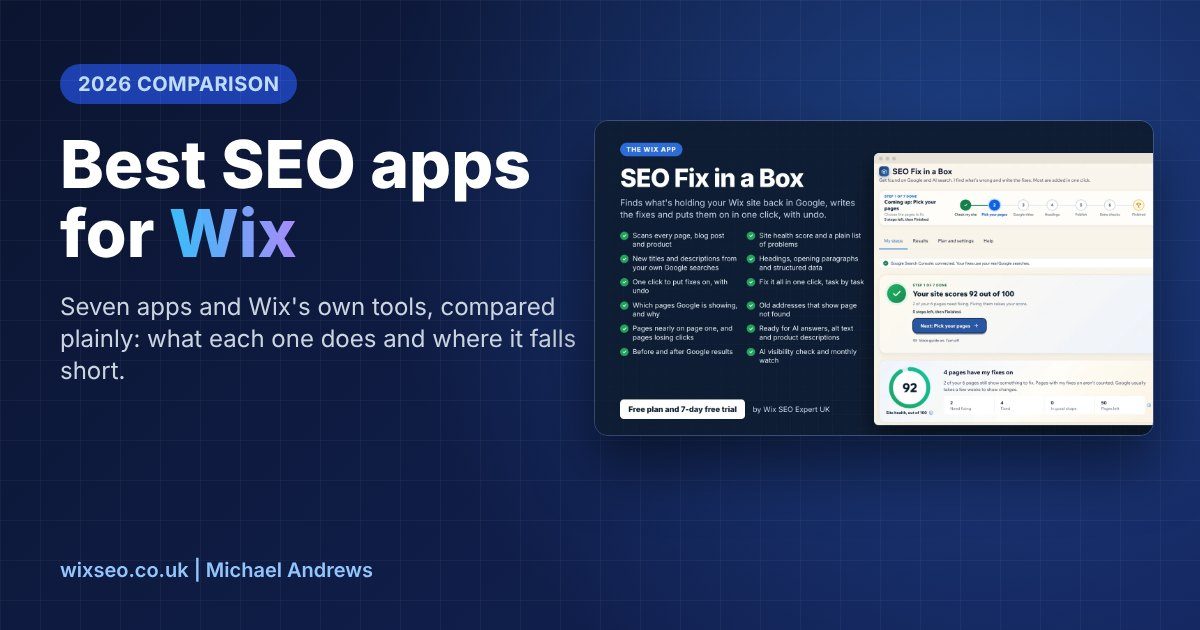
I built SEO Fix in a Box because most owners never get round to the SEO checklist. It scans every page, blog post and shop product, gives your site a health score, then writes the fixes. You see each change before it goes on, and every change can be undone.

What it does well
- Writes new titles and descriptions from your own Search Console data, so they match what people really search for
- Puts the fixes on in one click, and keeps a copy of the old version so you can undo it
- Adds two layers of structured data to each page: one for Google and one for AI search
- Checks which pages Google is showing, and tells you in plain words why any page is missing
- Tidies old addresses that show "page not found", finds broken links and sets your social share images
- Lets you download all your titles and descriptions as a spreadsheet, edit them and upload them back
- Checks whether ChatGPT, Gemini, Perplexity and Claude mention your business, with their real answers
- Tracks up to 20 searches you choose, week by week, from your own Search Console
- Includes a free checklist of places to list your business, with your details ready to copy
Where it falls short
- It is new, so it has 4 reviews so far, not hundreds
- It works in English only for now
- Like every app, it cannot change the headings and body text on your normal pages. It gives you a new H1 and opening paragraph to paste in yourself
- It does not cover Wix Bookings services or Wix Events pages
- The paid plan covers 20 pages a year. Bigger sites need extra pages, at $99 for 10 or $399 for 50
- It works best with Search Console connected, and a free wixsite.com address cannot use Search Console
It is free to install, with one free fix for the page that needs it most. There is also a 7-day free trial with 4 pages and every tool open, and no card is needed. See everything SEO Fix in a Box does or get it on the Wix App Market.
2. Rabbit SEO
Rabbit SEO Optimizer & Booster is the most reviewed SEO app on the Wix App Market, with 2,285 reviews on 1 November 2026. It is made by Marketing & SEO Tools. Its listing describes a full SEO suite: it scans your pages and applies improvements, then adds rank tracking, competitor research and backlink tools. See Rabbit SEO on the Wix App Market.
- Good: a huge number of reviews and a high rating
- Good: rank tracking, competitor research and site audits in one place
- Good: works in 10 languages, according to its listing
- Short: the listing does not say whether the new wording comes from your own Search Console searches
- Short: its backlink tools include paid link credits and guest posts. Check how any link is earned before you use one, because Google's spam policies cover paid and swapped links
- Short: the free plan covers 2 optimisations and 5 keywords. Paid plans start at $18 a month on its listing
The same developer also makes One-Click Optimizer, Automatic SEO Tags Fixer, Automatic Google Schema Fixer and AI SEOly. Their features overlap a lot with Rabbit SEO, so most sites only need one of them.
3. SEO & AI Traffic Booster by rankingCoach
This app, made by rankingCoach, had 223 reviews on 1 November 2026. Its listing says it lists your business on Google and over 30 directories. It also gives you AI-powered tasks, and helps you collect and reply to reviews. See SEO & AI Traffic Booster on the Wix App Market.
- Good: step-by-step tasks, which suits owners who want to be told what to do next
- Good: listings, reviews and social posting in the same place
- Short: a lower rating than most apps here, at 4.2
- Short: the listing talks about tasks and tips, so expect to do much of the work yourself
4. SE Ranking
SE Ranking is a research tool, made by Seranking LTD. Its listing offers keyword volume, search intent and difficulty, plus a look at the keywords your competitors get traffic from. See SE Ranking on the Wix App Market.
- Good: proper keyword and competitor data, which Wix does not give you on its own
- Good: 10 free keyword searches a day inside the SEO Wiz
- Short: it shows you what to do but does not change your pages
- Short: only 19 reviews, with a 3.3 rating
Before you pay for any app, the free lesson on what to install on Wix for SEO explains which apps earn their place.
5. Site Booster
Site Booster, made by AppSharp, lists your business in directories such as Google, Yahoo and Bing, and keeps an eye on those listings. See Site Booster on the Wix App Market.
- Good: one place to add your address, opening hours and phone number for many listings
- Good: a free plan to start with
- Short: reviews are split. On 1 November 2026 it had 547 five-star and 211 one-star reviews, for a 2.4 rating
- Short: most of the listings that matter, such as Google, Bing and Apple Maps, are free to set up yourself
6. Speedy page speed optimizer
Speedy, made by MakkPress Technologies, works on speed rather than words. Its listing says it uses lazy loading, preloading and similar methods to cut the time pages take to load. See Speedy on the Wix App Market.
- Good: aims at Core Web Vitals, which are part of how Google judges page experience
- Good: the listing tells you to test with PageSpeed Insights before and after, which is the right way to judge it
- Short: Wix already handles a lot of speed work for you, so the gain depends on your site
- Short: the biggest speed wins on most Wix sites are smaller images and fewer apps, which no speed app can do for you
7. Google Search Console (app)
Despite the name, this app is made by MakkPress Technologies, not Google. It shows your Search Console figures inside your dashboard, submits your sitemap, and can link your figures to Claude or ChatGPT. See the Google Search Console app on the Wix App Market.
- Good: clicks, impressions, rankings and searches by page, without leaving Wix
- Good: the link to Claude or ChatGPT lets you ask about your figures in plain words
- Short: Wix's own SEO Setup Checklist already connects Search Console and submits your sitemap for free
- Short: it shows you the problems but does not fix your pages
- Short: Google only promises its Indexing API for job postings and livestream pages, so treat any "request indexing" button as a nudge, not a promise
What about the tools that are not on this list?
Some "best apps" lists include tools that are not on the Wix App Market at all, such as Moonrank. I have kept this list to apps you can add from the App Market, so everything here can be checked on its listing.
How to choose the right SEO app for your Wix site
- Pages missing from Google: start with Search Console, then fix what it reports. My app shows you why in plain words
- Weak titles and descriptions across many pages: use one app that writes them in bulk, ideally from your real searches
- No structured data: use an app that adds it, and check it is not doubling up on what Wix already adds
- A slow site: shrink your images and remove apps you do not use, then try a speed app and test before and after
- Tracking a few keywords: a rank tracking app is fine, but Search Console already shows your positions for free
Mistakes to avoid with Wix SEO apps
The biggest mistake I see is two apps editing the same thing. If two apps both write your titles, one can overwrite the other, and you end up not knowing which version Google sees. Pick one app for titles and descriptions and stick with it.
The second is installing apps and forgetting them. Every app that adds code to your site can slow it down a little. Remove anything you no longer use. The free lesson on what to install on Wix for SEO covers this in more detail.
The third is trusting a score more than your results. A health score is a useful checklist, but clicks and enquiries are what count. Check your Search Console figures a few weeks after any change.
When an app is not enough
Apps are good at repeat jobs: titles, descriptions, structured data and redirects. They are not good at strategy, page structure or writing the main text on your pages. If you want all of that done for you, that is what my done-for-you Wix SEO service is for.
If you would rather learn it yourself, my free Wix SEO course has 683 lessons, with no sign-up. The lesson on SEO audit and optimisation apps goes deeper into several apps in this list. For tools beyond the App Market, see my guide to the best SEO tools for Wix.
Fix your Wix SEO from your dashboard
SEO Fix in a Box scans every page, writes your fixes from your own Google searches and puts them on in one click, with undo. Start on the free plan.
Want this sorted on your own Wix site?
I have worked only on Wix for 14 years. Get SEO Fix in a Box on the Wix App Market to find and fix what is holding your site back, or see my packages and prices if you would rather I did it all for you.
Frequently Asked Questions
What is the best SEO app for Wix?
It depends on the job. For fixing every page from your own Google data, I built SEO Fix in a Box. For an all-in-one suite with backlinks, Rabbit SEO is the most reviewed. Start with Wix's free SEO Setup Checklist first.
Do I need an SEO app on Wix at all?
Not always. Wix's built-in SEO tools are free and cover the basics. An app earns its place when you have many pages to fix. It also helps with jobs the built-in tools do not do, such as checking why pages are missing from Google.
Can an SEO app rewrite the text on my Wix pages?
No. Wix does not let apps change the headings and body text on normal site pages. Apps can change titles, descriptions, structured data, redirects, blog posts and products. Page text is still changed in the Wix editor.
Can I use more than one SEO app on Wix?
Yes, but only let one app edit your titles and descriptions. Two apps writing the same tags can overwrite each other. Apps that do different jobs, such as one for speed and one for titles, can sit side by side.
Are free Wix SEO apps any good?
Many have a useful free plan, and most apps in this list have one. Free plans are usually limited by pages, keywords or fixes. Try the free plan first, and only pay once you know the app does the job you need.