Wix JavaScript rendering: how Googlebot processes your Wix site differently
Module 6: Technical SEO, Structured Data & Rich Snippets for Wix | Lesson 78 of 683 | 28 min read
By Michael Andrews, Wix SEO Expert UK
Wix is a JavaScript-heavy platform. Unlike WordPress, which serves mostly static HTML, Wix pages are rendered using client-side JavaScript. This has profound implications for how Google crawls, renders and indexes your content. Understanding this process is essential for diagnosing Wix-specific indexing issues.
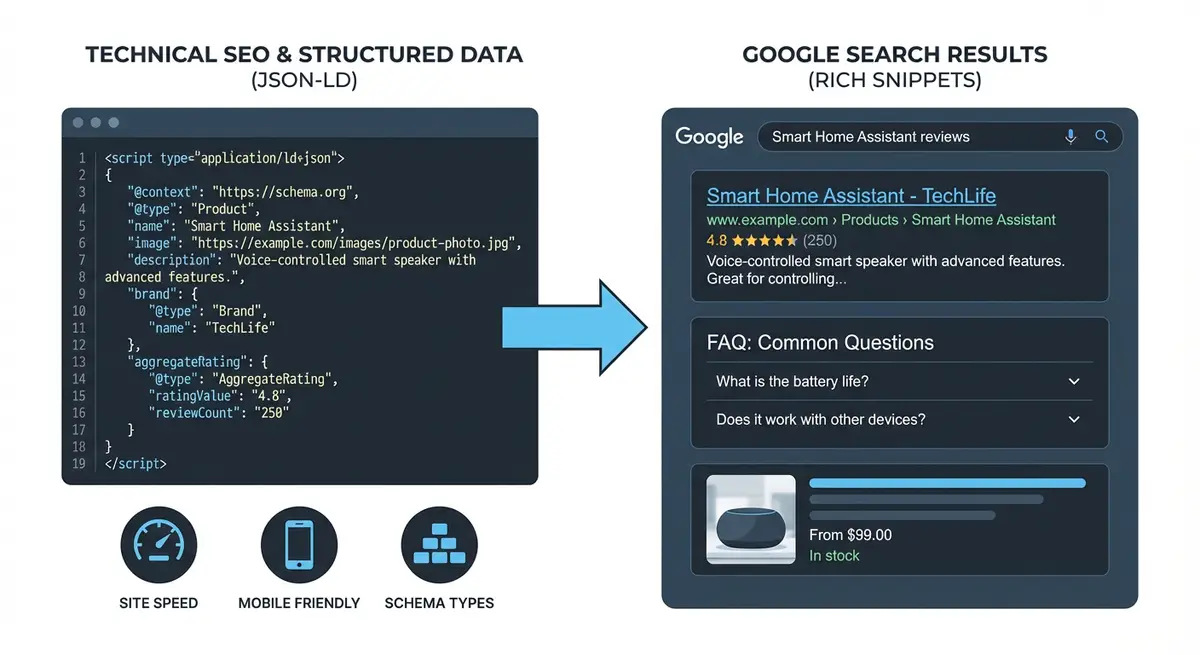
How Wix Renders Pages
When a user visits a Wix page, the browser downloads JavaScript bundles that construct the page content. Wix uses server-side rendering (SSR) for the initial page load, which means Googlebot receives a pre-rendered HTML version. However, certain dynamic elements, interactive components and content loaded after user interaction may not be present in the initial SSR output.
What Googlebot Sees vs What Users See
Google has a two-phase indexing process. In Phase 1, Googlebot crawls the page and processes the HTML it receives, including SSR content. In Phase 2, Googlebot renders the JavaScript, which can take days or weeks to happen. Content that only appears after JavaScript rendering may not be indexed for a significant period.
- SSR content (visible immediately): text in standard Wix text elements, headings, images with alt text, navigation
- May require rendering: content in certain Wix apps, dynamically loaded database content, accordion elements, tab content
- Often invisible to Google: content behind click events, content loaded only on scroll, password-protected sections
Testing What Google Can See on Your Wix Site
How to check what Googlebot sees
- Open Google Search Console and go to URL Inspection
- Enter any page URL and click "Test Live URL"
- Click "View Tested Page" then "Screenshot" to see the rendered version
- Compare the screenshot to what you see in your browser
- Check "More Info" for any resource loading errors
Workarounds for Content Google Cannot See
- Move critical content out of accordion and tab elements into standard text sections
- Use the Wix Blog for content-heavy pages instead of complex dynamic layouts
- Add structured data via Custom Code to reinforce content Google may miss in rendering
- Avoid hiding important content behind "read more" click events
- Test every important page in URL Inspection before relying on it for rankings
Complete How-To Guide: Checking How Googlebot Renders Your Wix Site
Follow this step-by-step guide to verify what Googlebot can see on your Wix site, identify rendering gaps, and ensure all critical content is indexed correctly.
Follow these steps to diagnose and fix JavaScript rendering issues on your Wix site
- Open Google Search Console and navigate to URL Inspection
- Enter a key page URL and click Test Live URL
- Click View Tested Page then look at the HTML tab to see what Google renders
- Compare the rendered HTML against your actual page content to identify gaps
- Check the Screenshot tab to see exactly what Googlebot sees visually
- For any missing content check if it loads via user interaction (clicks/scrolls) which Googlebot cannot trigger
- Move critical content out of lightboxes accordions or tabs so it loads in the initial HTML
- Test your Wix site in Chrome DevTools with JavaScript disabled to see what renders without JS
- Submit important new or updated pages for re-indexing using Request Indexing in GSC
- Monitor the Coverage report weekly for pages stuck in Discovered but Not Indexed
- Use the site:yoursite.com operator in Google to verify indexed content matches what you expect
- For dynamic Wix pages (database-driven collections) verify each page renders its unique content in the GSC URL Inspection tool
Essential Resources
- Google Search Console: URL Inspection tool to see exactly how Googlebot renders your Wix pages
- Google Rich Results Test: Verify rendered HTML and structured data on JavaScript-heavy pages
- Wix Developer Docs: Technical documentation on Wix rendering and SSR capabilities
Was this lesson useful?
It takes 1 minute to tell me. The course is free and I want to keep it that way, and your feedback shows me what is working and helps other people find it.
This lesson on Wix JavaScript rendering: how Googlebot processes your Wix site differently is part of Module 6: Technical SEO, Structured Data & Rich Snippets for Wix in The Most Comprehensive Complete Wix SEO Course in the World (2026 Edition). Created by Michael Andrews, a Wix Marketplace Legend Partner with 14 years of hands-on experience, 800 completed Wix SEO projects and 456 verified five-star reviews.