Testing and validating schema with Google's Rich Results Test and Schema.org validator
Module 6: Technical SEO, Structured Data & Rich Snippets for Wix | Lesson 76 of 683 | 50 min read
By Michael Andrews, Wix SEO Expert UK
Adding schema markup without testing it is like writing code without running it. Errors in your JSON-LD are invisible to the naked eye but prevent Google from using your structured data for rich results entirely. A single missing comma, an unclosed bracket, or a misspelled property name will silently break your schema. This lesson covers every validation tool available, how to use each one effectively, interpreting error messages, debugging common issues, building a systematic testing workflow, and creating an ongoing audit process that ensures your schema stays valid as your site evolves.
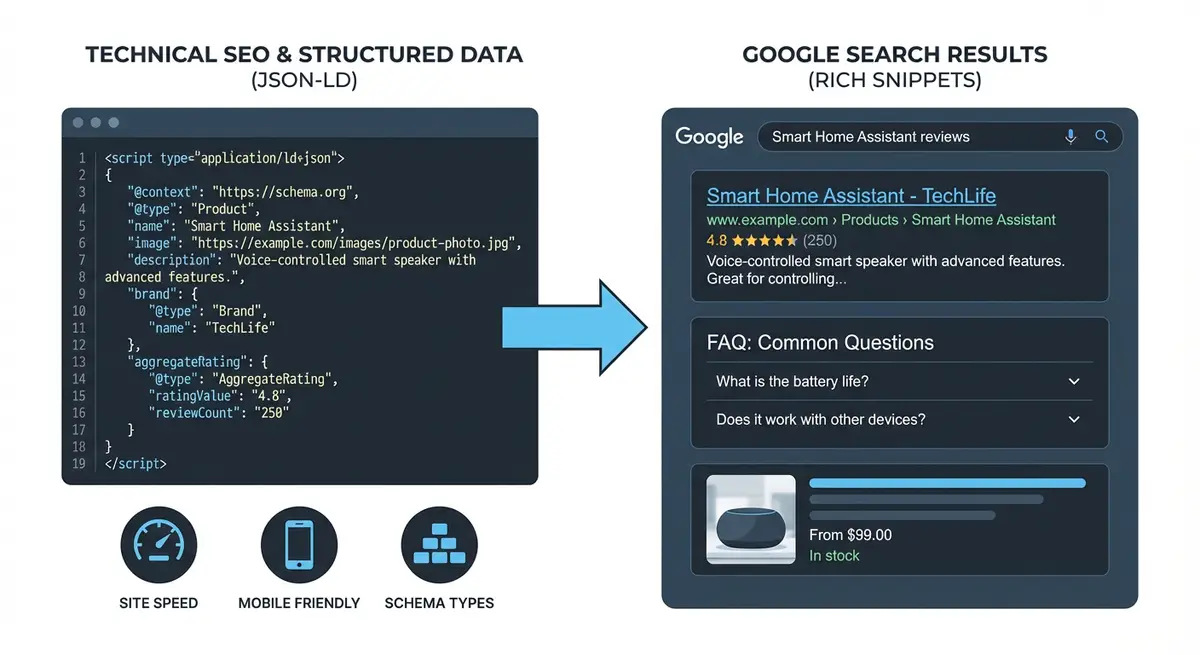
The Testing Workflow: Three Layers of Validation
Effective schema testing requires three distinct layers of validation, each catching different types of issues.
- Layer 1: JSON syntax validation. Does your code parse as valid JSON? Tools: JSONLint, any JSON validator.
- Layer 2: Schema.org compliance. Does your schema use valid types and properties according to the Schema.org specification? Tool: Schema Markup Validator (validator.schema.org).
- Layer 3: Google rich result eligibility. Does Google recognise your schema and consider the page eligible for rich results? Tool: Google Rich Results Test.
Layer 1: JSON Syntax Validation
Before checking schema compliance, ensure your code is valid JSON. JSON syntax errors are the most common cause of schema failures.
Validating JSON syntax
- Copy your JSON-LD code (everything between the <script> tags, not including the tags themselves).
- Go to jsonlint.com or use any JSON validator.
- Paste the code and click "Validate JSON".
- If valid, you will see "Valid JSON".
- If invalid, the tool will highlight the exact line and character where the error occurs.
- Common fixes: add missing commas between properties, close all brackets and braces, ensure all strings are in double quotes, remove trailing commas after the last item in arrays or objects.
Common JSON Syntax Errors
- Missing comma between properties: { "name": "Test" "url": "..." } (missing comma after "Test").
- Trailing comma: { "name": "Test", } (comma after last property is invalid JSON).
- Single quotes instead of double quotes: { 'name': 'Test' } (JSON requires double quotes).
- Unescaped special characters in strings: apostrophes, backslashes, and newlines need escaping.
- Mismatched brackets: opening { without closing }, or extra closing brackets.
- Numbers in quotes when they should not be (or vice versa).
Layer 2: Schema.org Validation
The Schema Markup Validator at validator.schema.org checks whether your JSON-LD uses valid Schema.org types and properties.
Using the Schema Markup Validator
- Go to validator.schema.org.
- Choose "Fetch URL" to test a live page or "Code Snippet" to test raw JSON-LD.
- If testing code, paste your complete JSON-LD including the <script> tags.
- Click "Run Test".
- Review the results: each detected schema type is listed with its properties.
- Green properties are valid and populated.
- Yellow warnings indicate missing recommended properties.
- Red errors indicate invalid properties or values.
- Note that this validator checks against the full Schema.org specification, not just what Google supports.
Layer 3: Google Rich Results Test
The Rich Results Test at search.google.com/test/rich-results is the most important tool because it shows exactly what Google sees and whether your page qualifies for rich results.
Complete Rich Results Test workflow
- Go to search.google.com/test/rich-results.
- Choose "URL" to test a live published page, or "Code" to test a snippet before publishing.
- For URL testing: enter the full URL and click "Test URL". Google fetches the live page.
- For code testing: paste your complete HTML or just the JSON-LD wrapped in <script> tags.
- Wait for the test to complete (usually 10-30 seconds).
- Check "Detected items": this shows every schema type found on the page.
- Click each detected item to see its properties, errors, and warnings.
- Errors (red): these MUST be fixed. They prevent the schema from generating rich results.
- Warnings (yellow): these are recommended properties. Fixing them improves your chance of rich results.
- Check the "Preview" section to see an approximation of how your rich result might appear in search.
- If testing a URL, check the "View tested page" section to see how Google rendered your page.
Pre-Publishing Testing: Code Snippet Method
The most efficient workflow is to test your schema code before adding it to Wix. This prevents the publish-test-fix-republish cycle.
Testing before publishing to Wix
- Write your JSON-LD in a text editor.
- Validate JSON syntax at jsonlint.com.
- Paste the JSON-LD (wrapped in script tags) into the Rich Results Test "Code" option.
- If testing page-specific schema, also include basic HTML structure: <!DOCTYPE html><html><head>[your schema]</head><body></body></html>.
- Fix any errors before proceeding.
- Once all errors are resolved, add the code to Wix via Custom Code.
- After publishing, test the live URL to confirm the schema works in context with the rest of the page.
Common Schema Errors and How to Fix Them
Error: Missing Field
This means a required property is absent. Each schema type has specific required fields.
- Product: requires name, image, offers (with price and availability).
- LocalBusiness: requires name and address.
- FAQPage: requires mainEntity with at least one Question.
- Event: requires name, startDate, location.
- Article: requires headline, author, datePublished.
- VideoObject: requires name, description, thumbnailUrl, uploadDate.
- HowTo: requires name and step with at least one HowToStep.
Error: Invalid Value
The property value is in the wrong format.
- Dates must be ISO 8601: "2026-01-15T09:00:00+00:00" or "2026-01-15".
- URLs must be full absolute URLs: "https://yoursite.com/page" not "/page".
- Availability must use Schema.org URLs: "https://schema.org/InStock" not just "InStock".
- Price must be a string number: "89.99" not 89.99 (though both often work).
- Duration must be ISO 8601: "PT15M" not "15 minutes".
Error: Unparsable Structured Data
Your JSON-LD has a syntax error that prevents parsing entirely. Use jsonlint.com to find the exact error location.
Using Google Search Console for Ongoing Monitoring
After deployment, Google Search Console becomes your primary monitoring tool. It shows the real-world status of your structured data across your entire site.
Setting up GSC monitoring
- Go to Google Search Console > Enhancements.
- Check each structured data type listed (FAQ, Product, Breadcrumbs, etc.).
- Click each type to see: valid items, items with warnings, and items with errors.
- Click on error categories to see which specific pages have issues.
- Click "Validate Fix" after resolving errors to prompt Google to recheck.
- Check the Enhancements section weekly for the first month after implementation.
- After stabilisation, check monthly.
Creating a Schema Audit Spreadsheet
For sites with schema on multiple pages, maintain a spreadsheet that tracks every implementation.
- Column A: Page URL.
- Column B: Schema type(s) on the page.
- Column C: Last tested date.
- Column D: Rich Results Test result (pass/fail).
- Column E: GSC detection status (valid/error/not detected).
- Column F: Notes (any warnings or special considerations).
- Column G: Last updated date (when schema was last modified).
- Update this spreadsheet after every schema change and during monthly audits.
Automated Testing with Screaming Frog
For larger sites, Screaming Frog can crawl your entire site and extract all structured data, giving you a complete picture of your schema implementation.
- In Screaming Frog, go to Configuration > Spider > Extraction.
- Add a custom extraction for JSON-LD: select "CSSPath" and enter "script[type=application/ld+json]".
- Crawl your site.
- The extraction column will show the raw JSON-LD found on each page.
- Export to a spreadsheet to review all schema across your site in one view.
- Identify pages missing expected schema or pages with errors.
Testing Schema on Mobile vs Desktop
Since Google uses mobile-first indexing, ensure your schema is present in the mobile version of your pages.
- In the Rich Results Test, check the "Mobile" view of the tested page to confirm schema is visible.
- Wix Custom Code added via head section should be present on both mobile and desktop.
- If you use conditional code that only loads on desktop, your schema may be invisible to Google's mobile crawler.
- Test both mobile and desktop versions of key pages to ensure consistency.
Was this lesson useful?
It takes 1 minute to tell me. The course is free and I want to keep it that way, and your feedback shows me what is working and helps other people find it.
This lesson on Testing and validating schema with Google's Rich Results Test and Schema.org validator is part of Module 6: Technical SEO, Structured Data & Rich Snippets for Wix in The Most Comprehensive Complete Wix SEO Course in the World (2026 Edition). Created by Michael Andrews, a Wix Marketplace Legend Partner with 14 years of hands-on experience, 800 completed Wix SEO projects and 456 verified five-star reviews.