HowTo schema on Wix after Google retired how-to rich results
Module 6: Technical SEO, Structured Data & Rich Snippets for Wix | Lesson 70 of 683 | 50 min read
By Michael Andrews, Wix SEO Expert UK
Read this first
Before you spend any time on this one, here is the thing you need to know, because it changes what this lesson is for. Google retired the How-to rich result. It came off mobile first, and then on the 13th of September 2023 it came off desktop too, so How-to markup no longer produces any special result in Google Search on any device. That is not a Wix limitation, it is Google simplifying its results, and it applies to every site.
So what is it still good for
So I am not going to tell you to add How-to schema to chase stars or a step carousel, because there is nothing there to win any more. The markup is still valid schema.org vocabulary, and it can still help machines and AI assistants understand that a page is a set of ordered steps, so there is a small case for it if you care about how AI tools read your content. But for Google Search results specifically, it earns you nothing now.
What actually helps step by step content today is the on page work, not the markup. Give the page a clear H1, break the steps into properly ordered headings, number them, and write each step so it stands on its own. That is what gets a how-to page understood and ranked now, and it is what the AI answer engines pull from as well. If your headings are not structured cleanly, fix that first in Heading hierarchy on Wix. And if you want the wider picture of which schema types Google has dropped and which still pay off, that context sits alongside What structured data is.
This lesson covers what HowTo schema is, the full JSON-LD structure, how to add it to a Wix page, and why the page content itself now matters far more than the markup.
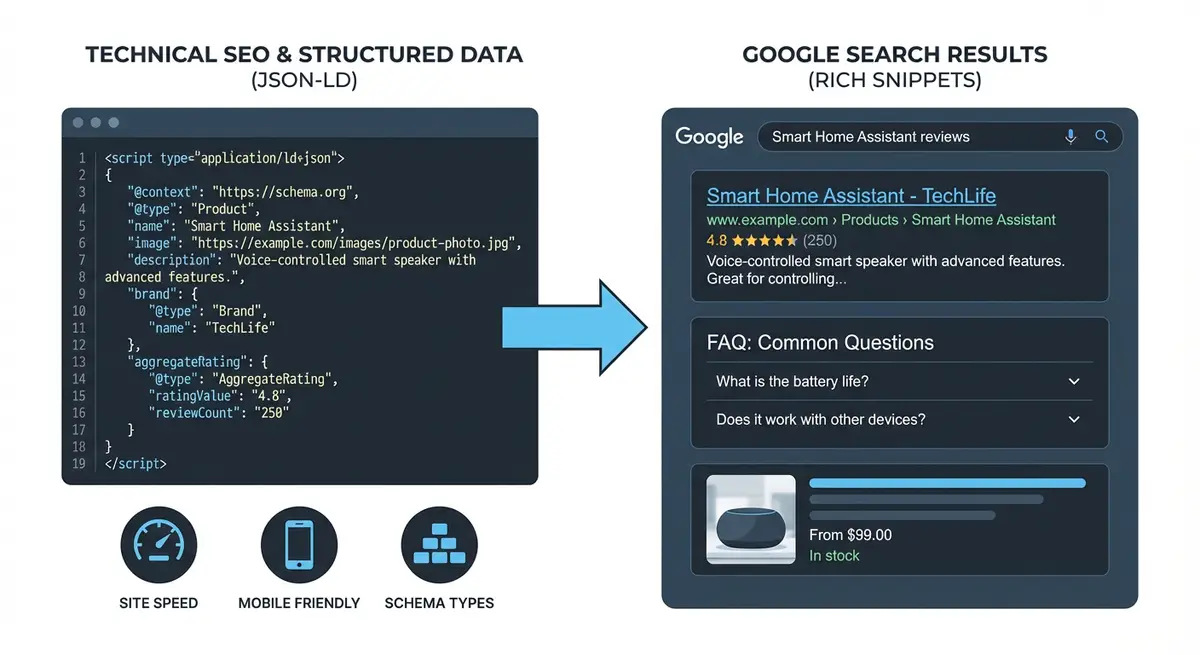
What HowTo results used to look like
Until 2023, Google could show the steps of a guide directly under its search listing, sometimes with images and a total time. That display has gone on every device, so none of these features can be earned now. The section is kept here only so you recognise it when older guides mention it.
When to Use HowTo Schema
HowTo schema is appropriate for instructional content where you guide someone through a sequential process. The content must present steps that are meant to be followed in order to accomplish a specific task.
Good Candidates for HowTo Schema
- Tutorial pages: "How to set up Google Search Console on Wix".
- Step-by-step guides: "How to optimise images for your Wix site".
- Process guides: "How to write a meta description that gets clicks".
- Setup instructions: "How to install Google Analytics on Wix".
- DIY guides: "How to create a BreadcrumbList schema".
- Configuration walkthroughs: "How to set up 301 redirects on Wix".
Pages That Should NOT Use HowTo Schema
- Opinion articles or thought pieces.
- Product or service pages (use Product or Service schema instead).
- General informational pages without sequential steps.
- FAQ pages (use FAQPage schema instead).
- Recipe pages (use Recipe schema instead).
- Pages where steps are suggestions rather than sequential instructions.
Keep the markup matched to the page
- Content must present a series of steps to complete a task.
- Steps must be visible on the page, not hidden or behind interaction.
- Schema content must match the visible page content exactly.
- The guide must be complete: do not link to other pages for critical steps.
- Each step must be meaningful and not just advertising.
- Content must comply with Google's structured data guidelines.
- The page should be the primary resource for the task described.
Basic HowTo Schema Structure
<script type="application/ld+json">
{
  "@context": "https://schema.org",
  "@type": "HowTo",
  "name": "How to Add Schema Markup to a Wix Website",
  "description": "A step-by-step guide to adding JSON-LD structured data to any Wix page using Custom Code injection.",
  "totalTime": "PT15M",
  "step": [
    {
      "@type": "HowToStep",
      "name": "Open Wix Dashboard Settings",
      "text": "Log into your Wix dashboard and click Settings in the left sidebar menu.",
      "position": 1
    },
    {
      "@type": "HowToStep",
      "name": "Navigate to Custom Code",
      "text": "In Settings, scroll down and click Custom Code under the Advanced section.",
      "position": 2
    },
    {
      "@type": "HowToStep",
      "name": "Add Your Schema Code",
      "text": "Click Add Custom Code, paste your JSON-LD schema code, set placement to Head, choose which pages to apply it to, and click Apply.",
      "position": 3
    }
  ]
}
</script>
All HowTo Properties Explained
- name (required): the title of your how-to guide. Should match your page H1 or be very close.
- description (recommended): a 1-2 sentence summary of what the guide teaches.
- totalTime (recommended): ISO 8601 duration format. PT15M = 15 minutes, PT1H30M = 1 hour 30 minutes, PT2H = 2 hours.
- estimatedCost (optional): the cost to complete the task using MonetaryAmount type.
- supply (optional): materials or consumables needed using HowToSupply type.
- tool (optional): tools or equipment needed using HowToTool type.
- step (required): array of HowToStep objects describing each step.
- image (recommended): an image representing the completed task or the guide overall.
Advanced HowTo Schema with All Properties
<script type="application/ld+json">
{
  "@context": "https://schema.org",
  "@type": "HowTo",
  "name": "How to Optimise Images for Your Wix Website",
  "description": "Learn how to compress, resize, and correctly format images for your Wix site to improve page speed and Core Web Vitals scores.",
  "image": "https://yoursite.com/images/image-optimization-guide.jpg",
  "totalTime": "PT30M",
  "estimatedCost": {
    "@type": "MonetaryAmount",
    "currency": "GBP",
    "value": "0"
  },
  "tool": [
    {
      "@type": "HowToTool",
      "name": "Squoosh image compressor"
    },
    {
      "@type": "HowToTool",
      "name": "PageSpeed Insights"
    }
  ],
  "supply": [
    {
      "@type": "HowToSupply",
      "name": "Original images in PNG or JPG format"
    }
  ],
  "step": [
    {
      "@type": "HowToStep",
      "name": "Audit Your Current Images",
      "text": "Run your Wix site through PageSpeed Insights and scroll to the Properly Size Images and Serve Images in Next-Gen Formats opportunities to identify which images need optimisation.",
      "image": "https://yoursite.com/images/step1-pagespeed.jpg",
      "url": "https://yoursite.com/image-optimization#step-1",
      "position": 1
    },
    {
      "@type": "HowToStep",
      "name": "Compress Images with Squoosh",
      "text": "Open squoosh.app and drag each flagged image into the tool. Set the output format to WebP, adjust quality to 75-80%, and download the compressed version. This typically reduces file size by 60-80%.",
      "image": "https://yoursite.com/images/step2-squoosh.jpg",
      "url": "https://yoursite.com/image-optimization#step-2",
      "position": 2
    },
    {
      "@type": "HowToStep",
      "name": "Upload Optimised Images to Wix",
      "text": "In the Wix Editor, click on each image element and replace the current image with your compressed version. Wix will automatically convert to WebP for supported browsers, but uploading a pre-optimised file ensures the best results.",
      "image": "https://yoursite.com/images/step3-upload.jpg",
      "url": "https://yoursite.com/image-optimization#step-3",
      "position": 3
    },
    {
      "@type": "HowToStep",
      "name": "Verify Speed Improvement",
      "text": "Re-run PageSpeed Insights on the page and compare your new scores to your baseline. LCP should improve and the image-related opportunities should disappear from the report.",
      "image": "https://yoursite.com/images/step4-verify.jpg",
      "url": "https://yoursite.com/image-optimization#step-4",
      "position": 4
    }
  ]
}
</script>
HowToStep Properties in Detail
- name (recommended): a short title for the step. Keep to 5-10 words.
- text (required): the full instruction text for this step. 1-3 sentences.
- image (recommended): URL to an image showing this step. Helps readers follow the step.
- url (optional): a link to a section anchor on the page for this specific step.
- position (recommended): the numerical position of the step (1, 2, 3...).
Time Formatting (ISO 8601 Duration)
The totalTime property uses ISO 8601 duration format, which starts with "PT" (Period, Time) followed by the duration.
- PT5M = 5 minutes
- PT15M = 15 minutes
- PT30M = 30 minutes
- PT1H = 1 hour
- PT1H30M = 1 hour 30 minutes
- PT2H = 2 hours
- P1D = 1 day (for longer processes)
- P7D = 7 days
Writing steps that are clear to readers and machines
- Each step should describe exactly one action the reader should take.
- Start each step with an action verb: Open, Click, Navigate, Enter, Select, Copy, Paste.
- Keep step titles concise (5-10 words) and step text detailed (1-3 sentences).
- Be specific: "Click the blue Save button in the top-right corner" not "Save your changes".
- Include context: explain why this step matters, not just what to do.
- Avoid steps that are too vague: "Think about your goals" is not an actionable step.
- Do not include advertising or promotional content within steps.
- Ensure steps are genuinely sequential: each step should logically follow the previous one.
Adding HowTo Schema to Wix: Step-by-Step
Complete implementation process
- Identify pages on your Wix site with step-by-step instructional content.
- Ensure the page content has clearly numbered or ordered steps that a reader follows sequentially.
- Open a text editor and create the HowTo JSON-LD using the template above.
- Set the name to match your page title or H1 heading closely.
- Write a clear description summarising what the guide teaches.
- Calculate the realistic totalTime for someone following the guide and format in ISO 8601.
- Add tool and supply properties if your guide requires specific tools or materials.
- Create step objects for each step, with name, text, and position.
- If you have step-by-step screenshots, add image URLs to each step.
- Validate the complete code in the Schema Markup Validator at validator.schema.org.
- Fix any errors: check property names, required fields, and JSON syntax.
- In Wix Dashboard, go to Settings > Custom Code.
- Click "+ Add Custom Code" and paste the validated JSON-LD.
- Name it: "HowTo Schema - [Guide Title]".
- Set placement to Head and apply to the specific tutorial page.
- Publish and test the live URL in the Schema Markup Validator.
- Check the validator shows "HowTo" with the correct number of steps.
Combining HowTo with Other Schema
HowTo schema works well alongside Article or BlogPosting schema on tutorial blog posts. Use the @graph array to combine them.
{
  "@context": "https://schema.org",
  "@graph": [
    {
      "@type": "BlogPosting",
      "headline": "How to Add Schema Markup to Wix",
      "author": { "@type": "Person", "name": "Your Name" },
      "datePublished": "2026-01-15"
    },
    {
      "@type": "HowTo",
      "name": "How to Add Schema Markup to Wix",
      "step": [
        { "@type": "HowToStep", "name": "Step 1", "text": "...", "position": 1 }
      ]
    },
    {
      "@type": "BreadcrumbList",
      "itemListElement": [
        { "@type": "ListItem", "position": 1, "name": "Home", "item": "https://yoursite.com" },
        { "@type": "ListItem", "position": 2, "name": "Blog", "item": "https://yoursite.com/blog" },
        { "@type": "ListItem", "position": 3, "name": "How to Add Schema Markup to Wix" }
      ]
    }
  ]
}
Common HowTo Schema Mistakes
- Using HowTo schema on non-instructional content (opinion articles, product pages).
- Schema steps do not match visible page content.
- Missing the text property on HowToStep objects (text is required).
- Steps that are too vague to be actionable.
- Incorrect totalTime format (must be ISO 8601 starting with PT).
- Adding promotional content within step descriptions.
- Steps that link to other pages for critical information (guide must be self-contained).
- Not including position numbers on steps.
- Having only 1-2 steps: a guide this short rarely needs HowTo markup.
- Forgetting to wrap in <script type="application/ld+json"> tags.
Monitoring and Maintaining HowTo Schema
- Update the markup when you revise the tutorial or add or remove steps.
- Re-validate in the Schema Markup Validator after any content change.
- Track clicks and impressions for your tutorial pages in Search Console Performance, as you would for any page.
- Review quarterly: are the instructions still accurate and current?
How to write tutorial content Google and AI tools understand
Well structured page content is what gets a tutorial understood and ranked now. Use this process for tutorial pages on Wix.
Creating clear tutorial content on Wix
- Choose a topic with genuine how-to intent: the page must answer "how to do X" with a clear, sequential process that any reader could follow.
- Write the tutorial as a numbered list in the Wix Editor, or as visually distinct numbered sections with headings, so the sequence is obvious to both users and Google.
- Ensure each step in the visible content includes a step title and at least 1-2 sentences of instruction. Vague steps like "Think about your goals" will not qualify.
- Start every step with an action verb: Click, Open, Navigate to, Enter, Select, Copy, Paste, Check. This signals genuine instructional content.
- Add at least one screenshot or image per 3-4 steps where possible: images make the steps easier to follow.
- Include a realistic time estimate for completing the full process. Display this visibly on the page (e.g., "This guide takes approximately 20 minutes").
- List any tools or materials required at the top of the page. These can be included in HowToTool schema properties.
- If you add HowTo markup, make the steps identical to, or a direct summary of, the visible page content.
- If you add HowTo markup, validate it at validator.schema.org and confirm the step count is correct.
- In Wix Dashboard, go to Settings > Custom Code, add the HowTo JSON-LD to the specific tutorial page with Head placement, publish, and re-test the live URL.
Was this lesson useful?
It takes 1 minute to tell me. The course is free and I want to keep it that way, and your feedback shows me what is working and helps other people find it.
This lesson on HowTo schema on Wix after Google retired how-to rich results is part of Module 6: Technical SEO, Structured Data & Rich Snippets for Wix in The Most Comprehensive Complete Wix SEO Course in the World (2026 Edition). Created by Michael Andrews, a Wix Marketplace Legend Partner with 14 years of hands-on experience, 800 completed Wix SEO projects and 456 verified five-star reviews.