Wix AI Visibility Overview: Track Your GEO
Module 16: Wix Native SEO Tools & AI Visibility | Lesson 179 of 683 | 25 min read
By Michael Andrews, Wix SEO Expert UK
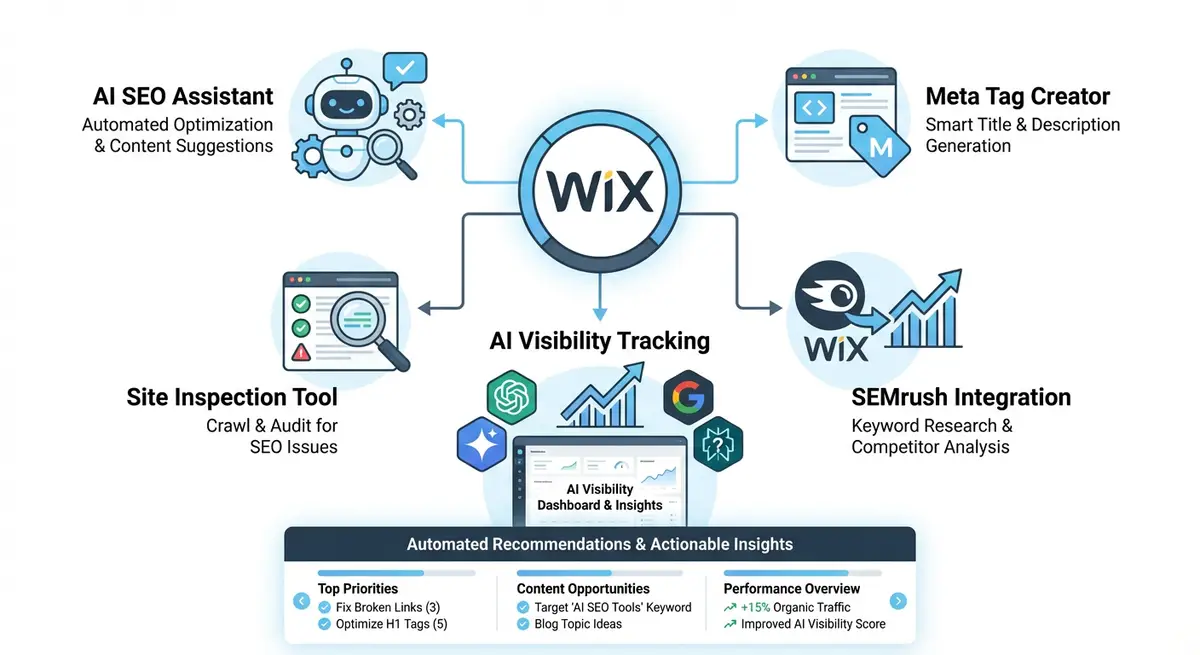
The AI Visibility Overview is a native Wix analytics tool that shows how your site appears in AI-powered search. It tracks how often AI engines mention and cite your site when people ask questions related to your business, so you can see your presence in the AI era, not just in classic Google results. This is generative engine optimisation, GEO, measured inside your own dashboard.
An important distinction before we go further: this tool measures and reports your AI visibility. It does not do the optimisation for you. You still do the GEO work yourself: strong content, clear structured data, and authority signals that make AI platforms want to cite you. The AI Visibility Overview tells you where you stand and where competitors are beating you, so you know exactly where to focus that work.
What It Shows
The tool has tabs at the top for ChatGPT, Gemini and Perplexity, and the data changes with the tab you pick. Each platform view reports the same five sections. Site Mentions shows an AI visibility score: the percentage of generated questions in which your site was mentioned. Competitors by visibility score lets you see who is being cited instead of you on the same questions. Top Sources lists the websites the AI used to build its answers, which doubles as a content and link target list. Brand Perception gives you a read on how AI describes your strengths and weaknesses. AI Traffic shows bot and visitor sessions coming from each platform, so you can connect AI mentions to actual traffic.
How to Open It
How to open the Wix AI Visibility Overview
- Go to your Wix dashboard.
- Click Analytics.
- Click Overviews.
- Click AI Visibility.
- At the top of the page, choose a platform tab: ChatGPT, Gemini or Perplexity.
How to Read and Use It
How to read and act on AI Visibility Overview data
- In Site Mentions, read your AI visibility score, then click any question to see the AI's full answer and the sources it used.
- In Competitors by visibility score, see how rivals rank on the same questions.
- In Top Sources, review which sites the AI drew on, and click "See more sources" for the full list.
- In Brand Perception, click "See Full Response" to read how the AI describes your business.
- In AI Traffic, review the bot and visitor sessions coming from your chosen platform.
How to Manage Your Questions
How to manage and regenerate your AI visibility questions
- Click "Manage Questions".
- To add one, write the question and click "Add".
- To remove one, click the trash icon next to it.
- To start over, choose "Re-generate all questions".
- Click "Save and Test", then "Run New Test".
Requirements and Limits
Your site needs at least 50 unique visitors in the last 30 days for the tool to work. You can store up to 50 questions, run one new test per day, and view your last 5 test results from the dropdown in the Site Mentions section.
How This Fits Your SEO and GEO Work
Use the tool as your GEO scoreboard. Check which questions you are missing from and which competitors get cited, then go and improve the underlying content and structured data for those topics. Treat Top Sources as a link and content target list: if a particular site keeps appearing as a source the AI trusts, study what they are doing and whether you can earn a mention or link there. The tool shows you the gap; closing it is the same GEO discipline taught in the GEO module and the AEO module of this course.
Source: Wix Help Center: "Wix Analytics: About the AI Visibility Overview".
Essential Tools for This Lesson
- SEO Fix in a Box: My Wix app. Free to install, it scans your site and shows what needs fixing, and paid plans write the fixes from your own Google searches
Was this lesson useful?
It takes 1 minute to tell me. The course is free and I want to keep it that way, and your feedback shows me what is working and helps other people find it.
This lesson on Wix AI Visibility Overview: Track Your GEO is part of Module 16: Wix Native SEO Tools & AI Visibility in The Most Comprehensive Complete Wix SEO Course in the World (2026 Edition). Created by Michael Andrews, a Wix Marketplace Legend Partner with 14 years of hands-on experience, 800 completed Wix SEO projects and 456 verified five-star reviews.
