LLMs.txt on Wix: the native AI communication feature for eCommerce
Module 16: Wix Native SEO Tools & AI Visibility | Lesson 187 of 683 | 22 min read
By Michael Andrews, Wix SEO Expert UK
LLMs.txt is a machine-readable file that communicates your business and product information directly to AI platforms like ChatGPT, Gemini and Perplexity. Wix has begun rolling out native LLMs.txt support for premium eCommerce users, automatically generating this file from your Wix Store product data. This is one of the first CMS platforms to offer native AI communication, giving Wix eCommerce users a potential early-mover advantage in AI search visibility.
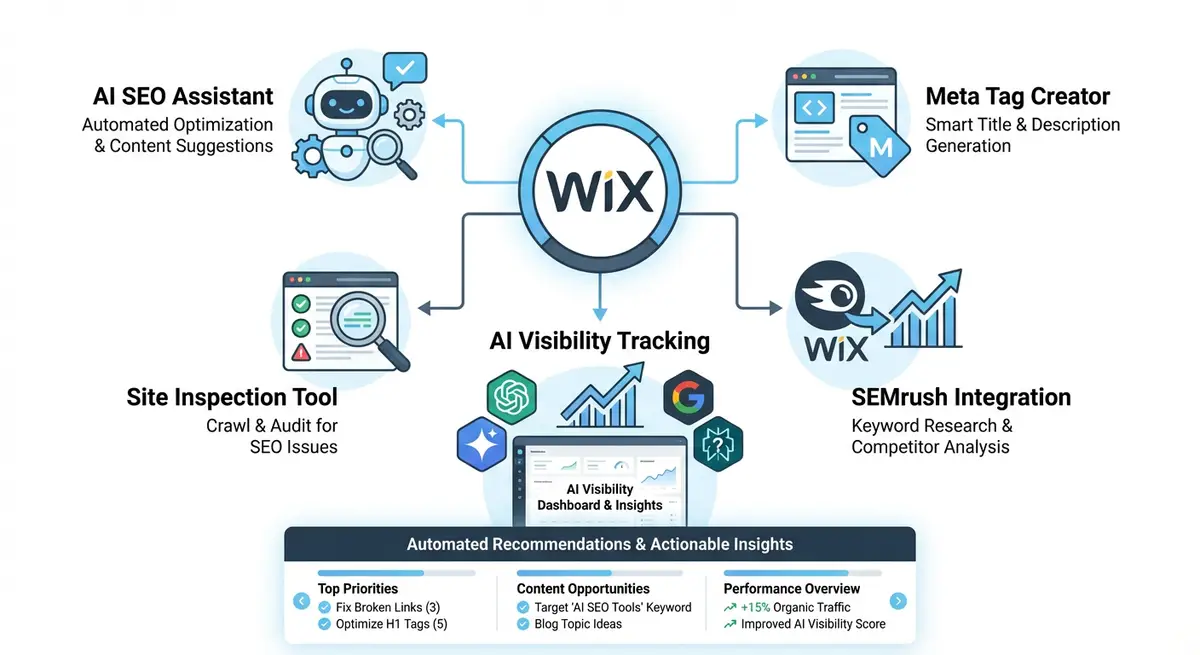
What LLMs.txt Contains
- Business name, description and contact information.
- Product catalogue data: names, descriptions, prices, availability and categories.
- Brand information and unique selling propositions.
- Service areas and delivery information.
- Key policies: returns, shipping, privacy.
How LLMs.txt Differs from Manual llms.txt
A manual llms.txt file is a text file you create yourself and upload to your site root. The Wix native LLMs.txt feature automatically generates and updates the file from your Wix Store data, ensuring it always reflects your current product catalogue without manual maintenance. When you add, remove, or update products in your Wix Store, the LLMs.txt file updates automatically.
Eligibility Requirements
- Active Wix Premium plan with eCommerce capabilities.
- Wix Stores with at least one published product.
- Feature is rolling out progressively and may not be available on all accounts yet.
- Standard Wix sites without eCommerce do not currently qualify for native LLMs.txt.
Measuring the Impact
Measuring the direct impact of LLMs.txt on AI search visibility is still evolving. The Wix AI Visibility Overview tool can help track whether your products appear more frequently in AI responses after LLMs.txt is activated. You can also manually test by asking ChatGPT and Perplexity about your products before and after enabling the feature.
Complete How-To Guide: Enabling and Optimising LLMs.txt on Wix
This guide walks you through enabling the native LLMs.txt feature on your Wix eCommerce site and optimising your product data to maximise AI search visibility.
How to enable and optimise LLMs.txt on your Wix eCommerce site
- Step 1: Check your eligibility. Go to your Wix Dashboard and verify you have an active Premium plan with Wix Stores enabled and at least one published product.
- Step 2: Navigate to Marketing & SEO > SEO Tools and look for the LLMs.txt or AI Communication section. If the feature is available on your account, you will see an option to enable it.
- Step 3: Enable the LLMs.txt feature by toggling it on. Wix will automatically generate the file from your existing store data and publish it at yourdomain.com/llms.txt.
- Step 4: Verify the file is accessible by navigating to yourdomain.com/llms.txt in your browser. You should see a structured text file containing your business and product information.
- Step 5: Review the generated content for accuracy. Check that your business name, description, and key details are correct. If anything is inaccurate, update the source data in your Wix Store settings.
- Step 6: Optimise your product descriptions in Wix Store. AI platforms will use these descriptions when referencing your products, so ensure they are clear, factual, and include relevant keywords and specifications.
- Step 7: Add detailed product attributes (size, colour, material, weight) to every product in your Wix Store. The more structured data available, the richer your LLMs.txt output will be.
- Step 8: Ensure your Wix Store categories are well-organised with clear, descriptive names. Categories appear in the LLMs.txt file and help AI platforms understand your product range.
- Step 9: Update your Wix site business description in Settings > Business Info. This information feeds into the LLMs.txt file and should clearly explain what your business offers and what makes it unique.
- Step 10: Test AI visibility before and after enabling LLMs.txt. Ask ChatGPT, Perplexity and Gemini about your products using natural language queries. Document the responses as your baseline.
- Step 11: After 2-4 weeks with LLMs.txt active, repeat the AI queries from Step 10. Compare the responses to see whether AI platforms are now referencing your products more accurately or frequently.
- Step 12: If your account does not yet have native LLMs.txt support, create a manual llms.txt file. Write a plain text summary of your business and products, upload it to your Wix site via Custom Code as a static file, and link it from your homepage.
How to Optimise Your Wix Store Data for LLMs.txt and AI Visibility
The LLMs.txt file generates its content from your Wix Store product data. These steps show you how to improve the source data to produce a richer, more citation-friendly LLMs.txt output.
How to improve Wix Store product data to maximise LLMs.txt AI visibility
- Step 1: Log in to your Wix Dashboard and navigate to Store > Products. Open your first product and review every available field. The goal is to fill in every field with accurate, specific information.
- Step 2: Update the product name to be clear and specific. Include the key distinguishing feature: "Professional Stainless Steel Coffee Grinder 60g Capacity" is more citation-friendly than "Coffee Grinder Model X".
- Step 3: Rewrite the product description for each item. AI platforms reference product descriptions when answering queries. Write descriptions that answer: what is it, who is it for, what problem does it solve, what are the key specifications.
- Step 4: Fill in product attributes for every item. Click the product, navigate to the Specifications tab, and add attributes like material, dimensions, weight, colour options, and compatibility. The more structured attribute data, the richer the AI communication.
- Step 5: Add detailed category names and descriptions. Navigate to Store > Categories and review each category name and description. Category information appears in LLMs.txt and helps AI platforms understand your product range.
- Step 6: Navigate to Settings > Business Info in your Wix Dashboard. Update your business description to be comprehensive: what you sell, who your customers are, what makes you different, and what your return and shipping policies are.
- Step 7: Verify your product pricing is accurate and current. AI platforms may reference pricing when answering cost-related queries. Outdated prices in LLMs.txt can create customer confusion and damage trust.
- Step 8: Add high-quality product images to every item. Use descriptive file names (stainless-steel-coffee-grinder.webp rather than IMG_1234.jpg) and add alt text to each product image. Image descriptions can be referenced by AI platforms.
- Step 9: Enable LLMs.txt in Marketing & SEO > SEO Tools if available for your account. After enabling, navigate to yourdomain.com/llms.txt in your browser to verify the file is generated and contains your product data.
- Step 10: Test AI visibility before and after enabling LLMs.txt. Ask ChatGPT and Perplexity questions about your product types. Document the responses as your baseline. Repeat after 4 weeks with LLMs.txt active.
- Step 11: Review the LLMs.txt file content quarterly. After major product additions, removals, or price changes, verify the file reflects your current inventory accurately.
- Step 12: Monitor whether AI citations increase in the Wix AI Visibility Overview tool after LLMs.txt activation. Track citation frequency for product-related queries specifically to measure the file's impact.
Essential Resources
- Wix Developer Docs: Technical documentation on LLMs.txt and AI communication features
- Wix App Market: Access Wix Stores and related eCommerce apps for AI visibility
- LLMs.txt Specification: Official specification for the LLMs.txt file format and standard
- SEO Fix in a Box: My Wix app. Free to install, it scans your site and shows what needs fixing, and paid plans write the fixes from your own Google searches
Was this lesson useful?
It takes 1 minute to tell me. The course is free and I want to keep it that way, and your feedback shows me what is working and helps other people find it.
This lesson on LLMs.txt on Wix: the native AI communication feature for eCommerce is part of Module 16: Wix Native SEO Tools & AI Visibility in The Most Comprehensive Complete Wix SEO Course in the World (2026 Edition). Created by Michael Andrews, a Wix Marketplace Legend Partner with 14 years of hands-on experience, 800 completed Wix SEO projects and 456 verified five-star reviews.