Wix AI meta tag creator: generating optimised titles and descriptions
Module 16: Wix Native SEO Tools & AI Visibility | Lesson 182 of 683 | 20 min read
By Michael Andrews, Wix SEO Expert UK
Writing unique, keyword-optimised title tags and meta descriptions for every page is one of the most time-consuming aspects of on-page SEO. The Wix AI meta tag creator generates three variations for any page based on the page content, saving hours of manual writing. But AI-generated meta tags need human review to ensure they include your target keywords, match search intent, and maintain your brand voice.
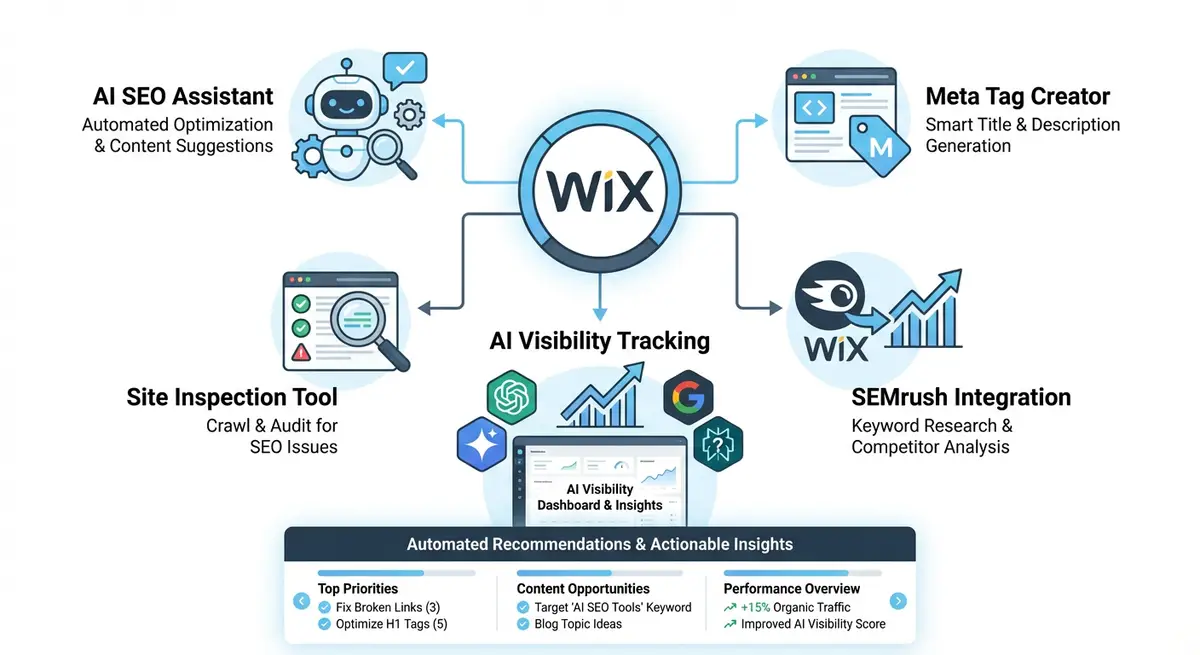
How the AI Meta Tag Creator Works
When you open the SEO settings for any page in the Wix Editor, the AI meta tag creator analyses the page content and generates three title tag and three meta description variations. It considers the page heading, body text, images and existing meta data to produce suggestions that are relevant to the page content. The suggestions typically follow SEO best practices for length and keyword inclusion.
When AI Suggestions Work Well
- Blog posts with clear topics and well-structured headings generate strong AI suggestions.
- Product pages with detailed descriptions produce relevant product-focused meta tags.
- Service pages with specific offerings get accurate title suggestions that include service keywords.
- Pages with strong H1 tags give the AI a clear signal for the primary topic.
When Human Editing Is Essential
- AI often misses your primary target keyword if it is not prominently used in the page content.
- AI meta descriptions rarely include calls to action that drive clicks.
- Brand voice and tone are not captured by AI, leading to generic-sounding suggestions.
- Location-specific keywords for local SEO are often omitted from AI suggestions.
- AI may generate descriptions that are too similar across multiple similar pages.
Using AI Meta Tags at Scale
For Wix sites with hundreds of pages, the AI meta tag creator is a massive time saver. Rather than writing every tag from scratch, use the AI as a first draft generator and then edit for keyword accuracy, brand voice and click appeal. A human-reviewed AI suggestion takes 2 minutes per page versus 10 minutes for writing from scratch.
Complete How-To Guide: Optimising Meta Tags with the Wix AI Creator
This guide walks you through using the Wix AI meta tag creator efficiently across your site while maintaining quality and consistency.
How to use the Wix AI meta tag creator for better SEO across your site
- Step 1: Start with your highest-traffic pages. Open Google Search Console, identify your top 20 pages by clicks, and prioritise meta tag optimisation for these pages first.
- Step 2: Open the first priority page in the Wix Editor. Click the page menu (three dots) and select SEO (Google) to access the meta tag settings.
- Step 3: Click the AI Generate button next to the title tag field. Review the three suggestions provided. Note which one includes your target keyword most naturally.
- Step 4: Select the best AI suggestion as your starting point. Edit it to ensure your primary target keyword appears within the first 30 characters of the title, your brand name appears at the end, and the total length stays under 60 characters.
- Step 5: Click the AI Generate button next to the meta description field. Review the three description suggestions.
- Step 6: Select the best description suggestion and edit it to include a clear call to action (e.g., "Learn more", "Get a free quote", "Shop now"), your target keyword, and a compelling reason to click rather than scroll past.
- Step 7: Ensure the meta description is between 120 and 155 characters. Shorter descriptions waste valuable SERP real estate. Longer descriptions get truncated by Google.
- Step 8: Repeat Steps 2-7 for each of your top 20 pages. Save all changes and publish.
- Step 9: For bulk optimisation of remaining pages, work through 10-15 pages per session using the AI creator as a first draft. This prevents fatigue from writing hundreds of meta tags manually.
- Step 10: Create a spreadsheet tracking every page URL, its title tag and meta description. This prevents accidentally creating duplicate meta tags across similar pages.
- Step 11: After publishing updated meta tags, monitor click-through rates in Google Search Console over the next 4-6 weeks. Filter by the specific pages you updated to measure the impact.
- Step 12: Revisit and refresh meta tags quarterly for your top pages. Search trends change, and meta tags that performed well six months ago may need updating to maintain competitive click-through rates.
How to Write High-Performing Title Tags and Meta Descriptions on Wix
Well-crafted meta tags increase organic click-through rates without requiring a higher ranking position. These steps show you how to write and optimise them systematically across your Wix site.
How to optimise title tags and meta descriptions across your Wix site
- Step 1: Log in to your Wix Dashboard and navigate to Marketing & SEO > SEO Tools. Open the AI SEO Assistant and filter by Missing Title Tags and Missing Meta Descriptions. These are your highest-priority pages to fix first.
- Step 2: Open Google Search Console Performance report. Sort by Impressions (descending) to find your most visible pages. These pages already rank and are the best candidates for meta tag optimisation to increase CTR.
- Step 3: For each priority page, open the Wix Editor. Click the three dots next to the page in the pages panel and select SEO (Google) to open the SEO settings panel.
- Step 4: Write the title tag using this formula for service pages: [Primary Keyword] in [Location] | [Brand Name]. For blog posts: [Keyword-Rich Topic] - [Compelling Hook] | [Brand]. Keep the total under 60 characters.
- Step 5: Use the Wix AI meta tag creator to generate three title suggestions. Review the suggestions and select the one that includes your primary target keyword most naturally. Edit to match your formula if needed.
- Step 6: Write the meta description. Include your primary keyword within the first 30 words, add a specific value proposition (e.g. "free quote", "same-day service", "rated 5 stars"), and end with a direct call to action.
- Step 7: Use the Wix AI meta tag creator to generate three description suggestions. Select the strongest one and edit it to include your CTA and keyword. Verify the final description is between 120 and 155 characters.
- Step 8: Check that your title tag and meta description are consistent with the page content. If the title promises a complete guide, the page must deliver comprehensive information. Misleading meta tags increase bounce rates.
- Step 9: Preview your title and description in a SERP simulator tool such as the free Mangools SERP Simulator at mangools.com/free-seo-tools/serp-simulator. Verify it looks compelling alongside competitor listings.
- Step 10: For pages with existing meta tags, use Google Search Console to find pages with below-average CTR for their ranking position. A page ranking position 3 should achieve at least 8-10% CTR. Lower CTR indicates meta tags need improvement.
- Step 11: Create a meta tag tracking spreadsheet. For each page, record the URL, current title, current description, ranking position, impressions, and CTR. Update monthly to track improvements.
- Step 12: After updating meta tags on any page, publish the changes and use Google Search Console URL Inspection to request indexing. Monitor CTR changes in Search Console over the following 4-6 weeks.
Before you accept an AI title, check it against how to write SEO title tags that get clicks.
Essential Resources
- Wix SEO Help Centre: Official guidance on using Wix SEO panel and meta tag settings
- Google Search Console: Monitor CTR changes after updating meta tags with the AI creator
- SERP Simulator: Preview how your title tags and descriptions appear in Google results
- SEO Fix in a Box: My Wix app. Free to install, it scans your site and shows what needs fixing, and paid plans write the fixes from your own Google searches
Was this lesson useful?
It takes 1 minute to tell me. The course is free and I want to keep it that way, and your feedback shows me what is working and helps other people find it.
This lesson on Wix AI meta tag creator: generating optimised titles and descriptions is part of Module 16: Wix Native SEO Tools & AI Visibility in The Most Comprehensive Complete Wix SEO Course in the World (2026 Edition). Created by Michael Andrews, a Wix Marketplace Legend Partner with 14 years of hands-on experience, 800 completed Wix SEO projects and 456 verified five-star reviews.