Wix Semrush integration: free keyword data inside your dashboard
Module 16: Wix Native SEO Tools & AI Visibility | Lesson 183 of 683 | 28 min read
By Michael Andrews, Wix SEO Expert UK
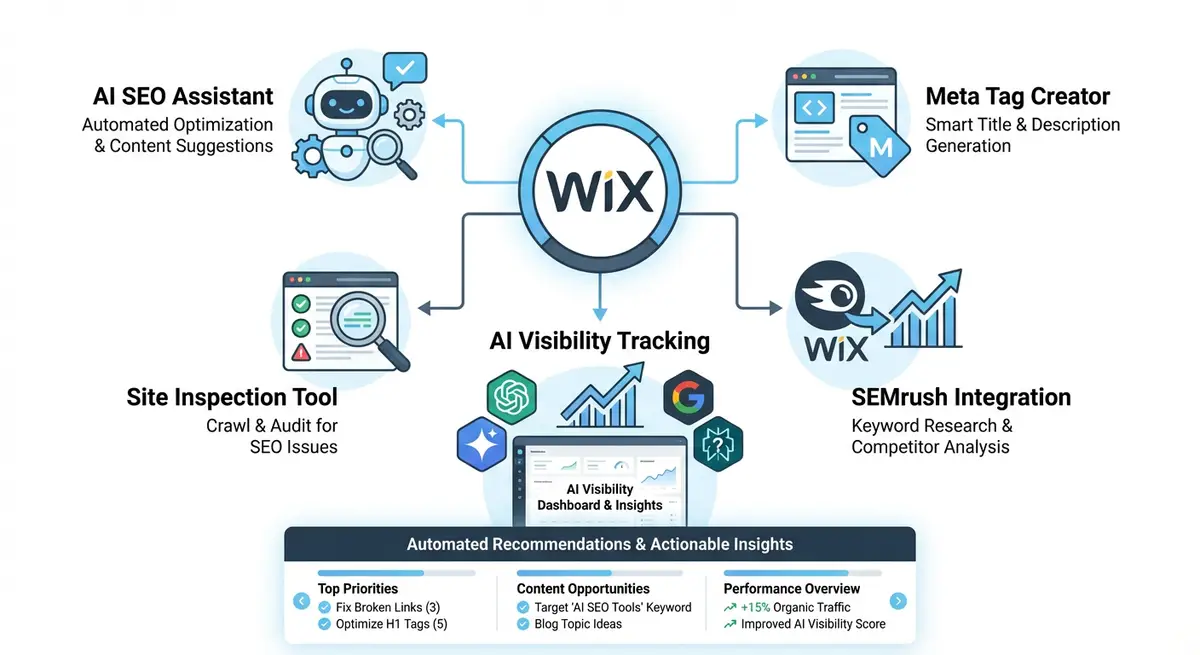
Wix has a built-in partnership with Semrush that provides keyword search volume, difficulty scores and search intent data directly inside your Wix dashboard. This is significant because Semrush is a premium tool that typically costs 130 dollars per month for basic access. The Wix integration gives you a subset of this data at no additional cost, making keyword research accessible without leaving your Wix environment.
What the Integration Provides
- Monthly search volume for keywords related to your business and industry.
- Keyword difficulty score indicating how hard it is to rank for each term.
- Search intent classification: informational, commercial, navigational or transactional.
- Related keyword suggestions based on your existing content and industry.
- Country-specific data with geolocation filtering for local keyword research.
Free vs Paid Semrush Account Capabilities
With a free Semrush account connected to Wix, you get limited daily searches and access to basic keyword data. A paid Semrush account unlocks higher daily limits, historical data, competitor keyword analysis, and SERP feature tracking. For most small business Wix sites, the free tier provides enough data to make informed keyword decisions. Paid accounts become valuable when managing multiple sites or competing in highly competitive niches.
Using Search Intent Data for Content Planning
Search intent is the most valuable data point from the Semrush integration. A keyword marked as "transactional" means searchers are ready to buy, while "informational" means they want to learn. Mapping your Wix pages to the correct intent ensures you create the right content type: product or service pages for transactional keywords, blog posts for informational keywords, and comparison pages for commercial keywords.
Complete How-To Guide: Using the Wix-Semrush Integration for Keyword Research
This guide walks you through connecting Semrush to your Wix dashboard and using the keyword data to plan content that ranks.
Essential Resources
- Wix SEO Help Centre: Official Wix SEO documentation and feature guides
- Wix SEO Learning Hub: Free SEO courses and tutorials from Wix
- Google Search Console: Monitor your site indexing and search performance
- Semrush: Comprehensive SEO platform for keyword research and competitor analysis
How to set up and use the Wix Semrush integration for keyword research
- Step 1: Go to your Wix Dashboard > Marketing & SEO > SEO Tools and locate the SEO Setup Checklist. The Semrush integration is accessible through the keyword research step of the checklist.
- Step 2: Create a free Semrush account if you do not have one. Go to semrush.com and register with your email. A free account provides limited daily searches which is sufficient for basic keyword research.
- Step 3: Connect your Semrush account to Wix by following the authorisation prompt in the SEO Setup Checklist. Grant the necessary permissions for Wix to access your Semrush keyword data.
- Step 4: Enter your primary business keyword into the Semrush keyword tool within Wix. For example, if you are a plumber in Leeds, enter "plumber Leeds" to see volume, difficulty and related keywords.
- Step 5: Review the search volume data. Focus on keywords with at least 100 monthly searches for local businesses or 500+ for national businesses. Keywords with zero volume are not worth targeting.
- Step 6: Check the keyword difficulty score. For new Wix sites or sites with low domain authority, target keywords with difficulty below 40. Higher difficulty keywords require more backlinks and content authority to rank.
- Step 7: Review the search intent classification for each keyword. Map transactional keywords to your service or product pages, informational keywords to blog posts, and commercial keywords to comparison or guide pages.
- Step 8: Explore the related keywords section to find long-tail variations of your primary keyword. These typically have lower competition and higher conversion rates. Add the best ones to your content planning spreadsheet.
- Step 9: Use the geolocation filter to check country-specific data. If you serve the UK market, ensure you are viewing UK search volume rather than global numbers which may be skewed by US data.
- Step 10: Create a keyword map spreadsheet with columns for keyword, search volume, difficulty, intent, target page URL and current ranking position. This becomes your content planning master document.
- Step 11: Prioritise keywords using the formula: high volume + low difficulty + transactional intent = highest priority. These keywords offer the best return on your content creation investment.
- Step 12: Revisit the Semrush integration monthly to discover new keyword opportunities and check whether difficulty scores have changed for your target keywords. Search landscapes shift, and regular monitoring ensures your strategy stays current.
How to Use the Wix Semrush Integration for Keyword Research
The Wix Semrush integration provides keyword data directly inside your dashboard. These steps show you how to use it to find and prioritise keywords for your Wix content strategy.
How to conduct keyword research using the Wix Semrush integration
- Step 1: Log in to your Wix Dashboard and navigate to Marketing & SEO > SEO Tools > SEO Setup Checklist. Locate the keyword research step and click Connect Semrush. Follow the authorisation prompts to link your Semrush account.
- Step 2: In the keyword research section, enter your primary business keyword. For a plumber in Manchester, this might be "plumber Manchester". Review the search volume and keyword difficulty scores.
- Step 3: Note the keyword difficulty score. For new Wix sites (under 1 year old) target difficulty below 30. For established sites with existing traffic, you can target up to difficulty 50. Higher difficulty keywords require more backlinks and content authority.
- Step 4: Click into the related keywords suggestions. Look for long-tail variations with 3 or more words. Long-tail keywords typically have lower difficulty, more specific intent, and higher conversion rates.
- Step 5: Review the search intent classification for each keyword. Sort your keyword list by intent type: transactional keywords belong on service or product pages, informational keywords on blog posts, and commercial investigation keywords on comparison or case study pages.
- Step 6: Apply the geolocation filter to ensure you are viewing UK search volumes if you serve a UK audience. US search volumes can be 5-10x higher than UK volumes for the same keyword, skewing your estimates significantly.
- Step 7: For each keyword you plan to target, check whether you already have a page for it. Open Google Search Console and search for the keyword in the Queries tab. If you already rank (even poorly), improve the existing page rather than creating a new one.
- Step 8: Build a keyword map spreadsheet. For each target keyword, record the keyword, monthly volume, difficulty, intent, and the target Wix page URL. Each page should have one primary keyword and 2-4 secondary keywords.
- Step 9: Prioritise your keyword list using this formula: Priority Score = (Volume x 0.4) + ((100 - Difficulty) x 0.4) + (Transactional Intent x 20). Sort by Priority Score to work through keywords in order of potential return.
- Step 10: Use the keyword data to update the title tag and H1 of your existing Wix pages that lack strong keyword targeting. Navigate to each page in the Wix Editor > SEO settings and update the title to include the target keyword.
- Step 11: For each new keyword cluster you identify, create a content brief outlining the target keyword, secondary keywords, minimum word count, required headings, and linking opportunities. Use this brief when creating new Wix pages.
- Step 12: Revisit the Semrush integration monthly. New keywords emerge, difficulty scores change, and search volume fluctuates seasonally. Update your keyword map and content priorities based on the latest data.
Essential Resources
- Semrush: Full Semrush platform for advanced keyword research beyond the Wix integration
- Wix App Market: Access the Wix-Semrush integration and other SEO apps
- Google Search Console: Free keyword data to complement Semrush search volume and difficulty scores
- SEO Fix in a Box: My Wix app. Free to install, it scans your site and shows what needs fixing, and paid plans write the fixes from your own Google searches
Was this lesson useful?
It takes 1 minute to tell me. The course is free and I want to keep it that way, and your feedback shows me what is working and helps other people find it.
This lesson on Wix Semrush integration: free keyword data inside your dashboard is part of Module 16: Wix Native SEO Tools & AI Visibility in The Most Comprehensive Complete Wix SEO Course in the World (2026 Edition). Created by Michael Andrews, a Wix Marketplace Legend Partner with 14 years of hands-on experience, 800 completed Wix SEO projects and 456 verified five-star reviews.