Video SEO on Wix: YouTube, Wix Video and video rich results strategy
Module 12: Brand SERP Management & Google Feature Domination | Lesson 150 of 683 | 28 min read
By Michael Andrews, Wix SEO Expert UK
Video results appear on a large proportion of Google search results pages. Pages with embedded video can significantly improve engagement and time on page, which are positive ranking signals. Google increasingly favours multimedia content, and video is the richest media format available. This lesson covers the complete video SEO strategy for Wix sites, from hosting decisions to schema implementation to measuring the impact on your organic visibility.
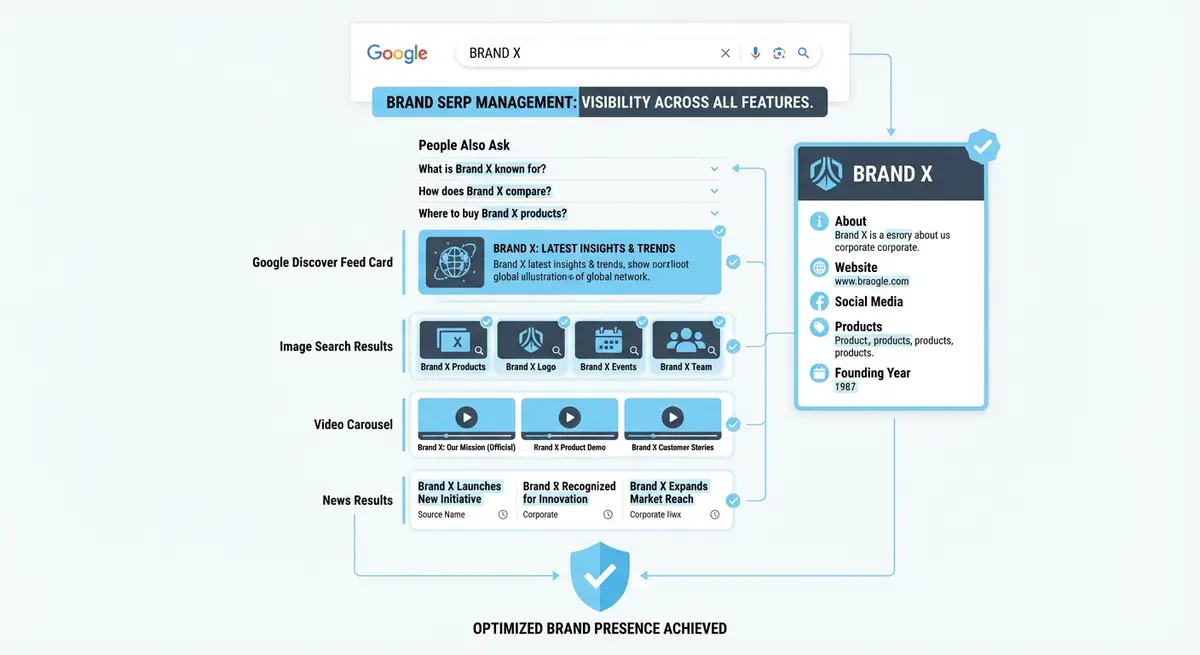
Video Hosting Strategy: YouTube vs Wix Video vs Self-Hosted
The hosting decision is your most consequential video SEO choice. YouTube gives you access to the second-largest search engine and free CDN delivery, but the traffic stays on YouTube and you strengthen their domain instead of yours. Wix Video keeps traffic on your site and gives you full control, but lacks YouTube's discovery engine. The optimal strategy for most Wix businesses is a dual approach: host on YouTube for discovery and embed on your Wix pages for on-site engagement and rich results.
- YouTube: best for discovery, brand awareness, and building a subscriber audience
- Wix Video: best for gated content, course material, and keeping users on your domain
- Self-hosted MP4: best for short autoplay background videos where streaming quality is not critical
- Vimeo: best for portfolio presentation and professional video hosting without YouTube branding
Embedding Videos on Wix for Maximum SEO Impact
How to embed and optimise videos on your Wix site
- Create a dedicated page or blog post for each video with substantial supporting text content
- Write at least 500 words of original text that complements the video content
- Use the Wix video element or YouTube embed element to add the video prominently above the fold
- Ensure the video is the primary focus of the page, not buried below other content
- Add a transcript of the video below the player for accessibility and additional keyword relevance
- Link to the video page from relevant parts of your site navigation and internal content
VideoObject Schema with Key Moments
VideoObject schema markup tells Google exactly what your video contains: its title, description, duration, thumbnail, upload date, and most importantly, key moments within the video. Key moments create timestamp links in search results that let users jump directly to relevant sections. This dramatically increases CTR because users can see that your video addresses their specific question.
{
  "@context": "https://schema.org",
  "@type": "VideoObject",
  "name": "Complete Guide to Wix SEO Settings",
  "description": "Step-by-step walkthrough of every SEO setting in the Wix dashboard",
  "thumbnailUrl": "https://www.yourdomain.com/video-thumbnail.jpg",
  "uploadDate": "2026-01-15",
  "duration": "PT12M30S",
  "contentUrl": "https://www.youtube.com/watch?v=example",
  "embedUrl": "https://www.youtube.com/embed/example",
  "hasPart": [
    {
      "@type": "Clip",
      "name": "Setting up page title tags",
      "startOffset": 30,
      "endOffset": 180,
      "url": "https://www.yourdomain.com/wix-seo-guide#t=30"
    },
    {
      "@type": "Clip",
      "name": "Configuring meta descriptions",
      "startOffset": 180,
      "endOffset": 360,
      "url": "https://www.yourdomain.com/wix-seo-guide#t=180"
    }
  ]
}Thumbnail Optimisation for Click-Through Rate
Your video thumbnail is the single biggest factor in whether someone clicks your video result. Custom thumbnails outperform auto-generated ones by an average of 30% in CTR. Use high-contrast colours, include text overlay with the main topic or benefit, show a human face with an expressive emotion, and ensure the thumbnail is readable at small sizes. YouTube recommends 1280x720 pixels with a 16:9 aspect ratio.
For video rich results in Google search, the thumbnail specified in your VideoObject schema is what Google displays. Make sure this URL points to a high-quality, compelling image. Test your schema implementation using Google's Rich Results Test to confirm the thumbnail is being correctly identified and displayed.
Measuring Video SEO Performance
- YouTube Analytics: monitor watch time, audience retention, and click-through rate from YouTube search
- Google Search Console: filter performance by "Video" search appearance to see video rich result impressions and clicks
- GA4 on Wix: track embedded video engagement using scroll depth and time-on-page as proxy metrics
- Rich Results Test: regularly validate that your VideoObject schema is error-free and eligible for rich results
- Rank tracking: monitor target keywords for video carousel and video rich result appearances
Video Content Strategy for Wix Businesses
Not every video format works equally well for SEO. Tutorial and how-to videos consistently earn the highest search visibility because they match explicit informational queries. Product demonstrations rank well for commercial queries. Client testimonials, while valuable for conversion, rarely rank in search because few people search for "[brand] testimonials". Prioritise creating videos that answer specific questions your audience is searching for, then embed them on corresponding Wix pages with full optimisation.
Complete How-To Guide: Implementing Video SEO on Your Wix Site
This guide covers the complete video SEO workflow from content creation through embedding on your Wix site to schema implementation and performance measurement.
How to set up video SEO for your Wix website
- Step 1: Plan your video content around search demand. Use YouTube search suggestions and Google Keyword Planner to find questions your audience is asking. Prioritise tutorial and how-to topics as these earn the highest search visibility.
- Step 2: Record your video with SEO in mind. State the main topic clearly in the first 15 seconds. Structure the content with clear sections that will become chapters. Keep total length between 8-15 minutes for optimal engagement.
- Step 3: Upload the video to YouTube first. Write a keyword-rich title under 60 characters. Write a detailed description of 300+ words including your target keywords. Add timestamps for key sections in the description to create YouTube chapters.
- Step 4: Create a custom thumbnail at 1280x720 pixels in 16:9 aspect ratio. Use high-contrast colours, include text overlay with the main benefit, and show a human face. Custom thumbnails increase CTR by an average of 30%.
- Step 5: On your Wix site, create a dedicated page or blog post for the video. Write at least 500 words of original supporting text that complements the video content. This gives Google substantial text to index alongside the video.
- Step 6: Embed the YouTube video prominently on the page using the Wix YouTube embed element. Place it above the fold so it is immediately visible. The video should be the primary focus of the page.
- Step 7: Add a full transcript of the video below the player. This provides accessibility for users who cannot watch the video and adds substantial keyword-rich text content for Google to index.
- Step 8: Add VideoObject schema to the page. Include name, description, thumbnailUrl, uploadDate, duration (in ISO 8601 format like PT12M30S), contentUrl pointing to the YouTube URL, and embedUrl pointing to the YouTube embed URL.
- Step 9: Add key moments to your VideoObject schema using the hasPart property with Clip types. Each clip needs a name, startOffset (in seconds), endOffset, and URL with a timestamp fragment. This creates timestamp links in search results.
- Step 10: Test your VideoObject schema using the Google Rich Results Test. Paste the Wix page URL and verify the video schema is detected with no errors. Confirm the thumbnail image loads correctly.
- Step 11: Link to your video page from relevant content across your Wix site. Add the video to related blog posts, service pages, and your video content hub page. Internal links help Google discover and prioritise the video page.
- Step 12: Monitor video SEO performance. In YouTube Analytics, track search traffic and watch time. In Google Search Console, filter Performance by "Video" search appearance to see video rich result impressions and clicks. In GA4, track engagement on your Wix video pages.
Video SEO Tools
- YouTube Studio: Manage video content, analytics and channel optimisation
- Schema.org VideoObject: VideoObject schema reference for video structured data
- Google Rich Results Test: Test video schema markup and rich result eligibility
- Google Search Console: Monitor video rich results and search performance
Video SEO Tools
- YouTube Studio: Manage video content, analytics and channel optimisation
- Schema.org VideoObject: VideoObject schema reference for video structured data
- Google Rich Results Test: Test video schema markup and rich result eligibility
- Google Search Console: Monitor video rich results and search performance
Essential Resources
- YouTube Studio: Manage video metadata, thumbnails, and YouTube SEO settings
- Google Rich Results Test: Validate VideoObject schema markup on your Wix video pages
- Schema.org VideoObject: Reference for video structured data to earn video rich results
Was this lesson useful?
It takes 1 minute to tell me. The course is free and I want to keep it that way, and your feedback shows me what is working and helps other people find it.
This lesson on Video SEO on Wix: YouTube, Wix Video and video rich results strategy is part of Module 12: Brand SERP Management & Google Feature Domination in The Most Comprehensive Complete Wix SEO Course in the World (2026 Edition). Created by Michael Andrews, a Wix Marketplace Legend Partner with 14 years of hands-on experience, 800 completed Wix SEO projects and 456 verified five-star reviews.