Image search SEO: ranking your Wix images in Google Images
Module 12: Brand SERP Management & Google Feature Domination | Lesson 149 of 683 | 22 min read
By Michael Andrews, Wix SEO Expert UK
Google Images accounts for over 20% of all Google searches, yet most Wix site owners treat images as decorative elements rather than ranking opportunities. Every image on your site is a potential entry point for new visitors through Google Images. With proper optimisation, your product photos, infographics, and blog images can drive significant organic traffic that your competitors are completely ignoring.
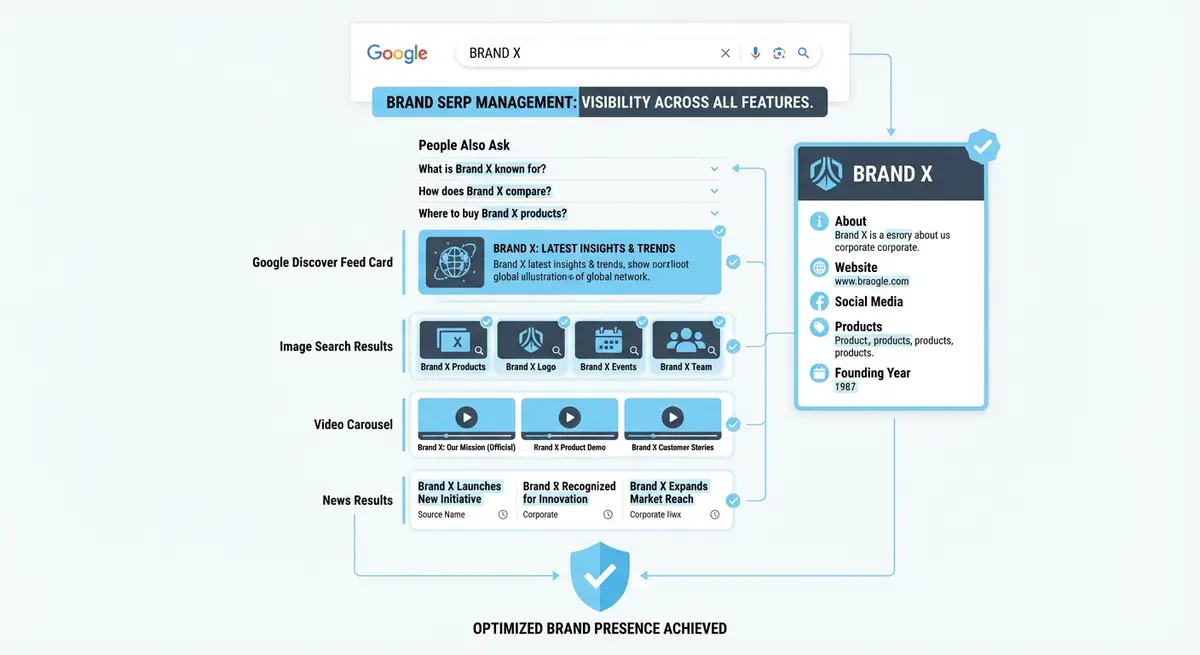
How Google Images Ranking Works
Google ranks images based on a combination of factors: the relevance of the image to the search query, the authority of the hosting page, the surrounding text context, and technical image attributes like file name, alt text, and structured data. Google also uses computer vision to understand image content, but textual signals remain the primary ranking factors. An image with perfect alt text on a low-authority page will still struggle against a mediocre image on a high-authority page.
Image search results increasingly display rich information alongside the image: product prices, recipe ratings, licensing information, and the page title. Pages with structured data that enhances image results get significantly higher click-through rates because users can see additional context before clicking.
File Naming Best Practices
- Use descriptive, hyphen-separated file names before uploading to Wix: "blue-leather-office-chair.jpg" not "IMG_4523.jpg"
- Include your primary keyword naturally in the file name without keyword stuffing
- Keep file names under 50 characters for readability and URL cleanliness
- Avoid underscores, spaces, or special characters in image file names
- Use lowercase letters consistently to avoid potential case-sensitivity issues
- For product images, include the product name and a descriptor: "nike-air-max-90-side-view.jpg"
Writing Effective Alt Text on Wix
Alt text serves two critical purposes: accessibility for screen reader users and search engine context for image ranking. Effective alt text describes what the image shows in a concise, natural sentence. It should be specific enough that someone who cannot see the image understands exactly what it depicts. On Wix, you set alt text by clicking on an image in the editor and selecting the alt text field in the image settings panel.
Implementing ImageObject Schema
ImageObject schema markup provides Google with explicit metadata about your images: the creator, the license, the caption, and the content depicted. This structured data can enhance how your images appear in Google Images results and is essential for appearing in the Licensable badge feature for stock photography or original artwork.
{
  "@context": "https://schema.org",
  "@type": "ImageObject",
  "contentUrl": "https://www.yourdomain.com/images/product-photo.jpg",
  "name": "Handmade Ceramic Coffee Mug in Sage Green",
  "description": "A handcrafted ceramic coffee mug with a sage green glaze, featuring an ergonomic handle",
  "creator": {
    "@type": "Person",
    "name": "Your Name"
  },
  "copyrightNotice": "Your Brand Name 2026",
  "creditText": "Photography by Your Brand Name"
,
"license": "https://wixseo.co.uk/terms-of-service",
"acquireLicensePage": "https://wixseo.co.uk/wix-seo-expert-uk-contact"
}
Image Sitemaps for Enhanced Discovery
Wix automatically includes images in your XML sitemap, which helps Google discover and index them. However, you should verify that your important images are being included by checking your sitemap at yourdomain.com/sitemap.xml. Look for image:image tags within the sitemap entries. If critical product or portfolio images are missing, ensure they are properly embedded on indexed pages rather than loaded via JavaScript overlays or lightboxes that Google might not render.
Preparing for Google Lens and Visual Search
Google Lens allows users to search using their camera or uploaded images. Visual search is growing rapidly, especially for product discovery and identification. To prepare your Wix images for visual search, ensure products are photographed clearly against clean backgrounds, use high-resolution original images rather than stock photos, and implement Product schema with image properties. Unique, original images perform dramatically better in visual search than generic stock photography that appears on hundreds of other sites.
Measuring Image Search Traffic
Track your Google Images performance
- In Google Search Console, go to Performance and click "Search type"
- Select "Image" to filter for Google Images traffic specifically
- Review which queries and pages drive the most image search clicks
- Compare image search CTR to web search CTR to identify optimisation opportunities
- Look for high-impression, low-click queries where better alt text or thumbnails could improve CTR
Complete How-To Guide: Ranking Your Wix Images in Google Images
This guide covers optimising every image on your Wix site for Google Images search, from file preparation through alt text writing to schema implementation and performance tracking.
How to optimise your Wix site images for Google Images rankings
- Step 1: Audit your current image SEO. Use Screaming Frog (free for up to 500 URLs) to crawl your Wix site and export all images. Check the report for missing alt text, oversized images, and generic file names.
- Step 2: Before uploading any new image to Wix, rename the file with a descriptive, hyphen-separated name containing your target keyword: "handmade-ceramic-mug-sage-green.jpg" not "IMG_4523.jpg". Keep file names under 50 characters.
- Step 3: For every existing image on your Wix site, click the image in the editor and update the alt text. Write descriptive alt text following the formula: [Adjective] + [Subject] + [Context] + [Location if relevant]. Example: "Modern blue leather office chair in minimalist workspace".
- Step 4: Resize images before uploading. If an image displays at 800 pixels wide on your page, do not upload a 4000-pixel original. Resize to 1600 pixels (2x for retina displays). Use TinyPNG to compress the file before uploading to Wix.
- Step 5: Add ImageObject schema to your most important visual pages: product pages, portfolio pages, and feature blog posts. Include contentUrl, name, description, creator, and copyrightNotice properties.
- Step 6: Verify your image sitemap. Check yoursite.com/sitemap.xml and confirm your important images are included. Look for image:image tags within the sitemap entries. If images are missing, ensure they are embedded directly on the page rather than loaded via JavaScript overlays.
- Step 7: For product images, ensure your Product schema includes the image property pointing to your highest-quality product photo. This image may appear in Google Shopping and product rich results alongside Google Images.
- Step 8: Prepare for Google Lens visual search. Use original, high-quality product photography against clean backgrounds. Avoid stock photos that appear on hundreds of other sites. Unique images rank dramatically better in visual search.
- Step 9: Add supporting text context around your images. Google uses the surrounding text, headings, and captions to understand what an image depicts. Place images near relevant text paragraphs and add descriptive captions where appropriate.
- Step 10: Check your Wix site in Google Search Console. Go to Performance and select "Image" as the search type. Review which queries drive image search impressions and clicks. Identify high-impression, low-click queries where better alt text could improve CTR.
- Step 11: Create an image-focused content strategy. Publish blog posts with original infographics, data visualisations, or step-by-step photo guides. These types of images earn backlinks and Google Images rankings that purely decorative stock photos never will.
- Step 12: Set a monthly image audit schedule. Check for new images added without alt text, verify image file sizes are not degrading page speed, and review Google Images performance data in Search Console. Fix any issues immediately.
Was this lesson useful?
It takes 1 minute to tell me. The course is free and I want to keep it that way, and your feedback shows me what is working and helps other people find it.
This lesson on Image search SEO: ranking your Wix images in Google Images is part of Module 12: Brand SERP Management & Google Feature Domination in The Most Comprehensive Complete Wix SEO Course in the World (2026 Edition). Created by Michael Andrews, a Wix Marketplace Legend Partner with 14 years of hands-on experience, 800 completed Wix SEO projects and 456 verified five-star reviews.