Google Discover: getting your Wix content into the Discover feed
Module 12: Brand SERP Management & Google Feature Domination | Lesson 148 of 683 | 25 min read
By Michael Andrews, Wix SEO Expert UK
Google Discover is a content feed that appears on the Google app and mobile Chrome homepage, reaching 800 million users worldwide. Unlike traditional search where users type a query, Discover proactively surfaces content to users based on their interests, browsing history, and behavioural signals. A single Discover appearance can drive tens of thousands of visits to your Wix site in a matter of hours. This lesson covers how to create Wix content that earns Discover placement.
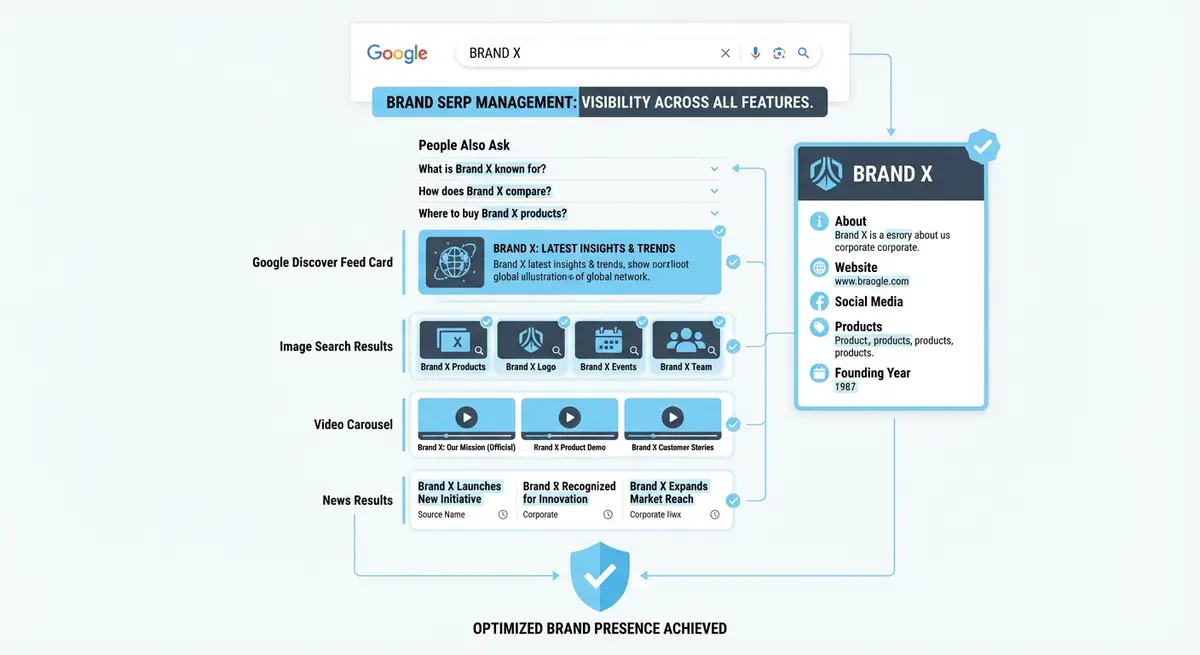
Understanding How Google Discover Works
Google Discover uses machine learning to match content with user interests. It analyses a user's search history, app usage, location data, and content engagement patterns to build an interest graph. Content is then surfaced based on topical relevance, freshness, visual appeal, and the authority of the publishing site. Discover is not keyword-driven; it is interest-driven and entity-driven.
Discover favours content that is timely, visually rich, and from sources with established E-E-A-T. The content does not need to be breaking news, but it should have a freshness element: a new angle on a trending topic, updated information, or timely relevance. Evergreen content can appear in Discover if it becomes relevant due to seasonal trends or current events.
Content Types That Perform in Discover
- Data-driven articles with original research, surveys, or industry statistics
- Timely analysis of trending industry topics or news events
- Comprehensive how-to guides with strong visual elements
- Listicles and curated collections that match seasonal interests
- Opinion pieces from recognised industry experts with strong author profiles
- Before-and-after case studies with compelling visual transformations
Image Requirements for Google Discover
Google Discover is a visually driven feed, and images are the primary factor in whether users tap on your content. Google explicitly requires images to be at least 1200 pixels wide for Discover eligibility. Use the max-image-preview:large robots meta tag to grant Google permission to display large image previews. Without this tag, your content will not appear in Discover regardless of its quality.
<meta name="robots" content="max-image-preview:large">E-E-A-T and Freshness Signals for Discover
Google Discover places even greater emphasis on E-E-A-T than traditional search results. Content surfaced in Discover must come from sources that Google trusts to provide accurate, reliable information. Ensure your Wix site has clear author bios with credentials, an About page establishing your expertise, and consistent publishing history. Freshness is measured by datePublished and dateModified schema markup, which your Wix Blog generates automatically.
Monitoring Discover Performance in Google Search Console
Tracking your Discover traffic in GSC
- Open Google Search Console and look for the Discover tab in the left sidebar
- Note that the Discover tab only appears after your site has received Discover impressions
- Review the performance report for clicks, impressions, and CTR over time
- Identify which pages and topics generate the most Discover traffic
- Analyse the correlation between publish date, image quality, and Discover performance
- Use these insights to inform your content calendar and image strategy
Optimising Your Wix Blog for Discover
Publish consistently on your Wix Blog to build topical authority in your niche. Use high-quality, original images that are at least 1200 pixels wide as your featured image. Write compelling headlines that accurately represent the content without exaggeration. Include clear author attribution with schema markup. Update older posts with fresh data and new images to give them a second chance at Discover placement.
Discover Optimisation Resources
- Google Search Console - Discover: Monitor your Discover impressions, clicks, and CTR directly in GSC
- Google Discover Content Policies: Official guidelines for content eligibility in Google Discover
- Web.dev Image Optimization: Best practices for image quality and performance
- SEO Fix in a Box: My Wix app. Free to install, it scans your site and shows what needs fixing, and paid plans write the fixes from your own Google searches
Complete How-To Guide: Getting Your Wix Content Into Google Discover
This guide covers configuring your Wix site for Discover eligibility, creating content that matches Discover selection criteria, and monitoring performance once you start appearing in the feed.
How to optimise your Wix site for Google Discover placement
- Step 1: Add the max-image-preview:large robots meta tag to your Wix site. Go to Settings, then Custom Code, then Head. Add: <meta name="robots" content="max-image-preview:large">. This is mandatory for Discover eligibility.
- Step 2: Audit your featured images. Every blog post and article on your Wix site must have a featured image that is at least 1200 pixels wide. Replace any images under this threshold with high-quality, original alternatives.
- Step 3: Establish clear author attribution. Add an author bio section to every blog post with the author name, credentials, and a link to an About page. Implement Article schema with a Person author entity.
- Step 4: Create an About page that establishes your expertise. Include your qualifications, experience, publications, and areas of specialisation. Link to this page from every author bio on your blog posts.
- Step 5: Build a consistent publishing cadence. Discover favours sites that publish regularly. Aim for at least 2 high-quality blog posts per week. Consistency is more important than volume.
- Step 6: Choose topics with Discover potential. Data-driven articles with original research, timely analysis of industry trends, comprehensive how-to guides with strong visuals, and before-and-after case studies perform best in Discover.
- Step 7: Write compelling headlines that are accurate and specific. Discover surfaces your headline and image in a social-media-like feed. The headline must make users want to tap. Avoid clickbait or exaggeration, as Google penalises misleading Discover content.
- Step 8: Use high-quality, original images as your featured image. Avoid generic stock photos that appear on thousands of other sites. Original photography, custom graphics, or unique data visualisations perform dramatically better.
- Step 9: Ensure your Wix Blog has proper Article schema with datePublished and dateModified timestamps. Wix generates this automatically, but verify using the Google Rich Results Test on several posts.
- Step 10: Monitor for your first Discover appearance. In Google Search Console, check the left sidebar for a "Discover" tab. This tab only appears after your site has received at least one Discover impression.
- Step 11: Once the Discover tab appears, analyse which posts earned placement. Note the topics, image quality, headline style, and publish timing. Use these patterns to inform your future content strategy.
- Step 12: Refresh high-performing content. Update older posts that previously appeared in Discover with new data, fresh images, and updated information. Changed dateModified signals can trigger a second round of Discover placement for the same article.
Was this lesson useful?
It takes 1 minute to tell me. The course is free and I want to keep it that way, and your feedback shows me what is working and helps other people find it.
This lesson on Google Discover: getting your Wix content into the Discover feed is part of Module 12: Brand SERP Management & Google Feature Domination in The Most Comprehensive Complete Wix SEO Course in the World (2026 Edition). Created by Michael Andrews, a Wix Marketplace Legend Partner with 14 years of hands-on experience, 800 completed Wix SEO projects and 456 verified five-star reviews.