URL structure best practices for Wix pages
Module 4: On-Page SEO Optimisation for Wix | Lesson 36 of 683 | 40 min read
By Michael Andrews, Wix SEO Expert UK
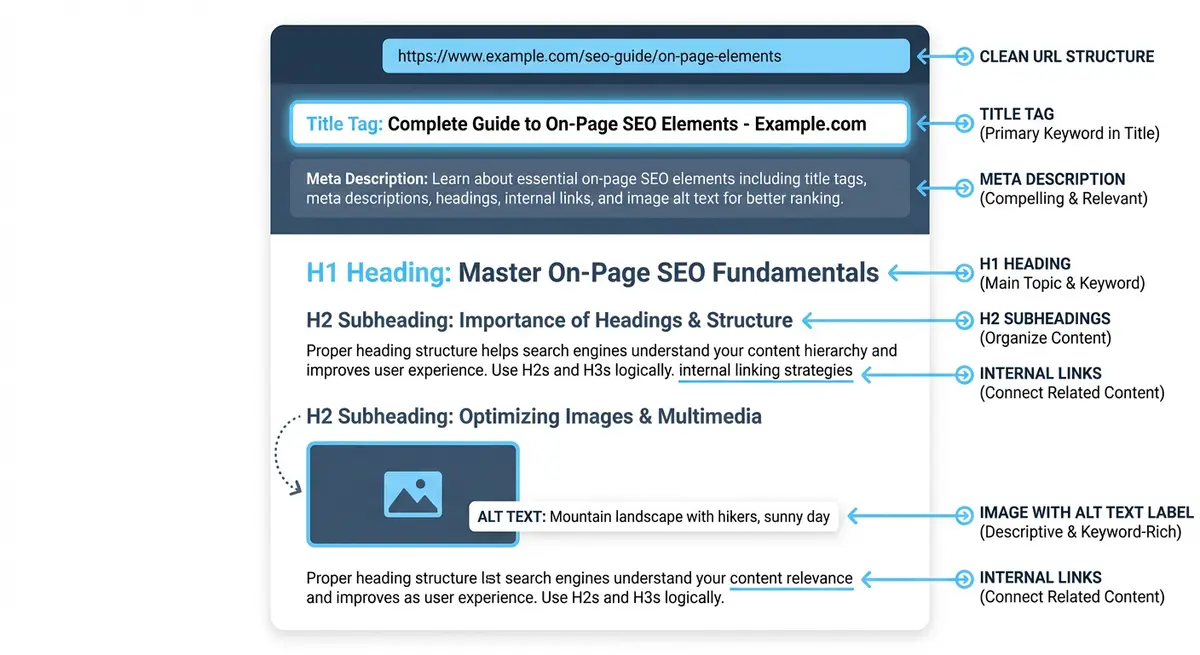
URL structure is an underrated but consistent SEO signal. A clean, keyword-rich URL reinforces the page's topic, looks professional in search results (where it appears above the title tag), and is easier for users to share and remember. Google has confirmed that URLs are used as a ranking signal, particularly for establishing the topic of a page. On Wix, URL management requires specific knowledge because the platform handles URLs differently from self-hosted CMS platforms. This lesson covers everything from URL best practices through safe URL changes, 301 redirects, and avoiding the common URL mistakes that plague Wix sites.
What Makes an SEO-Friendly URL
- Short and descriptive: yourdomain.com/wix-seo-expert-london is better than yourdomain.com/page1 or yourdomain.com/so/22dfg89a
- Primary keyword included: the URL should reinforce the page topic. Google uses URL words as a relevance signal.
- Hyphens between words: Google reads hyphens as word separators. Underscores are treated as joining characters. Use hyphens always.
- No dates unless date-dependent: avoid /blog/2024/01/15/title. Use /blog/title instead. Dates make content look outdated.
- No unnecessary parameters: avoid ?id=123&session=abc in permanent page URLs
- Lowercase only: uppercase letters in URLs create case-sensitive duplicates. yourdomain.com/SEO and yourdomain.com/seo are treated as different URLs.
- No stop words: remove "the", "a", "an", "and", "in", "of" from URLs unless they are part of the keyword.
- Flat structure preferred: yourdomain.com/wix-seo is better than yourdomain.com/services/seo/wix/seo. Fewer subdirectories is cleaner.
URL Structure on Wix: What You Can and Cannot Control
Wix gives you control over the page slug (the part after your domain), but adds its own prefixes for certain page types.
- Regular pages: yourdomain.com/your-slug - Full control over the slug
- Blog posts: yourdomain.com/post/your-slug - Wix adds "/post/" prefix by default (can be changed in Blog Settings to /blog/)
- Wix Stores products: yourdomain.com/product-page/your-slug - Cannot remove the "/product-page/" prefix
- Wix Bookings: yourdomain.com/booking-calendar/your-slug - Cannot remove the prefix
- Dynamic pages: yourdomain.com/your-collection/your-item - Prefix is the collection name
- The /post/ or /blog/ prefix for blog posts is acceptable and does not hurt SEO. Google understands blog URL patterns.
Editing Page URLs in Wix
How to edit a page URL (slug) in Wix
- Open the Wix Editor and navigate to the page
- Click the three dots next to the page name in the Pages panel
- Select "SEO (Google)" from the dropdown menu
- Edit the "Page URL" field. This is the slug (the part after your domain).
- Remove stop words, keep it short, include the primary keyword, use hyphens
- Click "Apply" and publish the page
- CRITICAL: If this page was already indexed by Google (been live for more than a week), you MUST set up a 301 redirect from the old URL to the new one BEFORE publishing
301 Redirects: The Critical Safety Net
Changing a URL on a page that is already ranking is one of the most dangerous operations in SEO. Without a 301 redirect, you lose ALL the ranking equity the old URL had accumulated. Users and backlinks pointing to the old URL will hit a 404 error. Google will need to discover and evaluate the new URL from scratch.
How to set up 301 redirects in Wix
- Go to your Wix Dashboard > SEO > URL Redirect Manager
- Click "New Redirect"
- Enter the old URL in the "Old URL" field (just the path, e.g., /old-page-name)
- Enter the new URL in the "New URL" field (just the path, e.g., /new-page-name)
- Select "301 (Permanent)" as the redirect type
- Click "Save"
- Test the redirect by visiting the old URL in your browser to confirm it redirects to the new URL
- Check Google Search Console for any crawl errors related to the old URL over the following week
URL Structure for Different Page Types
Service Pages
Good: /wix-seo-services
Good: /wix-seo-audit
Good: /local-seo-manchester
Bad:  /services/our-comprehensive-seo-services-package
Bad:  /page-3
Bad:  /SEO_Services
Blog Posts
Good: /blog/wix-seo-tips-2026
Good: /blog/how-to-add-schema-markup-wix
Bad:  /blog/2024/01/15/tips-for-improving-your-seo-on-wix-websites
Bad:  /blog/post-1234
Bad:  /blog/my-latest-thoughts-on-seo-and-why-it-matters
Location Pages
Good: /wix-seo-manchester
Good: /plumber-didsbury
Bad:  /locations/united-kingdom/greater-manchester/manchester/services
Bad:  /area-5
Handling Wix Default URLs
When you create a new page in Wix, it auto-generates a URL slug from the page name. If your page name is "Our Comprehensive SEO Services for Businesses", the slug becomes "/our-comprehensive-seo-services-for-businesses". Always manually edit the slug before publishing to make it shorter and more keyword-focused.
URL Audit for Your Wix Site
How to audit all URLs on your Wix site
- Use Screaming Frog to crawl your site and export all URLs
- Create a spreadsheet with columns: Current URL, Issues, Recommended URL, Redirect Needed (Y/N)
- Flag: URLs with uppercase letters, underscores, dates, random characters, stop words, excessive length (over 75 characters), missing keywords
- For each flagged URL, write an improved version following the best practices above
- Determine which URLs need redirects (any URL that has been live and indexed)
- Set up 301 redirects in Wix BEFORE changing any live URLs
- Change URLs in the Wix Editor and publish
- Verify all redirects work by visiting old URLs
- Monitor GSC for crawl errors over the following 2-4 weeks
Complete How-To Guide: Setting SEO-Friendly URLs on Your Wix Site
Follow these steps to set SEO-friendly URLs on every page
- Review every page URL by going to Pages and Menu > three dots > SEO (Google) for each page in the Wix Editor
- Check each slug: is it short, descriptive, keyword-rich, hyphenated, and lowercase?
- Remove unnecessary stop words (and, the, a, of) unless they are part of the keyword
- Remove numbers, dates, or auto-generated characters from URLs
- For any URL that needs changing and has been live for more than one week, set up a 301 redirect FIRST in Dashboard > SEO > URL Redirect Manager
- Edit the URL in the Wix Editor SEO (Google) panel
- Keep all URLs lowercase (Wix does this by default)
- For new blog posts, set the URL slug manually when creating the post rather than using the auto-generated slug
- Create a URL convention document for your site to ensure consistency for all future pages
- After making changes, check GSC for crawl errors and resubmit affected pages for indexing
- Verify your sitemap reflects the new URLs (Wix updates the sitemap automatically)
- Test all redirects by visiting the old URLs to confirm they forward correctly
URL Tools
- Screaming Frog: Crawl your site to audit all URLs and find redirect chains or broken links
- Google Search Console: Monitor for crawl errors after URL changes and verify redirects are working
- Redirect Checker: Test individual URLs to verify 301 redirect status codes
- SEO Fix in a Box: My Wix app. Free to install, it scans your site and shows what needs fixing, and paid plans write the fixes from your own Google searches
Was this lesson useful?
It takes 1 minute to tell me. The course is free and I want to keep it that way, and your feedback shows me what is working and helps other people find it.
This lesson on URL structure best practices for Wix pages is part of Module 4: On-Page SEO Optimisation for Wix in The Most Comprehensive Complete Wix SEO Course in the World (2026 Edition). Created by Michael Andrews, a Wix Marketplace Legend Partner with 14 years of hands-on experience, 800 completed Wix SEO projects and 456 verified five-star reviews.