Colour contrast, font sizing and readability for SEO
Module 13: Accessibility & SEO on Wix | Lesson 158 of 683 | 22 min read
By Michael Andrews, Wix SEO Expert UK
If visitors cannot easily read your Wix site, they leave. If they leave quickly, your engagement metrics suffer. If your engagement metrics suffer, your rankings drop. Colour contrast and font sizing are not just accessibility requirements. They are direct SEO performance factors measured through user experience signals.
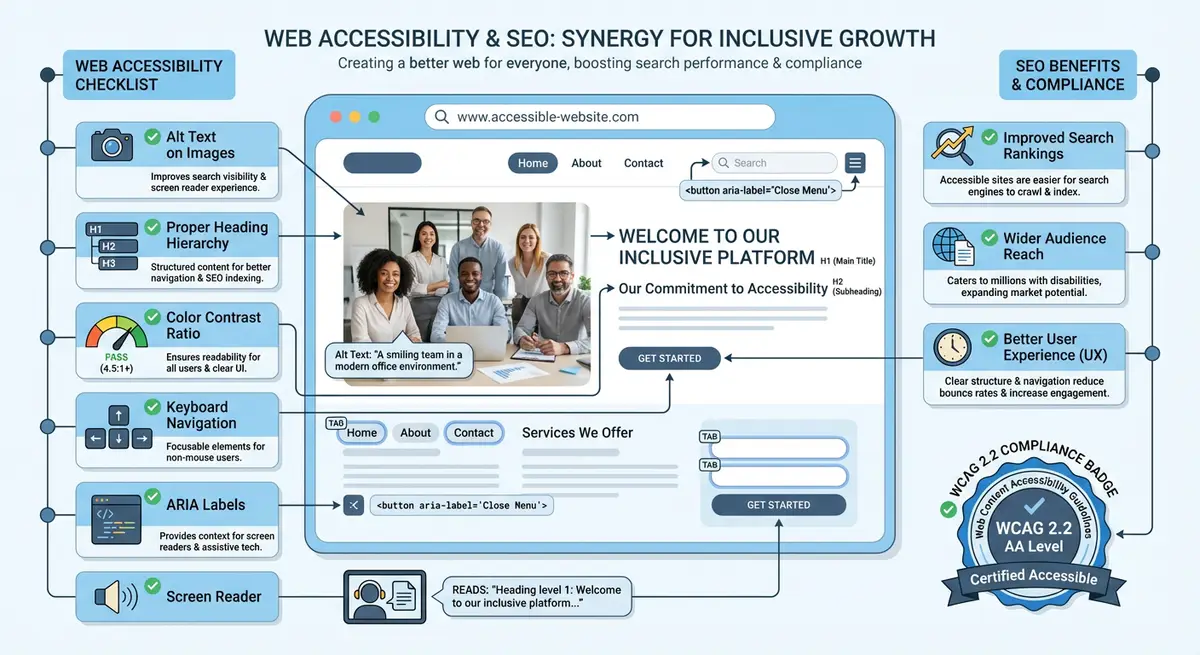
WCAG Contrast Requirements
Essential Resources
- WAVE Web Accessibility Evaluator: Free tool to check web accessibility compliance for any URL
- axe DevTools: Browser extension for automated accessibility testing
- WebAIM Contrast Checker: Check colour contrast ratios meet WCAG requirements
- WCAG 2.2 Guidelines: Official Web Content Accessibility Guidelines specification
- WCAG AA (minimum): 4.5:1 contrast ratio for normal text, 3:1 for large text (18px+ bold or 24px+ regular)
- WCAG AAA (enhanced): 7:1 contrast ratio for normal text, 4.5:1 for large text
- Target WCAG AA as a minimum for all text on your Wix site
- Common failures: light grey text on white background, white text on light-coloured images
Checking Contrast on Your Wix Site
Use the WebAIM Contrast Checker (webaim.org/resources/contrastchecker) to test any colour combination. Enter your text colour and background colour, and it instantly tells you whether you pass WCAG AA and AAA. The axe DevTools extension also flags contrast failures automatically during an accessibility scan.
Font Sizing and Line Height
- Body text: minimum 16px (Wix default). 18px is recommended for better readability.
- Line height: 1.5x the font size for body text (e.g., 16px font = 24px line height)
- Paragraph spacing: at least 1.5x the font size between paragraphs
- Mobile font sizes: never smaller than 14px on mobile. Test on a real device.
- Heading sizes: clear visual hierarchy with at least 20% size difference between heading levels
Essential Resources
- WAVE Web Accessibility Evaluator: Free tool to check web accessibility compliance for any URL
- axe DevTools: Browser extension for automated accessibility testing
- WebAIM Contrast Checker: Check colour contrast ratios meet WCAG requirements
- WCAG 2.2 Guidelines: Official Web Content Accessibility Guidelines specification
Complete How-To Guide
This step-by-step guide walks you through auditing every colour combination and font setting on your Wix site, fixing contrast failures, optimising typography for readability, and verifying your changes meet WCAG standards and improve user engagement.
How to fix colour contrast and typography on your Wix site for accessibility and SEO
- Step 1: Document your current colour palette. In the Wix Editor, go to Site Design > Colours. Write down every colour used on your site, including the hex codes for your primary text colour, secondary text colour, heading colour, background colour, link colour, button colour, and button text colour.
- Step 2: Open the WebAIM Contrast Checker (webaim.org/resources/contrastchecker). Test your primary body text colour against your main background colour. Enter the hex codes and check whether the combination passes WCAG AA (4.5:1 ratio for normal text). Record the result.
- Step 3: Repeat the contrast check for every text-background combination on your site. Common combinations to test: heading text on page background, body text on page background, link text on page background, button text on button background, footer text on footer background, text on any coloured section backgrounds, and text overlaid on images.
- Step 4: For any combination that fails WCAG AA, use the contrast checker's built-in suggestions. It will show you the closest colour that passes. Adjust either the text colour (make it darker) or the background colour (make it lighter) until you reach at least a 4.5:1 ratio. For large text (18px bold or 24px regular), the minimum is 3:1.
- Step 5: Update your Wix theme colours. In the Wix Editor, go to Site Design > Colours and update the failing colours to your new WCAG-compliant values. Because Wix uses a theme colour system, changing a colour here updates it across every page that uses that theme colour, saving you from fixing pages individually.
- Step 6: Check text overlaid on images. This is the most commonly failing contrast scenario. Open each page and look for any text placed directly on photographs or gradient backgrounds. Use the Colour Contrast Analyser desktop app (download from The Paciello Group) to sample the actual text colour against the actual background at the darkest and lightest points of the image behind the text.
- Step 7: Fix text-on-image contrast issues in the Wix Editor. Add a semi-transparent dark overlay behind light text (or a light overlay behind dark text) using a Wix strip or container background. Set the overlay opacity high enough that the text-background combination reaches 4.5:1. Alternatively, move the text to a solid-colour panel beside the image.
- Step 8: Audit your font sizes. In the Wix Editor, click on body text on your homepage and check the font size in the text formatting toolbar. Body text should be at least 16px, and 18px is recommended. Check body text on multiple pages, as Wix allows different sizes per text element even within the same template.
- Step 9: Check line height (leading) for all body text. Select body text in the Wix Editor, click the line height option in the text formatting toolbar, and set it to 1.5 (150%). This means 16px text should have 24px line height. Cramped line spacing significantly hurts readability and increases bounce rates.
- Step 10: Set paragraph spacing. In the Wix Editor, click on a text element, then adjust the spacing settings. Set the space after paragraphs to at least 1.5 times the font size (e.g. 24px for 16px text). This visual breathing room makes content scannable and reduces the cognitive load on readers.
- Step 11: Test your mobile typography. Open your Wix site on a real mobile device (or use Chrome DevTools device emulation). Check that no text is smaller than 14px on mobile, that line lengths are comfortable (roughly 40-60 characters per line on mobile), and that there is no horizontal scrolling required to read text.
- Step 12: Run a before-and-after comparison. Check your Google Analytics for the pages where you made contrast and typography changes. After two to four weeks, compare bounce rate, average session duration, and pages per session. Improved readability typically shows measurable improvements in these engagement metrics within the first month.
How to Audit and Update Colour Contrast Across Your Wix Site
Colour contrast issues are among the most common accessibility failures on Wix sites. These steps walk you through finding and fixing every contrast problem site-wide.
How to find and fix colour contrast and font sizing issues on Wix
- Step 1: Log in to your Wix Dashboard and open the Wix Editor. Navigate to Site Design > Theme to view your current colour palette and typography settings.
- Step 2: Note your primary text colour and primary background colour. Open the WebAIM Contrast Checker at webaim.org/resources/contrastchecker and enter both hex codes.
- Step 3: Check the contrast ratio shown. If it is below 4.5:1 for normal body text (below 18px) or below 3:1 for large text (18px or above), you must change one of the colours.
- Step 4: Adjust the text colour in your Wix Theme to a darker value or the background to a lighter value until the contrast ratio reaches at least 4.5:1. Click Apply to update all text using that theme colour.
- Step 5: Repeat the contrast check for every colour combination used on your site: text on dark hero sections, text inside coloured buttons, text on image overlays, and captions on images.
- Step 6: Check button text contrast. In the Wix Editor, click any button element and note its background colour. Enter the button background and button text colour into the contrast checker. Buttons must meet the same 4.5:1 ratio.
- Step 7: Review font sizes across your pages. Click each text element in the Wix Editor and check the font size shown in the text formatting toolbar. Body text must be at least 16px on desktop and 14px on mobile.
- Step 8: Check mobile font sizes by switching to mobile view in the Wix Editor. Click on text elements and verify sizes have not been scaled down below minimum thresholds in the mobile layout.
- Step 9: Review line height settings for all body text blocks. Click a paragraph element, open Advanced Typography in the text settings, and ensure line height is at least 1.5 times the font size.
- Step 10: Check all link text colours within paragraphs. Links must be distinguishable from surrounding body text either through colour (with sufficient contrast against background) or through underline formatting.
- Step 11: Run Google Lighthouse on your updated pages. In Chrome, press F12, select Lighthouse, tick Accessibility, and click Analyse. Fix any contrast or font size issues still flagged in the report.
- Step 12: Publish changes and use the WAVE tool to confirm no new contrast errors were introduced. Share the updated pages with a colleague or use a colour blindness simulator to verify readability across vision types.
Essential Resources
- WebAIM Contrast Checker: Test foreground and background colour combinations against WCAG standards
- Coolors Contrast Checker: Visual contrast checker with real-time previews for text and UI elements
- Google Lighthouse: Audit contrast, font size, and tap target issues across your Wix site
- SEO Fix in a Box: My Wix app. Free to install, it scans your site and shows what needs fixing, and paid plans write the fixes from your own Google searches
Was this lesson useful?
It takes 1 minute to tell me. The course is free and I want to keep it that way, and your feedback shows me what is working and helps other people find it.
This lesson on Colour contrast, font sizing and readability for SEO is part of Module 13: Accessibility & SEO on Wix in The Most Comprehensive Complete Wix SEO Course in the World (2026 Edition). Created by Michael Andrews, a Wix Marketplace Legend Partner with 14 years of hands-on experience, 800 completed Wix SEO projects and 456 verified five-star reviews.