Accessibility testing tools and ongoing compliance on Wix
Module 13: Accessibility & SEO on Wix | Lesson 160 of 683 | 26 min read
By Michael Andrews, Wix SEO Expert UK
Accessibility is not a project you complete and move on from. It is an ongoing practice, just like SEO. Every new page you create, every content update, every design change can introduce new accessibility issues. This lesson covers the tools and processes for maintaining accessibility compliance on your Wix site over time.
Wix Accessibility Wizard
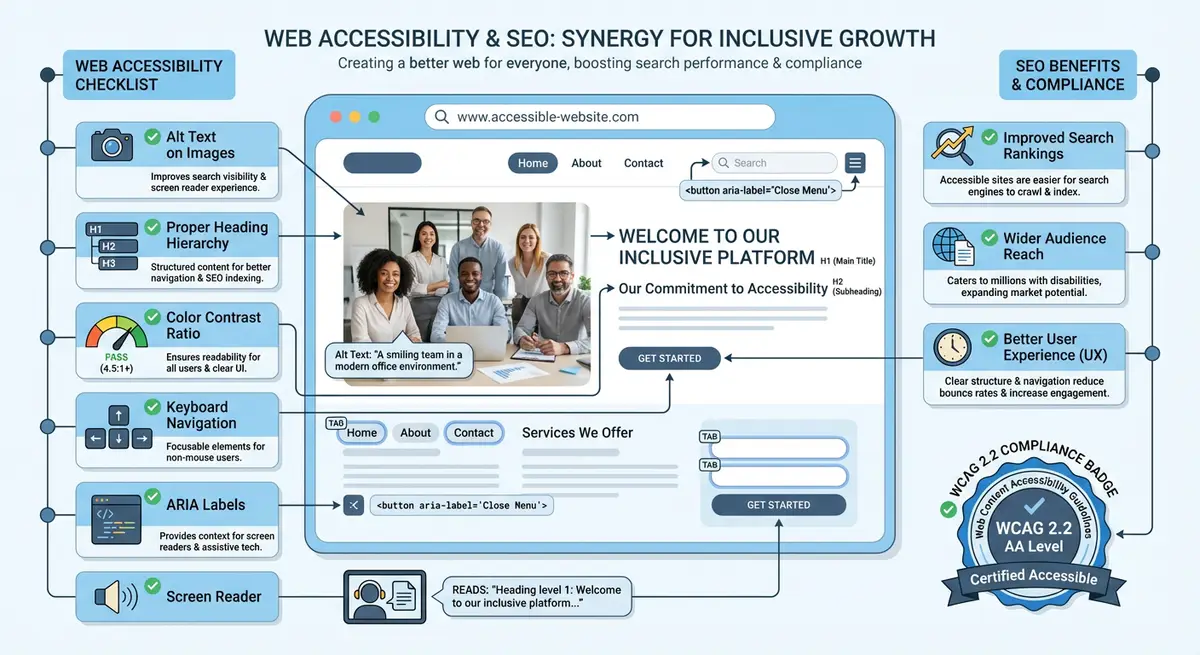
Wix has a built-in Accessibility Wizard (found in Site Settings > Accessibility). It provides basic checks for heading structure, alt text and colour contrast. It is a useful starting point but is not comprehensive enough to be your only tool. Think of it as a first pass that catches the most obvious issues.
Recommended Testing Tools
- axe DevTools (browser extension): the industry standard for automated accessibility testing. Free version catches most issues.
- WAVE (wave.webaim.org): visual overlay that shows accessibility issues directly on the page
- Lighthouse (built into Chrome DevTools): includes an accessibility audit alongside performance and SEO scores
- Colour Contrast Analyser (desktop app): a standalone tool for checking colour combinations
- NVDA (free screen reader for Windows): essential for manual screen reader testing
- VoiceOver (built into macOS/iOS): Apple screen reader for testing on Mac and iPhone
Integrating Accessibility into Your SEO Routine
Monthly accessibility checks
- Run axe DevTools on any new pages added in the last month
- Check that all new images have descriptive alt text
- Verify heading hierarchy on updated or new content pages
- Test the keyboard navigation of any new interactive elements
- Check colour contrast on any sections with new design or colour changes
- Review and update your accessibility statement page if changes were made
Creating an Accessibility Statement
An accessibility statement is a page on your Wix site that describes your commitment to accessibility, the standard you aim to meet (WCAG 2.2 Level AA), known limitations, and how users can report issues. This page is a legal best practice and a trust signal. Add it to your footer navigation alongside your privacy policy.
Complete How-To Guide
This step-by-step guide walks you through setting up a complete accessibility testing toolkit for your Wix site, establishing an ongoing compliance workflow, and building accessibility monitoring into your regular site maintenance routine so issues are caught and fixed before they affect users or rankings.
How to set up accessibility testing tools and maintain ongoing WCAG compliance on Wix
- Step 1: Install your core testing toolkit. In Google Chrome, install three extensions: axe DevTools (deque.com), WAVE Evaluation Tool (wave.webaim.org), and HeadingsMap. These three tools together cover automated scanning, visual issue overlays, and heading structure analysis. All three have free versions that are sufficient for ongoing testing.
- Step 2: Download a desktop screen reader for manual testing. On Windows, download NVDA from nvaccess.org (completely free). On Mac, VoiceOver is already built in and can be activated with Cmd+F5. Spend 15 minutes learning the basic commands: Tab to move between interactive elements, Arrow keys to read content, and H to jump between headings.
- Step 3: Run the Wix Accessibility Wizard as your first baseline. In your Wix Dashboard, go to Site Settings > Accessibility. Run through the wizard and address every issue it flags. This handles the low-hanging fruit: missing alt text prompts, heading level suggestions, and basic contrast checks. Export or screenshot the results as your starting baseline.
- Step 4: Perform a full axe DevTools scan on your homepage. Open your published site in Chrome, open DevTools (F12), navigate to the axe tab, and click "Scan All of My Page". Export the results as a JSON or CSV file. Create a folder on your computer called "Accessibility Audits" with subfolders for each month. Save this export as your first monthly baseline.
- Step 5: Run WAVE on your homepage for a visual overlay of issues. Click the WAVE icon in your browser toolbar. WAVE shows coloured icons directly on your page: red icons for errors, yellow for alerts, green for passing features. Click each red icon to see the specific WCAG criterion that is violated and the recommended fix. Cross-reference with your axe results to build a complete issue list.
- Step 6: Run Lighthouse in Chrome DevTools. Open DevTools (F12), go to the Lighthouse tab, select "Accessibility" and "SEO" categories, and generate a report. Record your accessibility score (out of 100) and your SEO score. These become your benchmark numbers that you will track monthly to measure progress.
- Step 7: Create your accessibility testing checklist document. Use a spreadsheet with these columns: Test Date, Page URL, axe Score, Lighthouse Accessibility Score, Lighthouse SEO Score, Number of Critical Issues, Number of Serious Issues, Notes, and Status. Add a row for each page you test. This becomes your long-term tracking document.
- Step 8: Set up a monthly testing schedule. Add a recurring monthly calendar event titled "Wix Accessibility Audit". In the event description, list the steps: (1) Run axe on all new pages, (2) Run Lighthouse on top 5 pages, (3) Keyboard test any new interactive elements, (4) Check alt text on new images, (5) Update tracking spreadsheet, (6) Fix any new critical or serious issues immediately.
- Step 9: Create an accessibility statement page on your Wix site. Add a new page, set the title to "Accessibility Statement", and include: your commitment to WCAG 2.2 Level AA compliance, the date of your last audit, any known limitations, the tools you use for testing, and a contact method for users to report accessibility issues (email or phone). Add this page to your footer navigation.
- Step 10: Set up a content contributor guide. Write a simple one-page document for anyone who adds content to your Wix site. Include rules such as: every image must have alt text, use Heading 2 for section titles (never skip to Heading 3), all links must have descriptive text (never "click here"), and all form fields must have visible labels. Share this with your team or keep it in your Wix Dashboard notes.
- Step 11: Configure browser-based monitoring for regression detection. Bookmark your five highest-traffic pages in a Chrome folder called "Accessibility Check". Each month, open all five bookmarks at once (right-click the folder > Open All), then run axe DevTools on each tab. Compare the issue counts to last month. Any increase indicates a regression that needs immediate attention.
- Step 12: Perform a quarterly manual screen reader test. Every three months, navigate your entire site using NVDA or VoiceOver without looking at the screen. Have someone read the screen reader output to you, or use headphones and close your eyes. This reveals issues that automated tools cannot catch: confusing reading order, unhelpful link text in context, and missing context that sighted users take for granted.
- Step 13: Review your accessibility statement and update it quarterly. After each quarterly audit, update the "last reviewed" date, add any newly discovered limitations, and remove any limitations that have been resolved. An up-to-date accessibility statement demonstrates ongoing commitment and provides legal protection.
- Step 14: Track the SEO impact of your accessibility improvements. Each month, compare your Lighthouse accessibility and SEO scores to the previous month. Also check Google Search Console for improvements in Core Web Vitals, click-through rates, and average position for pages where you made accessibility fixes. Document the correlation between accessibility improvements and ranking changes in your tracking spreadsheet.
- Step 15: Annual comprehensive review. Once a year, perform a complete WCAG 2.2 audit of every page on your site (not just templates), engage a professional accessibility auditor if budget allows, update your testing toolkit to the latest versions, review any changes to WCAG guidelines or legal requirements, and set accessibility goals for the coming year based on your audit findings.
Was this lesson useful?
It takes 1 minute to tell me. The course is free and I want to keep it that way, and your feedback shows me what is working and helps other people find it.
This lesson on Accessibility testing tools and ongoing compliance on Wix is part of Module 13: Accessibility & SEO on Wix in The Most Comprehensive Complete Wix SEO Course in the World (2026 Edition). Created by Michael Andrews, a Wix Marketplace Legend Partner with 14 years of hands-on experience, 800 completed Wix SEO projects and 456 verified five-star reviews.