Schema markup apps: rich results and structured data on Wix
Module 46: Essential Wix Apps for SEO | Lesson 518 of 683 | 45 min read
By Michael Andrews, Wix SEO Expert UK
Schema markup is the code that tells Google exactly what your content means, not just what it says. When implemented correctly, schema unlocks rich results in Google: star ratings beneath your listings, product prices, business hours, event dates, and more. FAQ schema also feeds AI systems like Google AI Overviews with structured answers that improve your citation visibility. These enhanced search appearances dramatically increase click-through rates because they make your listing larger, more informative, and more eye-catching than standard blue links. Wix adds some schema automatically, but for comprehensive coverage you need dedicated schema apps from the Wix App Market.
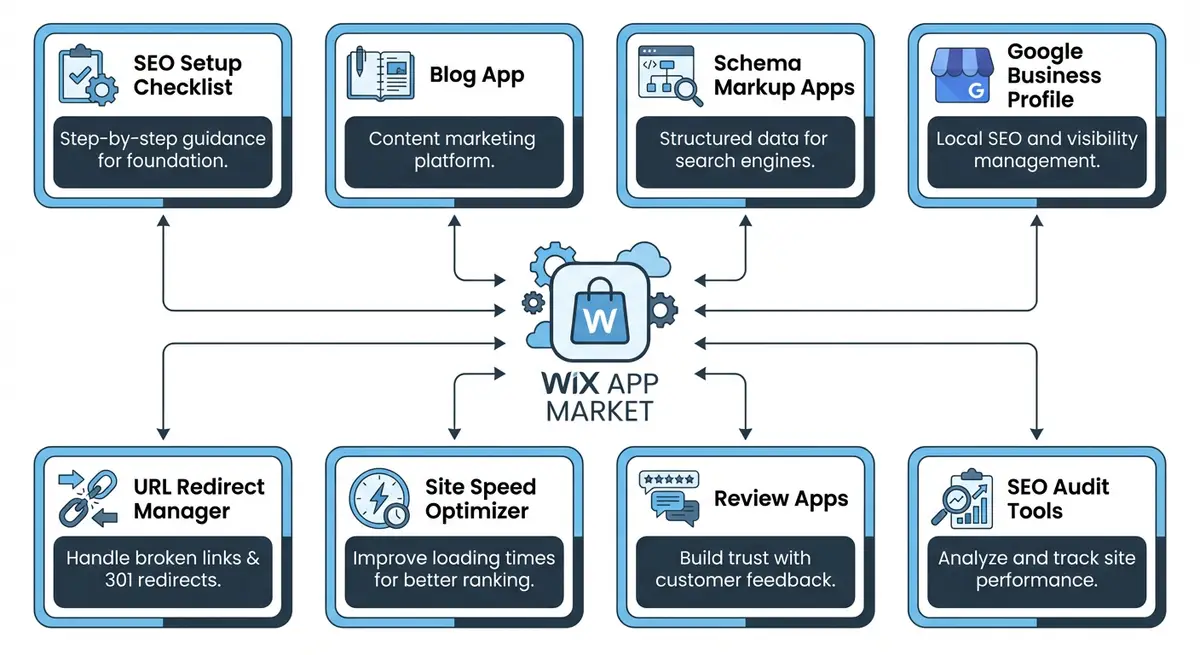
What Wix Adds Automatically vs What You Need
Wix automatically generates basic structured data for certain page types: Article schema for blog posts, Product schema for Wix Stores products, and basic WebSite schema. However, this automatic schema is limited. It does not cover LocalBusiness schema for service businesses, FAQ schema for question-and-answer content, HowTo schema for tutorial pages, or Review schema for testimonials. To get these schema types and their associated benefits (rich results for eligible types, AI citation visibility for all), you need either custom JSON-LD code or a schema app.
Schema Types and Rich Result Eligibility
Not all schema types produce visible rich results. Understanding which types trigger which results helps you prioritise implementation for maximum search visibility impact.
- LocalBusiness: Triggers knowledge panel with business hours, phone, address, and map. Essential for any business with a physical location or service area.
- FAQ: Feeds AI systems (Google AI Overviews, ChatGPT, Perplexity) with structured Q&A pairs for citation. Works on any page with genuine Q&A content. Note: Google discontinued the visible FAQ dropdown rich result in May 2026.
- Product: Triggers price, availability, and review stars for product listings. Wix Stores adds this automatically, but customisation improves accuracy.
- AggregateRating: Triggers star ratings beneath your listing. Dramatically increases click-through rates. Requires genuine reviews from identified customers.
- HowTo: describes step-by-step instructions. Google retired how-to rich results in September 2023. Works for tutorial and guide content with clear sequential steps.
- Article: Enhances blog post listings with author byline, publication date, and thumbnail. Wix Blog adds this automatically.
- Event: Triggers event dates, location, and ticket availability in search results. Essential for businesses hosting workshops, webinars, or events.
- Course: Triggers course details, provider, and description in search results. Relevant for educational content and training offerings.
- BreadcrumbList: Enhances listings with breadcrumb navigation. Improves click-through by showing site hierarchy. Wix adds basic breadcrumbs automatically.
- VideoObject: Triggers video thumbnails and play buttons in search results. Use when embedding video content on your pages.
Schema Google SEO JSON-LD App
The Schema Google SEO (JSON-LD) app is the most comprehensive schema solution on the Wix App Market. It lets you add virtually any schema type to any page without writing code. The app provides templates for LocalBusiness, FAQ, HowTo, Review, Event, Recipe, Course, and dozens of other schema types. You fill in the fields and the app generates valid JSON-LD that Google can read. This is the recommended approach for most Wix users who want maximum schema coverage for both rich results and AI citation visibility.
- Supports 30+ schema types including LocalBusiness, FAQ, HowTo, Review, Event, and Product
- No coding required: fill in form fields and the app generates valid JSON-LD markup
- Page-by-page control: add different schema types to different pages as needed
- Real-time validation ensures your schema is correctly formatted before publishing
- Compatible with Google Rich Results Test for verification after deployment
autoSchema and Schema Check Pro
autoSchema takes a more automated approach by scanning your page content and generating schema based on what it finds. This is faster to set up but less precise. Schema Check Pro focuses on auditing existing schema for errors rather than adding new schema. For most Wix sites, the Schema Google SEO JSON-LD app combined with Schema Check Pro for auditing gives you the best combination of coverage and quality assurance. My own Wix app, Wix SEO Fix in a Box, writes structured data for each page and applies it in one click, with undo.
Schema App Comparison
- Schema Google SEO JSON-LD: Best for comprehensive manual control. Supports the widest range of schema types. Requires manual configuration per page but delivers the most accurate markup. Best for sites that need LocalBusiness, FAQ, and HowTo schema.
- autoSchema: Best for quick automated setup. Scans page content and generates schema automatically. Less accurate than manual configuration but requires minimal effort. Good for sites with many product or blog pages.
- Schema Check Pro: Best as a companion tool. Audits existing schema for errors rather than adding new schema. Identifies validation issues, missing required fields, and deprecated properties. Pair with any schema creation tool.
- Wix built-in schema: Adequate for basic Article and Product schema. No installation needed. Limited to what Wix generates automatically. Insufficient for service businesses needing LocalBusiness or FAQ schema.
Which Schema Types Deliver the Highest SEO Impact
- LocalBusiness: essential for any business with a physical location. Displays business hours, phone number, and address in search results
- FAQ: feeds AI citation systems with structured question-and-answer pairs, improving visibility in AI Overviews and conversational search
- Product: shows price, availability, and review stars for ecommerce listings
- Review/AggregateRating: displays star ratings beneath your listing, dramatically increasing click-through rates
- HowTo: describes step-by-step instructions for tutorial content. Google no longer shows these in search results
- Article: enhances blog post listings with author, date, and thumbnail information
Validating Your Structured Data
Adding schema is only half the job. You must validate it using the Google Rich Results Test at search.google.com/test/rich-results. Paste any page URL and Google will report whether the schema is valid, which rich result types are eligible, and whether any errors or warnings need fixing. Run this test every time you add or modify schema on a page. Invalid schema is worse than no schema because it can confuse Google about your page content.
Schema Validation Workflow
- Step 1 - Rich Results Test: Paste the page URL into Google Rich Results Test. Check for errors (red), warnings (yellow), and valid items (green).
- Step 2 - Schema Markup Validator: Use schema.org/validate for deeper validation against the official schema.org vocabulary. Catches issues the Rich Results Test misses.
- Step 3 - Google Search Console Enhancements: Monitor the Enhancements section in GSC for site-wide schema health. This shows aggregate issues across all pages.
- Step 4 - Manual source check: View page source and search for "application/ld+json" to verify the actual JSON-LD code on the page. Confirm it contains the data you entered in the schema app.
- Step 5 - Competitor comparison: Test competitor pages in the Rich Results Test to see what schema types they use. Match or exceed their schema coverage.
How-To Guide: Adding Rich Result Schema to Your Wix Site
Complete schema markup implementation for Wix
- Step 1: Install the Schema Google SEO (JSON-LD) app from the Wix App Market. After installation, open the app and familiarise yourself with the available schema types.
- Step 2: Identify which schema types apply to your site. Service businesses need LocalBusiness schema on the homepage. Ecommerce sites need Product schema (already handled by Wix Stores). All sites benefit from FAQ schema on relevant pages.
- Step 3: Add LocalBusiness schema to your homepage. Fill in your business name, address, phone number, business hours, price range, and service area. Use your exact business name as it appears on your Google Business Profile.
- Step 4: Add FAQ schema to any page that contains questions and answers. Write at least 5 genuine FAQs per page. Each question should be something real customers actually ask. FAQ schema improves AI citation visibility by giving search engines structured Q&A pairs they can reference directly.
- Step 5: For blog posts with step-by-step instructions, add HowTo schema. Map each step from your content into the schema template. Include estimated time and any tools or materials needed.
- Step 6: If you have customer testimonials or reviews on your site, add Review or AggregateRating schema. Be careful: Google requires reviews to be genuine and from identified authors. Fake reviews in schema will result in a manual penalty.
- Step 7: After adding schema to each page, test it immediately using the Google Rich Results Test. Paste the live URL and check for errors. Fix any issues before moving to the next page.
- Step 8: Check your schema in Google Search Console under Enhancements. Google reports schema validity across your entire site and flags any pages with errors. Review this section monthly.
- Step 9: Monitor your search results for rich result appearances. Search for your target keywords in Google and check whether your listing shows stars, how-to steps, or other rich result features. Rich results can take 1-4 weeks to appear after schema is validated.
- Step 10: Keep schema updated when page content changes. If you change business hours, update the LocalBusiness schema. If you add new FAQs, add them to the FAQ schema. Outdated schema creates inconsistencies that Google may penalise.
How to Add Schema Markup to Wix Pages for Rich Results
Structured data schema is one of the highest-ROI SEO activities on Wix. These steps show you how to implement, test, and monitor schema markup for maximum rich result coverage.
How to implement and validate schema markup on your Wix site
- Step 1: Log in to your Wix Dashboard and open the page where you want to add schema markup in the Wix Editor. Click the three dots next to the page in the left panel and select SEO (Google).
- Step 2: Scroll down to the Advanced SEO section. Locate the Structured Data (JSON-LD) field. This is where you paste your schema markup. It will be injected directly into the page head as a script tag.
- Step 3: For your homepage, create a LocalBusiness or Organization schema object. Include @context (https://schema.org), @type (LocalBusiness or Organization), name, url, telephone, address (with @type PostalAddress), and openingHours.
- Step 4: For service pages, create a Service schema. Include @type (Service), serviceType, provider (referencing your Organization), description, and areaServed. Add a hasOfferCatalog if you have multiple service tiers.
- Step 5: For blog posts, add an Article schema. Include @type (Article), headline (your H1), author (with @type Person and name), datePublished (_createdDate), dateModified (_updatedDate), and image (your hero image URL).
- Step 6: For pages with FAQs, add FAQPage schema. Create an array of Question objects under mainEntity. Each Question has @type (Question), name (the question text), and acceptedAnswer with @type (Answer) and text (the answer text).
- Step 7: After adding schema to a page, validate it immediately. Open the Google Rich Results Test at search.google.com/test/rich-results and enter the live page URL. Review the detected items and fix any errors shown.
- Step 8: Check for warnings in the Rich Results Test. Warnings indicate recommended but not required fields that would improve rich result quality. Adding these optional fields increases your eligibility for enhanced search features.
- Step 9: Install the Wix Schema App or JSON-LD for SEO app from the Wix App Market if you prefer a visual interface. These apps generate valid schema from form fields without requiring manual JSON editing.
- Step 10: Navigate to Google Search Console > Enhancements to view your site-wide schema status. Check the FAQ, LocalBusiness, Article, and Product sections. Fix any errors flagged in each enhancement type.
- Step 11: Monitor your Google Search listings after schema implementation. Search for your brand name and key service keywords. Rich results (review stars, event listings, how-to steps) can take 1-4 weeks to appear after schema is validated.
- Step 12: Set a quarterly review to audit all schema markup. Check that business hours, prices, addresses, and content references are still accurate. Outdated schema information can result in manual penalties.
My own Wix app, SEO Fix in a Box, finds pages with no structured data and adds it in one click, with undo.
Essential Resources
- Google Rich Results Test: Validate FAQ, Product, and other schema markup on your Wix pages
- Schema.org: Complete reference for all structured data types and properties
- Schema Markup Validator: Deep validation against the full Schema.org vocabulary
- SEO Fix in a Box: My Wix app. Free to install, it scans your site and shows what needs fixing, and paid plans write the fixes from your own Google searches
Was this lesson useful?
It takes 1 minute to tell me. The course is free and I want to keep it that way, and your feedback shows me what is working and helps other people find it.
This lesson on Schema markup apps: rich results and structured data on Wix is part of Module 46: Essential Wix Apps for SEO in The Most Comprehensive Complete Wix SEO Course in the World (2026 Edition). Created by Michael Andrews, a Wix Marketplace Legend Partner with 14 years of hands-on experience, 800 completed Wix SEO projects and 456 verified five-star reviews.
