XML sitemaps and robots.txt on Wix, what you need to know
Module 2: How to Set Up Your Wix Site for Maximum SEO | Lesson 15 of 683 | 40 min read
By Michael Andrews, Wix SEO Expert UK
Your sitemap and robots.txt are the two files that directly communicate with search engines about your site's content and crawling preferences. Think of the sitemap as a guest list for a party (telling Google which pages to visit) and robots.txt as the bouncer rules (telling crawlers which areas are off-limits). Wix manages both automatically, but understanding what they contain, how to influence them, and how to diagnose problems is essential knowledge for any serious Wix SEO practitioner.
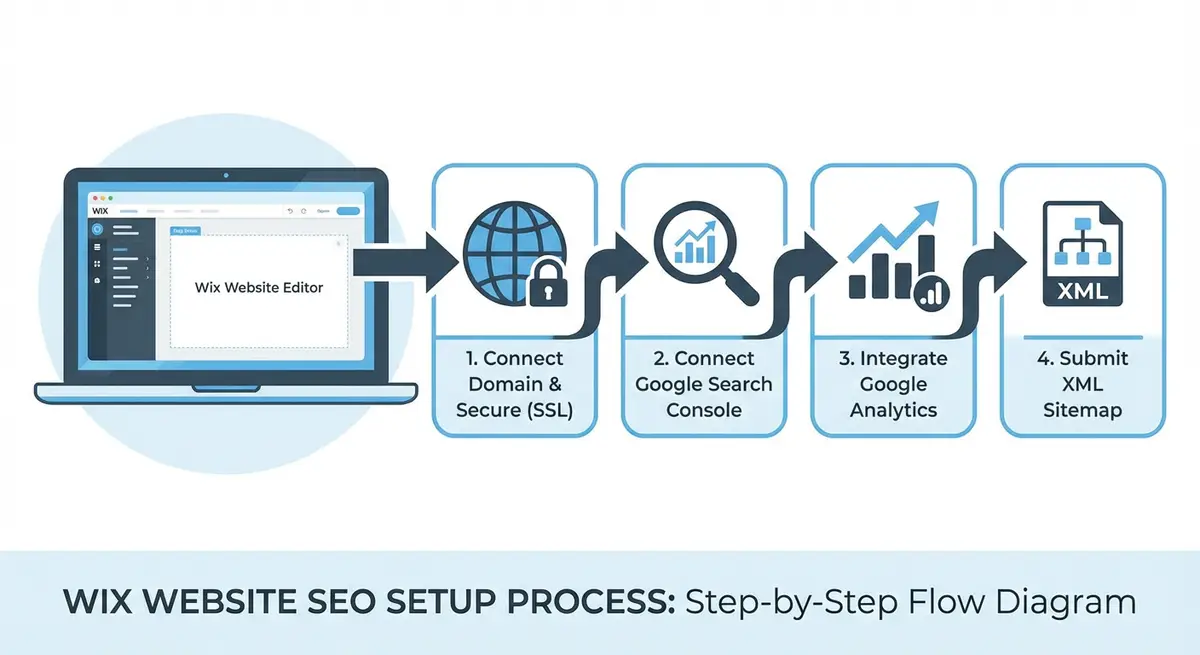
XML Sitemaps: Everything You Need to Know
What Is an XML Sitemap?
An XML sitemap is a machine-readable file that lists all the URLs on your website that you want search engines to crawl and index. It includes metadata about each URL: when it was last modified, how frequently it changes, and its relative priority compared to other pages. Search engines use sitemaps to discover and prioritise crawling of your pages.
For Wix sites, the sitemap is automatically generated and maintained at yourdomain.com/sitemap.xml. You do not need to create or update it manually. Wix adds new pages within minutes of publishing and removes deleted pages automatically.
What Wix Includes in Your Sitemap
- All published static pages (Home, About, Services, Contact, etc.)
- All published blog posts from Wix Blog
- All visible product pages from Wix Stores
- All published event pages from Wix Events
- All published booking service pages from Wix Bookings
- Portfolio pages and gallery pages
- Dynamic pages from Wix Data Collections that are set to be indexable
What Wix Excludes from Your Sitemap
- Pages set to "Hide from search engines" in the SEO (Google) panel
- Password-protected pages
- Members-only pages (behind Wix Members login)
- Draft or unpublished pages
- Thank-you pages and other utility pages marked as hidden
- Lightbox popup pages
Sitemap Structure on Wix
For larger Wix sites, the main sitemap.xml is actually a sitemap index that points to multiple sub-sitemaps. This is standard practice and compliant with the sitemap protocol. Each sub-sitemap contains up to 50,000 URLs (Google's limit per sitemap file). You might see sub-sitemaps like:
- sitemap-pages.xml: Your static pages
- sitemap-blog.xml: Blog posts
- sitemap-products.xml: Wix Stores products
- sitemap-events.xml: Wix Events pages
Auditing Your Wix Sitemap
Complete sitemap audit process
- Open yourdomain.com/sitemap.xml in your browser. You should see an XML file listing your pages.
- If the sitemap is a sitemap index (listing other sitemap files), click into each sub-sitemap to review the URLs.
- Cross-reference the sitemap URLs with your actual live pages. Every important page should be listed.
- Check for pages that should NOT be in the sitemap: test pages, thank-you pages, duplicate pages, or thin tag pages.
- To remove an unwanted page from the sitemap: open the page in the Wix editor, go to SEO (Google), and toggle "Hide from search engines" ON.
- Check the <lastmod> dates in the sitemap. Wix updates these when you modify a page. If a date seems incorrect, re-publish the page.
- Verify the total URL count in your sitemap matches your expectation. If it is significantly higher than expected, investigate for duplicate or unwanted pages.
- In GSC, go to Sitemaps and check the status. It should show "Success" with the correct number of discovered URLs.
- Compare "Discovered URLs" in the sitemap report with "Indexed pages" in the Pages report. A large gap indicates indexing issues.
Common Wix Sitemap Issues and Fixes
- Blog tag pages bloating the sitemap: Wix Blog creates a page for each tag you use. If you have 50 tags with thin content, that is 50 low-quality pages in your sitemap. Solution: use fewer, more focused tags and noindex thin tag pages.
- Old product pages still in sitemap: When you delete Wix Stores products, they should be automatically removed. If they persist, check that you deleted the product (not just unpublished it).
- Sitemap not updating: If you add a new page but it does not appear in the sitemap within an hour, try re-publishing the page. If it still does not appear, check that the page is not set to "Hide from search engines".
- Sitemap URL mismatch: Ensure your sitemap uses the same domain version (www vs non-www) as your primary domain setting.
Robots.txt: Everything You Need to Know
What Is robots.txt?
Robots.txt is a plain text file at yourdomain.com/robots.txt that tells search engine crawlers which areas of your site they are allowed to crawl and which they should avoid. It is a request, not a command: well-behaved crawlers (like Googlebot) respect it, but malicious bots may ignore it. Robots.txt is NOT a security measure, it does not hide content from determined visitors.
Wix's Default robots.txt
Wix automatically generates a robots.txt file for your site. The default configuration allows all search engine crawlers to access all public pages and includes a reference to your sitemap. You cannot directly edit this file on Wix.
# Typical Wix robots.txt content:
User-agent: *
Allow: /
Sitemap: https://yourdomain.com/sitemap.xml
Why You Cannot Edit robots.txt on Wix (And Why It Usually Does Not Matter)
Wix does not provide direct robots.txt editing because the platform manages crawling at the server level. This is a limitation, but it rarely causes practical problems because:
- The default robots.txt is well-configured for SEO: all public content is crawlable.
- To prevent indexing of specific pages, use the noindex meta tag via the Wix SEO panel. This is actually MORE reliable than robots.txt for preventing indexing.
- Robots.txt disallow does not prevent indexing. Google can still index a page blocked by robots.txt if it discovers the URL through links. Noindex is the correct way to prevent indexing.
- For most small-to-medium Wix sites, the default robots.txt configuration is optimal.
Advanced: When robots.txt Limitations Matter
There are edge cases where not being able to edit robots.txt is a genuine limitation:
- Blocking specific crawlers (e.g., blocking AI training bots like GPTBot or CCBot). Wix does not currently allow this through robots.txt.
- Setting crawl-delay directives for aggressive crawlers. Wix's infrastructure handles this at the server level.
- Blocking specific URL patterns from crawling. On Wix, use noindex on individual pages instead.
- Advanced: If you need to block AI crawlers, monitor Wix announcements as they may add this capability in response to the AI training data debate.
Submitting Your Sitemap to Google Search Console
Complete sitemap submission process
- Open Google Search Console at search.google.com/search-console
- Navigate to Indexing > Sitemaps in the left sidebar
- In the "Add a new sitemap" field, enter "sitemap.xml"
- Click "Submit"
- Wait 1-2 minutes for Google to fetch and process the sitemap
- The status should change to "Success" with the number of discovered URLs
- If status shows "Couldn't fetch": verify your site is published and accessible, and that the sitemap URL is correct
- If status shows "Has errors": click into the report to see specific error details
- Check back after 48 hours to see how many discovered URLs have been indexed
- You can also submit sub-sitemaps individually if you want granular monitoring
Submitting to Bing Webmaster Tools
While Google dominates search, Bing powers approximately 9% of search traffic globally and also provides data to other search engines. Submitting your sitemap to Bing is a 5-minute task with measurable benefits.
Submit your sitemap to Bing
- Create a free Bing Webmaster Tools account at bing.com/webmasters
- Add your site as a property (you can import directly from GSC for easy verification)
- Navigate to Sitemaps in the Bing dashboard
- Submit your sitemap URL: yourdomain.com/sitemap.xml
- Bing also provides search performance data, similar to GSC but for Bing searches
Essential Resources
- Google Search Console Sitemaps: Submit and monitor your Wix sitemap status in Google Search Console
- XML Sitemap Validator: Validate your Wix sitemap for XML errors before submitting to search engines
- Screaming Frog SEO Spider: Crawl your Wix site to compare discoverable URLs against sitemap URLs
- Bing Webmaster Tools: Submit your sitemap to Bing for additional search engine visibility
Was this lesson useful?
It takes 1 minute to tell me. The course is free and I want to keep it that way, and your feedback shows me what is working and helps other people find it.
This lesson on XML sitemaps and robots.txt on Wix, what you need to know is part of Module 2: How to Set Up Your Wix Site for Maximum SEO in The Most Comprehensive Complete Wix SEO Course in the World (2026 Edition). Created by Michael Andrews, a Wix Marketplace Legend Partner with 14 years of hands-on experience, 800 completed Wix SEO projects and 456 verified five-star reviews.