Wix Pro Gallery and Portfolio pages: SEO for visual businesses
Module 19: Wix-Specific Features SEO Masterclass | Lesson 227 of 683 | 25 min read
By Michael Andrews, Wix SEO Expert UK
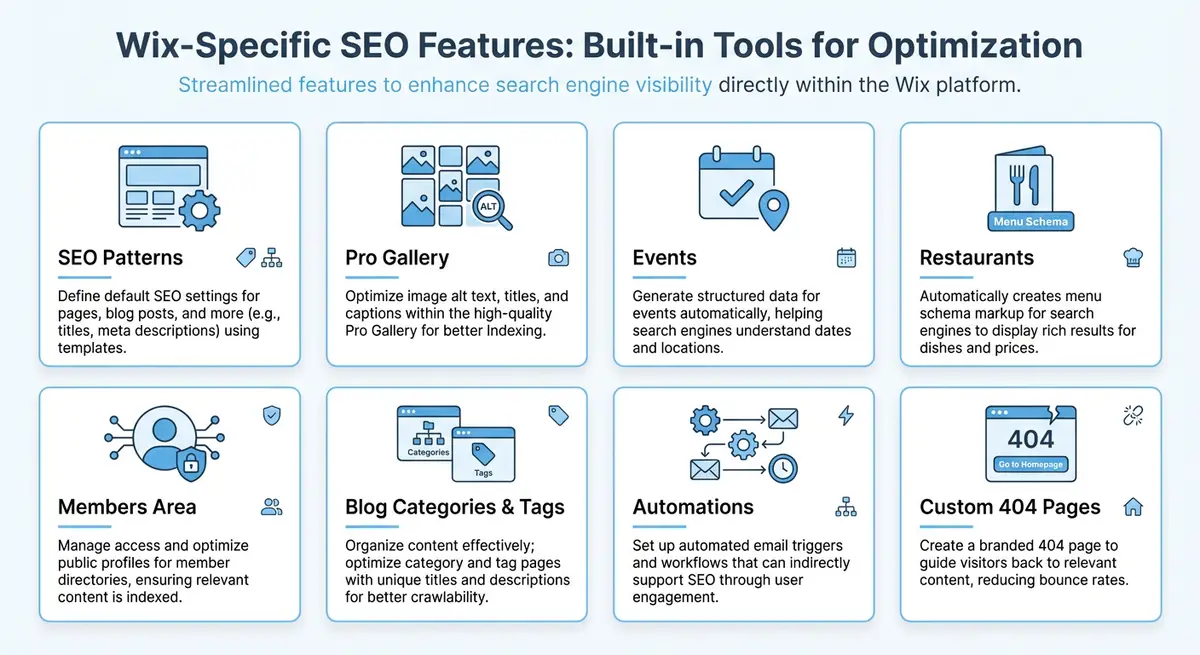
Visual businesses like photographers, designers, artists, architects, and interior decorators depend on their portfolio to attract clients. On Wix, the Pro Gallery app and Portfolio pages are the primary tools for showcasing visual work. However, images are inherently difficult for search engines to understand without proper optimisation. This lesson covers everything you need to know to make your Wix galleries and portfolios discoverable, fast-loading, and structured for maximum search visibility.
How Google Crawls and Indexes Gallery Images
Google discovers images primarily through two pathways: following image URLs found in the page HTML and reading image sitemaps. When Googlebot renders a Wix page, it processes the JavaScript and identifies the image elements within your Pro Gallery. Each image URL, its alt text, surrounding text, and the page context all contribute to how Google understands and indexes the image. Google Images is the second-largest search engine in the world, making image SEO a significant traffic opportunity for visual businesses.
Wix Pro Gallery renders images using a combination of dynamic resizing and lazy loading. While this is excellent for performance, it means the actual image URLs in the HTML may be transformed through the Wix image CDN. Google can still index these images, but you need to ensure that alt text, file names, and surrounding content provide the context that image URLs alone cannot convey.
Optimising Alt Text for Gallery Images
Alt text is the single most important on-page signal for image SEO. In the Wix Pro Gallery, you can add alt text to each image by clicking on it in the gallery settings and entering descriptive text. Good alt text describes what the image shows in a way that is useful for someone who cannot see it, while naturally incorporating relevant keywords. For a wedding photographer, an alt text like "Bride and groom first dance at sunset in Cotswolds barn wedding venue" is far more valuable than "IMG_4523" or "wedding photo".
- Be specific and descriptive: "Modern minimalist living room interior design with oak flooring and floor-to-ceiling windows" beats "living room design".
- Include location keywords where relevant: "Commercial office fit-out in Manchester city centre" helps with local image search.
- Avoid keyword stuffing: do not list keywords separated by commas. Write natural, readable descriptions.
- Keep alt text under 125 characters for optimal accessibility and SEO balance.
- Never leave alt text blank on important portfolio images. Empty alt text tells Google the image is decorative and not worth indexing.
File Naming Best Practices
Before uploading images to your Wix Media Manager, rename the files with descriptive, keyword-rich names using hyphens to separate words. A file named "luxury-kitchen-renovation-london-marble-countertops.jpg" gives Google additional context about the image content. While Wix transforms the file URL through its CDN, the original filename is still referenced in the metadata and can influence how Google categorises the image. Develop a consistent naming convention for your portfolio images that includes the project name, location, and a brief description. For example, a photographer might use "smith-wedding-ceremony-st-marys-church-oxford.jpg" while an architect might use "residential-extension-victorian-terrace-bristol-rear-elevation.jpg". Batch rename files before uploading using a tool like Adobe Bridge or bulk rename utilities.
Structuring Portfolio Pages for Search Rankings
A single gallery page with 200 images is poor for SEO because it lacks focused keyword targeting and page-level context. Instead, structure your portfolio into category pages and individual project pages. A photographer might have top-level categories like Wedding Photography, Commercial Photography, and Portrait Photography, with individual project pages beneath each. This creates a clear topical hierarchy that search engines can crawl and rank.
Recommended portfolio page structure for SEO
- Create a main Portfolio landing page with an overview of your work and links to each category.
- Build individual category pages (e.g., /portfolio/wedding-photography) with a curated gallery of best work from that category, supported by keyword-rich introductory text of at least 200 words.
- Create individual project pages (e.g., /portfolio/wedding-photography/smith-cotswolds-wedding) with a full gallery, project description, client testimonial, and technical details.
- Add breadcrumb navigation connecting the landing page to categories to individual projects.
- Include internal links between related projects to encourage deeper browsing and distribute link equity.
Implementing ImageObject Schema Markup
ImageObject schema provides search engines with structured information about your images, including the content URL, creator, description, and licensing information. While Wix handles some basic image schema automatically, adding explicit ImageObject markup to your most important portfolio pages can improve how your images appear in Google Image search results and potentially earn rich image result features.
{
  "@context": "https://schema.org",
  "@type": "ImageObject",
  "contentUrl": "https://yourdomain.com/image-full-resolution.jpg",
  "name": "Modern Kitchen Renovation in South London",
  "description": "Complete kitchen renovation featuring handmade oak cabinetry, Carrara marble countertops, and integrated Miele appliances in a Victorian terrace in Dulwich, London.",
  "creator": {
    "@type": "Person",
    "name": "Jane Smith",
    "url": "https://yourdomain.com/about"
  },
  "copyrightHolder": {
    "@type": "Organization",
    "name": "Smith Interior Design"
  },
  "dateCreated": "2025-06-15",
  "width": "2400",
  "height": "1600",
  "encodingFormat": "image/jpeg"
,
"creditText": "Michael Andrews, wixseo.co.uk",
"copyrightNotice": "Copyright Michael Andrews / wixseo.co.uk. All rights reserved.",
"license": "https://wixseo.co.uk/terms-of-service",
"acquireLicensePage": "https://wixseo.co.uk/wix-seo-expert-uk-contact"
}Balancing Image Quality and Page Speed
High-resolution portfolio images are essential for visual businesses because potential clients need to see the quality of your work. However, large unoptimised images destroy page speed, which directly impacts both search rankings and user experience. The Wix Pro Gallery automatically handles responsive image sizing, serving appropriately sized images based on the visitor device and viewport. However, you still need to manage the source files you upload.
- Upload images at a maximum width of 2500-3000 pixels. This provides enough resolution for large screens without unnecessary file bloat.
- Use JPEG format for photographs at 80-85% quality. The visual difference between 85% and 100% is negligible but the file size difference can be 60% or more.
- Use PNG only for images that require transparency. For portfolio work, JPEG or WebP are almost always more appropriate.
- Enable the Wix Pro Gallery lazy loading setting so images below the fold only load as visitors scroll down to them.
- Consider using a smaller curated gallery on category pages (12-20 images) and reserve the complete gallery for individual project pages where visitors have already shown intent.
Supporting Text Content for Visual Pages
One of the biggest SEO mistakes visual businesses make is creating portfolio pages that contain only images with no supporting text. Search engines need text content to understand the topic, relevance, and value of a page. Every portfolio category page should include at least 200-300 words of descriptive text explaining what the category covers, your approach, and why clients choose you for this type of work. Individual project pages should include a project narrative: the brief, the challenges, your creative approach, the results, and ideally a client testimonial. This text provides keyword opportunities, demonstrates expertise for E-E-A-T signals, and gives visitors context that transforms a gallery from a slideshow into a compelling case study.
Image Sitemaps and Wix
Wix automatically includes images in your sitemap, which helps Google discover gallery images. However, verify this by checking your sitemap at yourdomain.com/sitemap.xml and looking for image entries within the page URLs. If you notice important portfolio images missing from the sitemap, ensure those images are embedded in regular page content rather than loaded exclusively through third-party scripts or iframes that the sitemap generator might not detect.
Complete How-To Guide: Optimising Wix Pro Gallery and Portfolio Pages for SEO
This guide takes you through the complete process of setting up your Wix portfolio for maximum search visibility, from gallery configuration and alt text to page structure and schema markup.
How to build an SEO-optimised portfolio on Wix
- Step 1: Before uploading any images, rename all files on your computer with descriptive, keyword-rich names using hyphens. For example, rename IMG_4523.jpg to cotswolds-barn-wedding-first-dance-sunset.jpg. Batch rename using Adobe Bridge or a bulk rename tool.
- Step 2: In your Wix Media Manager, create folders that match your portfolio categories: Wedding Photography, Commercial Work, Portraits, and so on. Upload your renamed images into the appropriate folders.
- Step 3: Create your portfolio page structure. Add a main Portfolio landing page, then create individual category pages linked from it. Use the URL format /portfolio/wedding-photography, /portfolio/commercial-photography for each category.
- Step 4: On each category page, add a Wix Pro Gallery element. Configure it to display 12-20 of your best images from that category. Below the gallery, write at least 200-300 words of introductory text explaining your approach to that type of work.
- Step 5: Click on each image in the Pro Gallery settings and add descriptive alt text. Write natural descriptions under 125 characters: "Bride and groom first dance at sunset in Cotswolds barn wedding venue" rather than "wedding photo".
- Step 6: Create individual project pages for your best work. Each project page should include a full gallery, a 300+ word project narrative covering the brief, challenges, and results, a client testimonial, and location keywords in the title and body text.
- Step 7: Add breadcrumb navigation connecting Portfolio to Category to Project. Use the Wix breadcrumb element or create manual text breadcrumbs with links.
- Step 8: For your most important portfolio pages, add ImageObject schema through the page Advanced SEO settings. Include contentUrl, name, description, creator, and dateCreated fields in your JSON-LD markup.
- Step 9: Optimise your gallery images for performance. Upload images at a maximum width of 2500-3000 pixels. Use JPEG format at 80-85% quality for photographs. Enable lazy loading in the Pro Gallery settings.
- Step 10: Add internal links between related projects. On each wedding photography project page, link to two or three other wedding projects and back to the wedding category page.
- Step 11: Verify your images appear in your sitemap by checking yoursite.com/sitemap.xml. Look for image entries within the portfolio page URLs. If images are missing, ensure they are embedded in regular page content.
- Step 12: Set up a monthly workflow for new projects: upload renamed images, write alt text, create the project page with a 300-word narrative and testimonial, add ImageObject schema, link from category pages, and verify in Google Search Console.
Essential Resources
- Google Search Console: Monitor image search performance and portfolio page indexing
- Schema.org ImageObject: Reference for ImageObject structured data on portfolio gallery pages
- Squoosh Image Compressor: Optimise portfolio images for web performance before uploading to Wix
Was this lesson useful?
It takes 1 minute to tell me. The course is free and I want to keep it that way, and your feedback shows me what is working and helps other people find it.
This lesson on Wix Pro Gallery and Portfolio pages: SEO for visual businesses is part of Module 19: Wix-Specific Features SEO Masterclass in The Most Comprehensive Complete Wix SEO Course in the World (2026 Edition). Created by Michael Andrews, a Wix Marketplace Legend Partner with 14 years of hands-on experience, 800 completed Wix SEO projects and 456 verified five-star reviews.