Wix Forms: lead generation pages and form optimisation for SEO
Module 21: Conversion Rate Optimisation for Organic Traffic on Wix | Lesson 259 of 683 | 22 min read
By Michael Andrews, Wix SEO Expert UK
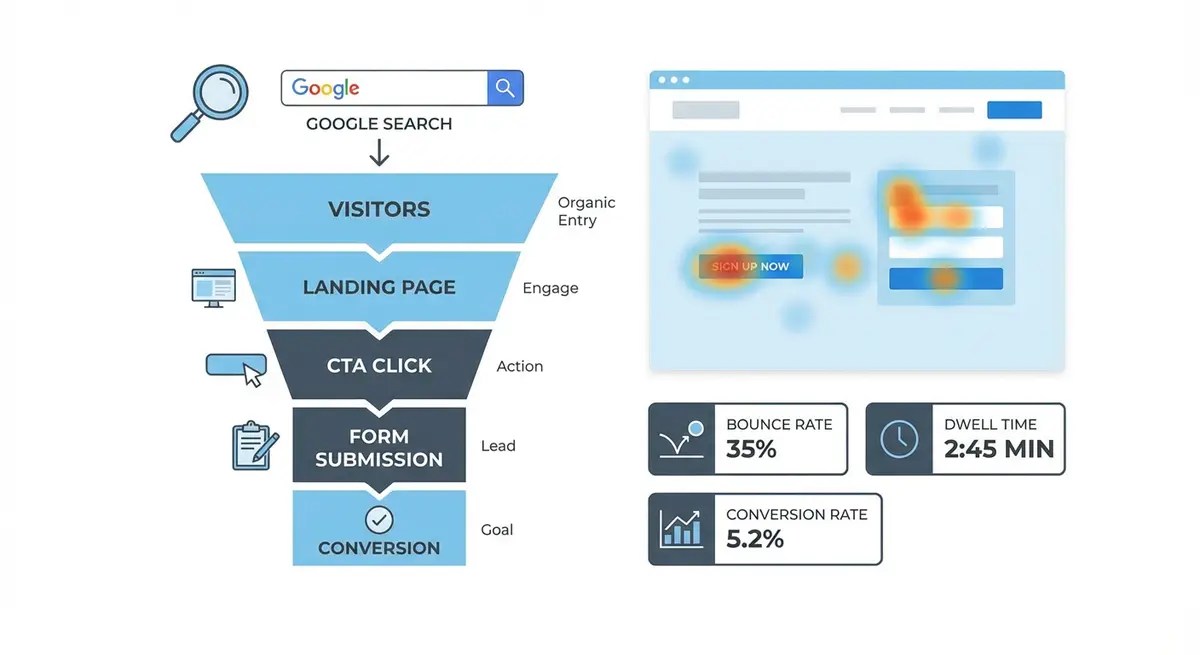
For service-based businesses on Wix, forms are the primary conversion mechanism. A visitor who fills out your contact form or quote request is exponentially more valuable than one who just reads your content. Yet form design is one of the most neglected areas of conversion optimisation. Small changes to form length, field labels, layout, and supporting content can double or triple your form completion rate without increasing traffic by a single visit.
Form Design Principles That Convert
The fundamental principle of form design is that every additional field reduces completion rates. Research from HubSpot shows that reducing form fields from four to three increases conversion by 50%. Only ask for information you genuinely need at this stage of the customer relationship. You can collect additional details after the initial conversion. For most Wix service businesses, the optimal first-touch form contains: name, email, phone (optional), and one qualifying question.
- Single-column form layouts consistently outperform multi-column layouts on both desktop and mobile
- Field labels should be placed above the input field, not inside it as placeholder text that disappears on focus
- Use explicit, descriptive labels: "Your work email address" outperforms "Email" in conversion tests
- Mark optional fields as optional rather than marking required fields with asterisks
- Use appropriate input types: email fields should trigger email keyboards on mobile, phone fields should trigger number pads
- Submit buttons should use action-oriented copy like "Get My Free Quote" not generic "Submit"
Multi-Step Forms vs Single-Page Forms
Multi-step forms break a long form into smaller sections, showing progress indicators to guide the user through completion. They consistently outperform single long forms for complex lead generation because they leverage the psychological principle of commitment: once a user completes the first step, they are motivated to continue. On Wix, you can create multi-step forms using Wix Forms with conditions or by building a custom multi-page form flow.
Optimising Form Pages for Organic Search
Form pages need to rank in search results just like any other page. A bare form with no supporting content will not rank because Google has nothing to evaluate for relevance and quality. Surround your form with 300-500 words of relevant content: what the user will receive, what happens after they submit, how long the response takes, and why they should choose you. Include testimonials from past clients who completed the same form and had a positive experience.
Optimise the page title and meta description for queries like "get a quote for [your service]" or "free [your service] consultation". These transactional queries have high conversion intent. Include your location if you serve a specific area. The page URL should be clean and descriptive: /free-seo-audit or /get-a-quote rather than /contact-form-1.
Form Accessibility on Wix
- Every form field must have a visible label that remains visible when the field is focused
- Error messages should be specific and adjacent to the field that needs correction
- Colour should not be the only indicator of errors: use icons and text in addition to red highlighting
- Tab order should flow logically from top to bottom through the form
- Form submission confirmation should be announced to screen readers
- CAPTCHA alternatives should be considered: honeypot fields are invisible to users but catch most bots without accessibility barriers
GA4 Form Tracking on Wix
Setting up form submission tracking in GA4
- In GA4, go to Admin > Events and create a custom event for form submissions
- On your Wix site, configure the form to redirect to a unique thank-you page URL after submission
- In GA4, create a conversion event triggered by a page_view of the thank-you page URL
- Alternatively, use Wix Automations to trigger a custom event via the GA4 Measurement Protocol
- Verify the conversion is tracking by submitting a test form and checking real-time reports in GA4
- Create a GA4 exploration report that shows organic traffic form completions by landing page
Advanced Form Optimisation Techniques
Conditional logic shows or hides form fields based on previous answers, keeping the form short and relevant. If a user selects "Website Design" from your service dropdown, show fields relevant to web design. If they select "SEO", show different qualifying questions. On Wix, conditional fields can be configured in the form settings panel. This personalised approach reduces perceived form length while collecting more specific information for your sales team.
Form Optimisation Tools
- Wix Forms: Native Wix form builder with conditional logic, multi-step, and automation features
- Typeform: Conversational form builder that can be embedded on Wix pages
- Hotjar: Hotjar form analytics to identify which fields cause drop-offs
- SEO Fix in a Box: My Wix app. Free to install, it scans your site and shows what needs fixing, and paid plans write the fixes from your own Google searches
Complete How-To Guide
This step-by-step guide covers the full process of building, optimising, and tracking high-converting lead generation forms on your Wix site, from initial form design through to SEO optimisation and conversion tracking.
How to build and optimise lead generation forms on Wix for maximum conversions
- Step 1: Identify the primary conversion action for each key service page on your Wix site and determine the minimum information you need to qualify a lead, typically name, email, and one qualifying question
- Step 2: In the Wix Editor, add a Wix Form element to your lead generation page and configure it with only the essential fields, removing any unnecessary fields that add friction without providing qualifying value
- Step 3: Set all field labels to appear above the input fields (not as placeholder text inside fields) using clear, descriptive language such as "Your work email address" rather than just "Email"
- Step 4: Mark truly optional fields with the word "optional" in the label rather than marking required fields with asterisks, which reduces confusion about what is necessary
- Step 5: Replace the default "Submit" button text with action-oriented copy that communicates the value the user receives, such as "Get My Free Quote" or "Book My Free Consultation"
- Step 6: If your form has more than 4 fields, convert it to a multi-step form using Wix Forms conditional steps, placing easy and impersonal questions first (service type, budget range) and personal details (name, email, phone) in the final step
- Step 7: Add a honeypot field to prevent spam without impacting user experience: create a hidden text field that only bots will fill out, and configure your form to reject submissions where this field contains data
- Step 8: Place a client testimonial or trust badge directly adjacent to the form: to the right on desktop and immediately above the form on mobile, specifically choosing a quote that mentions ease of process or speed of response
- Step 9: Write 300-500 words of supporting content around the form that explains what the user will receive, what happens after submission, expected response time, and why they should choose your business
- Step 10: Optimise the page URL to be clean and descriptive (e.g., /free-seo-audit or /get-a-quote), and write a page title and meta description targeting transactional queries like "get a quote for [your service]" including your location if applicable
- Step 11: Configure the form to redirect to a unique thank-you page URL upon successful submission, such as /thank-you-quote or /thank-you-contact
- Step 12: In GA4, create a custom conversion event triggered by a page_view of your specific thank-you page URL, then verify it works by submitting a test form and checking GA4 real-time reports
- Step 13: Test the form on mobile devices to ensure input fields trigger the correct mobile keyboard types (email keyboard for email fields, number pad for phone fields) and that all tap targets are at least 44x44 pixels
- Step 14: Install Hotjar form analytics on the page to identify which specific fields cause the highest drop-off rates, then eliminate or restructure those problem fields based on the data
Was this lesson useful?
It takes 1 minute to tell me. The course is free and I want to keep it that way, and your feedback shows me what is working and helps other people find it.
This lesson on Wix Forms: lead generation pages and form optimisation for SEO is part of Module 21: Conversion Rate Optimisation for Organic Traffic on Wix in The Most Comprehensive Complete Wix SEO Course in the World (2026 Edition). Created by Michael Andrews, a Wix Marketplace Legend Partner with 14 years of hands-on experience, 800 completed Wix SEO projects and 456 verified five-star reviews.