Wix CMS (Content Manager) SEO: database-driven pages at scale
Module 20: Wix Studio & Velo Advanced SEO | Lesson 249 of 683 | 35 min read
By Michael Andrews, Wix SEO Expert UK
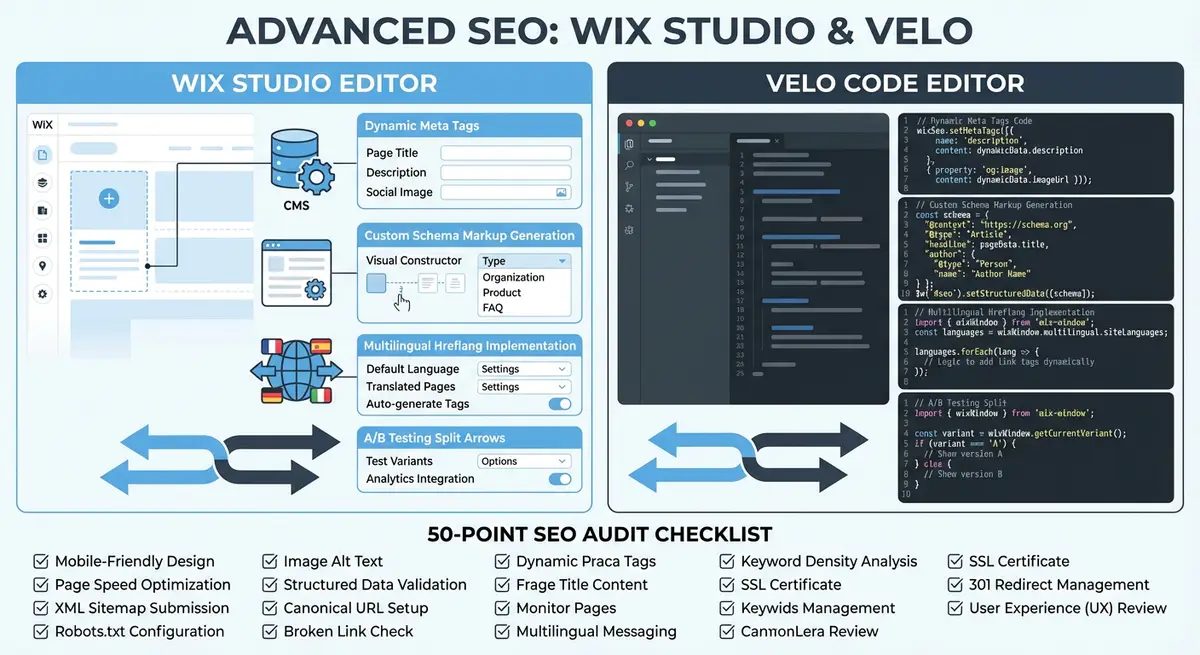
The Wix CMS (Content Manager) is the engine behind scalable SEO on Wix. Instead of manually creating hundreds of individual pages, you build one template and let the CMS generate unique pages for every item in your collection. Done correctly, this approach produces thousands of indexable, keyword-targeted pages with unique content, proper URL structure, and automated sitemap inclusion. Done poorly, it creates a duplicate content disaster. This lesson covers how to architect your CMS for SEO success at any scale.
Designing CMS Collections with SEO in Mind
Every CMS collection you create should be designed with its eventual SEO output in mind. This means thinking about field names, data types, and required fields not just from a database perspective but from a search engine perspective. A Products collection needs more than just name and price; it needs dedicated fields for SEO title, meta description, slug, alt text for images, and structured data inputs like brand, SKU, and review summary.
Create explicit SEO fields in every collection that powers dynamic pages. An "SEO Title" text field gives content editors the ability to craft custom page titles that differ from the display title. A "Meta Description" text field with a character counter ensures descriptions are written to the correct length. A "Slug" field with validation rules prevents duplicate or poorly formatted URLs from being created.
- seoTitle (Text, max 60 characters): Custom page title that can differ from the display heading
- metaDescription (Text, max 160 characters): Unique meta description written for search result click-through
- slug (Text, unique, lowercase, hyphenated): URL-friendly identifier used in the page URL pattern
- primaryImage (Image): Main image used for og:image, twitter:image, and schema markup
- imageAltText (Text): Descriptive alt text for the primary image, critical for image SEO
- canonicalOverride (URL, optional): Override the default canonical URL when needed for content syndication
- noIndex (Boolean, default false): Flag to exclude specific items from indexing when needed
URL Patterns and Slug Management
The URL pattern for your dynamic pages is set when you connect a collection to a dynamic page template. Wix uses the format yoursite.com/prefix/slug, where the prefix is defined by you and the slug is pulled from each collection item. Choose your prefix carefully because changing it later means redirecting every URL in the collection. Use short, keyword-relevant prefixes: /products/ for products, /locations/ for location pages, /services/ for service pages.
Slug management is one of the most overlooked aspects of CMS-driven SEO. Every slug must be unique within the collection, URL-safe (lowercase letters, numbers, and hyphens only), and ideally contain the primary keyword for that page. In Wix, you can auto-generate slugs from the item title, but always review them manually. An auto-generated slug like "johns-premium-extra-large-hand-crafted-artisan-chocolate-bar" should be shortened to "artisan-chocolate-bar" for cleaner URLs.
Ensuring Unique Content on Every Dynamic Page
The biggest SEO risk with CMS-driven pages is thin or duplicate content. If your dynamic page template only displays a title, an image, and a price with no substantial text, Google will view those pages as low-quality and may decline to index them. Every dynamic page needs enough unique, valuable content to justify its existence as a standalone indexed page.
Build your CMS collections with rich content fields. A minimum viable dynamic page for SEO needs at least 300 words of unique text content. For competitive keywords, aim for 800-1500 words. This text should come from your CMS fields, not from template boilerplate that is identical on every page. Add fields for detailed descriptions, feature lists, use cases, specifications, or any other content that varies per item.
Content quality checklist for dynamic pages
- Verify that each item has at least 300 words of unique descriptive text in the CMS, not shared template copy
- Ensure the page title (H1) is unique and derived from the item-specific data, not a static template heading
- Check that images have unique alt text stored per item in the CMS rather than generic placeholder text
- Confirm the meta description is custom-written for each item, not auto-generated from the first 160 characters of the description
- Add item-specific internal links or related items sections that vary per page, improving both link equity distribution and content uniqueness
- Include user-generated content sections like reviews or Q&A where applicable to add unique text at scale
Controlling Sitemap Inclusion for CMS Pages
Wix automatically includes all published dynamic pages in your sitemap.xml. This is helpful when every item should be indexed, but problematic when your collection contains items that should not appear in search results. Draft products, placeholder entries, test items, and low-quality pages all get included by default, wasting your crawl budget and potentially triggering thin content penalties.
Control sitemap inclusion through a combination of the noIndex boolean field in your CMS and the Wix SEO panel settings. Items flagged as noIndex should also have their dynamic pages set to noindex via Velo during page render. For collections where only a subset of items should be indexed, consider creating a separate "published" or "live" boolean field and using it to conditionally render SEO tags.
import wixSeo from 'wix-seo';
import wixData from 'wix-data';

$w.onReady(async function () {
  const item = await getCurrentItem();

  if (item.noIndex || !item.isPublished || !item.description) {
    wixSeo.metaTags = [
      { name: 'robots', content: 'noindex, nofollow' }
    ];
    return;
  }

  wixSeo.title = item.seoTitle || item.name + ' | YourBrand';
  wixSeo.metaTags = [
    { name: 'description', content: item.metaDescription || item.description.substring(0, 155) },
    { name: 'robots', content: 'index, follow' }
  ];
});CMS-Powered Local SEO at Scale
One of the most powerful applications of CMS-driven SEO is local landing pages. Businesses with multiple locations, service areas, or franchise units can create a Locations collection and generate a unique, optimized page for every city, neighborhood, or region they serve. Each page gets its own URL, unique content, local schema markup, and Google Maps embed, all driven from CMS data.
The Locations collection should include fields for city name, state, full address, phone number, business hours, a unique description of services in that area, local testimonials, and a Google Maps embed URL. The more location-specific data you store per item, the more unique and valuable each generated page becomes. Avoid the temptation to use the same description for every location with just the city name swapped out; Google detects and penalizes this pattern.
async function generateLocalBusinessSchema(locationSlug) {
  const result = await wixData.query('Locations')
    .eq('slug', locationSlug)
    .find();

  if (result.items.length === 0) return null;

  const loc = result.items[0];

  return {
    '@context': 'https://schema.org',
    '@type': 'LocalBusiness',
    'name': loc.businessName + ' - ' + loc.city,
    'description': loc.localDescription,
    'image': loc.locationImage,
    'telephone': loc.phone,
    'url': 'https://www.yourbusiness.com/locations/' + loc.slug,
    'address': {
      '@type': 'PostalAddress',
      'streetAddress': loc.streetAddress,
      'addressLocality': loc.city,
      'addressRegion': loc.state,
      'postalCode': loc.zip,
      'addressCountry': 'US'
    },
    'geo': {
      '@type': 'GeoCoordinates',
      'latitude': loc.latitude,
      'longitude': loc.longitude
    },
    'openingHoursSpecification': loc.hours.map(h => ({
      '@type': 'OpeningHoursSpecification',
      'dayOfWeek': h.day,
      'opens': h.opens,
      'closes': h.closes
    })),
    'priceRange': loc.priceRange || '££'
  };
}
Scaling to Thousands of Pages Without Quality Degradation
The challenge with CMS-driven SEO at scale is maintaining content quality as the number of items grows. It is easy to add 50 well-written product descriptions, but maintaining that quality across 5,000 products requires process discipline. Establish minimum content standards in your CMS: use required fields to prevent publishing items without descriptions, add character minimum validation to ensure descriptions have substance, and implement editorial review workflows before items go live.
Consider a tiered approach to content depth. Your top 100 products or locations get premium, hand-written content with 1000+ words, custom images, and detailed specifications. The next 500 get solid descriptions of 300-500 words with template-assisted but reviewed content. The remaining items get minimum viable content that meets the 300-word threshold. This tiered approach ensures your highest-value pages get the most investment while still maintaining acceptable quality across the entire collection.
Internal Linking Strategies for CMS Pages
Dynamic pages need dynamic internal linking. Every CMS-driven page should link to related items within the same collection and to relevant pages in other collections. A product page should link to products in the same category, to the category listing page itself, and to relevant blog posts or guides. These links distribute PageRank throughout your dynamic pages and help Googlebot discover and crawl them efficiently.
Build related items functionality into your CMS structure. Add a "Related Products" reference field that links to 3-5 other items in the same collection. Use Velo to query related items by category, tags, or other shared attributes. Display these links prominently on the page with descriptive anchor text that includes the linked item name, not generic "click here" or "read more" text.
CMS and Scaling Tools
- Wix CMS Documentation: Official guide to setting up and managing Wix CMS collections
- Screaming Frog SEO Spider: Crawl your dynamic pages to verify unique titles, descriptions, and content across all CMS-generated URLs
- Google Search Console Coverage Report: Monitor which dynamic pages are indexed and identify thin content issues at scale
Complete How-To Guide: Architecting Wix CMS Collections for Scalable SEO
This guide covers designing your Wix CMS collections from the ground up with SEO built into every field, ensuring hundreds or thousands of dynamic pages are indexable, unique, and optimised.
How to design and manage CMS-driven SEO pages at scale
- Step 1: Before creating any CMS collection, map out all the page types your site needs: products, services, locations, blog posts, team members, case studies. For each type, list the primary keywords and the minimum content required for a quality indexed page.
- Step 2: Create your first CMS collection with dedicated SEO fields. Add these fields to every collection that powers dynamic pages: seoTitle (Text, max 60 chars), metaDescription (Text, max 160 chars), slug (Text, unique, lowercase, hyphenated), primaryImage (Image), imageAltText (Text), and noIndex (Boolean, default false).
- Step 3: Set up slug validation. Configure the slug field as required and unique. Add a text transformation to force lowercase and replace spaces with hyphens. Limit length to 50 characters. Review every slug before publishing new items.
- Step 4: Define the URL pattern for your dynamic pages when connecting the collection. Choose a short, keyword-relevant prefix: /products/ for products, /locations/ for locations, /services/ for services. Do not change this prefix once pages are indexed.
- Step 5: Add rich content fields for every collection. At minimum, include a detailed description field with at least 300 words of unique text per item. For competitive keywords, create additional fields for features, specifications, use cases, or frequently asked questions.
- Step 6: Implement content quality controls. Set the description field as required with a minimum character count. Add a "publishReady" boolean field that editors must check before an item appears on the live site. Use Velo to conditionally noindex items that lack sufficient content.
- Step 7: Build your dynamic page template with SEO in mind. Use Velo to dynamically set the page title from the seoTitle field (falling back to the item name), the meta description from the metaDescription field, and canonical URL from the clean slug-based URL.
- Step 8: Add conditional noindex logic. In your Velo page code, check if the item has noIndex set to true, isPublished set to false, or an empty description. If any condition is true, set the robots meta tag to noindex, nofollow.
- Step 9: Create related items functionality. Add a "Related Items" reference field in your collection that links to 3-5 other items. Display these on the dynamic page with descriptive anchor text including the linked item name. This distributes PageRank throughout your dynamic pages.
- Step 10: For local SEO at scale, create a Locations collection with fields for city, state, full address, phone, business hours, a unique 300+ word local description, local testimonials, and a Google Maps embed URL. Generate LocalBusiness schema dynamically from these fields.
- Step 11: Verify your sitemap at yoursite.com/sitemap.xml to confirm only published, indexable items are included. If you see test items or noindexed pages in the sitemap, adjust your CMS settings to exclude them.
- Step 12: Implement a tiered content strategy. Your top 100 items get 1000+ word hand-written content with custom images. The next 500 get 300-500 words of reviewed content. Monitor Google Search Console Coverage report monthly to identify thin content pages that Google refuses to index, and prioritise expanding those.
Was this lesson useful?
It takes 1 minute to tell me. The course is free and I want to keep it that way, and your feedback shows me what is working and helps other people find it.
This lesson on Wix CMS (Content Manager) SEO: database-driven pages at scale is part of Module 20: Wix Studio & Velo Advanced SEO in The Most Comprehensive Complete Wix SEO Course in the World (2026 Edition). Created by Michael Andrews, a Wix Marketplace Legend Partner with 14 years of hands-on experience, 800 completed Wix SEO projects and 456 verified five-star reviews.