Voice search optimisation: ranking for conversational queries
Module 22: Advanced Wix SEO Strategies | Lesson 266 of 683 | 22 min read
By Michael Andrews, Wix SEO Expert UK
Voice search has fundamentally changed how people interact with search engines. When someone asks Siri, Alexa, or Google Assistant a question, they speak in natural, conversational language that differs significantly from the short keyword phrases typed into a search bar. "What is the best Italian restaurant near me that is open right now" is a voice query. "Italian restaurant near me open now" is a typed query. Optimising for voice search means understanding these conversational patterns and structuring your Wix site content to be the answer that voice assistants read aloud.
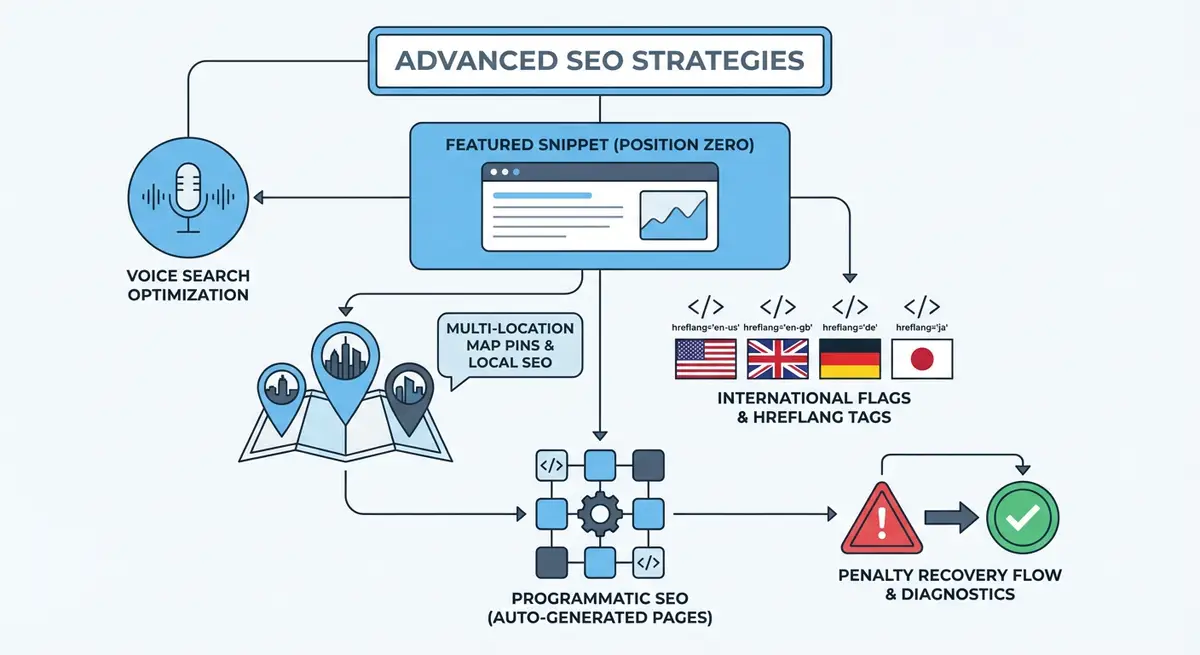
How Voice Search Works Behind the Scenes
When a user asks a voice query, the assistant converts speech to text, sends the query to its search engine, and then reads back a single answer. Unlike traditional search where users see ten blue links and choose which to click, voice search delivers one result. That single result is almost always pulled from a featured snippet, a Google Business Profile, or a Knowledge Panel. This means voice search optimisation and featured snippet optimisation are deeply connected: if you win the featured snippet, you are the voice search answer.
Google Assistant and Siri both use Google search results for general queries. Alexa uses Bing by default but can be configured to use Google. For local queries, all assistants heavily rely on Google Business Profile data. This means your GBP optimisation directly impacts voice search visibility for local intent queries like "find a plumber near me" or "what time does the gym close".
Characteristics of Voice Search Queries
- Longer than typed queries: Average voice query is 6-10 words compared to 2-4 words for typed queries.
- Question-based: Voice queries frequently start with who, what, where, when, why, and how.
- Conversational: Voice queries use natural language including prepositions, articles, and complete sentences.
- Local intent: Over 50% of voice searches have local intent, asking about nearby businesses, directions, or operating hours.
- Action-oriented: Many voice queries seek immediate action: "call", "navigate to", "order", "book", "play".
- Mobile and smart speaker: Voice queries come from smartphones, smart speakers, cars, and wearable devices with varying screen capabilities.
Optimising Wix Content for Voice Search
The foundation of voice search optimisation is creating content that answers questions conversationally. Write in a natural, spoken style for question-and-answer sections. Use complete sentences rather than keyword-stuffed phrases. Structure your content so that each question has a concise, self-contained answer that a voice assistant can read aloud in 15-30 seconds.
Content optimisation for voice search on Wix
- Identify the questions your customers actually ask. Review customer service emails, live chat logs, phone call notes, and Google Search Console queries that start with question words.
- Create an FAQ section on your most important pages. Each question should be an H3 heading written in the exact conversational format someone would speak.
- Answer each question in a single paragraph of 30-50 words. This is the ideal length for voice assistant read-back. Write as if you are speaking to someone in conversation.
- After the concise answer, provide a longer, detailed explanation for readers who want more depth. The voice assistant reads the short answer; web visitors can read the full detail.
- Use long-tail, conversational keywords throughout your content. "How much does SEO cost for a small business in Manchester" instead of "SEO cost Manchester".
- Implement speakable structured data on your FAQ sections to explicitly tell Google which parts of your content are suitable for voice readback.
- Optimise for "near me" queries by ensuring your Google Business Profile is complete, your NAP is consistent, and your Wix site includes location-specific content.
Local Voice Search Optimisation
Local voice search is the most commercially valuable voice search category. "Where is the nearest dentist open on Saturday" or "find a plumber in Manchester with good reviews" are high-intent queries from people ready to make a purchase decision. To capture these queries, your Google Business Profile must be comprehensive, accurate, and actively managed.
- Complete every field in your Google Business Profile: business name, address, phone, website, hours, services, attributes, and description.
- Add your business hours accurately and update them for holidays and special occasions. "Is [business] open right now" is one of the most common voice queries.
- Encourage and respond to Google reviews. Voice assistants often reference review ratings: "I found [business] with 4.8 stars and 150 reviews."
- Add specific services and products to your GBP. These match against voice queries like "find a salon that does balayage near me."
- Use the Q&A feature on GBP to preemptively answer common voice queries about your business.
- Add photos and videos to your GBP. While not directly voice-related, complete profiles rank higher in local results that voice assistants draw from.
Speakable Structured Data
Google supports Speakable schema markup, which identifies sections of your content that are particularly suitable for audio playback using text-to-speech. This is currently supported for news articles in the US and is expanding to other content types and regions. While not yet widely available, implementing it now prepares your Wix site for the expanding voice search ecosystem.
{
  "@context": "https://schema.org",
  "@type": "WebPage",
  "name": "What Is Local SEO?",
  "speakable": {
    "@type": "SpeakableSpecification",
    "cssSelector": [".voice-answer", ".faq-answer"]
  },
  "url": "https://yourwixsite.com/what-is-local-seo"
}
Voice Search and Featured Snippets: The Connection
Backlinko's 2018 study of 10,000 voice searches found that 40.7% of voice search answers came from a featured snippet. This means the featured snippet optimisation techniques from the previous lesson directly apply to voice search. If your content wins the featured snippet for a question, it becomes the voice search answer for that question. Focus your voice search efforts on winning paragraph and list snippets for the conversational questions your audience asks.
Voice Commerce and Transactional Voice Queries
Voice commerce is growing as users become more comfortable making purchases through voice assistants. Queries like "order more running shoes from [brand]" or "buy organic coffee beans" are increasing. For Wix e-commerce stores, optimising product pages for voice requires conversational product descriptions, clear pricing information that voice assistants can read, and comprehensive product schema markup that provides the data voice platforms need to present your products as purchase options.
Measuring Voice Search Impact
Direct voice search measurement is limited because Google does not separate voice and typed queries in Search Console. However, you can infer voice search traffic by monitoring specific patterns in your GSC data.
- Filter for queries that start with question words (who, what, where, when, why, how). Increasing impressions for these indicate growing voice search visibility.
- Look for longer-than-average queries (6+ words) in your top queries report. These often originate from voice input.
- Monitor "near me" queries separately. Growth in these correlates with voice search from mobile devices.
- Track featured snippet ownership. Each snippet you win is a potential voice search answer captured.
- Use GA4 to monitor mobile traffic patterns. Increased mobile visits from organic search during commuting hours often correlate with voice search activity.
Voice Search Optimisation Tools
- AnswerThePublic: Discover questions people ask around your keywords, ideal for voice search content planning
- Google Business Profile: Complete and optimise your GBP for local voice search visibility
- AlsoAsked: Map People Also Ask questions to find voice search content opportunities
- SEO Fix in a Box: My Wix app. Free to install, it scans your site and shows what needs fixing, and paid plans write the fixes from your own Google searches
Complete How-To Guide: Voice Search Optimisation for Wix
How to optimise your Wix site for voice search queries
- Step 1: Compile a list of questions your customers ask. Review customer emails, live chat transcripts, phone call notes, and Google Search Console queries starting with question words.
- Step 2: Organise questions by category: about your services, about pricing, about your process, about your location and hours, and general industry questions.
- Step 3: Create an FAQ page on your Wix site with each question as an H3 heading. Write a concise 30-50 word answer immediately below each heading, followed by a more detailed explanation.
- Step 4: Add FAQ sections to your top service pages using the same format. Each service page should have 3-5 service-specific questions with concise answers.
- Step 5: Implement FAQPage schema on every page with FAQ content. This increases eligibility for both featured snippets and voice search answers.
- Step 6: Optimise your Google Business Profile completely. Fill in every field: hours, services, attributes, photos, Q&A, and a comprehensive business description.
- Step 7: Ensure your Wix site includes your business hours, address, phone number, and service area prominently on your homepage and contact page. Voice assistants extract this information directly.
- Step 8: Rewrite key content sections in conversational language. Replace keyword-dense phrases with natural sentences someone would speak.
- Step 9: Add long-tail conversational keywords to your content. "How much does a website redesign cost in Manchester" alongside "website redesign cost Manchester".
- Step 10: Win featured snippets for your highest-value questions using the inverted pyramid format: concise answer first, then detailed explanation.
- Step 11: Test your voice search visibility by asking Google Assistant, Siri, and Alexa questions your customers would ask. Document which queries return your site and which return competitors.
- Step 12: Monitor Google Search Console for question-word queries and "near me" queries monthly. Track growth in impressions and clicks for these conversational query patterns as indicators of voice search performance.
Was this lesson useful?
It takes 1 minute to tell me. The course is free and I want to keep it that way, and your feedback shows me what is working and helps other people find it.
This lesson on Voice search optimisation: ranking for conversational queries is part of Module 22: Advanced Wix SEO Strategies in The Most Comprehensive Complete Wix SEO Course in the World (2026 Edition). Created by Michael Andrews, a Wix Marketplace Legend Partner with 14 years of hands-on experience, 800 completed Wix SEO projects and 456 verified five-star reviews.