Using Screaming Frog to audit a Wix website
Module 8: Crawl Budget, Log Files & Advanced Site Health on Wix | Lesson 107 of 683 | 40 min read
By Michael Andrews, Wix SEO Expert UK
Screaming Frog SEO Spider is the industry-standard desktop crawl tool used by SEO professionals worldwide. It crawls your website like a search engine bot, analysing every URL it discovers and producing detailed reports on page titles, meta descriptions, headings, images, status codes, redirect chains and site architecture. While Wix provides native bot traffic reports, Screaming Frog gives you a deeper, more granular view of technical SEO issues that Wix tools cannot surface. The free version crawls up to 500 URLs, making it accessible to every Wix site owner.
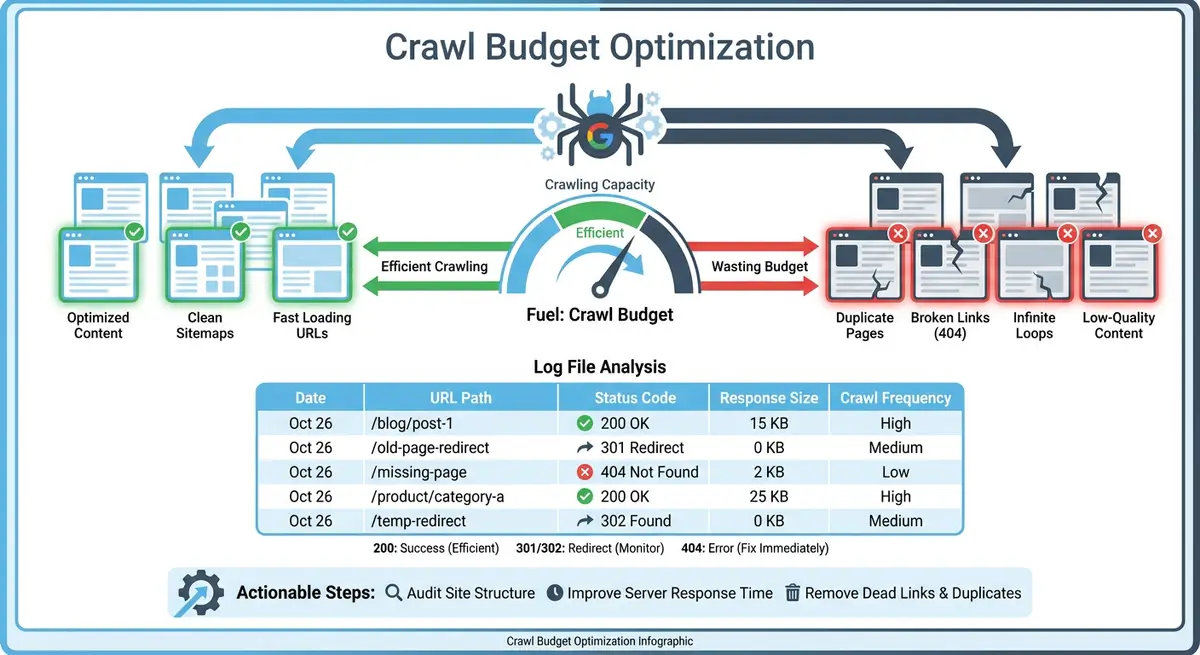
Downloading and Configuring Screaming Frog
Screaming Frog is available as a free download for Windows, macOS and Linux from screamingfrog.co.uk. The free version crawls up to 500 URLs with full functionality, which is sufficient for most Wix sites. After installing, the first configuration step is critical for Wix sites: you must enable JavaScript rendering. Without JavaScript rendering enabled, Screaming Frog will only see the raw HTML that Wix serves initially, missing dynamically loaded content, navigation elements and structured data.
Enabling JavaScript Rendering for Wix
How to configure JavaScript rendering
- Open Screaming Frog and go to Configuration > Spider
- In the Rendering tab, change the dropdown from "Text Only" to "JavaScript"
- Set the rendering timeout to at least 5 seconds (Wix pages can take a moment to fully render)
- Under Configuration > Robots, ensure "Respect robots.txt" is checked to mirror Googlebot behaviour
- Optionally, go to Configuration > Speed and reduce the max threads to 2-3 to avoid overloading Wix servers
Crawling Your Wix Site
Enter your Wix site URL in the address bar at the top of Screaming Frog and click Start. The tool will begin discovering and crawling every page it can find by following internal links from your homepage. For a typical Wix site with 100-300 pages, a full crawl with JavaScript rendering takes 5-15 minutes. Monitor the progress bar and the URL count in the bottom-right corner. Once complete, you will have a comprehensive dataset of every URL on your site with detailed technical SEO data for each.
Key Reports to Analyse
- Page Titles: find missing, duplicate, too long or too short title tags across all pages. Filter by "Missing" to find pages without any title tag.
- Meta Descriptions: identify pages with missing, duplicate or poorly optimised meta descriptions that need attention.
- H1 Tags: check that every page has exactly one H1 heading. Multiple H1s or missing H1s are common issues on Wix sites.
- Images: find images with missing alt text, oversized file sizes, or broken image URLs that need fixing.
- Response Codes: identify all 404 errors, 301 redirects, redirect chains and any 500 server errors discovered during the crawl.
- Directives: check for pages accidentally set to noindex, pages blocked by robots.txt, or conflicting canonical tags.
Site Architecture Visualisation
Screaming Frog includes a crawl diagram feature that visualises your entire site structure as an interactive graph. This is incredibly valuable for understanding your Wix site's hierarchy and identifying orphan pages, deep pages and structural issues. Go to Visualisations > Crawl Tree Graph to see a visual map of how your pages connect. Identify any pages that are too many clicks from the homepage and any clusters of pages that lack connections to the main site structure.
Exporting Actionable Data
The real power of Screaming Frog is in the export functionality. After completing your crawl, export the key reports to CSV or Excel files for systematic processing. Go to File > Export to save the complete crawl data. Then use the filter tabs at the top to export specific issue reports: all pages with missing title tags, all images without alt text, all redirect chains and all 404 errors. These exports become your technical SEO action plan for your Wix site.
Essential Tools for This Lesson
- Screaming Frog SEO Spider: Download the free SEO Spider tool that crawls up to 500 URLs and provides detailed technical SEO analysis for Wix sites
Complete How-To Guide: Running a Screaming Frog Audit on a Wix Site
This step-by-step guide walks you through the complete process of downloading, configuring and running a Screaming Frog crawl on your Wix site, then extracting the actionable data you need to fix technical SEO issues.
How to run a Screaming Frog audit on a Wix site
- Step 1: Download Screaming Frog SEO Spider from screamingfrog.co.uk/seo-spider and install it on your computer. Launch the application. If you are using the free version, no licence key is needed, simply close the activation prompt.
- Step 2: Before starting your crawl, configure JavaScript rendering. Go to Configuration > Spider, click the Rendering tab and change the dropdown from "Text Only" to "JavaScript". This is essential for Wix because most Wix content is rendered via JavaScript.
- Step 3: Set the rendering timeout by staying in the Rendering tab and increasing the AJAX timeout to 5 seconds and the overall rendering timeout to 8 seconds. Wix pages sometimes require additional time to fully render all content and navigation elements.
- Step 4: Configure crawl speed by going to Configuration > Speed. Set max threads to 3 and add a crawl delay of 200 milliseconds between requests. This prevents your crawl from overloading Wix servers and ensures you get accurate rendering results.
- Step 5: Ensure robots.txt compliance by going to Configuration > Robots.txt and checking that "Respect robots.txt" is enabled. This ensures Screaming Frog crawls your site the same way Googlebot does, giving you accurate results.
- Step 6: Enter your Wix site URL (including https://) in the address bar at the top of Screaming Frog and click the green Start button. The crawl will begin discovering and analysing every page reachable from your homepage.
- Step 7: While the crawl runs, monitor the progress in the bottom-right corner. Note the total URLs discovered and the crawl speed. A typical 200-page Wix site with JavaScript rendering takes 10-20 minutes. Do not close the application or navigate away until the crawl completes.
- Step 8: Once the crawl finishes, click the Page Titles tab at the top of the interface. Filter by "Missing" to find pages without title tags, then filter by "Duplicate" to find pages sharing the same title. Export this list by right-clicking and selecting Export.
- Step 9: Switch to the Meta Description tab and repeat the same process. Filter by "Missing" and "Duplicate" to find meta description issues. Pages with missing or duplicate meta descriptions are your first optimisation priority.
- Step 10: Click the H1 tab and filter by "Missing" to find pages without any H1 heading. Then filter by "Multiple" to find pages with more than one H1. On Wix, multiple H1s sometimes occur when page sections or apps inject their own headings.
- Step 11: Navigate to the Images tab and filter by "Missing Alt Text" to find every image on your site without descriptive alt text. This report often reveals dozens of overlooked images, especially in galleries, sliders and blog posts.
- Step 12: Check the Response Codes tab and filter by "Client Error (4xx)" to find all 404 errors. Then filter by "Redirect (3xx)" and look at the redirect chain column to identify any chains longer than one hop. Export both lists for processing.
- Step 13: Go to Visualisations > Crawl Tree Graph to see your site architecture as a visual diagram. Identify any pages that are more than 3 levels deep from the homepage and any orphan pages that have no internal links pointing to them. These need internal linking improvements.
- Step 14: Export your complete crawl data by going to File > Export. Save the CSV file to a dedicated folder. Then create a prioritised action plan by listing all issues found: missing titles, duplicate descriptions, broken images, 404 errors, redirect chains and orphan pages. Address the highest-impact issues first, starting with 404 errors and missing title tags on important pages.
Was this lesson useful?
It takes 1 minute to tell me. The course is free and I want to keep it that way, and your feedback shows me what is working and helps other people find it.
This lesson on Using Screaming Frog to audit a Wix website is part of Module 8: Crawl Budget, Log Files & Advanced Site Health on Wix in The Most Comprehensive Complete Wix SEO Course in the World (2026 Edition). Created by Michael Andrews, a Wix Marketplace Legend Partner with 14 years of hands-on experience, 800 completed Wix SEO projects and 456 verified five-star reviews.