Third-party tracking scripts: managing privacy compliance on Wix
Module 14: Privacy, GDPR & Cookie Consent for SEO on Wix | Lesson 166 of 683 | 22 min read
By Michael Andrews, Wix SEO Expert UK
Every third-party script on your Wix site is a potential privacy liability. Google Analytics, Facebook Pixel, Google Ads remarketing, Hotjar, Intercom, email marketing trackers, affiliate scripts, and dozens more all collect personal data from your visitors. Under GDPR, you are the data controller and are responsible for every piece of data these tools collect on your behalf. This lesson covers auditing, categorising and controlling third-party scripts for full compliance.
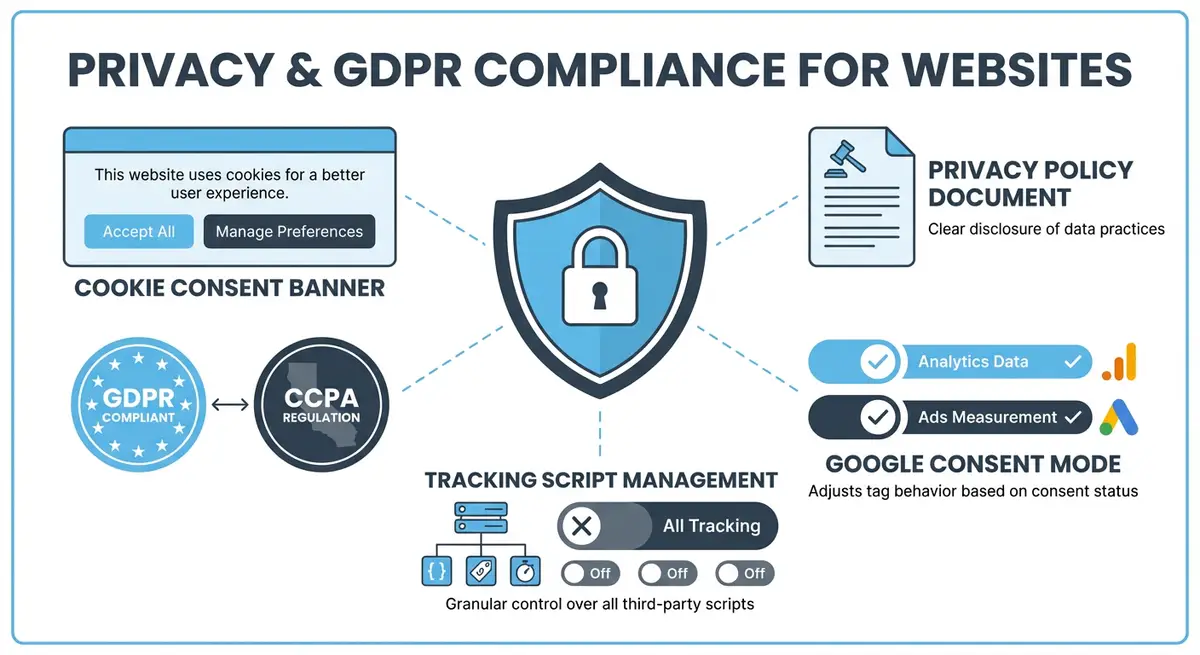
Auditing Third-Party Scripts on Your Wix Site
How to find every script on your site
- Go to Wix Dashboard > Settings > Custom Code and list every script you have added manually.
- Check your Wix App Market installed apps as each one may inject its own tracking scripts.
- Open your Wix site in Chrome, go to DevTools > Application > Cookies to see all cookies being set.
- Use the DevTools Network tab to identify all external requests firing on page load.
- Check for scripts injected by Wix itself such as Wix Analytics and built-in marketing tools.
Categorising Scripts by Consent Type
- Essential (no consent needed): Wix session cookies, security tokens, CDN requests, payment processor scripts during checkout.
- Functional (consent recommended): chat widgets, language selectors, saved preferences, accessibility tools.
- Analytics (consent required under GDPR): Google Analytics 4, Wix Analytics advanced tracking, Hotjar, Microsoft Clarity, Heap.
- Marketing (consent required): Facebook Pixel, Google Ads remarketing, TikTok Pixel, LinkedIn Insight Tag, affiliate tracking scripts, email marketing tracking pixels.
Controlling Script Loading Based on Consent
Essential Resources
- ICO Guide to GDPR: UK Information Commissioner GDPR compliance guide
- Cookiebot: GDPR-compliant cookie consent management platform
- GDPR.eu: Comprehensive GDPR information and compliance resources
- Google Consent Mode: Implement Google Consent Mode for privacy-compliant analytics
Wix allows you to assign scripts to consent categories in the Custom Code settings. When you add or edit a script, you can specify whether it should load with essential, functional, analytics or marketing consent. The Wix Cookie Consent banner then controls when these scripts fire based on the visitor's consent choices. This is the primary mechanism for script-level privacy control on Wix.
Impact of Blocking Marketing Scripts
Blocking marketing scripts for non-consenting visitors has real business consequences. Facebook Ads attribution breaks. Google Ads conversion tracking becomes incomplete. Remarketing audiences shrink. Affiliate tracking fails for some transactions. These are real costs that must be weighed against compliance requirements. Consent Mode v2 helps for Google products, but Facebook and other platforms have their own limited solutions.
Data Processing Agreements
Under GDPR, you need a Data Processing Agreement (DPA) with every third-party tool that processes personal data on your behalf. Most major platforms provide DPAs that you can accept online: Google, Facebook, Hotjar, Mailchimp and others all offer standard DPAs. You must sign these and keep records. Failure to have DPAs in place is a compliance violation even if your consent banner is perfect.
Complete How-To Guide: Auditing and Controlling Third-Party Scripts on Wix
This step-by-step guide walks you through a complete audit and control process for every third-party tracking script on your Wix website to achieve full privacy compliance.
How to audit and manage third-party scripts for privacy compliance on Wix
- Step 1: Open your Wix Dashboard and go to Settings > Custom Code. Take a screenshot or create a spreadsheet listing every script name, its purpose and when it was added.
- Step 2: Go to the Wix App Market section of your dashboard and list every installed app. Note which ones have their own tracking capabilities or inject cookies.
- Step 3: Open your Wix site in Chrome Incognito mode. Before interacting with the cookie banner, open DevTools > Network tab and note every external request. These are scripts firing before consent, which is a potential violation.
- Step 4: Accept all cookies on the consent banner and record the additional network requests that fire. Compare with Step 3 to identify which scripts properly wait for consent and which fire prematurely.
- Step 5: Go to DevTools > Application > Cookies and create a complete list of every cookie set by your site. Record the cookie name, domain, expiry and purpose. This becomes your cookie audit document.
- Step 6: Categorise every script and cookie into the four consent categories: essential, functional, analytics and marketing. Use your spreadsheet to map each item to a category.
- Step 7: In Wix Dashboard > Settings > Custom Code, edit each script and assign it to the correct consent category. Ensure analytics scripts are set to require analytics consent and marketing scripts require marketing consent.
- Step 8: Remove any scripts you no longer use or cannot identify the purpose of. Unused tracking scripts are both a privacy risk and a page speed drag. Delete them from Custom Code.
- Step 9: For each third-party tool that processes personal data, locate and sign the Data Processing Agreement. Google, Facebook, Hotjar and major providers all offer DPAs at their privacy or legal pages.
- Step 10: Update your cookie policy page with the complete cookie audit from Step 5. Every cookie must be documented with its name, provider, purpose, duration and category.
- Step 11: Update your privacy policy to list every third-party data processor. Include the company name, what data they process and a link to their privacy policy.
- Step 12: Re-test the complete flow in an incognito window. Decline all cookies and verify that only essential scripts fire. Accept only analytics and verify marketing scripts remain blocked. Accept all and verify everything fires correctly.
- Step 13: Set a quarterly calendar reminder to repeat this full audit. New scripts get added, apps get installed, and compliance must be maintained continuously.
Essential Resources
- Cookiebot: Automated cookie scanning to discover all third-party scripts and cookies
- Google Tag Manager: Centralised script management with consent-based firing rules
- ICO Guide to GDPR: Regulatory guidance on data processing agreements and third-party compliance
- SEO Fix in a Box: My Wix app. Free to install, it scans your site and shows what needs fixing, and paid plans write the fixes from your own Google searches
Was this lesson useful?
It takes 1 minute to tell me. The course is free and I want to keep it that way, and your feedback shows me what is working and helps other people find it.
This lesson on Third-party tracking scripts: managing privacy compliance on Wix is part of Module 14: Privacy, GDPR & Cookie Consent for SEO on Wix in The Most Comprehensive Complete Wix SEO Course in the World (2026 Edition). Created by Michael Andrews, a Wix Marketplace Legend Partner with 14 years of hands-on experience, 800 completed Wix SEO projects and 456 verified five-star reviews.