Reviews and testimonials for service businesses on Wix
Module 18: Wix Bookings, Hotels & Service Business SEO | Lesson 213 of 683 | 24 min read
By Michael Andrews, Wix SEO Expert UK
For service businesses using Wix Bookings, reviews are the number one conversion factor. A visitor comparing two massage therapists will almost always choose the one with more positive reviews. Beyond conversion, reviews send powerful SEO signals: Google uses review volume, recency and rating as ranking factors for local search.
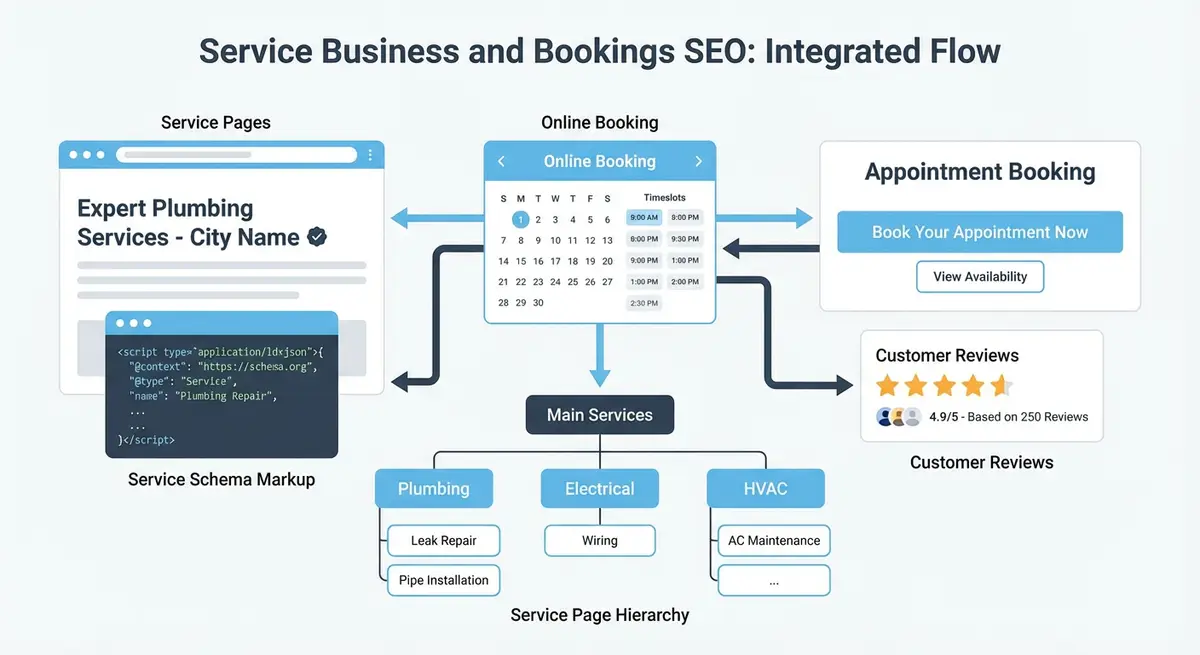
Displaying Reviews on Wix Service Pages
There are two approaches to displaying reviews on Wix: embedding Google reviews directly (using a third-party Wix app like Elfsight or EmbedSocial), or manually adding testimonials as text elements. The embedded approach keeps reviews automatically updated but adds JavaScript weight. Manual testimonials are faster loading but require periodic updates.
Essential Resources
- Wix Bookings Help Centre: Official Wix Bookings documentation and setup guides
- Google Business Profile Help: Manage your business listing for local search visibility
- Schema.org Service Type: Service schema reference for structured data markup
- Google Search Console: Monitor your site performance and indexing in Google Search
AggregateRating Schema for Reviews
{
  "@context": "https://schema.org",
  "@type": "LocalBusiness",
  "name": "Your Business Name",
  "aggregateRating": {
    "@type": "AggregateRating",
    "ratingValue": "4.9",
    "bestRating": "5",
    "ratingCount": "127",
    "reviewCount": "127"
  }
}
Post-Appointment Review Generation
Automated review request system
- Set up a Wix Automation triggered by booking completion
- Send a thank-you email 2 hours after the appointment
- Include a direct link to your Google Business Profile review form
- Follow up 3 days later with a gentle reminder if no review was left
- Aim for a 30-40% review response rate with this two-touch approach
Complete How-To Guide
This step-by-step guide covers building a complete review and testimonial strategy for your Wix Bookings service business, from collecting reviews automatically after appointments to displaying them on service pages with proper schema markup for maximum SEO and conversion impact.
How to Build a Review and Testimonial System for Your Wix Bookings Business
- Step 1: Claim and verify your Google Business Profile if you have not already. Go to business.google.com, search for your business, and complete the verification process. This is the foundation of your review strategy since Google Reviews directly influence local search rankings.
- Step 2: Create your review collection link. In your Google Business Profile, go to Home > "Get more reviews" and copy the short review link. Save this link; you will use it in your automated email sequences and on your Wix site.
- Step 3: Set up a Wix Automation for post-appointment review requests. In your Wix Dashboard, go to Automations > New Automation. Set the trigger to "Booking completed" or "Session ended". Add a 2-hour delay, then send an email thanking the client and asking them to leave a review with a direct link to your Google review form.
- Step 4: Create a follow-up automation that sends a gentle reminder 3 days after the appointment if the client has not yet left a review. Keep the tone appreciative, not pushy. Something like "We hope you enjoyed your [service name]. If you have a moment, we would love to hear your feedback."
- Step 5: Set up review collection on additional platforms beyond Google. Create business profiles on Trustpilot, Facebook and any industry-specific review platforms (e.g., Treatwell for beauty and wellness, Bark for professional services). Rotate which platform you direct clients to, or ask different client segments to review on different platforms.
- Step 6: Add testimonials to each individual Wix Bookings service page. In the Wix Editor, create a testimonial section on every service page featuring 2-3 reviews specifically about that service. Include the reviewer's first name, the service they booked, a star rating and the review text. Update these quarterly with fresh reviews.
- Step 7: Add AggregateRating schema to your main business pages. In Wix Settings > Custom Code, add a JSON-LD script with @type "LocalBusiness" containing an "aggregateRating" object with your current ratingValue, bestRating, and reviewCount. Update these numbers monthly to reflect your actual review totals.
- Step 8: Add individual Review schema for featured testimonials on service pages. For each testimonial displayed on a service page, create a Review schema with the reviewer name, rating, review body and date published. Nest these within your Service schema for that page.
- Step 9: Create a dedicated testimonials or reviews page on your Wix site that aggregates the best reviews across all services. Link to this page from your main navigation. This page targets keywords like "[your service] reviews" and "[your business name] reviews".
- Step 10: Embed a live Google Reviews widget on your homepage or services overview page using a Wix-compatible app such as Elfsight or EmbedSocial. Configure it to display only 4-5 star reviews and update automatically. Position it near your main booking CTA for maximum conversion impact.
- Step 11: Create visual testimonials by asking satisfied clients for permission to use their photo alongside their review. In the Wix Editor, create testimonial cards with a small client photo, their name, the service they used and their quote. Visual testimonials convert significantly better than text-only.
- Step 12: Monitor your reviews weekly using Google Alerts set up for your business name, and by checking your Google Business Profile, Trustpilot and Facebook pages directly. Respond to every review, both positive and negative, within 24-48 hours. Google considers response rate and speed as a ranking signal.
- Step 13: Handle negative reviews professionally and promptly. Respond publicly with empathy and offer to resolve the issue offline. Then follow up privately. A well-handled negative review can actually improve trust. Never ignore negative reviews or respond defensively.
- Step 14: Track your review metrics monthly: total review count per platform, average rating, review velocity (new reviews per month) and the percentage of booked clients who leave reviews. Set targets for each metric and adjust your automated sequences to improve response rates.
- Step 15: Use review content to improve your service page copy. Analyse what clients consistently praise or mention in reviews and incorporate that language into your service descriptions. If clients frequently mention "feeling relaxed" after a massage, use that exact phrase in your service page content. This aligns your content with how real people search and describe your services.
Essential Resources
- Google Business Profile: Collect and manage Google reviews for your service business
- Schema.org AggregateRating: Structured data reference for displaying star ratings in search results
- Trustpilot: Build reviews on an additional trusted platform for cross-referencing by AI engines
Before you mark up any of these testimonials, read the eligibility rules in Review and AggregateRating schema and star ratings in Google, because a business reviewing itself does not earn stars.
Was this lesson useful?
It takes 1 minute to tell me. The course is free and I want to keep it that way, and your feedback shows me what is working and helps other people find it.
This lesson on Reviews and testimonials for service businesses on Wix is part of Module 18: Wix Bookings, Hotels & Service Business SEO in The Most Comprehensive Complete Wix SEO Course in the World (2026 Edition). Created by Michael Andrews, a Wix Marketplace Legend Partner with 14 years of hands-on experience, 800 completed Wix SEO projects and 456 verified five-star reviews.