Privacy policy and terms pages as SEO trust signals
Module 14: Privacy, GDPR & Cookie Consent for SEO on Wix | Lesson 165 of 683 | 18 min read
By Michael Andrews, Wix SEO Expert UK
Privacy policy, terms of service and cookie policy pages serve a dual purpose on your Wix site. They fulfil legal requirements under GDPR, CCPA and other regulations, and they act as trust signals that Google evaluates when assessing your site quality. Google's Search Quality Rater Guidelines specifically mention privacy policies and contact information as indicators of a trustworthy website.
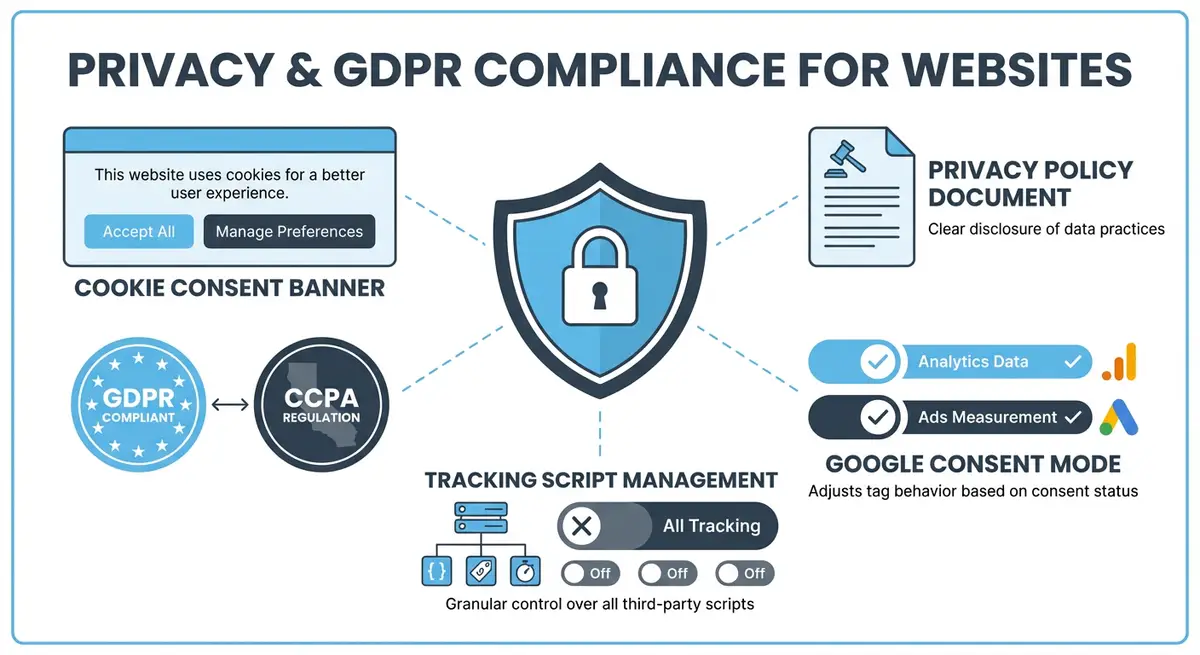
Why Policy Pages Matter for E-E-A-T
- Google Quality Raters check for privacy policies when evaluating YMYL (Your Money or Your Life) sites.
- Missing privacy or terms pages are flagged as low trust indicators in quality evaluations.
- Policy pages demonstrate transparency and professionalism to both users and search engines.
- eCommerce sites without clear terms, returns and privacy policies rank lower in shopping results.
- Contact information combined with policy pages creates a complete trust signal package.
What Your Privacy Policy Must Include
- Your business identity: name, address and contact details.
- What personal data you collect and why.
- The legal basis for processing data under GDPR (consent, legitimate interest, contractual necessity).
- How long you retain personal data.
- Who you share data with (third-party processors like Google Analytics, payment providers, email marketing tools).
- User rights: access, rectification, erasure, portability and the right to complain.
- Cookie usage details and a link to your cookie policy.
- How to contact you with privacy-related requests.
Terms of Service Essentials
Your terms of service page establishes the legal agreement between your Wix site and its users. For eCommerce sites, this includes returns and refund policies, shipping terms, and warranty disclaimers. For service businesses, it covers scope of services, liability limitations and dispute resolution. The terms page should be written in plain English wherever possible rather than impenetrable legal jargon.
Cookie Policy Requirements
A dedicated cookie policy page (or a detailed section within your privacy policy) must list every cookie your Wix site sets, explain its purpose, state its duration, and identify its category (essential, functional, analytics, marketing). This is a specific GDPR requirement and also expected by UK data protection law. Users must be able to understand exactly what cookies are active on your site.
SEO Optimisation of Policy Pages
Essential Resources
- ICO Guide to GDPR: UK Information Commissioner GDPR compliance guide
- Cookiebot: GDPR-compliant cookie consent management platform
- GDPR.eu: Comprehensive GDPR information and compliance resources
- Google Consent Mode: Implement Google Consent Mode for privacy-compliant analytics
Policy pages should not be keyword-stuffed or treated as SEO landing pages. However, they should have proper title tags, meta descriptions and heading structure. They should be internally linked from your footer on every page. They should not be noindexed because Google needs to crawl them to verify their existence. Use the Wix SEO settings to set basic meta tags for each policy page.
Complete How-To Guide: Creating Trust-Building Policy Pages on Wix
This guide walks you through creating comprehensive privacy policy, terms of service and cookie policy pages on your Wix site that satisfy both legal requirements and SEO trust signals.
How to build policy pages that strengthen trust and SEO on your Wix site
- Step 1: Create a new page in Wix for your privacy policy. Go to your Wix Editor, add a new page and name it Privacy Policy. Use a clean single-column layout with no distracting elements.
- Step 2: Write your privacy policy using the data inventory from your compliance audit. Cover every data collection point, every third-party processor, all user rights and your contact details. Use heading tags (H2 and H3) to structure sections logically.
- Step 3: Add a last updated date at the very top of the page. Format it clearly, for example: Last Updated: March 2026. This signals freshness to both users and Google quality raters.
- Step 4: Create a separate Terms of Service page. Include sections for acceptable use, intellectual property, liability limitations, dispute resolution, and specific commercial terms if you sell products or services through Wix.
- Step 5: Create a Cookie Policy page listing every cookie your Wix site sets. Organise cookies into a table with columns for cookie name, provider, purpose, duration and category (essential, analytics, marketing).
- Step 6: Link your privacy policy, terms and cookie policy pages in your Wix site footer so they appear on every page. Use the Wix Footer editor to add text links to all three pages.
- Step 7: Set SEO meta tags for each policy page. In the Wix page settings, add a title tag like Privacy Policy | [Your Business Name] and a meta description summarising what the page covers.
- Step 8: Do not add noindex tags to policy pages. Google needs to access them to verify your site has proper legal documentation. Leave them indexable.
- Step 9: Add internal links from your contact page and checkout pages to your privacy policy. Anywhere you collect data should link to the policy explaining how that data is used.
- Step 10: Cross-link between your policy pages. Your privacy policy should link to your cookie policy and vice versa. Your terms should link to your privacy policy where data handling is mentioned.
- Step 11: Test all policy pages on mobile to ensure readability. Long text pages often have formatting issues on small screens. Check font sizes, line spacing and heading hierarchy on your phone.
- Step 12: Submit all three policy pages in Google Search Console using the URL Inspection tool to ensure they are indexed. Verify they appear in Google search results when searching for your business name plus privacy policy.
How to Create and Optimise Privacy Policy and Terms Pages on Wix
Privacy Policy and Terms pages are trust signals evaluated by Google quality raters. These steps show you how to create compliant, properly optimised policy pages on your Wix site.
How to create and publish GDPR-compliant policy pages on Wix
- Step 1: Log in to your Wix Dashboard and navigate to Pages & Menu. Click Add Page and create three separate pages: Privacy Policy, Cookie Policy, and Terms of Service. Set unique, clean URL slugs (/privacy-policy, /cookie-policy, /terms-of-service).
- Step 2: Use a reputable policy generator such as Termly (termly.io) or PrivacyPolicies.com to generate your initial policy text. Select your jurisdiction (UK for GDPR, US for CCPA, or both). Answer all questions accurately.
- Step 3: Download the generated policy text. Paste it into each respective Wix page using the text editor. Review the content and ensure it accurately describes your specific data collection practices.
- Step 4: Open the Privacy Policy page in the Wix Editor. Ensure the page uses H2 headings for each major policy section (What Data We Collect, How We Use It, Your Rights, Contact Details). This improves readability and SEO structure.
- Step 5: Set the SEO title for the Privacy Policy page to: Privacy Policy | [Your Business Name]. Set a meta description that includes your business name and briefly describes the policy scope. Navigate to the page three dots > SEO settings.
- Step 6: Repeat Step 5 for Cookie Policy and Terms of Service pages. Each policy page needs its own unique title tag and meta description.
- Step 7: Navigate to the Wix Editor footer section. Add text links to Privacy Policy, Cookie Policy, and Terms of Service in the footer. These links must appear on every page of your site.
- Step 8: Add the policy page links to your cookie consent banner. In Wix Dashboard > Settings > Cookie Policy & Privacy, configure the banner to include a link to your Privacy Policy and Cookie Policy.
- Step 9: Ensure your policy pages are set to be indexed. Open each policy page SEO settings and verify the indexing setting is set to Allow indexing (not noindex). Policy pages should be publicly accessible and indexed.
- Step 10: Review each policy for plain-English clarity. Replace legal jargon with clear explanations. For example: "We may share your personal data with third-party processors" becomes "We share your name and email with our email platform to send you newsletters".
- Step 11: Add a Last Updated date at the top of each policy page. This date should change whenever you make substantive updates to the policy content. It demonstrates the policy is current.
- Step 12: Submit all three policy pages to Google Search Console using the URL Inspection tool. Click Request Indexing for each. Verify they appear in search results when searching your business name + privacy policy.
Essential Resources
- ICO Guide to GDPR: Official UK guidance on privacy policy requirements and user rights
- Termly Privacy Policy Generator: Generate customisable privacy policy and terms of service documents
- Google Search Console: Verify policy pages are indexed and accessible to Google quality raters
Was this lesson useful?
It takes 1 minute to tell me. The course is free and I want to keep it that way, and your feedback shows me what is working and helps other people find it.
This lesson on Privacy policy and terms pages as SEO trust signals is part of Module 14: Privacy, GDPR & Cookie Consent for SEO on Wix in The Most Comprehensive Complete Wix SEO Course in the World (2026 Edition). Created by Michael Andrews, a Wix Marketplace Legend Partner with 14 years of hands-on experience, 800 completed Wix SEO projects and 456 verified five-star reviews.