Measuring social SEO impact with analytics
Module 11: Social Signals, Open Graph & Cross-Platform Brand Presence | Lesson 146 of 687 | 24 min read
By Michael Andrews, Wix SEO Expert UK
The biggest criticism of social media for SEO is that it is hard to measure. "Social helped my rankings" is not a useful insight without data. This lesson shows you how to track the specific metrics that demonstrate whether your social media activity is translating into SEO results.
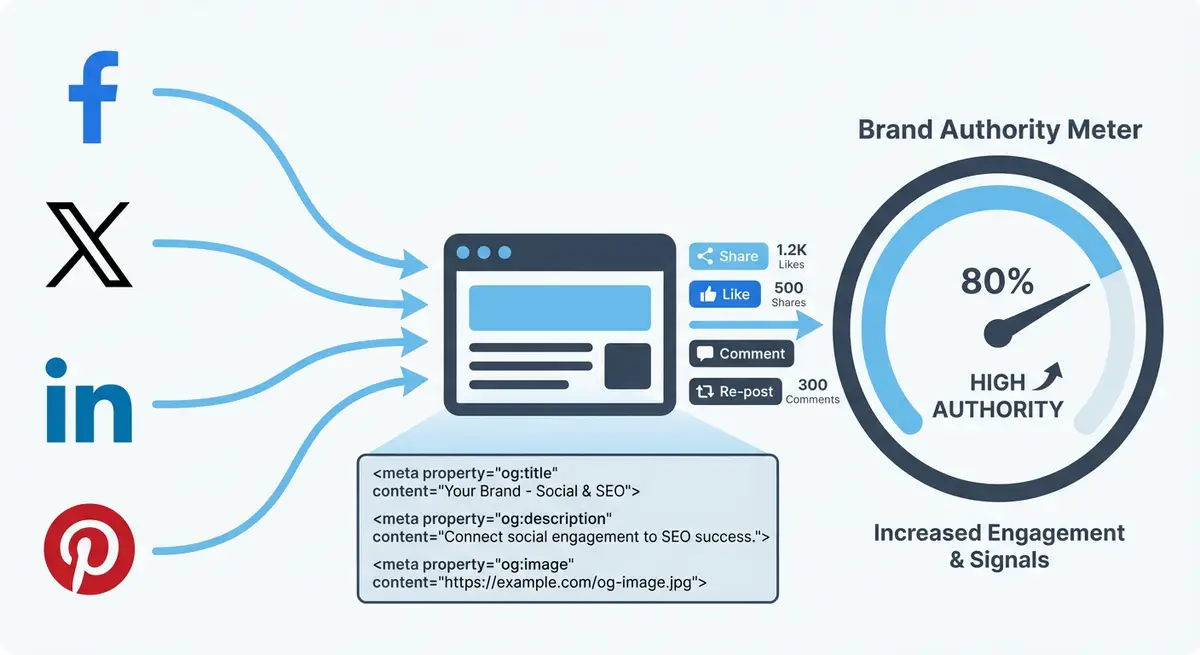
Tracking Social Referral Traffic in GA4
Setting up social traffic tracking
- In GA4, go to Reports > Acquisition > Traffic Acquisition
- Filter by Session Source to see traffic from individual social platforms
- Compare social traffic to organic traffic: are they correlated?
- Check Engagement metrics for social visitors: are they engaging or bouncing?
- Create a custom channel group that combines all social sources into one view
Correlating Social Activity with Ranking Changes
The most valuable analysis is correlating social sharing spikes with subsequent ranking improvements. When a blog post gets significant social traction, track its organic ranking and traffic in the following 2-4 weeks. If you consistently see ranking improvements 2-3 weeks after social spikes, you have evidence that social activity drives SEO results for your site.
Branded Search Volume
Google Search Console shows you how many people search for your brand name. Track this monthly. If your branded search volume increases as your social media activity increases, that is a direct connection between social presence and a confirmed ranking signal. Even a 20% increase in branded searches can lift your entire site ranking profile.
UTM Parameters for Attribution
When you share links on social media, add UTM parameters to track exactly which social posts drive traffic and conversions. The format is: yourdomain.com/page?utm_source=linkedin&utm_medium=social&utm_campaign=blog-post-name. This lets you see in GA4 which social platform and which specific post drove the most valuable traffic.
Building a Social SEO Dashboard
Create a monthly dashboard in Google Looker Studio that combines social referral traffic, branded search volume, new backlinks, and organic traffic trends. Over 3-6 months, this dashboard reveals the relationship between your social activity and SEO outcomes, giving you data to decide where to invest your social media effort.
Complete How-To Guide
This step-by-step guide walks you through setting up a complete social SEO measurement system using GA4, Google Search Console and Looker Studio so you can prove whether your social media efforts are driving real SEO results for your Wix site.
How to measure the SEO impact of your social media activity
- Step 1: Verify that Google Analytics 4 is properly connected to your Wix site. Go to your Wix Dashboard > Marketing & SEO > Marketing Integrations and confirm GA4 is active with the correct Measurement ID.
- Step 2: In GA4, navigate to Admin > Data Streams and confirm your Wix site is receiving data. Check that Enhanced Measurement is enabled so engagement events like scroll depth and outbound clicks are tracked automatically.
- Step 3: Create a UTM link template spreadsheet with columns for URL, utm_source, utm_medium and utm_campaign. For every link you share on social media, generate a tagged URL using this template before posting.
- Step 4: Set up your UTM convention: use utm_source as the platform name (linkedin, twitter, facebook, pinterest), utm_medium as "social" for all, and utm_campaign as a descriptive slug like "blog-seo-guide-march-2026".
- Step 5: In GA4, go to Reports > Acquisition > Traffic Acquisition. Change the primary dimension to Session source/medium. Filter for medium containing "social" to see all social referral traffic in one view.
- Step 6: Create a GA4 custom exploration. Go to Explore > Blank, add dimensions for Session source, Landing page and Date. Add metrics for Sessions, Engagement rate, Average engagement time and Conversions. Filter for social traffic only.
- Step 7: Open Google Search Console and go to Performance. Filter queries by your brand name and its common variations. Record the total branded search impressions and clicks for the current month as your baseline.
- Step 8: In Search Console, compare branded search volume month-over-month. Create a simple spreadsheet tracking monthly branded impressions, branded clicks and the number of social posts you published that month.
- Step 9: Track new backlinks by going to Search Console > Links > Top linking sites. Check this monthly and cross-reference new linking domains with content you recently promoted on social media.
- Step 10: Set up a Google Looker Studio dashboard. Connect both GA4 and Search Console as data sources. Create four key charts: social referral traffic trend, branded search volume trend, organic traffic trend and new referring domains over time.
- Step 11: Add a social activity log to your dashboard or spreadsheet. Record the number of social posts published each week, which platforms they went on, and any posts that received notably high engagement.
- Step 12: Each month, analyse the correlation between social activity spikes and subsequent organic traffic changes. Look specifically at the 2-4 week lag period where social sharing typically converts into SEO impact.
- Step 13: For your top 5 blog posts, create individual tracking rows that record: date shared on social, social engagement received, organic ranking position changes in the following month, and any new backlinks earned.
- Step 14: Set up automated alerts in GA4 for unusual traffic spikes from social sources. Go to Admin > Custom Definitions and create a custom insight that flags when social referral traffic exceeds your weekly average by more than 50%.
- Step 15: Review your complete social SEO dashboard quarterly. Identify which social platforms drive the most engaged traffic, which content types earn the most backlinks after social promotion, and where to focus your effort for the next quarter.
This lesson on Measuring social SEO impact with analytics is part of Module 11: Social Signals, Open Graph & Cross-Platform Brand Presence in The Most Comprehensive Complete Wix SEO Course in the World (2026 Edition). Created by Michael Andrews, the UK's No.1 Wix SEO Expert with 14 years of hands-on experience, 794+ completed Wix SEO projects and 453+ verified five-star reviews.