How cookie consent affects Google Analytics 4 data accuracy
Module 14: Privacy, GDPR & Cookie Consent for SEO on Wix | Lesson 163 of 683 | 20 min read
By Michael Andrews, Wix SEO Expert UK
When a visitor declines analytics cookies on your Wix site, GA4 stops tracking that visitor entirely. In regions with strict GDPR enforcement like Germany and France, consent rates for analytics cookies can be as low as 30-50%. This means you could be missing half your actual traffic data. Understanding this data gap and learning to work around it is essential for accurate SEO reporting.
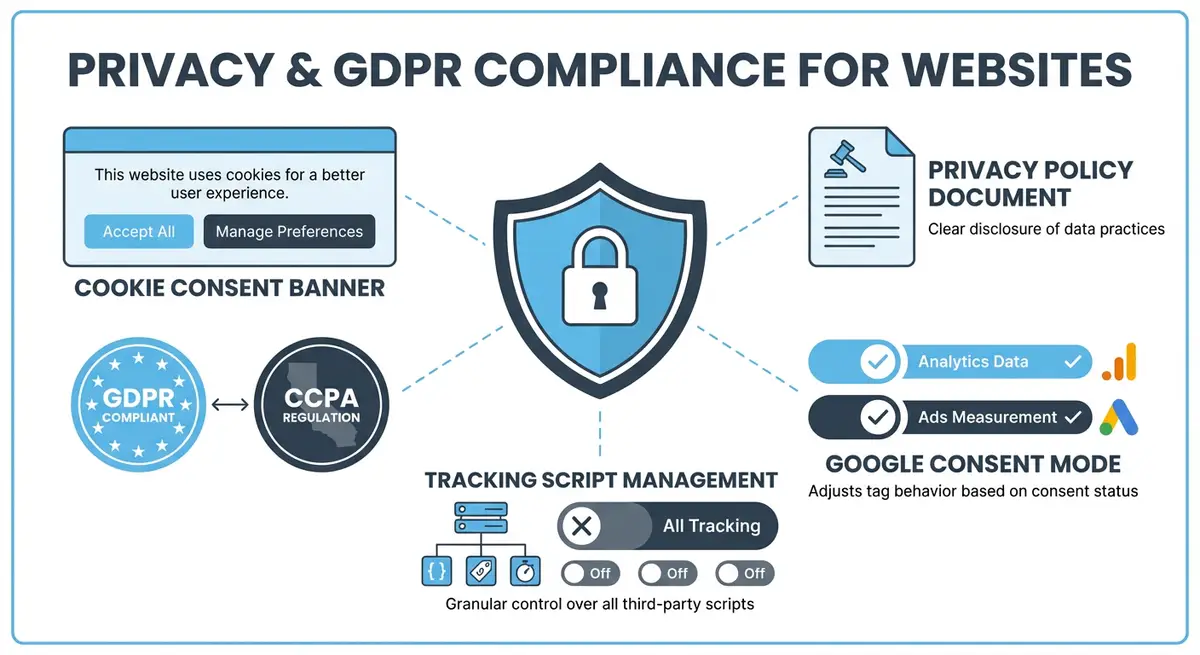
What Happens When Visitors Decline Cookies
- GA4 analytics tag does not fire at all. No pageview, no session, no event data.
- The visitor is completely invisible in GA4 reports.
- Your traffic numbers undercount actual visitors, sometimes by 30-60%.
- Organic traffic reports in GA4 understate the true impact of your SEO.
- Conversion tracking is incomplete, making ROI calculations inaccurate.
- Landing page data is skewed because high-consent pages appear to outperform low-consent pages.
How Much Data Are You Losing?
The consent rate varies dramatically by geography and industry. UK sites typically see 60-75% consent rates. German sites see 30-50%. US sites without mandatory banners may see 80-95%. The consent rate on your specific Wix site depends on your banner design, audience demographics, and whether you are using GDPR or CCPA compliance mode.
GA4 Data Modelling and Consent Mode
Google introduced data modelling in GA4 to estimate the behaviour of visitors who declined consent. When Consent Mode is properly configured, GA4 sends anonymised pings even when consent is denied. Google then uses machine learning to model the likely behaviour of non-consenting visitors based on the patterns of consenting visitors. This can recover 50-80% of lost data as modelled estimates.
Cross-Referencing with Search Console
Google Search Console does not depend on cookies or consent. It reports total clicks and impressions from Google Search regardless of consent status. By comparing GA4 organic sessions with GSC clicks for the same period, you can calculate your approximate consent rate and adjust your SEO reporting accordingly. If GSC shows 1,000 clicks but GA4 shows 650 organic sessions, your effective consent rate is approximately 65%.
Complete How-To Guide: Maximising GA4 Data Accuracy Despite Cookie Consent
This guide walks you through practical strategies to maintain the most accurate SEO analytics possible on your Wix site while remaining fully compliant with privacy regulations.
How to minimise analytics data loss from cookie consent on your Wix site
- Step 1: Calculate your current consent rate. Compare Google Search Console clicks for organic traffic with GA4 organic sessions for the same 30-day period. Divide GA4 sessions by GSC clicks to get your approximate consent rate percentage.
- Step 2: Implement Google Consent Mode v2 on your Wix site (covered in the next lesson). This allows GA4 to send cookieless pings and enables Google's data modelling to fill consent gaps.
- Step 3: Enable GA4 data modelling. In GA4, go to Admin > Data Settings > Data Collection and ensure Google Signals is enabled. This activates the machine learning models that estimate non-consenting visitor behaviour.
- Step 4: Set up a dual reporting system. Create a Google Looker Studio dashboard that pulls data from both GA4 and Search Console side by side, allowing you to see the full picture rather than relying on either source alone.
- Step 5: Use Wix Analytics as a third data source. Wix Analytics uses first-party data collection that may capture some visits that GA4 misses. Compare all three sources monthly for a more complete picture.
- Step 6: Adjust your SEO traffic baselines. If your consent rate is 65%, multiply your GA4 organic traffic numbers by 1.54 (100/65) to estimate true organic traffic. Use this adjusted number for month-over-month trend analysis.
- Step 7: Focus on trend analysis rather than absolute numbers. Even with data loss, if GA4 shows a 20% increase in organic traffic month-over-month, the actual increase is likely similar because the consent rate is relatively stable.
- Step 8: Review your consent banner design to improve the consent rate without using dark patterns. Clear language, a non-intrusive design, and explaining the value of analytics to users can improve consent rates by 10-20%.
- Step 9: Set up GA4 conversion tracking with Consent Mode so that key conversions are modelled even for non-consenting visitors. Go to Admin > Conversions and verify that modelled conversions are appearing.
- Step 10: Create a monthly SEO reporting template that includes a consent rate caveat. Always note the estimated data gap so stakeholders understand that GA4 numbers represent a subset of actual traffic.
- Step 11: Monitor your consent rate trend monthly. A declining consent rate may indicate that your banner design needs updating or that your visitor demographics are shifting toward higher-privacy regions.
- Step 12: Consider implementing server-side GA4 tracking via Google Tag Manager server container for more accurate first-party data collection. This requires technical setup but significantly improves data accuracy while maintaining compliance.
How to Configure Google Analytics 4 for Accuracy Under Cookie Consent
Cookie consent reduces GA4 data completeness, but Google Consent Mode and data modelling can partially recover it. These steps show you how to configure GA4 for the best data accuracy while staying compliant.
How to set up Google Analytics 4 with consent mode on your Wix site
- Step 1: Log in to your Wix Dashboard and navigate to Marketing & SEO > Google Analytics. Verify GA4 is connected to your Wix site. If not, click Connect and follow the setup wizard.
- Step 2: Log in to your GA4 property at analytics.google.com. Navigate to Admin > Data Collection and Modification > Data Collection. Enable Google Signals if you have not already. This allows cross-device modelling for consenting users.
- Step 3: In GA4, navigate to Admin > Data Collection > Consent Settings. Enable Consent Mode and set the default consent state to denied for analytics_storage and ad_storage. Consented users will override these defaults.
- Step 4: Navigate to Settings > Custom Code in your Wix Dashboard. Add the Google Consent Mode v2 initialisation code to the Head section of all pages. This code sets the default consent state before any GA4 tags fire.
- Step 5: Verify the consent mode implementation. Open your Wix site in Chrome incognito mode. Open Chrome Developer Tools (F12) > Console. Before accepting cookies, type gtag.consent and verify it shows analytics_storage as denied.
- Step 6: Accept analytics cookies on your consent banner. Return to the console and verify that analytics_storage now shows as granted. GA4 tracking should now be active for this session.
- Step 7: In GA4, navigate to Admin > Data Collection and Modification > Modelled Conversions. Enable modelled conversions. This uses Google's machine learning to estimate conversions from users who declined consent.
- Step 8: Enable Behavioral Modelling in GA4. Navigate to Admin > Reporting Identity and select Blended or Observed. Blended mode uses modelled data to fill gaps from non-consenting users.
- Step 9: In GA4, navigate to Reports > Acquisition > Traffic Acquisition and apply the Organic Search filter. Note your organic session count. Cross-reference against Google Search Console clicks for the same period. The difference represents your consent data gap.
- Step 10: Create a Looker Studio dashboard that combines GA4 organic traffic data with Google Search Console clicks on the same chart. Use this dual-source view for more accurate SEO performance reporting.
- Step 11: Monitor your consent rate monthly. Navigate to your cookie consent platform (Wix native or third-party) and check the acceptance rate for analytics cookies. Track whether rate changes correlate with traffic measurement changes.
- Step 12: Document the known data gap in your SEO reporting. Include a caveat in monthly reports noting your current consent rate and estimated traffic represented. This ensures stakeholders understand the data's limitations.
Essential Resources
- Google Analytics 4: Configure data modelling and consent mode settings for accurate reporting
- Google Search Console: Cookie-independent organic traffic data to cross-reference with GA4
- Google Looker Studio: Build dual-source dashboards combining GA4 and Search Console data
- SEO Fix in a Box: My Wix app. Free to install, it scans your site and shows what needs fixing, and paid plans write the fixes from your own Google searches
Was this lesson useful?
It takes 1 minute to tell me. The course is free and I want to keep it that way, and your feedback shows me what is working and helps other people find it.
This lesson on How cookie consent affects Google Analytics 4 data accuracy is part of Module 14: Privacy, GDPR & Cookie Consent for SEO on Wix in The Most Comprehensive Complete Wix SEO Course in the World (2026 Edition). Created by Michael Andrews, a Wix Marketplace Legend Partner with 14 years of hands-on experience, 800 completed Wix SEO projects and 456 verified five-star reviews.