Google Maps embedding and optimisation on Wix pages
Module 9: Local SEO Domination | Lesson 117 of 683 | 18 min read
By Michael Andrews, Wix SEO Expert UK
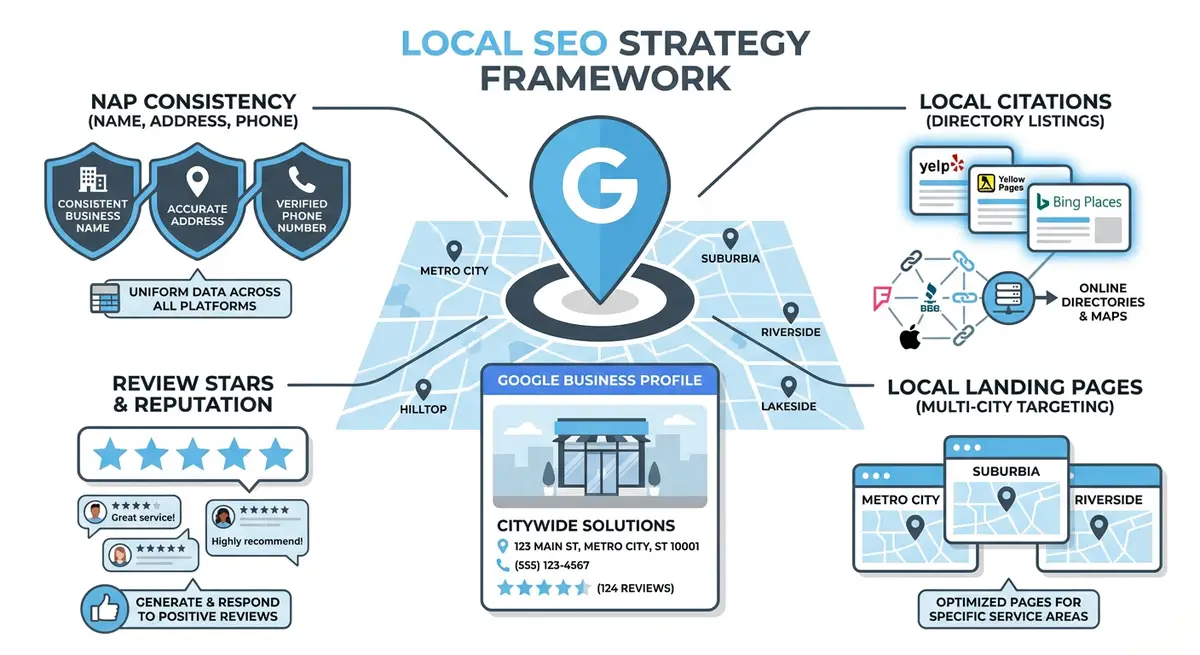
Embedding a Google Map on your Wix contact page or location pages sends a local relevance signal to Google and helps customers find you. But a poorly implemented map can add 500KB+ of JavaScript to your page and tank your Core Web Vitals. This lesson shows you the right way to do it.
Three Ways to Add Maps to Wix
- Wix Google Maps app: easiest to add, moderate performance impact, limited customisation
- HTML embed with Google Maps iframe: more control, can be lazy-loaded for better performance
- Static map image with link: best performance, no JavaScript cost, user clicks to interact
Lazy Loading Maps for Performance
The best approach for Core Web Vitals is to show a static map image initially and only load the interactive Google Map when the user scrolls to it or clicks on it. This eliminates the JavaScript cost from your initial page load. On Wix, you can achieve this with an HTML embed element that uses the loading="lazy" attribute on the iframe.
Connecting Your Map to GBP
When embedding a Google Map, use your Google Business Profile's exact share URL rather than a generic coordinates pin. This creates a direct connection between your embedded map and your verified business listing, reinforcing local signals.
Complete How-To Guide: Embedding and Optimising Google Maps on Wix
Follow this step-by-step guide to embed Google Maps on your Wix site in a way that reinforces local SEO signals while keeping your Core Web Vitals scores healthy.
Follow these steps to embed and optimise Google Maps on your Wix pages
- Open Google Maps in your browser and search for your exact business name as it appears on your Google Business Profile
- Click the Share button on your GBP listing and select the Embed a map tab to generate the iframe embed code
- Copy the full iframe HTML code provided by Google Maps
- In the Wix Editor open the page where you want to add the map such as your contact page or a location landing page
- Add an HTML Embed element (also called Custom Element) from the Add panel in the Wix Editor and paste the Google Maps iframe code
- Add loading="lazy" to the iframe tag so the map only loads when users scroll to it which protects your page speed score
- Resize the embed element to fit your page layout and ensure it displays correctly on both desktop and mobile breakpoints
- For multiple business locations create a custom Google My Maps with all your location pins and embed that single map on your main locations page
- On each individual location page embed the specific GBP share link for that location rather than a generic coordinates pin
- Add a clickable text link below the map saying Get Directions that links to the Google Maps directions URL for your business
- Test your page speed after adding the map by running the page through Google PageSpeed Insights and confirm your LCP score has not dropped significantly
- Add the map embed to every location-specific landing page on your Wix site not just the main contact page
- Verify that the embedded map name and address exactly match your Google Business Profile listing details to reinforce NAP consistency
How to Embed and Optimise Google Maps on Wix Location Pages
Embedding Google Maps on your Wix pages reinforces local SEO signals by connecting your page to your verified Google Business Profile. These steps show you how to implement maps without hurting page speed.
How to embed Google Maps on Wix pages for local SEO
- Step 1: Log in to Google Maps at maps.google.com. Search for your business name. When your verified Google Business Profile listing appears, click it to open the full listing panel.
- Step 2: Click the Share button on your business listing. In the Share panel, click the Embed a map tab. Copy the provided iframe code for the map.
- Step 3: Log in to your Wix Dashboard and open the relevant location page in the Wix Editor. Navigate to the section of the page where you want to add the map (typically near the contact information).
- Step 4: In the Wix Editor, click the + button to add an element. Select Embed & Social > Embed HTML. Paste the Google Maps iframe code into the HTML embed widget.
- Step 5: Resize the embed element to an appropriate height (typically 400-450px) and set it to full width or match your page layout. Check the mobile breakpoint view to ensure the map displays correctly without overflow.
- Step 6: Add the loading="lazy" attribute to the iframe element if it is not already present. This prevents the map from blocking initial page render and protects your LCP score.
- Step 7: Below the embedded map, add a visible text link labelled Get Directions that links directly to your Google Maps directions URL (format: https://maps.google.com/maps/dir/Your+Business+Name).
- Step 8: Open the Wix Editor page SEO settings and verify your page title and meta description include your city or area name. The map reinforces local signals but the text content must also target local keywords.
- Step 9: Add LocalBusiness schema to the page if not already present. In Advanced SEO > Structured Data, include your business address, phone, and opening hours. The combination of schema and embedded map creates strong local SEO signals.
- Step 10: Run Google PageSpeed Insights at pagespeed.web.dev on the published page URL. Review the LCP and CLS scores. If LCP has worsened after adding the map, verify the lazy loading attribute is applied.
- Step 11: Verify NAP consistency. Compare the business name, address, and phone number shown on the embedded map against what appears in your Wix page content and schema markup. All three sources must be identical.
- Step 12: For multiple locations, create a dedicated location page for each one. Embed the specific GBP map for each location on its respective page. Avoid embedding a single centralised map on all location pages.
Essential Resources
- Google Business Profile: Verify your listing details match the map embed on your Wix pages
- Google PageSpeed Insights: Test map embed impact on page performance and Core Web Vitals
- Google Maps Platform: Generate optimised map embeds with API access for advanced customisation
Was this lesson useful?
It takes 1 minute to tell me. The course is free and I want to keep it that way, and your feedback shows me what is working and helps other people find it.
This lesson on Google Maps embedding and optimisation on Wix pages is part of Module 9: Local SEO Domination in The Most Comprehensive Complete Wix SEO Course in the World (2026 Edition). Created by Michael Andrews, a Wix Marketplace Legend Partner with 14 years of hands-on experience, 800 completed Wix SEO projects and 456 verified five-star reviews.