GDPR, CCPA and global privacy laws: what Wix site owners must know
Module 14: Privacy, GDPR & Cookie Consent for SEO on Wix | Lesson 161 of 683 | 25 min read
By Michael Andrews, Wix SEO Expert UK
If your Wix website collects any data from visitors, you are subject to privacy regulations. This is not optional. GDPR in the EU, UK GDPR post-Brexit, CCPA in California, and a growing list of state and national privacy laws impose strict requirements on data collection, storage and usage. Non-compliance carries real financial penalties and can damage your SEO through lost trust signals.
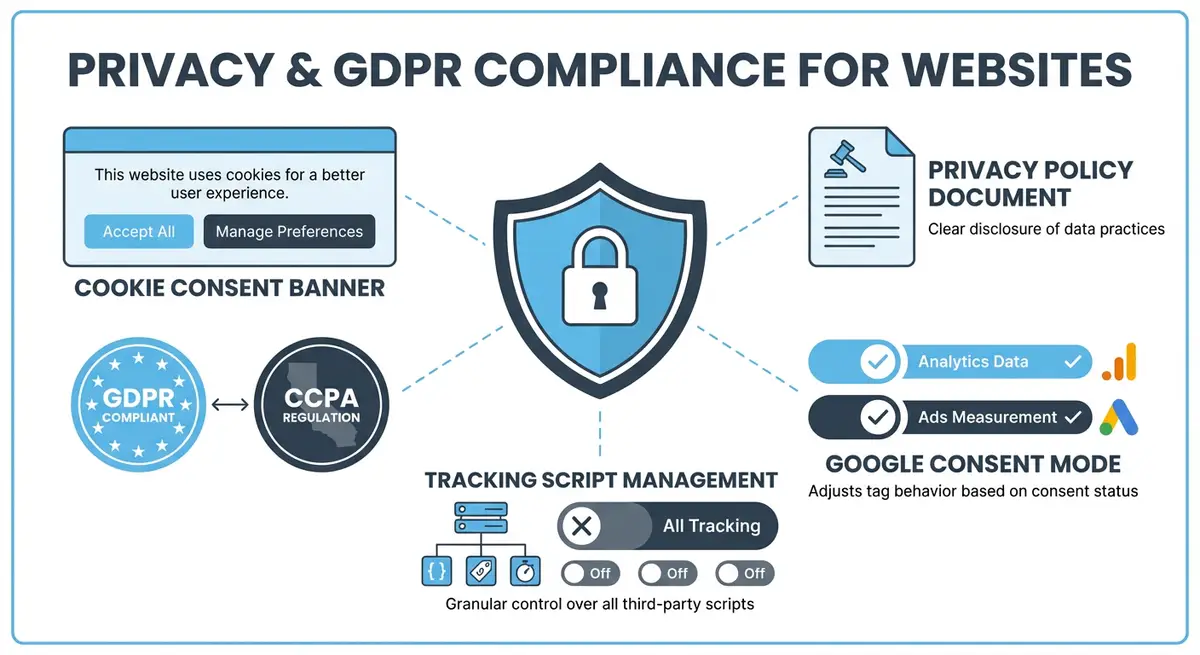
GDPR: The Foundation of Modern Privacy Law
The General Data Protection Regulation applies to any website that collects data from EU residents, regardless of where your business is based. If a single EU visitor fills in your Wix contact form, GDPR applies. The regulation requires explicit consent before collecting personal data, the right for users to request data deletion, data breach notification within 72 hours, and a documented legal basis for every type of data processing.
UK GDPR Post-Brexit
The UK adopted its own version of GDPR after Brexit. It is functionally identical to EU GDPR with minor differences in enforcement bodies. The Information Commissioner's Office (ICO) enforces UK data protection law. If your Wix site targets UK visitors, you must comply with UK GDPR separately from EU GDPR.
CCPA and US State Privacy Laws
- CCPA (California): applies to businesses that collect data from California residents and meet revenue or data volume thresholds.
- CPRA (California Privacy Rights Act): enhanced CCPA with stricter requirements, effective since January 2023.
- Virginia CDPA, Colorado CPA, Connecticut CTDPA: additional state laws with varying requirements.
- More US states are passing privacy laws annually, creating a patchwork of compliance requirements.
- Unlike GDPR, CCPA focuses on the right to opt out of data sale rather than opt-in consent.
What Counts as Personal Data on a Wix Site
- Contact form submissions: names, email addresses, phone numbers.
- IP addresses collected by analytics tools like GA4.
- Cookies and tracking identifiers set by Google Analytics, Facebook Pixel, and other scripts.
- eCommerce transaction data: billing addresses, payment details, order history.
- Wix Members Area login credentials and profile data.
- Chat widget conversations and any uploaded files.
- Booking form data including health or service-specific information.
Real Penalties for Non-Compliance
GDPR fines can reach 20 million euros or 4% of annual global turnover, whichever is higher. In practice, smaller businesses have received fines ranging from 5,000 to 500,000 euros. ICO fines in the UK follow similar scales. CCPA penalties are up to £7,500 per intentional violation. Beyond fines, privacy non-compliance damages E-E-A-T trust signals and can trigger negative press that harms your brand authority and SEO.
Complete How-To Guide: Auditing Your Wix Site for Privacy Compliance
This step-by-step guide walks you through a complete privacy compliance audit for your Wix website, covering GDPR, UK GDPR and CCPA requirements.
How to audit your Wix site for privacy law compliance
- Step 1: Create a data inventory spreadsheet listing every place your Wix site collects personal data. Include contact forms, booking forms, eCommerce checkout, Wix Members login, chat widgets, newsletter signups and any embedded third-party forms.
- Step 2: List every third-party script on your Wix site that collects data. Go to Settings > Custom Code in your Wix dashboard and document every script including Google Analytics, Facebook Pixel, Google Ads tags, hotjar, and any marketing tools.
- Step 3: Determine which privacy regulations apply to your business based on where your visitors are located. Check Wix Analytics for visitor geography. If you have EU, UK or California visitors, GDPR, UK GDPR and CCPA apply respectively.
- Step 4: Review your current cookie consent banner in Wix. Go to Settings > Privacy & Cookies and check that consent categories properly match the scripts you identified in Step 2.
- Step 5: Verify that no tracking scripts fire before the visitor gives consent. Use browser developer tools to check network requests on a fresh page load before interacting with the consent banner.
- Step 6: Create or update your privacy policy page on Wix. It must name every data processor, explain what data is collected, state the legal basis for collection, describe data retention periods, and explain how users can request deletion.
- Step 7: Add a cookie policy page or section that lists every cookie your Wix site sets, its purpose, duration and category (essential, analytics, marketing).
- Step 8: Create a data subject access request process. Decide how users will submit requests (email or form) and document your internal procedure for responding within the 30-day GDPR deadline.
- Step 9: Review your Wix eCommerce settings if applicable. Ensure checkout forms include a consent checkbox linking to your privacy policy, and that customer data retention settings align with your stated policy.
- Step 10: Check all Wix Forms and Wix Bookings forms for a privacy consent checkbox that links to your privacy policy. Every form collecting personal data must include this.
- Step 11: Verify your footer includes visible links to your privacy policy, cookie policy and terms of service on every page of your Wix site.
- Step 12: Set a calendar reminder to repeat this audit quarterly. Privacy regulations evolve and new scripts get added to websites over time, so ongoing monitoring is essential.
How to Set Up GDPR-Compliant Cookie Consent on Your Wix Site
Proper cookie consent on Wix requires configuring both the native Wix cookie consent bar and any third-party tracking tools. These steps walk you through a compliant implementation.
How to implement GDPR and CCPA compliant cookie consent on Wix
- Step 1: Log in to your Wix Dashboard and navigate to Settings > Cookie Policy & Privacy. Review the current cookie consent bar settings. Enable the cookie consent bar if it is not already active.
- Step 2: Configure the cookie categories in the Wix cookie settings. Enable separate consent categories for Essential cookies, Analytics cookies, Marketing cookies, and Personalisation cookies. Users must be able to accept or decline each category independently.
- Step 3: Set the cookie consent bar to appear on first visit with no pre-ticked checkboxes. Under GDPR, consent must be freely given and not assumed. Ensure no non-essential cookie category is pre-selected.
- Step 4: Write clear, plain-English descriptions for each cookie category. Navigate to the cookie consent bar text settings and describe what each category of cookies does in one sentence understandable by a non-technical person.
- Step 5: Link your cookie policy from the consent bar. In the consent bar settings, add a link labelled Cookie Policy that points to your dedicated cookie policy page on your Wix site.
- Step 6: Configure Google Analytics 4 to work with consent mode. Navigate to Settings > Custom Code in your Wix Dashboard and add the Google Consent Mode v2 configuration code in the Head section.
- Step 7: Verify that GA4 tracking fires only after a user grants analytics consent. Open your Wix site in an incognito browser. Check the browser network tab for Google Analytics requests. They should not appear until you accept analytics cookies.
- Step 8: Add a cookie consent widget to your site footer for users who want to change their preferences after the initial choice. In the Wix Editor, add a text link labelled Cookie Preferences in the footer that opens the consent management panel.
- Step 9: For US visitors subject to CCPA, add a Do Not Sell or Share My Personal Information link to your footer. Navigate to the Wix Editor footer section and add this link pointing to your privacy settings page.
- Step 10: Test consent behaviour across browsers. Test in Chrome, Firefox, and Safari in private or incognito mode. Verify the consent banner appears correctly in each and that declining consent prevents non-essential tracking.
- Step 11: Use the CookieBot or OneTrust scanner to perform a full cookie audit of your live Wix site. These tools identify all cookies set by your site including those from third-party apps you may have overlooked.
- Step 12: Document your consent implementation in a data processing record. Record which cookies are set, by whom, their purpose, and your legal basis for processing. This record is required under GDPR Article 30.
Essential Resources
- ICO Guide to GDPR: UK Information Commissioner GDPR compliance guide
- Cookiebot: GDPR-compliant cookie consent management platform
- GDPR.eu: Comprehensive GDPR information and compliance resources
- Google Consent Mode: Implement Google Consent Mode for privacy-compliant analytics
Essential Resources
- ICO Guide to GDPR: UK Information Commissioner's Office guidance on data protection compliance
- Cookiebot: Automated cookie scanning and consent management platform
- GDPR.eu: Comprehensive resource for understanding GDPR requirements and checklists
Was this lesson useful?
It takes 1 minute to tell me. The course is free and I want to keep it that way, and your feedback shows me what is working and helps other people find it.
This lesson on GDPR, CCPA and global privacy laws: what Wix site owners must know is part of Module 14: Privacy, GDPR & Cookie Consent for SEO on Wix in The Most Comprehensive Complete Wix SEO Course in the World (2026 Edition). Created by Michael Andrews, a Wix Marketplace Legend Partner with 14 years of hands-on experience, 800 completed Wix SEO projects and 456 verified five-star reviews.