Dynamic schema markup with Velo: generating JSON-LD from your database
Module 20: Wix Studio & Velo Advanced SEO | Lesson 248 of 683 | 45 min read
By Michael Andrews, Wix SEO Expert UK
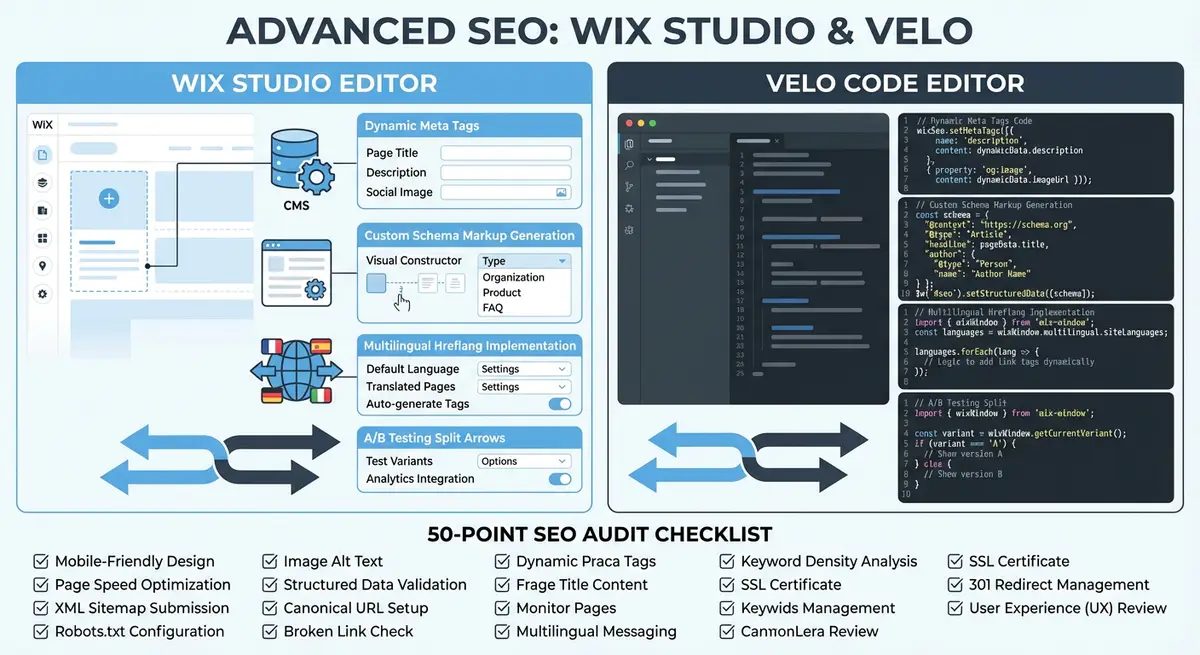
Static structured data only works when your pages are static. The moment you build dynamic pages powered by Wix CMS collections, you need schema markup that generates itself from your data, unique JSON-LD for every product, every FAQ, every event, every review. The Velo wix-seo API includes a setStructuredData method that lets you inject any valid JSON-LD schema into the page head at render time, fully visible to Googlebot. This lesson teaches you to build dynamic schema generators for the most valuable schema types.
Understanding setStructuredData in the wix-seo API
The wix-seo module exposes a structuredData property that accepts an array of JSON-LD objects. Each object should be a complete schema.org entity with a @context and @type. When you set this property during page render, Wix injects the JSON-LD into a script tag in the page head, exactly where Google expects to find it. This happens during server-side rendering, so the structured data is present in the initial HTML response.
You can set multiple structured data objects on a single page. A product page might include a Product schema, a BreadcrumbList schema, and an Organization schema. An event listing page might include an Event schema alongside an FAQ schema for common questions about the event. There is no practical limit to the number of schema objects you can include, though each must be valid according to the schema.org specification.
import wixSeo from 'wix-seo';

$w.onReady(function () {
  wixSeo.structuredData = [
    {
      '@context': 'https://schema.org',
      '@type': 'Organization',
      'name': 'YourBusiness',
      'url': 'https://www.yourbusiness.com',
      'logo': 'https://www.yourbusiness.com/logo.png',
      'sameAs': [
        'https://www.facebook.com/yourbusiness',
        'https://www.instagram.com/yourbusiness',
        'https://www.linkedin.com/company/yourbusiness'
      ]
    }
  ];
});
Dynamic Product Schema from Wix Collections
Product schema is the highest-value structured data for e-commerce sites. It enables rich results in Google search including price, availability, review stars, and images directly in the search listing. These rich results dramatically increase click-through rates, often by 20-30% compared to standard blue link results. For Wix stores with hundreds or thousands of products, generating this schema dynamically from your Products collection is essential.
A complete Product schema requires the product name, description, image URLs, SKU or identifier, price and currency, availability status, and brand. Optional but highly recommended fields include aggregateRating (if you have reviews), review (individual review objects), and offers for detailed pricing information. The more complete your schema, the more likely Google is to display rich results.
import wixSeo from 'wix-seo';
import wixData from 'wix-data';

async function generateProductSchema(productSlug) {
  const result = await wixData.query('Products')
    .eq('slug', productSlug)
    .include('reviews')
    .find();

  if (result.items.length === 0) return null;

  const product = result.items[0];

  const schema = {
    '@context': 'https://schema.org',
    '@type': 'Product',
    'name': product.name,
    'description': product.description,
    'image': product.images || [product.mainImage],
    'sku': product.sku,
    'brand': {
      '@type': 'Brand',
      'name': product.brand || 'YourStore'
    },
    'offers': {
      '@type': 'Offer',
      'url': 'https://www.yourstore.com/products/' + product.slug,
      'priceCurrency': product.currency || 'USD',
      'price': product.price.toFixed(2),
      'availability': product.inStock
        ? 'https://schema.org/InStock'
        : 'https://schema.org/OutOfStock',
      'seller': {
        '@type': 'Organization',
        'name': 'YourStore'
      }
    }
  };

  if (product.reviews && product.reviews.length > 0) {
    const totalRating = product.reviews.reduce((sum, r) => sum + r.rating, 0);
    schema.aggregateRating = {
      '@type': 'AggregateRating',
      'ratingValue': (totalRating / product.reviews.length).toFixed(1),
      'reviewCount': product.reviews.length.toString(),
      'bestRating': '5',
      'worstRating': '1'
    };
    schema.review = product.reviews.slice(0, 5).map(r => ({
      '@type': 'Review',
      'author': { '@type': 'Person', 'name': r.authorName },
      'datePublished': r.date,
      'reviewRating': {
        '@type': 'Rating',
        'ratingValue': r.rating.toString(),
        'bestRating': '5'
      },
      'reviewBody': r.text
    }));
  }

  return schema;
}
Auto-Generating FAQ Schema from a CMS Collection
FAQ schema is one of the most valuable schema types for AI citation visibility. While Google discontinued the visible FAQ rich result (expandable dropdowns in SERPs) in May 2026, FAQPage schema remains essential because it feeds AI systems like Google AI Overviews, ChatGPT, and Perplexity with structured Q&A pairs. For businesses with FAQ sections, knowledge bases, or Q&A content stored in Wix CMS collections, you can generate FAQPage schema dynamically for every page that displays questions and answers.
The approach is simple: query your FAQ collection filtered by the current page or category, transform each item into a Question entity with an acceptedAnswer, and wrap them in a FAQPage schema object. Google recommends at least two question-answer pairs for FAQPage schema to be properly parsed by AI systems.
import wixSeo from 'wix-seo';
import wixData from 'wix-data';

async function generateFaqSchema(categorySlug) {
  const result = await wixData.query('FAQs')
    .eq('category', categorySlug)
    .ascending('sortOrder')
    .limit(20)
    .find();

  if (result.items.length < 2) return null;

  const faqSchema = {
    '@context': 'https://schema.org',
    '@type': 'FAQPage',
    'mainEntity': result.items.map(faq => ({
      '@type': 'Question',
      'name': faq.question,
      'acceptedAnswer': {
        '@type': 'Answer',
        'text': faq.answer
      }
    }))
  };

  return faqSchema;
}

$w.onReady(async function () {
  const currentCategory = wixLocationFrontend.path[0];
  const faqSchema = await generateFaqSchema(currentCategory);

  if (faqSchema) {
    wixSeo.structuredData = [faqSchema];
  }
});Event Schema for Dynamic Event Listings
Event schema enables rich results that show event dates, times, locations, and ticket information directly in Google search. For venues, event organizers, or any business that lists events from a Wix CMS collection, dynamic Event schema is extremely valuable. Events have time-sensitive relevance, and Google actively promotes upcoming events in search results and Google Maps.
The Event schema requires a name, startDate in ISO 8601 format, and a location with either a physical address (Place type) or a virtual URL (VirtualLocation type). Recommended fields include description, image, performer, organizer, offers for ticket pricing, and eventStatus to indicate whether the event is scheduled, postponed, or cancelled. For recurring events, each occurrence should have its own Event schema object.
async function generateEventSchema(eventSlug) {
  const result = await wixData.query('Events')
    .eq('slug', eventSlug)
    .find();

  if (result.items.length === 0) return null;

  const event = result.items[0];

  const schema = {
    '@context': 'https://schema.org',
    '@type': 'Event',
    'name': event.title,
    'description': event.description,
    'image': event.coverImage,
    'startDate': new Date(event.startDate).toISOString(),
    'endDate': event.endDate ? new Date(event.endDate).toISOString() : undefined,
    'eventStatus': 'https://schema.org/EventScheduled',
    'eventAttendanceMode': event.isOnline
      ? 'https://schema.org/OnlineEventAttendanceMode'
      : 'https://schema.org/OfflineEventAttendanceMode',
    'location': event.isOnline
      ? {
          '@type': 'VirtualLocation',
          'url': event.virtualUrl
        }
      : {
          '@type': 'Place',
          'name': event.venueName,
          'address': {
            '@type': 'PostalAddress',
            'streetAddress': event.streetAddress,
            'addressLocality': event.city,
            'addressRegion': event.state,
            'postalCode': event.zip,
            'addressCountry': event.country
          }
        },
    'organizer': {
      '@type': 'Organization',
      'name': event.organizerName || 'YourBusiness',
      'url': 'https://www.yourbusiness.com'
    }
  };

  if (event.ticketPrice) {
    schema.offers = {
      '@type': 'Offer',
      'price': event.ticketPrice.toFixed(2),
      'priceCurrency': event.currency || 'USD',
      'url': 'https://www.yourbusiness.com/events/' + event.slug,
      'availability': event.soldOut
        ? 'https://schema.org/SoldOut'
        : 'https://schema.org/InStock',
      'validFrom': new Date(event.ticketSaleStart).toISOString()
    };
  }

  return schema;
}
BreadcrumbList Schema for Navigation Context
BreadcrumbList schema gives Google explicit navigation context for your pages, which can result in breadcrumb-style display in search results instead of the raw URL. This is particularly valuable for deep dynamic pages where the URL alone does not convey the full hierarchy. A product page URL like /products/blue-widget tells Google nothing about the category, but breadcrumb schema can show Home > Clothing > Accessories > Blue Widget.
function generateBreadcrumbSchema(breadcrumbs) {
  return {
    '@context': 'https://schema.org',
    '@type': 'BreadcrumbList',
    'itemListElement': breadcrumbs.map((crumb, index) => ({
      '@type': 'ListItem',
      'position': index + 1,
      'name': crumb.name,
      'item': crumb.url
    }))
  };
}

$w.onReady(async function () {
  const product = await getCurrentProduct();
  const breadcrumbs = [
    { name: 'Home', url: 'https://www.yourstore.com' },
    { name: product.category, url: 'https://www.yourstore.com/shop/' + product.categorySlug },
    { name: product.name, url: 'https://www.yourstore.com/products/' + product.slug }
  ];

  const productSchema = await generateProductSchema(product.slug);
  const breadcrumbSchema = generateBreadcrumbSchema(breadcrumbs);

  wixSeo.structuredData = [productSchema, breadcrumbSchema].filter(Boolean);
});
Performance Considerations and Caching Strategies
Every database query adds latency to your page load. When you generate structured data dynamically, you are adding at least one query, potentially more if your schema pulls from multiple collections. On high-traffic pages, this can affect both user experience and Googlebot crawl efficiency. The key is to minimize the number of queries and keep them fast.
Use indexed fields in your queries. If you filter by slug, ensure the slug field is indexed in your Wix collection settings. Avoid using .include() for referenced collections unless you specifically need that data for your schema. If a product has 200 reviews but you only include 5 in the schema, query the reviews separately with a .limit(5) rather than loading all 200 through the product reference.
- Always use .eq() on indexed fields rather than .contains() or .startsWith() for schema data queries
- Limit review and FAQ queries to only the items you will actually include in the schema (5-10 reviews, 10-20 FAQs maximum)
- Combine multiple schema objects into a single structuredData assignment rather than setting the property multiple times
- Use wix-data query projections via .fields() to retrieve only the columns needed for schema generation
- Consider storing pre-computed schema JSON in a dedicated CMS field that updates on a schedule for extremely high-traffic pages
Putting It All Together: Multi-Schema Page Setup
Production dynamic pages typically need multiple schema types. A product page might need Product, BreadcrumbList, and Organization schemas. A blog post might need Article, BreadcrumbList, and FAQPage schemas. The pattern is always the same: generate each schema object from your CMS data, filter out any nulls from items with insufficient data, and set them all at once on the structuredData property.
import wixSeo from 'wix-seo';
import wixData from 'wix-data';
import wixLocationFrontend from 'wix-location-frontend';

$w.onReady(async function () {
  const slug = wixLocationFrontend.path[wixLocationFrontend.path.length - 1];

  const [productResult, faqResult] = await Promise.all([
    wixData.query('Products').eq('slug', slug).find(),
    wixData.query('FAQs').eq('productSlug', slug).limit(10).find()
  ]);

  if (productResult.items.length === 0) return;

  const product = productResult.items[0];
  const schemas = [];

  schemas.push({
    '@context': 'https://schema.org',
    '@type': 'Product',
    'name': product.name,
    'description': product.description,
    'image': product.mainImage,
    'sku': product.sku,
    'offers': {
      '@type': 'Offer',
      'price': product.price.toFixed(2),
      'priceCurrency': 'USD',
      'availability': product.inStock
        ? 'https://schema.org/InStock'
        : 'https://schema.org/OutOfStock'
    }
  });

  schemas.push({
    '@context': 'https://schema.org',
    '@type': 'BreadcrumbList',
    'itemListElement': [
      { '@type': 'ListItem', 'position': 1, 'name': 'Home', 'item': 'https://www.yourstore.com' },
      { '@type': 'ListItem', 'position': 2, 'name': product.category, 'item': 'https://www.yourstore.com/shop/' + product.categorySlug },
      { '@type': 'ListItem', 'position': 3, 'name': product.name, 'item': 'https://www.yourstore.com/products/' + product.slug }
    ]
  });

  if (faqResult.items.length >= 2) {
    schemas.push({
      '@context': 'https://schema.org',
      '@type': 'FAQPage',
      'mainEntity': faqResult.items.map(faq => ({
        '@type': 'Question',
        'name': faq.question,
        'acceptedAnswer': {
          '@type': 'Answer',
          'text': faq.answer
        }
      }))
    });
  }

  wixSeo.structuredData = schemas;
});
Complete How-To Guide: Generating Dynamic Schema Markup with Velo
This guide covers building dynamic JSON-LD schema generators for the most valuable schema types including Product, FAQ, Event, and BreadcrumbList, all powered by your Wix CMS data.
How to build dynamic schema generators for Wix CMS pages
- Step 1: Plan your schema strategy. List every dynamic page type on your site and the schema types it needs. Product pages need Product and BreadcrumbList. Blog posts need Article and potentially FAQPage. Event pages need Event. Create a mapping document.
- Step 2: In your CMS collections, add dedicated fields for schema data that may not exist yet. Products need sku, brand, and a boolean inStock field. Events need startDate and endDate in date format, venueName, and a boolean isOnline. FAQs need question and answer text fields plus a category or productSlug reference field.
- Step 3: Start with Product schema. On your product dynamic page, import wixSeo and wixData. In $w.onReady, query the Products collection by slug. Build a schema object with @context, @type Product, name, description, image, sku, brand as a Brand type, and offers with price, priceCurrency, and availability.
- Step 4: Add aggregateRating to your Product schema if you have reviews. Query the reviews collection with .limit(5), calculate the average rating, and add an aggregateRating object with ratingValue, reviewCount, bestRating, and worstRating. Add individual review objects for the top 5 reviews.
- Step 5: Build a reusable BreadcrumbList generator function. Accept an array of breadcrumb objects with name and url properties. Return a schema with @type BreadcrumbList and itemListElement with position, name, and item for each crumb.
- Step 6: For FAQ pages, query your FAQs collection filtered by category or product. Transform each item into a Question entity with an acceptedAnswer containing an Answer type. Wrap all questions in a FAQPage schema. Ensure you have at least 2 question-answer pairs for proper AI system parsing.
- Step 7: For Event pages, generate Event schema from your Events collection. Include name, startDate and endDate in ISO 8601 format using new Date(event.startDate).toISOString(). Set eventAttendanceMode and location based on whether the event is online or in-person.
- Step 8: Combine multiple schema objects on a single page. Use Promise.all to run parallel queries for products, FAQs, and breadcrumbs. Collect all generated schema objects in an array, filter out any null values, and assign to wixSeo.structuredData.
- Step 9: Handle missing data in every schema generator. Use conditional checks before adding optional fields. If a product has no reviews, omit the aggregateRating entirely rather than including it with zero values. Remove undefined fields from objects before setting structuredData.
- Step 10: Test each schema type by publishing your site and running specific dynamic pages through the Google Rich Results Test. Check that all required fields are present and that no errors or warnings appear.
- Step 11: Test edge cases by finding CMS items with minimal data, such as products without brands, events without ticket prices, and items with very long descriptions. Verify your generators handle these gracefully without producing invalid schema.
- Step 12: Monitor schema validity in Google Search Console under the Enhancements section. Check for Product, FAQ, and Event schema reports. Any items with errors need immediate attention. Track the number of valid items over time to ensure schema coverage grows as you add new CMS content.
How to Generate and Validate Dynamic JSON-LD Schema with Velo
Building dynamic schema that pulls from your Wix CMS requires Velo code and systematic testing. These steps walk you through creating, testing, and maintaining dynamic structured data on your Wix site.
How to implement dynamic JSON-LD schema markup using Velo on Wix
- Step 1: Log in to your Wix Dashboard and open the Wix Editor. Enable Dev Mode by clicking Dev Mode in the editor header. This activates the code editor panel at the bottom of the screen.
- Step 2: Navigate to your CMS dynamic page template in the editor. This is the template page that renders for all items in a specific collection (e.g. Products, Blog Posts, Services).
- Step 3: Open the page code file (typically named dynamicPage.js or the page's code tab). Import the wix-seo module at the top: import wixSeo from 'wix-seo';
- Step 4: Inside the $w.onReady function, add code to retrieve the current CMS item: const item = await $w('#dynamicDataset').getCurrentItem(); This gives you access to all the item's fields.
- Step 5: Build your schema object using the item data. For a Product page, create a JSON object with @context set to https://schema.org, @type set to Product, and fields including name, description, image, and offers using item.productName, item.description, item.mainImage, and item.price.
- Step 6: Add the aggregateRating property only if the item has review data. Check item.reviewCount > 0 before including ratingValue and reviewCount. Never include empty or zero-value rating objects as they fail validation.
- Step 7: For FAQ pages, query a related FAQs collection using wixData.query('FAQs').eq('productId', item._id).find(). Map the results to the mainEntity array format required by FAQPage schema.
- Step 8: Assign the completed schema to the page: wixSeo.structuredData = [schemaObject]; If you have multiple schema types on one page (e.g. Product + BreadcrumbList), pass them as an array: wixSeo.structuredData = [productSchema, breadcrumbSchema];
- Step 9: Preview the page in the Wix Editor for several different CMS items. Open the browser developer tools and search the page source for application/ld+json to verify the schema is rendering with item-specific data.
- Step 10: Copy the rendered JSON-LD from the page source and paste it into the Schema Markup Validator at validator.schema.org. Fix any validation errors before testing in the Rich Results Test.
- Step 11: Test a live published page URL in the Google Rich Results Test at search.google.com/test/rich-results. Verify all required fields are present and the schema qualifies for the expected rich result type.
- Step 12: After validating several pages, submit your sitemap in Google Search Console and monitor the Enhancements section. Track rich result counts for Product and other supported schema types as Google processes your dynamic pages.
Was this lesson useful?
It takes 1 minute to tell me. The course is free and I want to keep it that way, and your feedback shows me what is working and helps other people find it.
This lesson on Dynamic schema markup with Velo: generating JSON-LD from your database is part of Module 20: Wix Studio & Velo Advanced SEO in The Most Comprehensive Complete Wix SEO Course in the World (2026 Edition). Created by Michael Andrews, a Wix Marketplace Legend Partner with 14 years of hands-on experience, 800 completed Wix SEO projects and 456 verified five-star reviews.