Competitor backlink analysis with free tools
Module 10: Link Building & Off-Page SEO | Lesson 130 of 683 | 58 min read
By Michael Andrews, Wix SEO Expert UK
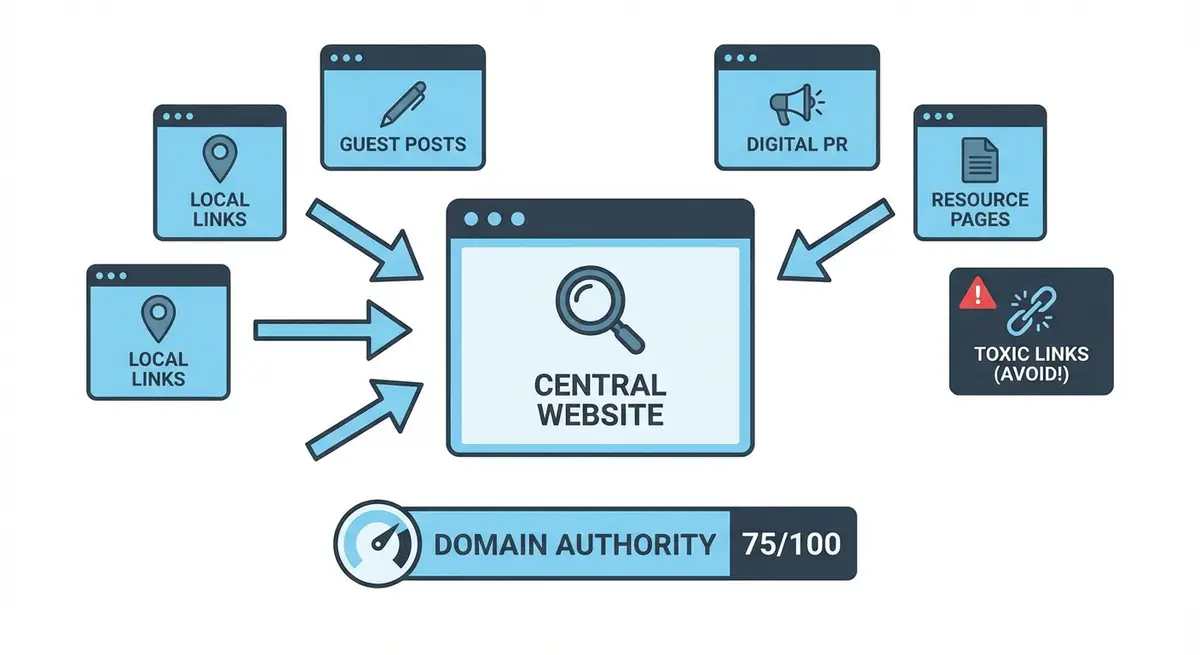
Every backlink your competitor has earned is a lead, a website that has already demonstrated willingness to link to content in your niche. Competitor backlink analysis transforms link building from guesswork into a systematic, data-driven process where you reverse-engineer proven strategies and target the most achievable opportunities first. The best part is that you can do this entire process using free tools. This lesson teaches you how to identify your true SEO competitors, analyse their complete link profiles, categorise opportunities by difficulty and build a prioritised outreach list that turns your competitors' backlink advantages into your own link building roadmap.
Identifying Your True SEO Competitors
Your SEO competitors are not necessarily your business competitors. A local plumber competes with other local plumbers for customers, but in search results they may also compete with national directory sites, DIY advice blogs and franchise operations. Identifying who actually outranks you for your target keywords reveals the link profiles you need to study and eventually match.
How to identify your SEO competitors
- List your 10 most important target keywords, the terms that drive the most business value when you rank for them.
- Search each keyword in Google using an incognito window and note the top 5 ranking domains for each term.
- Create a frequency table showing how often each domain appears across your keyword set. Domains that appear for 5 or more of your keywords are your primary SEO competitors.
- Exclude pure directories (Yell, Thomson Local) and platforms (Checkatrade, Bark) from your competitor list. Their link profiles are not replicable by a small business.
- Focus on 3-5 competitors that are similar in size and business model to yours but outrank you. Their link building strategies are most likely to be replicable.
Free Tools for Competitor Backlink Research
Ahrefs Free Backlink Checker
Ahrefs offers the most detailed free backlink data. Their free Backlink Checker at ahrefs.com/backlink-checker shows the top 100 backlinks for any domain, including Domain Rating, URL Rating, anchor text and whether the link is followed or nofollow. For most small Wix sites analysing local competitors, 100 backlinks is often the majority of their meaningful link profile.
Using Ahrefs free tool effectively
- Enter your first competitor's domain and note their overall Domain Rating and total referring domains count.
- Review the top 100 backlinks sorted by Domain Rating. These are the most powerful links in their profile.
- For each linking domain, click through to see the actual page the link appears on. Note whether it is an editorial mention, directory listing, guest post, resource page or sponsorship link.
- Check the anchor text column. Note whether links use branded anchors, keyword anchors, URL anchors or generic text.
- Export the data or copy it into your master spreadsheet for comparison across all competitors.
Moz Link Explorer
Moz Link Explorer at moz.com/link-explorer provides 10 free queries per month. It shows Domain Authority, Page Authority, linking domains, anchor text distribution and the strongest backlinks to any URL. Moz's data complements Ahrefs because each tool crawls the web independently and catches different links.
Ubersuggest
Neil Patel's Ubersuggest at neilpatel.com/ubersuggest offers limited free backlink data as a third source. While less detailed than Ahrefs or Moz, it occasionally surfaces linking domains that the other tools miss, making it a useful cross-reference.
Google Search Operators
Free and unlimited, Google search operators let you find brand mentions and resource pages that cite your competitors. Use queries like: "competitorname.com" -site:competitorname.com to find pages that mention the competitor. Search "link:competitorname.com" for a limited but useful view of their link profile.
Analysing Competitor Link Profiles: What to Look For
Raw backlink data is only useful when you know what patterns to look for. The goal is not to replicate every link a competitor has; it is to identify the strategies they use most effectively and the specific opportunities you can realistically pursue.
- Link type distribution: what percentage of their links are directories, guest posts, editorial mentions, resource pages, sponsorships and social profiles? This reveals their primary link building tactics.
- Domain authority distribution: how many of their links come from high-authority domains (DR 40+) versus low-authority ones? If most of their strength comes from a few high-DR links, targeting similar domains is your priority.
- Content that earns links: which pages on their site attract the most backlinks? These reveal the types of content that naturally earn links in your niche. Look for research pages, tools, comprehensive guides and data-driven content.
- Anchor text patterns: a diverse, natural anchor text profile suggests legitimate link building. Heavy keyword-match anchor text may indicate manipulative tactics you should not replicate.
- Link velocity: how quickly are they acquiring new links? If they gain 10 new referring domains per month, you need to match or exceed that rate to close the gap.
- Common linkers: domains that link to multiple competitors are your highest-probability targets because they have repeatedly demonstrated willingness to link in your niche.
Finding the Easiest Replicable Links
Not all competitor links are equally achievable. Prioritise opportunities based on the effort required and the likelihood of success.
- Directory links: if a competitor is listed on a specific directory that you are not, submission is usually free or low-cost and almost guaranteed to succeed.
- Resource page links: if a competitor is listed on a curated resource page, you can pitch your own content for inclusion on the same page.
- Professional association links: if a competitor belongs to an industry body that provides directory links, you can join the same organisation.
- Local links: Chamber of Commerce, council directories and local press links that a competitor has are all achievable through local relationship building.
- Guest post links: if a competitor has published guest content on a specific site, that site has demonstrated willingness to accept contributed content in your niche.
- Sponsorship links: if a competitor sponsors local events or organisations, you can approach the same organisations about similar sponsorship opportunities.
Building a Prioritised Link Acquisition Target List
The output of your competitor backlink analysis should be a prioritised spreadsheet that serves as your link building roadmap for the next 6-12 months.
How to build your target list
- Merge all competitor backlink data from Ahrefs, Moz and Ubersuggest into a single master spreadsheet. Remove duplicates.
- Add columns for: Referring Domain, Domain Rating, Link Type, Which Competitors Have This Link, Estimated Difficulty (Easy/Medium/Hard), and Priority Ranking.
- Highlight domains that link to 2 or more of your competitors. These are your highest-probability targets.
- Categorise every opportunity by difficulty: Easy (directories and profiles you can create yourself), Medium (guest posts, resource page pitches and partnership opportunities), Hard (editorial links requiring PR or existing relationships).
- Prioritise within each category by Domain Rating. A DR 50 directory link is more valuable than a DR 15 one.
- Create a separate outreach queue for each category. Start executing Easy targets immediately while developing pitches for Medium and Hard targets.
- Set weekly targets: aim to acquire 2-3 Easy links, pitch 5 Medium opportunities and develop 1-2 Hard opportunities per week.
The Link Intersect Method
The link intersect method identifies domains that link to two or more of your competitors but not to you. These domains have repeatedly demonstrated willingness to link in your niche and are unaware of your content. They represent the highest-conversion outreach targets available.
Running a link intersect analysis
- Compile the complete referring domain lists for your top 3-5 competitors.
- Sort all domains into a single spreadsheet and count how many different competitors each domain links to.
- Filter for domains that link to 2 or more competitors but not to you. Sort by Domain Rating descending.
- Visit each high-priority intersect domain and identify the specific pages that link to your competitors.
- Determine the link type: is it a directory listing, resource page, guest post, editorial mention or other type?
- For each domain, determine the most appropriate outreach approach. If they link to competitors through guest posts, pitch a guest post. If through resource pages, suggest your resource for inclusion.
- Craft personalised outreach for each intersect domain. Mention that you noticed they link to similar resources in your niche and explain why your content would add value for their audience.
Complete How-To Guide: Running a Competitor Backlink Analysis
This step-by-step guide takes you through the complete process of analysing your competitors' backlink profiles, identifying the most achievable opportunities and building a prioritised outreach plan using free tools.
Follow these steps to run a complete competitor backlink analysis
- Step 1: Identify your top 3-5 organic search competitors by searching Google for your most important keywords in an incognito window. Note which domains consistently appear in the top 10 results across multiple keywords.
- Step 2: Run each competitor domain through the Ahrefs Free Backlink Checker at ahrefs.com/backlink-checker. Record their Domain Rating, total referring domains and export their top 100 backlinks into a spreadsheet.
- Step 3: Run the same competitor domains through Moz Link Explorer at moz.com/link-explorer to get Domain Authority scores and catch additional backlinks that Ahrefs may not report.
- Step 4: Use Ubersuggest at neilpatel.com/ubersuggest as a third cross-reference source. Add any linking domains not already captured by Ahrefs and Moz to your master spreadsheet.
- Step 5: Search Google for each competitor's brand name in quotes, excluding their own domain, to find brand mentions and citation pages that may include backlinks not captured by the backlink tools.
- Step 6: Create a master spreadsheet merging all data with columns for Referring Domain, Domain Rating, Link Type (directory, editorial, guest post, resource page, sponsorship), Which Competitor Has This Link, and Outreach Status.
- Step 7: Remove duplicate domains so you have a single comprehensive list. Add a column counting how many different competitors each domain links to.
- Step 8: Highlight the link intersect domains that link to 2 or more competitors. These are your highest-priority targets because they have repeatedly demonstrated willingness to link in your niche.
- Step 9: Visit the actual linking page for each high-priority domain and note the context. Is the link in a directory listing, a guest post, a resource page, an editorial article or a partner page? Record this in your Link Type column.
- Step 10: Categorise every opportunity by difficulty level. Easy: directories and profiles you can create or submit to. Medium: guest posts, resource page pitches and partnership opportunities requiring outreach. Hard: editorial links requiring PR skills or existing media relationships.
- Step 11: Prioritise your outreach list within each category by Domain Rating, starting with the highest-authority opportunities that are most achievable for your current resources.
- Step 12: Create personalised outreach email templates for each link type category. Write a directory submission template, a resource page suggestion template, a guest post pitch and a partnership proposal.
- Step 13: Begin executing your Easy targets immediately by submitting to directories and creating profiles. Simultaneously start sending Medium outreach pitches at a rate of 5-10 per week.
- Step 14: Track your outreach results in the spreadsheet. Mark each domain as Contacted, Responded, Link Earned or No Response. Calculate your conversion rate for each link type and refine your approach based on what generates the highest success rate.
Essential Tools for This Lesson
- Ahrefs Free Backlink Checker: View top 100 backlinks, Domain Rating and referring domains for any URL
- Moz Link Explorer: Analyse Domain Authority, anchor text and linking domains with 10 free queries monthly
- Ubersuggest: Free backlink data as a third cross-reference source for comprehensive analysis
- Google Search Console: Export your own backlink data for comparison against competitor profiles
Was this lesson useful?
It takes 1 minute to tell me. The course is free and I want to keep it that way, and your feedback shows me what is working and helps other people find it.
This lesson on Competitor backlink analysis with free tools is part of Module 10: Link Building & Off-Page SEO in The Most Comprehensive Complete Wix SEO Course in the World (2026 Edition). Created by Michael Andrews, a Wix Marketplace Legend Partner with 14 years of hands-on experience, 800 completed Wix SEO projects and 456 verified five-star reviews.