Building a cross-platform brand presence that strengthens SEO
Module 11: Social Signals, Open Graph & Cross-Platform Brand Presence | Lesson 143 of 683 | 28 min read
By Michael Andrews, Wix SEO Expert UK
Your SEO does not live on your Wix site alone. Google and AI search engines assess your brand authority by looking at your presence across the entire web. Social profiles, directory listings, review platforms, industry associations and professional networks all contribute to the entity signals that determine how authoritatively Google treats your website.
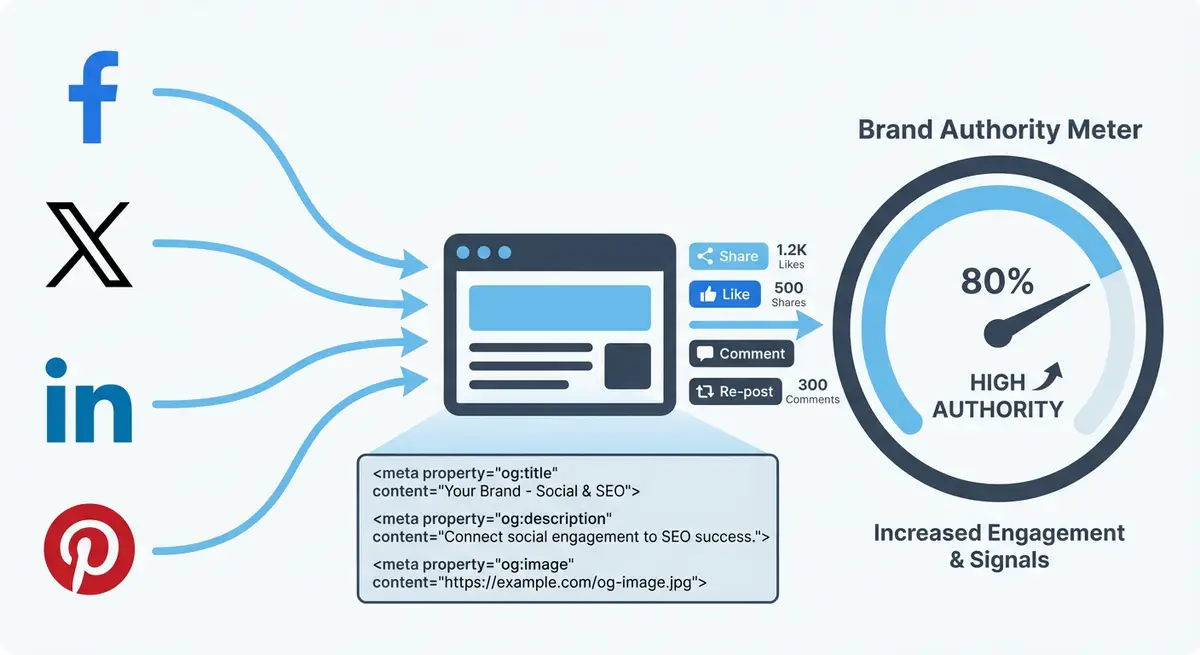
Brand Consistency Across Platforms
The most important cross-platform signal is consistency. Your business name, logo, description, contact details and brand messaging should be identical across every platform. Inconsistencies create confusion for both users and search engines. If your business is "Smith Web Design" on your Wix site but "Smith Digital" on LinkedIn and "J Smith Web Design Ltd" on Companies House, you are splitting your entity signals.
Essential Platforms to Claim and Optimise
- Google Business Profile: the most important off-site profile for SEO
- LinkedIn company page: critical for B2B entity signals
- Facebook business page: still relevant for local SEO and reviews
- Twitter/X: valuable for real-time brand presence and journalist visibility
- YouTube channel: if you create any video content
- Bing Places: essential for ChatGPT Search visibility (Bing powers ChatGPT)
- Trustpilot/Yelp: review platforms that AI engines cross-reference
- Industry directories: Wix Partner directory, trade associations, professional bodies
How Cross-Platform Presence Reinforces AI Search
AI search engines verify entity information by checking multiple sources. When ChatGPT or Perplexity encounters your brand, it cross-references your Wix site, social profiles, directory listings and review platforms to verify you are a real, active business. The more consistent, active profiles you have, the more confidently AI engines recommend you.
SameAs Schema: Connecting Everything
{
  "@context": "https://schema.org",
  "@type": "Organization",
  "name": "Your Business Name",
  "url": "https://yourdomain.com",
  "sameAs": [
    "https://www.linkedin.com/company/yourbusiness",
    "https://twitter.com/yourbusiness",
    "https://www.facebook.com/yourbusiness",
    "https://www.youtube.com/@yourbusiness",
    "https://www.trustpilot.com/review/yourdomain.com",
    "https://g.page/yourbusiness"
  ]
}Essential Resources
- Facebook Sharing Debugger: Preview and debug Open Graph tags for Facebook shares
- Twitter Card Validator: Test and validate Twitter Card meta tag implementation
- LinkedIn Post Inspector: Preview how your content appears when shared on LinkedIn
- Pinterest Rich Pins Validator: Validate Rich Pin markup for Pinterest sharing
Complete How-To Guide
This step-by-step guide walks you through building a consistent cross-platform brand presence that reinforces your Wix site authority and strengthens the entity signals that Google and AI search engines use to rank and recommend your business.
How to build a cross-platform brand presence that boosts Wix SEO
- Step 1: Define your canonical brand information in a single document: exact business name, tagline, 50-word description, 150-word description, phone number, email, address, website URL and primary brand colours. This becomes your single source of truth.
- Step 2: Export your brand logo from Wix in multiple formats: a square version (500x500px) for profile pictures, a rectangular version for cover images, and a favicon. Ensure every platform uses the exact same logo.
- Step 3: Claim or create your Google Business Profile at business.google.com. Complete every field using your canonical brand document. Upload photos, add business hours and write a detailed business description.
- Step 4: Create or update your LinkedIn Company Page. Use your exact business name, upload the correct logo, write the About section using your canonical descriptions, and add your Wix site URL.
- Step 5: Set up or update your Facebook Business Page with identical information. Ensure the business name matches exactly, the logo is current, and the website link points to your Wix homepage.
- Step 6: Claim your business on Bing Places at bingplaces.com. This is critical because Bing powers ChatGPT Search, so your Bing listing directly influences whether ChatGPT recommends your business.
- Step 7: Register on relevant review platforms (Trustpilot, Yelp, industry-specific directories) using the exact same business name and details from your canonical document.
- Step 8: Add sameAs schema markup to your Wix site by going to Settings > Custom Code and adding an Organization schema script in the head section that lists all your social profile URLs.
- Step 9: Search for your business name on Google and note every third-party listing that appears. Visit each listing and update any outdated or inconsistent information to match your canonical document.
- Step 10: Search for your business name on ChatGPT and Perplexity. Note what information they return and whether it is accurate. Inconsistencies across platforms cause AI engines to display incorrect information.
- Step 11: Set up a content cross-posting workflow: when you publish a blog post on your Wix site, share it on LinkedIn, Twitter/X and Facebook within 24 hours with platform-appropriate commentary.
- Step 12: Create a monthly brand consistency audit reminder. Check all platforms for correct logo, business name, description, contact details and active engagement.
- Step 13: Build backlinks between your profiles by linking your YouTube channel to your LinkedIn, your LinkedIn to your Wix site, and your Wix site to all profiles via the sameAs schema.
- Step 14: Engage consistently on each platform you have claimed. An abandoned social profile is worse than no profile at all. Post or engage at least weekly on your primary platforms.
- Step 15: Track your entity presence growth by searching your brand name monthly in Google, Bing, ChatGPT and Perplexity. Document improvements in how accurately and prominently your business appears.
How to Build a Consistent Cross-Platform Brand Presence That Strengthens SEO
A consistent brand presence across social platforms tells Google your business is a verified entity. These steps walk you through setting up and auditing cross-platform consistency for maximum SEO benefit.
How to establish and maintain a consistent brand presence across social platforms
- Step 1: Create a Brand Master Record document. Include your exact legal business name, primary domain URL, business description (100 words), tagline, primary phone number, full address, and email. This is your single source of truth.
- Step 2: Log in to your Wix Dashboard and navigate to Settings > Business Info. Verify every field matches your Brand Master Record exactly. This data feeds into your Wix schema markup and must be 100% consistent.
- Step 3: Log in to each social media profile and check the business name field. It must match exactly, including capitalisation, spacing, and punctuation. Even minor differences reduce Google's confidence in your entity.
- Step 4: Verify the website URL in every social profile bio points to the same canonical version of your domain (e.g. always https://www.yourdomain.com, not a mixture of www and non-www versions).
- Step 5: Check your profile photos and cover images across all platforms. Use the same professional logo (or its approved variations) consistently. Brand recognition across platforms strengthens entity associations.
- Step 6: Review the "About" or "Bio" descriptions on each platform. While the wording can vary for tone, the core information (what you do, who you serve, where you operate) must be factually consistent.
- Step 7: Update your Wix site homepage schema markup. In the Wix Editor, open the page SEO settings for your homepage, scroll to Advanced SEO, and add or update your Organization or LocalBusiness JSON-LD to include a sameAs array with all your social profile URLs.
- Step 8: Check your Google Business Profile at business.google.com. Verify the name, address, phone, and category information matches your Wix site and social profiles exactly. Inconsistencies here directly harm local SEO.
- Step 9: Search for your business name on Google. Review the Knowledge Panel if one exists. Check that the information shown is accurate and consistent. If data is wrong, update it at the source (GBP, Wix, social profiles) and the panel will update over time.
- Step 10: Set up a Google Alert for your business name at google.com/alerts. Receive an email whenever your brand is mentioned online. This helps you catch and correct any incorrect third-party mentions of your business details.
- Step 11: Once per quarter, run a NAP consistency audit. Search your phone number, business name, and address on Google. Check the top 10 listings for accuracy. Contact any sites showing incorrect information and request corrections.
- Step 12: Build a monthly social publishing calendar that posts consistently on every active platform. Consistent posting activity signals to both social algorithms and Google that your brand is active and authoritative.
Essential Resources
- Google Business Profile: Manage your Google listing for local visibility and entity signals
- Bing Places for Business: Claim your Bing listing that powers ChatGPT Search recommendations
- Schema.org Organization: Reference for sameAs schema connecting your brand across platforms
Was this lesson useful?
It takes 1 minute to tell me. The course is free and I want to keep it that way, and your feedback shows me what is working and helps other people find it.
This lesson on Building a cross-platform brand presence that strengthens SEO is part of Module 11: Social Signals, Open Graph & Cross-Platform Brand Presence in The Most Comprehensive Complete Wix SEO Course in the World (2026 Edition). Created by Michael Andrews, a Wix Marketplace Legend Partner with 14 years of hands-on experience, 800 completed Wix SEO projects and 456 verified five-star reviews.