AI bot traffic monitoring: understanding which AI crawlers visit your Wix site
Module 8: Crawl Budget, Log Files & Advanced Site Health on Wix | Lesson 104 of 683 | 25 min read
By Michael Andrews, Wix SEO Expert UK
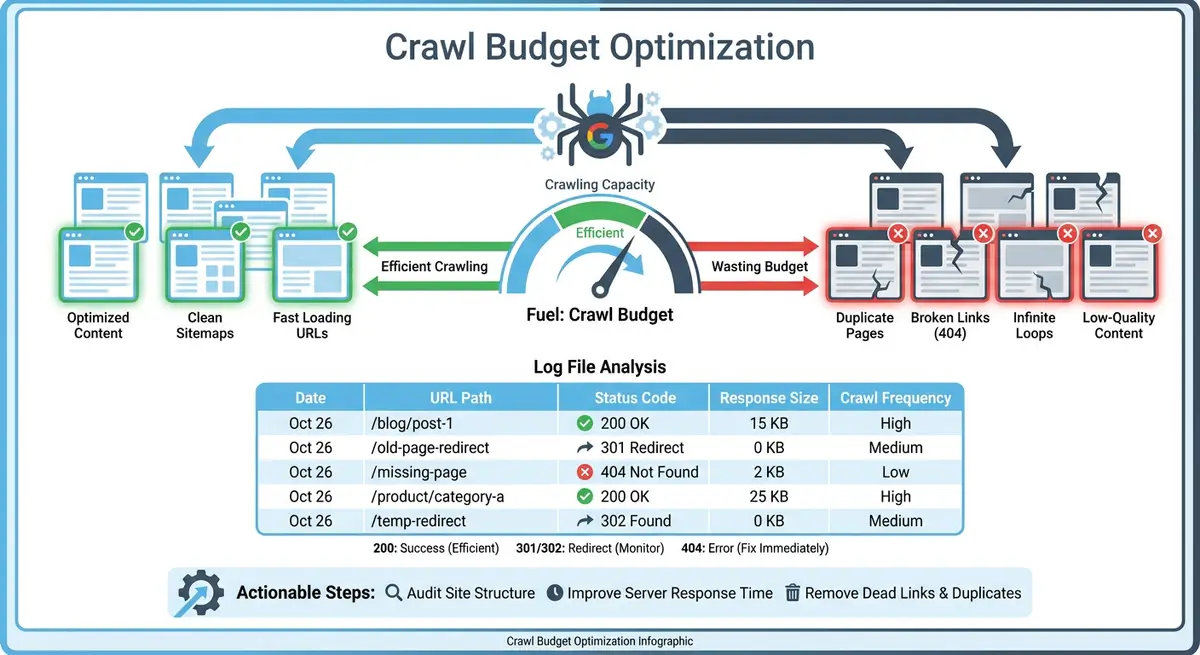
The crawl landscape has changed dramatically since 2023. Alongside traditional search engine bots like Googlebot and Bingbot, a new wave of AI crawlers now visits websites to gather training data, build knowledge bases and provide real-time search answers. GPTBot from OpenAI, ClaudeBot from Anthropic, Googlebot-Extended, PerplexityBot and AppleBot-Extended are all actively crawling Wix sites. Understanding and managing this new traffic is essential for protecting your crawl budget while maintaining visibility in AI-powered search.
Which AI Bots Are Crawling Your Wix Site
- GPTBot (OpenAI): crawls websites to train large language models and power ChatGPT Search. Identified by user agent GPTBot.
- ClaudeBot (Anthropic): crawls websites for AI training data used by Claude. Identified by user agent ClaudeBot.
- Googlebot-Extended: a separate Google crawler that collects data specifically for Google's Gemini AI models, distinct from the regular Googlebot used for Search indexing.
- Bingbot: while primarily a search engine crawler, Bingbot now also supplies data to Microsoft Copilot and ChatGPT Search through its partnership with OpenAI.
- PerplexityBot: crawls websites to provide real-time answers in Perplexity AI search. Identified by user agent PerplexityBot.
- AppleBot-Extended: Apple's extended crawler that gathers data for Apple Intelligence features and Siri, beyond the standard AppleBot used for Spotlight search.
What AI Bots Do With Your Content
AI bots serve two distinct purposes. Training crawlers like GPTBot and ClaudeBot collect web content to train and improve their language models. This means your content may be used to help these AI systems understand topics in your industry. Retrieval crawlers like PerplexityBot and the Bing-ChatGPT pipeline fetch content in real time to answer user queries, potentially citing your site as a source. Understanding this distinction matters because blocking training crawlers is different from blocking retrieval crawlers. Blocking retrieval bots means your content will not be cited in AI search answers.
Monitoring AI Bot Traffic in Wix
Wix has added AI-specific bot traffic reporting to its SEO Analytics dashboard. Navigate to Analytics > SEO > Bot Traffic Over Time and filter by bot type to see AI crawler activity separately from search engine bots. The AI Bot Traffic Over Time report shows you exactly which AI crawlers visit your site, how frequently they crawl and how their activity has changed over time. The AI Bot Visits by Page report reveals which of your content pages AI bots access most frequently, helping you understand what AI systems consider your most valuable content.
Controlling AI Bot Access via robots.txt on Wix
How to manage AI bot access on Wix
- Open your Wix Dashboard and go to SEO Tools > robots.txt Editor
- To block GPTBot from crawling your site, add: User-agent: GPTBot followed by Disallow: /
- To block ClaudeBot, add: User-agent: ClaudeBot followed by Disallow: /
- To allow specific bots while blocking others, create individual User-agent rules for each bot
- Save your changes. Note that robots.txt changes take effect immediately but bots may take days to respect the new rules
Balancing AI Visibility With Crawl Budget
Blocking all AI bots protects your crawl budget and prevents your content from being used for AI training. However, it also means your site will not be cited in AI search answers from ChatGPT, Perplexity or similar platforms. The strategic approach is selective: allow retrieval bots like PerplexityBot that cite your site as a source, while blocking pure training crawlers if you are concerned about content usage. Monitor the impact on your crawl budget by comparing bot traffic reports before and after any robots.txt changes.
Essential Tools for This Lesson
- Wix SEO Analytics: Monitor AI bot traffic activity with dedicated reports for AI crawlers on your Wix site
- Wix robots.txt Editor: Edit your robots.txt file to control which AI bots can crawl your Wix site
Complete How-To Guide: Monitoring and Managing AI Bot Traffic on Wix
This step-by-step guide walks you through the complete process of monitoring which AI bots visit your Wix site, understanding their impact on your crawl budget and configuring access controls based on your specific business goals.
How to monitor and manage AI bot traffic on your Wix site
- Step 1: Log in to your Wix Dashboard and navigate to Analytics > SEO > Bot Traffic Over Time. Set the date range to the last 30 days and filter by AI bots to see a dedicated view of AI crawler activity on your site.
- Step 2: Record which AI bots are currently crawling your site. Note the specific bot names (GPTBot, ClaudeBot, PerplexityBot, etc.) and their relative crawl frequency. Create a simple table with bot name, average daily visits and trend direction.
- Step 3: Switch to the AI Bot Visits by Page report. Identify your top 20 most-crawled pages by AI bots. Compare this list to your most important content pages. AI bots tend to prioritise content-rich pages, blog posts and resource pages over transactional pages.
- Step 4: Calculate the AI bot share of your total crawl traffic. Go back to Bot Traffic Over Time without the AI filter and note the total bot visits. Then apply the AI filter and note the AI-only visits. Divide AI visits by total visits to get the percentage. If AI bots account for more than 20% of total crawl traffic, they are meaningfully impacting your crawl budget.
- Step 5: Open your Wix robots.txt editor by navigating to SEO Tools > robots.txt Editor in your Wix Dashboard. Review your current robots.txt file and note whether any AI bot rules already exist.
- Step 6: Decide your AI bot strategy based on your business goals. If you want to appear in AI search answers (ChatGPT, Perplexity), keep those retrieval bots allowed. If you want to prevent content from being used for AI training, block the training-focused crawlers like GPTBot and ClaudeBot.
- Step 7: To block specific AI training bots, add the following lines to your robots.txt file: User-agent: GPTBot on one line, then Disallow: / on the next line. Add a blank line, then repeat for each bot you want to block (ClaudeBot, etc.).
- Step 8: To allow a specific bot while blocking others, add an explicit allow rule. For example, User-agent: PerplexityBot on one line, then Allow: / on the next. Place allow rules before your general disallow rules.
- Step 9: Save your robots.txt changes and verify the file is correct by visiting yoursite.com/robots.txt in your browser. Confirm the rules appear exactly as intended with no formatting errors.
- Step 10: Wait 7 days for AI bots to discover and respect your updated robots.txt. Not all bots check robots.txt at the same frequency, so allow a full week for changes to take effect.
- Step 11: After 7 days, return to the AI Bot Traffic report in Wix SEO Analytics. Compare the crawl data for the past 7 days against the previous 7 days. Blocked bots should show a significant decline in activity.
- Step 12: Check your regular Googlebot crawl activity in the Bot Traffic Over Time report. Verify that blocking AI bots has not inadvertently affected your search engine crawl frequency. Googlebot and Googlebot-Extended are separate, so blocking the latter should not impact the former.
- Step 13: Set up a monthly AI bot monitoring schedule. On the first Monday of each month, review AI Bot Traffic Over Time to identify any new AI crawlers that have appeared, changes in crawl volume or bots that are ignoring your robots.txt directives.
- Step 14: Search for your brand name and key topics in ChatGPT, Perplexity and Google Gemini. Note whether your site is being cited as a source. If you have allowed retrieval bots, your content should appear in AI search results. If citations drop after blocking certain bots, reassess your strategy.
Was this lesson useful?
It takes 1 minute to tell me. The course is free and I want to keep it that way, and your feedback shows me what is working and helps other people find it.
This lesson on AI bot traffic monitoring: understanding which AI crawlers visit your Wix site is part of Module 8: Crawl Budget, Log Files & Advanced Site Health on Wix in The Most Comprehensive Complete Wix SEO Course in the World (2026 Edition). Created by Michael Andrews, a Wix Marketplace Legend Partner with 14 years of hands-on experience, 800 completed Wix SEO projects and 456 verified five-star reviews.