Wix Studio vs classic Wix Editor: SEO differences and advantages
Module 20: Wix Studio & Velo Advanced SEO | Lesson 240 of 683 | 20 min read
By Michael Andrews, Wix SEO Expert UK
Wix now offers two distinct site-building environments: the classic Wix Editor and the newer Wix Studio (formerly Editor X). While both produce Wix-hosted websites, their SEO capabilities differ in meaningful ways that directly affect your rankings. This lesson breaks down every SEO-relevant difference so you can choose the right platform and exploit its unique strengths.
Understanding the Two Platforms at a High Level
The classic Wix Editor is a drag-and-drop builder designed for small business owners and beginners. It uses absolute pixel-based positioning on desktop and applies automatic mobile adjustments through a separate mobile editor. Wix Studio, by contrast, is a design-first platform aimed at agencies and professional web designers. It uses CSS-like responsive layouts with breakpoints, flexbox, and grid controls that mirror how modern websites are actually built.
From an SEO perspective, this architectural difference matters enormously. Google evaluates pages on their mobile version first under mobile-first indexing. A platform that produces genuinely responsive layouts rather than auto-generated mobile views gives you far more control over how your content appears to Googlebot on mobile devices. Wix Studio delivers that control natively.
Responsive Design: The Single Biggest SEO Advantage of Wix Studio
In the classic Wix Editor, you design a desktop site and then separately adjust a mobile version. This creates two semi-independent layouts where elements can be hidden, reordered, or resized on mobile, but the underlying structure is not truly responsive. Problems arise when content visible on desktop is hidden on mobile: Google may devalue that content because it does not appear in the mobile rendering, which is the version Google indexes.
Wix Studio uses genuine CSS breakpoints. You define layouts for desktop, tablet, and mobile within a single responsive framework. Content reflows naturally based on the viewport, just as it would on a hand-coded website. This means your headings, body text, images, and internal links all remain present and properly structured across every device, giving Googlebot a consistent and complete view of your content.
Custom Code Injection and Head Tag Access
Both platforms allow some degree of custom code, but Wix Studio provides significantly more flexibility. In Studio, you can inject custom code into the head section of individual pages, add scripts globally via site-level settings, and use Velo by Wix for full programmatic control. The classic Editor offers custom code injection through the Settings panel, but it is more limited in terms of per-page granularity without Velo.
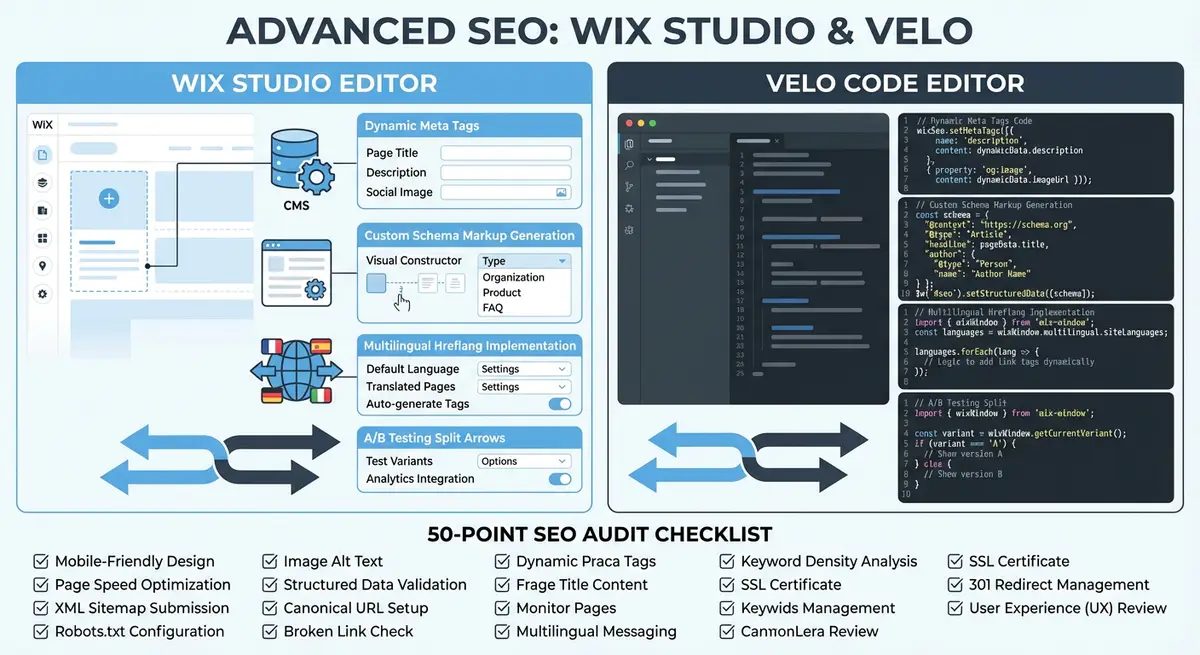
For SEO, head tag access is critical. You need it for implementing custom canonical tags, adding hreflang annotations, injecting JSON-LD structured data that goes beyond what the Wix SEO panel supports, and adding verification tags for third-party tools. Wix Studio combined with Velo gives you the same level of head-tag control that a custom-coded website would provide.
import { head } from 'wix-seo';

$w.onReady(function () {
  head.setMetaTags([
    { name: 'robots', content: 'max-image-preview:large, max-snippet:-1' },
    { property: 'article:published_time', content: '2025-01-15T08:00:00Z' },
    { property: 'article:author', content: 'https://example.com/author/john-doe' }
  ]);
});
Page Speed and Core Web Vitals Differences
Wix Studio generally produces leaner page output than the classic Editor because its responsive engine avoids the duplicate DOM elements that the old mobile editor sometimes created. In the classic Editor, hidden mobile or desktop elements still load in the background, increasing DOM size and potentially slowing down rendering. Studio eliminates this by using a single responsive DOM tree.
Both platforms use the same underlying Wix infrastructure for hosting, CDN delivery, and image optimization. However, Studio sites tend to score better on Largest Contentful Paint and Cumulative Layout Shift because the layout engine handles viewport changes more predictably. If Core Web Vitals performance is a priority for competitive keywords, Studio has a measurable edge.
SEO Panel and Meta Tag Management Comparison
Both editors share the same underlying Wix SEO infrastructure. The SEO panel where you set page titles, meta descriptions, and social sharing images is functionally identical. Open Graph tags, Twitter Card meta tags, canonical URLs, and robots directives are all managed through the same interface regardless of which editor you use.
The real difference emerges when you need to go beyond the built-in panel. Studio sites have easier access to Velo by Wix for dynamic SEO tag management, and the design workspace encourages professional workflows like creating design systems that include SEO-optimized component patterns. The classic Editor treats SEO as a per-page settings task rather than a systematic design concern.
When to Migrate from Classic Editor to Wix Studio
- Your site has more than 50 pages and you need consistent responsive layouts across all of them for mobile-first indexing compliance
- You are losing rankings to competitors with better Core Web Vitals scores and need a cleaner DOM structure
- Your business requires multilingual SEO with hreflang tags and you need programmatic control via Velo
- You are building dynamic database-driven pages at scale where CMS integration with responsive templates is essential
- Your agency manages multiple client sites and needs reusable design systems with built-in SEO patterns
- You need custom HTTP functions for advanced sitemap generation or server-side redirect logic
When to Stay on the Classic Wix Editor
- Your site is a simple brochure site with fewer than 10 pages and your current rankings are satisfactory
- You have no development resources and rely entirely on drag-and-drop simplicity for content updates
- Your site heavily uses classic Wix apps that have not yet been fully ported to Studio compatibility
- Migration would cause significant downtime or URL changes that could disrupt existing rankings
- Your SEO challenges are content-related rather than technical, meaning the platform is not the bottleneck
Studio-Specific SEO Features Worth Knowing
Wix Studio includes several features not available in the classic Editor that have indirect but real SEO benefits. Design tokens and global styles ensure typographic consistency, which improves readability and time-on-page signals. Section-based page architecture encourages logical content hierarchy with proper heading nesting. The built-in CSS grid system eliminates the layout hacks that sometimes cause CLS issues in the classic Editor.
Studio also supports custom breakpoints beyond the standard desktop-tablet-mobile tiers. This is valuable for SEO because it allows you to optimize the reading experience for every common screen size, reducing bounce rates from awkward layouts on devices like small laptops or large tablets. Every percentage point of bounce rate improvement contributes to better engagement signals.
Resources for This Lesson
- Wix Studio Official Documentation: Complete documentation for Wix Studio features and capabilities
- Google Mobile-First Indexing Guide: Official Google documentation on how mobile-first indexing works
- PageSpeed Insights: Test your Core Web Vitals on both Editor and Studio sites to compare performance
- SEO Fix in a Box: My Wix app. Free to install, it scans your site and shows what needs fixing, and paid plans write the fixes from your own Google searches
Complete How-To Guide: Choosing and Migrating Between Wix Editor and Wix Studio
This guide helps you evaluate which Wix platform is right for your SEO goals and walks you through the migration process if you decide to switch from the classic Editor to Wix Studio.
How to evaluate and migrate to Wix Studio for better SEO
- Step 1: Audit your current site performance. Run PageSpeed Insights on your homepage, a key landing page, and a blog post. Document LCP, CLS, and INP scores for both mobile and desktop. These are your baseline metrics.
- Step 2: Check your mobile rendering in Google Search Console. Use the URL Inspection tool on your top 10 pages and view the rendered HTML. Look for content that is hidden on mobile, as this is invisible to Google under mobile-first indexing.
- Step 3: Evaluate your site complexity. Count total pages, dynamic CMS collections, installed apps, and custom code elements. Sites with 50+ pages, multiple CMS collections, or multilingual requirements benefit most from Wix Studio.
- Step 4: If staying on the classic Editor, optimise by ensuring no important content is hidden on the mobile view. Open each page in the Mobile Editor and verify that all H1 headings, body text, images with alt text, and internal links are visible.
- Step 5: If migrating to Wix Studio, start by creating a design system. Define your typography scale, colour palette, spacing tokens, and component patterns before building any pages. This ensures SEO-consistent layouts across the entire site.
- Step 6: Rebuild your header and footer first in Studio using responsive flexbox layouts. Ensure navigation links, logo, and contact information are visible at every breakpoint without using the Hide feature on any element.
- Step 7: Recreate your most important pages first: homepage, top service or product pages, and contact page. Use CSS grid and breakpoint controls to ensure content reflows naturally rather than being repositioned manually per device.
- Step 8: For CMS-driven pages, reconnect your collections to new Studio dynamic page templates. Verify that SEO Patterns are properly configured for the new template structure.
- Step 9: Before publishing the Studio site, create a complete URL redirect map. List every URL on your current site and its equivalent on the new Studio site. Set up 301 redirects for any URL that changes.
- Step 10: After publishing, re-run PageSpeed Insights on the same pages you tested in Step 1. Compare LCP, CLS, and INP scores to your baseline. Studio sites should show improvement, particularly in CLS and mobile LCP.
- Step 11: Monitor Google Search Console for the first 4 weeks after migration. Watch for indexation errors, ranking fluctuations, and crawl issues. Use the URL Inspection tool to request re-indexing of your most important pages.
- Step 12: Enable Velo on your Studio site to gain programmatic SEO control. Start with dynamic meta tags using the wix-seo API, then add custom structured data and canonical URL management as needed.
How to Migrate from Classic Wix Editor to Wix Studio
Migrating to Wix Studio unlocks superior SEO capabilities but requires careful planning to avoid ranking drops. These steps guide you through a safe, SEO-preserving migration.
How to migrate your Wix site to Studio without losing search rankings
- Step 1: Log in to your Wix Dashboard and navigate to Settings > SEO to export a record of your current meta tags, SEO patterns, and structured data settings. Screenshot every configured field as your baseline.
- Step 2: Open Google Search Console and export your Performance data for the last 6 months. Download queries, pages, impressions, clicks, and average positions as your ranking baseline before the migration.
- Step 3: Run PageSpeed Insights on your top 5 pages by organic traffic and record LCP, INP, and CLS scores. These are your Core Web Vitals baseline for comparing post-migration performance.
- Step 4: In Screaming Frog or Sitebulb, run a full crawl of your current classic editor site. Export all URLs, response codes, title tags, H1s, canonical tags, and internal link counts to a spreadsheet.
- Step 5: Export your complete redirect list from Settings > Redirects in your Wix Dashboard. This list must be preserved and re-imported into your Studio site to prevent broken links.
- Step 6: Create your Wix Studio site as a new separate project. Do not convert your live site directly. Build the Studio version independently so you can test it without affecting live rankings.
- Step 7: Reconstruct your top 10 pages in Studio first. Use CSS grid and Flexbox containers for responsive layouts. Verify each page's SEO settings match your baseline export exactly: title, description, canonical, and robots directives.
- Step 8: Reconfigure all SEO Patterns for your CMS dynamic pages in the Studio site. In Marketing & SEO > SEO Tools > SEO Patterns, set up the same variable-based patterns you had in the classic site.
- Step 9: Re-import all 301 redirects from your exported list. Navigate to Settings > Redirects in the Studio Dashboard and upload your CSV redirect file.
- Step 10: Run a full Screaming Frog crawl on the Studio preview domain. Compare results to your classic site crawl export. Every URL should exist or have a redirect, every title should match, and there should be no new 404s.
- Step 11: Submit the Studio site sitemap to Google Search Console as a new property. Verify all pages are indexed before switching the live domain to Studio.
- Step 12: When confident in the Studio site, switch the domain in your Wix account settings. Monitor Google Search Console Coverage and Performance daily for the first 4 weeks after switching.
Was this lesson useful?
It takes 1 minute to tell me. The course is free and I want to keep it that way, and your feedback shows me what is working and helps other people find it.
This lesson on Wix Studio vs classic Wix Editor: SEO differences and advantages is part of Module 20: Wix Studio & Velo Advanced SEO in The Most Comprehensive Complete Wix SEO Course in the World (2026 Edition). Created by Michael Andrews, a Wix Marketplace Legend Partner with 14 years of hands-on experience, 800 completed Wix SEO projects and 456 verified five-star reviews.