Wix SEO Patterns: automating meta tags for dynamic and CMS pages
Module 19: Wix-Specific Features SEO Masterclass | Lesson 226 of 683 | 30 min read
By Michael Andrews, Wix SEO Expert UK
If you have a Wix site with dozens or hundreds of dynamic pages, whether blog posts, product listings, service pages, or CMS collection items, writing unique meta titles and descriptions for every single page is impractical. Wix SEO Patterns solve this by letting you create templates that automatically generate meta tags using dynamic variables pulled from your CMS fields. Mastering this feature is one of the highest-leverage SEO actions you can take on a content-rich Wix site.
What Are Wix SEO Patterns and Why They Matter
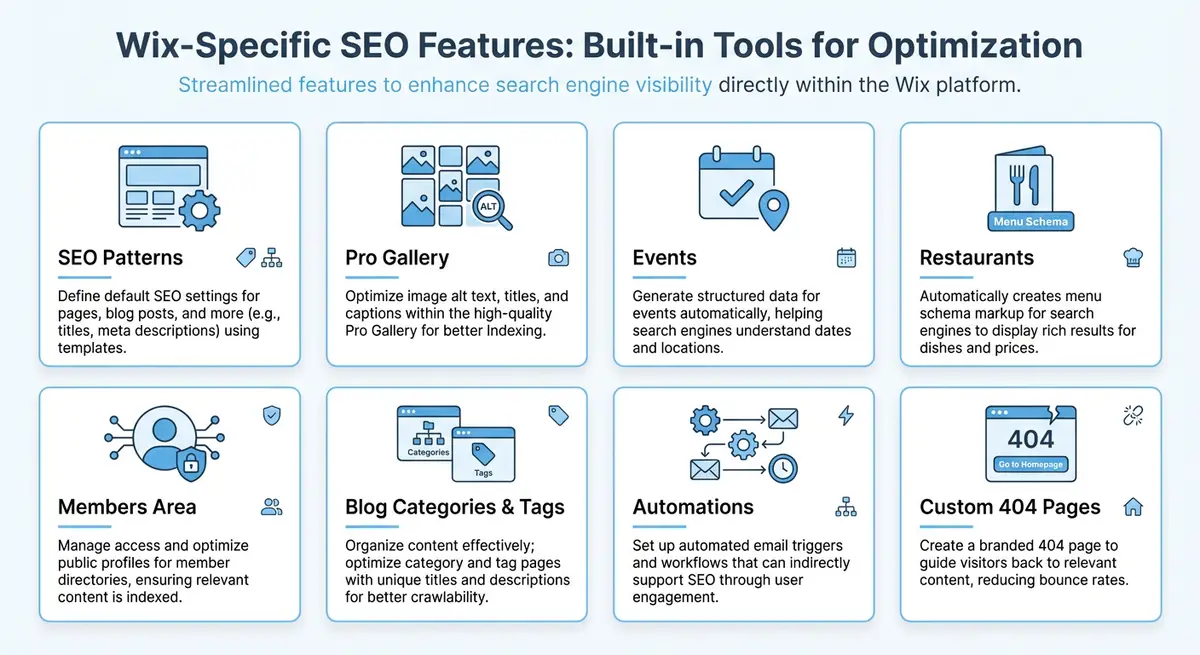
Wix SEO Patterns are template rules that automatically populate meta titles, meta descriptions, structured data, and other SEO attributes for groups of dynamic pages. Instead of manually editing the SEO panel on every single product or blog post, you define a pattern once and it applies across every page in that collection. When you add a new item, the pattern ensures it already has optimised meta tags the moment it goes live.
Without patterns, you face a common problem on growing Wix sites: pages that ship with either blank meta descriptions, duplicated generic text, or the first few words of body content auto-extracted by Google. None of these scenarios are ideal. Patterns give you control at scale, ensuring every dynamic page carries keyword-rich, relevant meta information from day one.
Accessing SEO Patterns in Your Wix Dashboard
How to access and configure SEO Patterns
- Log in to your Wix dashboard and navigate to Settings in the left sidebar.
- Click on SEO Tools, then select SEO Patterns from the submenu.
- You will see a list of page types: Blog Posts, Product Pages, Category Pages, Bookings Service Pages, and any custom CMS collections you have created.
- Click on the page type you want to configure. This opens the pattern editor where you can define templates for the SEO title, meta description, and structured data.
- Use the variable insertion tool (the curly braces icon) to add dynamic fields from your CMS collection into the template.
Understanding Variable Syntax
The core of SEO Patterns is variable syntax. Variables are placeholders wrapped in curly braces that get replaced with actual data from each CMS item when the page renders. For example, {item name} pulls the title of the CMS item, while {page name} uses the page name as set in the Wix editor. You can combine static text with multiple variables to create rich, descriptive meta tags.
Meta Title Pattern:
{item name} | {collection field: Category} Services | Your Brand Name

Meta Description Pattern:
Looking for {item name}? We offer professional {collection field: Category} services in {collection field: Location}. Book your appointment today and get a free consultation.

Blog Post Title Pattern:
{post title} - Expert {post category} Tips | Your Blog Name

Product Page Title Pattern:
{product name} - {product brand} | Shop {product category} | Your StoreCrafting Effective Patterns for Blog and Product Pages
Blog posts are where most Wix users first encounter SEO Patterns. The default Wix blog pattern typically uses just the post title, which misses an opportunity to include category keywords and your brand name. A stronger pattern might be: {post title} - {post category} Guide | Brand Name. For the meta description, combine the excerpt variable with a call to action: {post excerpt} Read the full guide on Brand Name. Be careful with the excerpt variable length. Wix will pull the first portion of your post content if no custom excerpt is set, which can result in truncated or awkward descriptions. The best practice is to always write a custom excerpt for each blog post and use that variable in your description pattern.
For Wix Stores product pages, patterns are essential because product catalogues can grow to hundreds of items. A well-structured product title pattern includes the product name, a key attribute like brand or category, and your store name. For example: Buy {product name} by {product brand} | Free Shipping | Your Store. The meta description should highlight benefits and include a price variable if relevant: {product name} from {product brand}. Starting at {product price}. {product description snippet}. Free shipping on orders over a certain amount.
Patterns for Custom CMS Collections
Custom CMS collections are where SEO Patterns become truly powerful. If you have built a directory, a portfolio, a knowledge base, or a service catalogue using the Wix CMS, each dynamic page can benefit from carefully crafted patterns. The variables available correspond directly to the fields in your collection schema. A real estate site with a Properties collection might use: {field: Property Name} - {field: Bedrooms} Bed {field: Property Type} in {field: City} | Your Agency. For multi-reference fields and rich text fields, be aware that these may not render cleanly in a meta tag context. Stick to short text, number, and single-reference fields for your pattern variables, and test the output on several items after setting up your pattern to ensure the generated tags look correct across diverse data entries.
Common Mistakes That Create Duplicate Meta Tags
- Using only static text with no variables: if your pattern is "Best Products | My Store" with no dynamic element, every product page will have identical meta tags, which Google treats as duplicate content signals.
- Relying on fields that are frequently empty: if your pattern references {collection field: Subtitle} but most items lack a subtitle, the generated tag will have awkward gaps or missing segments.
- Forgetting that manually edited SEO overrides the pattern: if you have manually set meta tags on some pages but not others, you end up with an inconsistent mix. Decide on a strategy and apply it uniformly.
- Not accounting for character limits: Google typically displays 50-60 characters for titles and 150-160 for descriptions. If your pattern plus variable data regularly exceeds these limits, your tags will be truncated in search results.
- Using the same pattern structure across different page types: your blog post pattern and your product page pattern should be structurally different to reflect the distinct search intent of each page type.
Testing and Validating Your Patterns
How to validate that your SEO Patterns are working correctly
- After saving your pattern, navigate to a live dynamic page on your site.
- Right-click the page and select View Page Source, or use a browser SEO extension like Detailed SEO Extension.
- Check the <title> tag and <meta name="description"> tag in the HTML source to confirm the variables have been replaced with actual content.
- Repeat this on at least 3-5 different pages from the same collection to ensure consistency and that no variables are rendering as blank or broken.
- Use Google Search Console URL Inspection to see how Google renders and reads the meta tags on each page.
- Monitor Google Search Console performance reports over the following weeks to track click-through rate changes on pages with updated patterns.
Structured Data Patterns
SEO Patterns in Wix also extend to structured data markup. You can configure patterns for JSON-LD schema that automatically populate using CMS variables. For product pages, this means the Product schema name, description, price, and image fields can all be dynamically generated. For blog posts, the Article schema headline, author, datePublished, and image fields are populated automatically. This ensures every dynamic page has valid structured data without manual intervention.
Review your structured data patterns periodically using Google Rich Results Test. As your CMS structure evolves and you add new fields, update your patterns to include the most relevant and complete data. Richer structured data leads to enhanced search result snippets, which can dramatically improve click-through rates across your entire collection.
Complete How-To Guide: Setting Up SEO Patterns for Dynamic CMS Pages
This step-by-step guide walks you through configuring Wix SEO Patterns from scratch, covering every page type and variable combination to ensure your dynamic pages carry optimised meta tags automatically.
How to configure SEO Patterns for all dynamic page types
- Step 1: Log in to your Wix dashboard and navigate to Settings, then SEO Tools, then SEO Patterns. Review the list of available page types including Blog Posts, Product Pages, and any custom CMS collections.
- Step 2: Click on Blog Posts first. In the SEO Title field, delete the default pattern and enter: {post title} - {post category} Guide | Your Brand Name. This ensures every blog post title includes the category keyword and your brand.
- Step 3: In the Meta Description field for Blog Posts, enter: {post excerpt} Read our complete guide on {post category} at Your Brand Name. Set each blog post to have a custom excerpt of 120-140 characters for best results.
- Step 4: Click Save and move to Product Pages. Enter the title pattern: Buy {product name} by {product brand} | {product category} | Your Store. For the description: Shop {product name} from {product brand}. Starting at {product price}. Free shipping available. {product description snippet}.
- Step 5: Navigate to any custom CMS collections. Click the curly braces icon to reveal all available variables for that collection. Note which fields contain short text suitable for meta tags versus rich text that may be too long.
- Step 6: Build your custom collection title pattern using the format: {field: Primary Name} - {field: Category} in {field: Location} | Your Brand. Replace field names with your actual collection field names.
- Step 7: For the meta description, combine two to three short text fields with static connecting text. Ensure the total expected output stays under 155 characters by testing with your longest field values.
- Step 8: After saving all patterns, open your live site in an incognito browser. Navigate to at least three different dynamic pages from each collection type.
- Step 9: Right-click each page, select View Page Source, and search for the title and meta description tags. Verify the variables have been replaced with actual content and no placeholders remain.
- Step 10: Check for edge cases by finding CMS items with empty optional fields. If your pattern references a field that is blank on some items, the generated tag may have awkward gaps. Add fallback text or restructure the pattern to avoid referencing optional fields.
- Step 11: For your top 10-20 highest-traffic pages, override the pattern by manually entering custom meta tags in the individual page SEO panel. The manual override always takes priority over the pattern.
- Step 12: Set a quarterly calendar reminder to review and update your SEO Patterns as your keyword strategy evolves and new CMS fields are added to your collections.
Essential Resources
- Wix App Market: Browse and install SEO apps and integrations for your Wix site
- Wix SEO Help Centre: Official Wix SEO documentation and best practice guides
- Wix SEO Learning Hub: Free SEO courses and tutorials from Wix
- Google Search Console: Monitor indexing, performance and issues for your Wix site
Essential Resources
- Wix SEO Help Centre: Official documentation on configuring SEO Patterns in the Wix dashboard
- Google Search Console: URL Inspection tool to verify how Google reads your pattern-generated meta tags
- SERP Simulator: Preview how your pattern-generated titles and descriptions appear in search results
- SEO Fix in a Box: My Wix app. Free to install, it scans your site and shows what needs fixing, and paid plans write the fixes from your own Google searches
Why patterns alone will not get thin dynamic pages indexed
There is a limit to what SEO Patterns can do for you, and it is worth being clear about it so you do not rely on them for more than they are. Patterns fix your meta tags at scale, which solves duplicate and missing titles and descriptions. What they do not touch is the body of the page. If you generate hundreds of dynamic pages whose visible content is nearly identical, a template with the item name swapped in, then unique meta tags will not save them, because Google judges the page on the page, not the title. This is the single most common reason large Wix CMS sites end up with a pile of pages sitting in "Crawled - currently not indexed": the meta is tidy, but the content underneath is too thin and too similar to earn a place in the index. So use patterns for the meta, and separately make sure each dynamic item carries its own unique body content, its own description, its own detail, its own reason to exist. Patterns are necessary, they are not sufficient. For pushing real edits across many pages at once, see bulk SEO operations across the CMS, and for the no-code variable system that sits alongside patterns, see the Wix SEO variables system.
Was this lesson useful?
It takes 1 minute to tell me. The course is free and I want to keep it that way, and your feedback shows me what is working and helps other people find it.
This lesson on Wix SEO Patterns: automating meta tags for dynamic and CMS pages is part of Module 19: Wix-Specific Features SEO Masterclass in The Most Comprehensive Complete Wix SEO Course in the World (2026 Edition). Created by Michael Andrews, a Wix Marketplace Legend Partner with 14 years of hands-on experience, 800 completed Wix SEO projects and 456 verified five-star reviews.