URL Redirect Manager and Broken Links Checker for technical SEO
Module 46: Essential Wix Apps for SEO | Lesson 520 of 683 | 40 min read
By Michael Andrews, Wix SEO Expert UK
Broken links and missing redirects silently destroy your SEO. Every 404 error wastes crawl budget, loses link equity that could be boosting your rankings, and creates a poor experience for visitors who clicked expecting to find content. On Wix, the built-in URL Redirect Manager handles 301 redirects, while third-party apps like the Broken Links Checker and Redirect 301/404 app provide ongoing monitoring. Together, these tools keep your link architecture healthy and your crawl budget efficient.
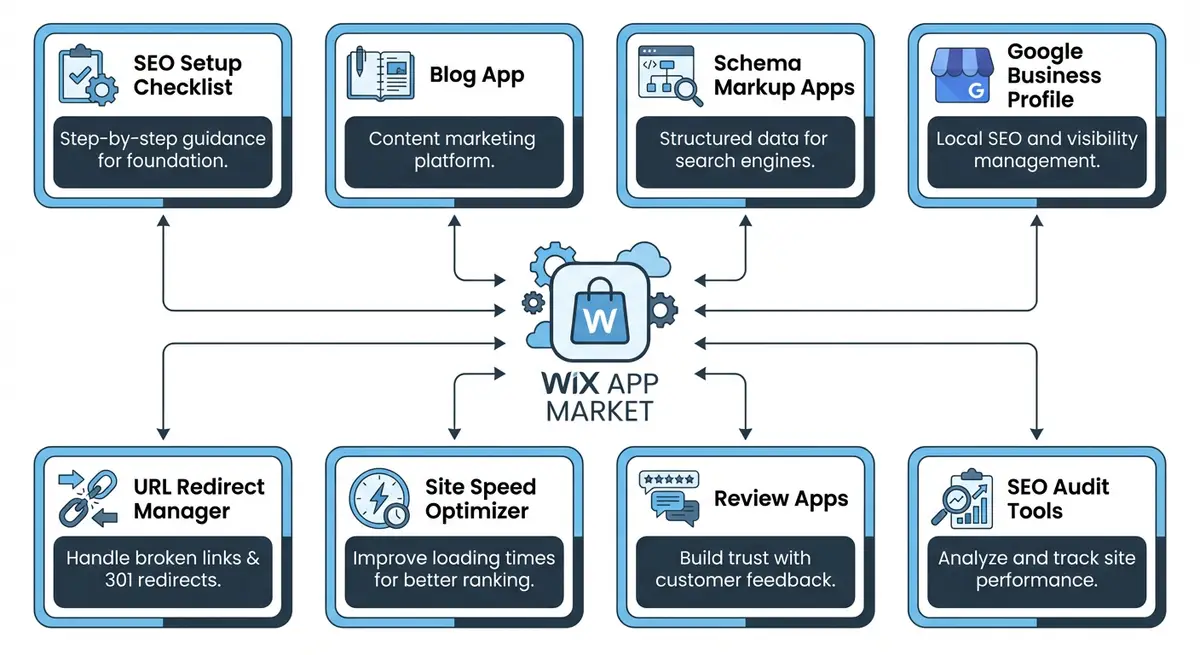
Understanding 301 Redirects and Why They Matter
A 301 redirect tells search engines that a page has permanently moved to a new URL. When someone visits the old URL, they are automatically sent to the new one. Crucially, the 301 redirect also transfers the SEO value (link equity) from the old URL to the new one. Without a redirect, any backlinks pointing to the old URL are wasted, and visitors see a 404 error page. Every time you rename a page, change a URL slug, or delete content that has inbound links, you need a 301 redirect. You can verify your redirects are working correctly with the free Wix redirect checker.
- 301 redirects preserve link equity from backlinks pointing to old URLs
- They prevent 404 errors that waste crawl budget and frustrate visitors
- Essential during site restructuring, URL changes, or page consolidation
- Wix URL Redirect Manager is built-in and free, no app installation needed
- Supports individual redirects, group redirects, and regex-based redirect rules
HTTP Status Codes Every Wix Owner Should Know
- 200 OK: The page loaded successfully. This is the normal, expected response for all published pages.
- 301 Moved Permanently: The page has permanently moved to a new URL. All link equity transfers. Use this for all permanent URL changes.
- 302 Found (Temporary Redirect): The page is temporarily at a different URL. Link equity does NOT transfer fully. Avoid using 302s for permanent changes.
- 404 Not Found: The page does not exist. Wastes crawl budget and frustrates visitors. Fix with a 301 redirect to the most relevant page.
- 410 Gone: The page has been permanently removed. Tells Google to stop trying to crawl it. Use for content that will never return.
- 500 Internal Server Error: The server encountered an error. Usually temporary on Wix. If persistent, contact Wix support.
- 503 Service Unavailable: The server is temporarily unavailable. Wix handles this during maintenance. Google will retry crawling later.
The Wix URL Redirect Manager
Found in your Wix dashboard under SEO Tools, the URL Redirect Manager lets you create 301 redirects from any old URL to any new URL on your site. When you rename a page or change a URL slug in the Wix editor, Wix often creates a redirect automatically. However, automatic redirects do not cover every scenario. Deleted pages, restructured content, and URLs from a previous website platform all require manual redirects. Check the redirect manager regularly to ensure all important old URLs are covered.
Broken Links Checker App
The Broken Links Checker app scans your entire Wix site and identifies links that point to pages returning 404 errors. This includes both internal links (links between your own pages) and external links (links to other websites). Internal broken links are the most damaging because they waste crawl budget and break the internal linking structure that passes authority between your pages. Run a broken link scan at least monthly and fix every broken link found.
Redirect 301/404/Broken Link App
This app goes beyond basic redirect management by providing real-time 404 monitoring. Every time a visitor or search engine bot encounters a 404 error on your site, the app logs it. This is invaluable because it catches broken links that static scans miss, particularly those from external sources. If another website links to a page you deleted, the 404 monitor catches it so you can create a redirect.
Redirect Chains and Common Pitfalls
- Redirect chains occur when URL A redirects to URL B which redirects to URL C. Google follows chains but each hop reduces link equity.
- Always redirect directly to the final destination URL, never through an intermediate page.
- Do not redirect deleted pages to your homepage unless genuinely relevant. Redirect to the most closely related existing page.
- When performing a site migration, create a complete redirect map of every old URL to its new equivalent before launching.
- Review your redirect list quarterly and remove redirects for URLs that no longer receive traffic or have no backlinks.
Redirect Decision Framework
When you encounter a 404 or need to decide what to do with an old URL, use this decision framework to choose the right action.
- Page moved to new URL: Create a 301 redirect from old URL to new URL. This is the most common scenario after URL slug changes.
- Page content merged into another page: 301 redirect to the page that now contains the merged content. Update any internal links pointing to the old URL.
- Page deleted with no replacement: If the page had backlinks or significant traffic, 301 redirect to the most topically similar existing page. If it had neither, allow the 404 to persist (Google will eventually drop it).
- Temporary page removal: Use a 302 redirect if the page will return within a few weeks. Use a 301 if the removal is permanent.
- Entire site migration: Map every old URL to its new equivalent. Prioritise pages with backlinks and traffic first. Test all redirects before and after the migration.
- Duplicate content: Choose the canonical version, 301 redirect all duplicates to it, and set the canonical tag on the preferred version.
How-To Guide: Managing Redirects and Fixing Broken Links on Wix
Complete redirect and broken link management workflow
- Step 1: Go to your Wix dashboard, navigate to SEO Tools, and open the URL Redirect Manager. Review any existing redirects. Verify each one still points to a live, relevant page.
- Step 2: In Google Search Console, go to Pages (formerly Coverage) and filter for "Not found (404)" errors. This shows every URL where Google encountered a 404 on your site. Export this list.
- Step 3: For each 404 URL from GSC, determine the best redirect destination. If the content moved, redirect to the new URL. If the content was removed, redirect to the most closely related existing page.
- Step 4: Create 301 redirects in the Wix URL Redirect Manager for every 404 URL that has backlinks or receives traffic. Enter the old URL path and the new destination URL path.
- Step 5: Install the Broken Links Checker app from the Wix App Market. Run a full site scan. The app will identify all internal and external broken links across your entire site.
- Step 6: Fix internal broken links first. Go to each page containing a broken internal link and update the link to point to the correct URL. If the linked page was deleted, either restore it or update the link to a relevant alternative.
- Step 7: Fix external broken links by either removing the link, replacing it with a working alternative, or leaving it if the external site is temporarily down (check again in a week).
- Step 8: For bulk URL changes during site restructuring, use the Wix URL Redirect Manager's bulk upload feature. Prepare a CSV file with old URLs in one column and new URLs in the other, then upload.
- Step 9: Set up the Redirect 301/404 app for real-time 404 monitoring. This catches broken links as they happen rather than waiting for monthly scans. Review the 404 log weekly and create redirects for any URLs receiving significant traffic.
- Step 10: Establish a monthly maintenance routine: run the Broken Links Checker, review the 404 monitor log, check GSC for new 404 errors, and verify all redirects resolve correctly. A clean link architecture is ongoing maintenance, not a one-time task.
How to Set Up and Manage Redirects with the Wix URL Redirect Manager
The Wix URL Redirect Manager is your primary tool for fixing broken links, managing URL changes, and preventing 404 errors. These steps walk you through a complete redirect management workflow.
How to create, manage, and audit redirects using the Wix URL Redirect Manager
- Step 1: Log in to your Wix Dashboard and navigate to Settings > Redirects to open the URL Redirect Manager. Review the existing redirect list and note how many are currently active.
- Step 2: Check Google Search Console for new 404 errors. Navigate to Pages > Not Found (404) in GSC and export the list of broken URLs along with the last date Google crawled them.
- Step 3: For each 404 URL that previously had organic traffic or backlinks, identify the best redirect destination. This should be the most relevant live page on your Wix site, not just the homepage.
- Step 4: Create redirects in the Wix URL Redirect Manager. Click Add Redirect, enter the old URL path (without the domain) in the Old URL field, and enter the destination URL in the New URL field. Select 301 as the type.
- Step 5: For large-scale migrations, use the bulk import feature. Prepare a CSV file with two columns: Source URL and Destination URL. Click Import Redirects and upload the file to create all redirects simultaneously.
- Step 6: After creating redirects, test each one using the HTTP Status Checker at httpstatus.io. Enter the old URL and verify it returns a 301 status and redirects to the correct destination in a single hop.
- Step 7: Identify and fix redirect chains in your existing list. A redirect chain occurs when the destination URL of one redirect is itself another redirect. Edit the original redirect to point directly to the final destination.
- Step 8: Check for any 302 (temporary) redirects in your list that have been active for more than 30 days. Change these to 301 permanent redirects to pass full link equity to the destination page.
- Step 9: Install the Broken Links Checker app from the Wix App Market if you have a large site. Run a full scan to identify internal broken links. Fix each one by updating the link in the Wix Editor rather than relying on redirects.
- Step 10: Update internal links throughout your site to point directly to final destination URLs rather than redirect URLs. Internal links should always target canonical URLs. Redirects are for external traffic, not internal linking.
- Step 11: After creating or updating redirects, navigate to Google Search Console and request re-indexing for the key pages involved. This speeds up Google updating its understanding of the new URL structure.
- Step 12: Review your full redirect list quarterly. Remove any redirects that are no longer needed (e.g. old campaign URLs that have expired). A leaner redirect list is easier to manage and slightly faster to process.
Essential Resources
- HTTP Status Checker: Verify redirect chains and confirm 301 redirects are working correctly
- Google Search Console: Monitor 404 errors and crawl issues after setting up redirects
- Wix URL Redirect Manager: Official Wix guide to setting up URL redirects in your dashboard
Was this lesson useful?
It takes 1 minute to tell me. The course is free and I want to keep it that way, and your feedback shows me what is working and helps other people find it.
This lesson on URL Redirect Manager and Broken Links Checker for technical SEO is part of Module 46: Essential Wix Apps for SEO in The Most Comprehensive Complete Wix SEO Course in the World (2026 Edition). Created by Michael Andrews, a Wix Marketplace Legend Partner with 14 years of hands-on experience, 800 completed Wix SEO projects and 456 verified five-star reviews.