Programmatic SEO basics: scaling content on Wix
Module 22: Advanced Wix SEO Strategies | Lesson 269 of 683 | 30 min read
By Michael Andrews, Wix SEO Expert UK
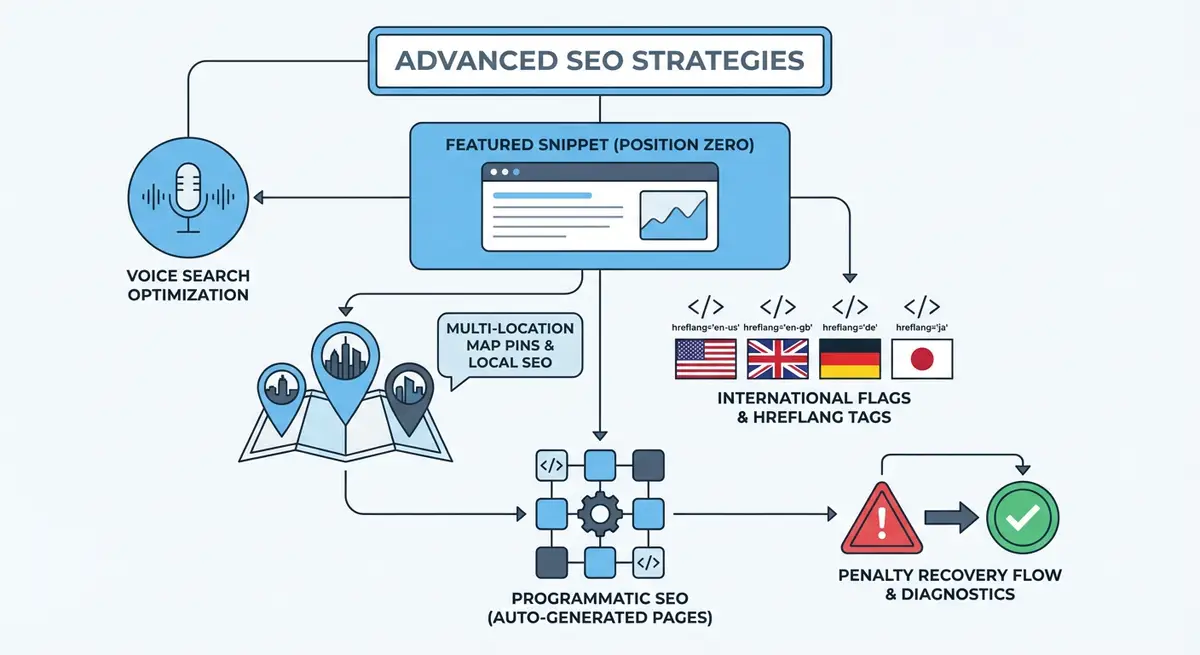
Programmatic SEO is the practice of creating hundreds or thousands of pages automatically using database content combined with templates. Instead of manually writing each page, you build a template, populate a database with structured data, and let the CMS generate unique pages at scale. On Wix, the Content Manager (CMS) combined with dynamic pages makes programmatic SEO achievable without custom development. This lesson covers the strategy, implementation, and critical quality considerations that determine whether programmatic SEO scales your traffic or earns a Google penalty.
When Programmatic SEO Makes Sense
Programmatic SEO works when you have a large dataset of entities that each deserve their own page and that people actually search for individually. Location pages for a service that operates across hundreds of cities. Product comparison pages generated from a database of products and specifications. Directory-style listings where each entry has unique data. Tool landing pages where each page targets a specific use case with different input parameters.
It does not work when the pages would be thin or repetitive. If the only difference between pages is the city name inserted into identical template text, Google treats them as doorway pages. If the database entries lack sufficient unique content to generate genuinely useful pages, the result is a collection of low-quality pages that dilute your domain authority rather than building it.
- Good candidate: Location-specific service pages with unique local data, reviews, pricing, and team information for each city.
- Good candidate: Product comparison pages where each page compares two specific products with unique specifications, pros/cons, and user reviews.
- Good candidate: Directory pages where each listing has substantial unique content: description, photos, reviews, hours, and detailed attributes.
- Bad candidate: City service pages where only the city name changes and all other content is identical.
- Bad candidate: Pages generated from thin database entries that produce pages with fewer than 200 words of unique content.
- Bad candidate: Keyword-variant pages that target minor search query differences with essentially the same content.
Setting Up Wix CMS for Programmatic SEO
The Wix Content Manager is the database that powers programmatic SEO on Wix. You create a collection (database table), define fields for each piece of content you need, populate the collection with data, and connect it to a dynamic page template. Each row in the collection generates one page. The dynamic page template determines the layout, while the collection data fills in the content.
Creating your programmatic SEO infrastructure on Wix
- Plan your collection schema first. List every field you need: title, slug, meta description, hero image, body content sections, unique data points, FAQs, and any structured data properties.
- In the Wix Content Manager, create a new collection. Name it clearly: "City Service Pages" or "Product Comparisons".
- Add fields for each content element. Use Rich Text fields for body content, Image fields for visuals, URL fields for slugs, and Text fields for meta data.
- Include fields specifically for SEO: page_title, meta_description, h1_heading, canonical_url, and schema_data.
- Create a dynamic page connected to your collection. This is the template that all generated pages will use.
- Design the dynamic page template with dataset connections binding each field to its corresponding page element.
- Configure SEO Patterns for the dynamic page: set the title tag pattern, meta description pattern, and URL slug pattern using collection field variables.
- Populate the collection with your data. Each row must contain genuinely unique content, not template text with swapped variables.
Content Quality at Scale: The Critical Challenge
The defining challenge of programmatic SEO is maintaining content quality across hundreds or thousands of pages. Google explicitly targets thin, auto-generated content that provides little value. Every programmatic page must pass the test: "Would a human visitor find this page genuinely useful compared to other search results?" If the answer is no, the page should not exist.
The solution is ensuring your database contains enough unique, valuable data for each entry to generate a substantive page. A location page template might combine 100 words of template text with 200 words of unique city-specific content, 3-5 unique local reviews, a unique local map embed, city-specific pricing data, and a unique FAQ section. The template provides structure; the unique data provides value.
URL Structure for Programmatic Pages
URL structure for programmatic pages should be predictable, keyword-rich, and hierarchical. Use the collection slug field to generate clean URLs: /seo-services/manchester, /seo-services/london, etc. Avoid auto-generated URLs with IDs or random strings. The URL should tell both users and Google exactly what the page is about before they click.
- Use hyphens to separate words in URL slugs: /plumber-in-manchester not /plumber_in_manchester.
- Keep slugs short but descriptive: 3-5 words is ideal.
- Include the primary keyword: /seo-services/manchester includes both the service and location.
- Use a consistent hierarchy: all city pages under /services/[city], all comparison pages under /compare/[product-vs-product].
- Avoid including database IDs or parameters: /page/12345 is worse than /seo-services/manchester.
- Set up canonical URLs in your collection to prevent duplicate content issues from URL variations.
SEO Patterns for Dynamic Pages on Wix
Wix SEO Patterns let you define title tag and meta description templates for dynamic pages using variables from your collection fields. This automates the generation of unique SEO metadata for every programmatic page without manual intervention.
Title Pattern:
{page_title} - {service_type} in {city_name} | {brand_name}

Example output: "Expert Wix SEO - SEO Services in Manchester | Andrews SEO"

Meta Description Pattern:
{meta_description_custom}

Or if using a formula:
Looking for {service_type} in {city_name}? {unique_selling_point}.
{social_proof_stat}. Get a free consultation today.

Example output: "Looking for SEO services in Manchester?
We have helped 47 Manchester businesses increase organic
traffic by an average of 180%. Get a free consultation today."
Schema Markup for Programmatic Pages
Each programmatic page should carry schema markup generated from the collection data. On Wix, you can use Velo to dynamically generate JSON-LD from your CMS fields. Create a schema template that pulls values from the current item and outputs complete structured data. This ensures every generated page has unique, accurate schema without manual implementation.
import wixSeo from 'wix-seo';

$w.onReady(async function () {
  const item = await $w('#dynamicDataset').getCurrentItem();

  const schema = {
    '@context': 'https://schema.org',
    '@type': 'ProfessionalService',
    name: `${item.brandName} - ${item.cityName}`,
    url: `https://yoursite.com/services/${item.slug}`,
    areaServed: {
      '@type': 'City',
      name: item.cityName
    },
    serviceType: item.serviceTypes,
    description: item.metaDescription,
    aggregateRating: item.reviewCount > 0 ? {
      '@type': 'AggregateRating',
      ratingValue: item.averageRating,
      reviewCount: item.reviewCount
    } : undefined
  };

  wixSeo.structuredData = [schema];
});
Indexation Strategy for Large Page Sets
When you generate hundreds of pages, Google does not index them all immediately. Crawl budget becomes a real concern. Prioritise your most valuable pages by linking to them from your homepage and main navigation. Create category or hub pages that link to groups of programmatic pages. Submit an XML sitemap that includes all programmatic page URLs. Monitor indexation in Google Search Console and address any pages that remain unindexed after 4-6 weeks.
Managing indexation for programmatic pages
- Submit your XML sitemap to Google Search Console immediately after publishing programmatic pages.
- Create hub pages that link to groups of programmatic pages: /seo-services links to all city-specific SEO service pages.
- Add internal links from blog posts and existing content to your most important programmatic pages.
- Monitor the Coverage report in GSC weekly for the first month. Track the ratio of indexed to submitted pages.
- For pages that remain unindexed after 4 weeks, use the URL Inspection tool to request indexing individually.
- If large numbers of pages are excluded as "Crawled - currently not indexed", this indicates a quality problem. Review the content depth and uniqueness of your programmatic pages.
- Consider noindexing your lowest-quality programmatic pages to concentrate crawl budget on stronger pages.
Scaling Content Population
The bottleneck in programmatic SEO is not the template or the technology. It is populating the database with enough unique, high-quality content for each entry. There are three approaches to content population at scale, and the best strategies combine all three.
- Manual creation: Write unique content for each entry. The highest quality but the slowest. Best for your top 20-50 most valuable pages.
- AI-assisted creation: Use AI tools to generate first drafts from structured prompts, then have a human editor review, fact-check, and enhance each entry. Faster than manual but requires editorial oversight.
- Data-driven generation: Pull unique data from APIs, public datasets, or your own business data. Location-specific statistics, local weather data, demographic information, and market data can be programmatically inserted to add unique value.
Programmatic SEO Tools
- Wix Content Manager: Wix native CMS for creating collections and dynamic pages
- Google Search Console: Monitor indexation rates and identify quality issues with programmatic pages
- Screaming Frog: Crawl programmatic pages to verify unique content, schema, and internal linking
- SEO Fix in a Box: My Wix app. Free to install, it scans your site and shows what needs fixing, and paid plans write the fixes from your own Google searches
Complete How-To Guide: Programmatic SEO on Wix
How to implement programmatic SEO using the Wix CMS
- Step 1: Identify your programmatic SEO opportunity. List the entity type (cities, products, comparisons) and verify that people search for individual entities with sufficient volume to justify dedicated pages.
- Step 2: Research keywords for a sample of 10 entities to confirm search demand exists. Use Ahrefs or SEMrush to check monthly search volume for queries like "[service] in [city]" across your target entities.
- Step 3: Plan your collection schema with fields for: title, slug, meta_description, h1_heading, hero_image, body_content (rich text), unique_data_points, faqs (rich text or JSON), schema_properties, and review_data.
- Step 4: Create the collection in Wix Content Manager with all planned fields. Set field types appropriately: Rich Text for body content, Image for visuals, URL for slugs.
- Step 5: Build your dynamic page template in the Wix Editor. Connect each element to its corresponding collection field using dataset bindings. Design the layout to accommodate varying content lengths.
- Step 6: Configure SEO Patterns for the dynamic page: title tag using {page_title}, meta description using {meta_description}, and URL slug using {slug}.
- Step 7: Populate your first 20-30 collection entries with genuinely unique content. Each entry must have at least 200-300 words of content that appears nowhere else on your site.
- Step 8: If using Velo, implement dynamic schema markup that generates JSON-LD from collection fields for each page.
- Step 9: Create a hub page that links to all programmatic pages. Add internal links from relevant blog posts and existing pages to your top programmatic pages.
- Step 10: Publish and submit your sitemap to Google Search Console. Monitor the Coverage report weekly to track indexation of your programmatic pages.
- Step 11: After 4-6 weeks, evaluate performance: check indexation rate, average position for target keywords, and traffic per page. If indexation is below 70%, review content quality.
- Step 12: Once the initial batch performs well, scale gradually. Add 20-30 new entries per week, maintaining the same quality standards. Monitor indexation and ranking continuously as you scale.
Was this lesson useful?
It takes 1 minute to tell me. The course is free and I want to keep it that way, and your feedback shows me what is working and helps other people find it.
This lesson on Programmatic SEO basics: scaling content on Wix is part of Module 22: Advanced Wix SEO Strategies in The Most Comprehensive Complete Wix SEO Course in the World (2026 Edition). Created by Michael Andrews, a Wix Marketplace Legend Partner with 14 years of hands-on experience, 800 completed Wix SEO projects and 456 verified five-star reviews.