Page experience signals: dwell time, engagement and what Google measures
Module 21: Conversion Rate Optimisation for Organic Traffic on Wix | Lesson 261 of 683 | 25 min read
By Michael Andrews, Wix SEO Expert UK
Google has never confirmed using dwell time as a ranking factor, yet the correlation between user engagement and rankings is well documented. Pages where users stay longer, scroll deeper, and interact more tend to rank higher. Google measures page experience through Core Web Vitals, HTTPS, mobile-friendliness, and intrusive interstitial guidelines. But the engagement signals that Chrome, Android, and Google Search collect provide a powerful proxy for content quality. This lesson explains what Google actually measures and how to design Wix pages that keep visitors engaged.
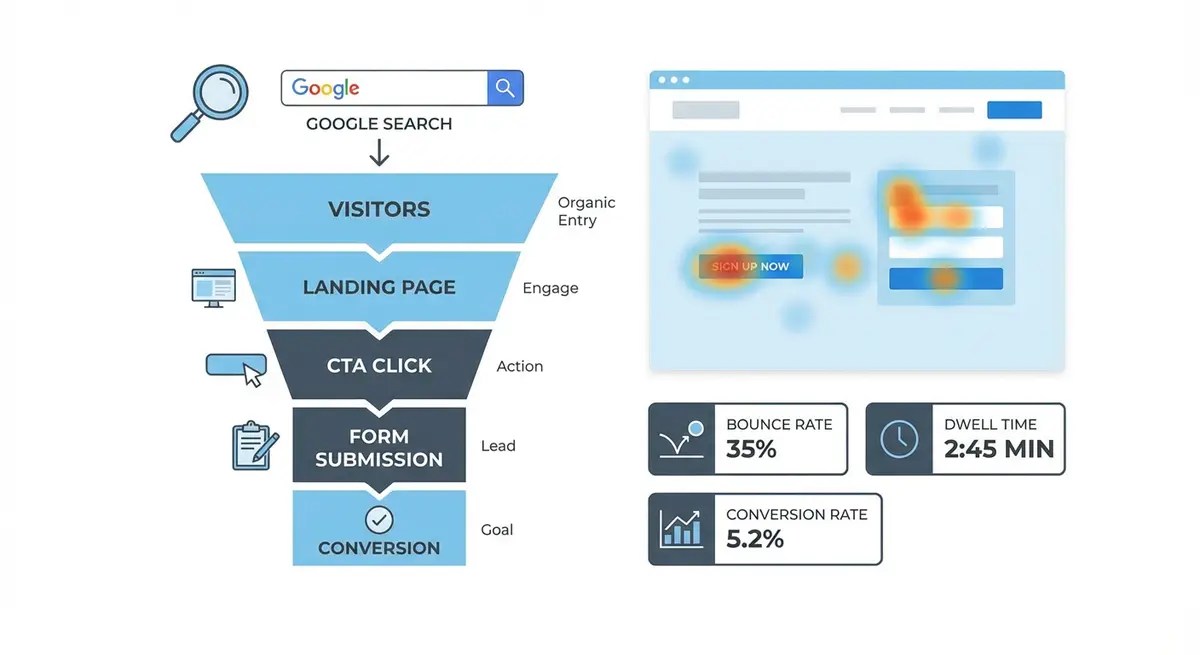
Understanding Dwell Time and Pogo-Sticking
Dwell time is the duration between when a user clicks a search result and when they return to the search results page. A long dwell time suggests the user found useful content. Pogo-sticking is when a user clicks a result, immediately returns to the SERP, and clicks a different result. This behaviour signals that the first result did not satisfy the query. While Google has not confirmed dwell time as a direct ranking factor, multiple Google patents reference user satisfaction signals based on post-click behaviour.
Bounce rate is often confused with pogo-sticking but they are different metrics. A bounce is any single-page session regardless of time spent. A user who reads your entire blog post for eight minutes and then leaves is technically a bounce in GA4, but it is not a negative signal. Pogo-sticking specifically involves returning to the SERP quickly, which is a much stronger negative signal than a simple bounce.
Chrome User Experience Data and What Google Collects
Through Chrome browser, Android, and Google Search, Google collects anonymised user experience data at massive scale. The Chrome User Experience Report (CrUX) contains real-world performance data for millions of websites, including your Wix site. This data feeds into Core Web Vitals metrics that directly influence rankings. Beyond CWV, Chrome collects data on scroll depth, time on page, and navigation patterns that inform Google's search quality systems.
Designing for Engagement: Content Formatting
Format your Wix content to maximise engagement and scroll depth
- Break content into scannable sections with clear H2 and H3 headings every 200-300 words
- Use short paragraphs of 2-4 sentences maximum to prevent wall-of-text fatigue
- Embed relevant images, charts, or diagrams every 300-400 words to create visual variety
- Use bulleted and numbered lists to present multiple points in an easy-to-scan format
- Add pull quotes or highlighted callout boxes to break monotony and emphasise key points
- Place interactive elements like calculators, quizzes, or expandable sections at strategic scroll depths
- Use a table of contents at the top of long articles to show the full scope and enable jump links
The Role of Scroll Depth in Engagement
Scroll depth measures how far down a page visitors scroll. Deeper scrolling generally correlates with higher engagement, but there are important nuances. A page where 90% of visitors scroll to the bottom could mean the content is compelling or it could mean the content is too short. Conversely, a page where only 20% reach the bottom could indicate disengagement or it could mean the key information was near the top and the visitor found their answer quickly.
Reducing Pogo-Sticking from Your Wix Pages
- Ensure your page title and meta description accurately represent the content: misleading snippets cause immediate returns
- Place the most relevant content above the fold so visitors immediately see the answer to their query
- Match the content depth to the query complexity: simple questions need concise answers, not 3000-word articles
- Improve page load speed to prevent visitors from abandoning before content renders
- Use clear, readable fonts at a minimum of 16px on mobile to prevent squinting and frustration
- Eliminate intrusive pop-ups and interstitials that block content access within the first few seconds
Correlating GA4 Engagement Data with Rankings
While you cannot directly see how Google uses engagement signals, you can correlate your own GA4 data with ranking changes. Export your GA4 engagement metrics (average engagement time, bounce rate, scroll events) alongside your ranking data from Google Search Console. Look for patterns: do pages with higher engagement time tend to maintain or improve their rankings? Do pages with high bounce rates and low engagement time tend to lose positions over time? This correlation analysis helps you identify which engagement metrics matter most for your site.
Engagement Optimisation Checklist
- Page loads in under 3 seconds on mobile (test with PageSpeed Insights)
- Primary content is visible above the fold without scrolling past banners or pop-ups
- Content is formatted with headings, short paragraphs, lists, and visual breaks
- Images and videos are used strategically to complement text, not just decorate
- Internal links guide users to related content, reducing the need to return to Google
- Interactive elements (calculators, quizzes, expandable sections) encourage active participation
- The page answers the primary query within the first 200 words for informational content
- Trust signals and social proof are visible early to maintain visitor confidence
Complete How-To Guide
This step-by-step guide shows you how to audit, measure, and improve the page experience signals and engagement metrics on your Wix site that influence both user satisfaction and Google rankings.
How to optimise page experience signals and engagement metrics on Wix
- Step 1: Run every key page on your Wix site through Google PageSpeed Insights and record the Core Web Vitals scores (LCP, INP, and CLS) for both mobile and desktop, creating a baseline spreadsheet
- Step 2: Address Largest Contentful Paint issues first by compressing all hero images, removing render-blocking custom fonts, and eliminating unnecessary third-party Wix apps that add JavaScript to the page load
- Step 3: Fix Cumulative Layout Shift problems by setting explicit width and height attributes on all images and embeds in the Wix Editor, and removing or minimising sticky headers and banners that push content around during loading
- Step 4: In GA4, configure custom scroll depth tracking at 25%, 50%, 75%, and 90% thresholds using Google Tag Manager so you can see exactly where visitors disengage on each page
- Step 5: Review GA4 engagement time data for your top organic landing pages and identify pages where average engagement time is significantly lower than your site average, flagging these for content and design improvements
- Step 6: Cross-reference your GA4 engagement data with Google Search Console ranking positions to identify correlations: look for pages where declining engagement time preceded or accompanied drops in ranking
- Step 7: For each underperforming page, restructure the content in the Wix Editor by breaking text into scannable sections with clear H2 and H3 headings every 200-300 words, using short paragraphs of 2-4 sentences maximum
- Step 8: Add visual variety to long-form pages by embedding relevant images, charts, or diagrams every 300-400 words, and insert bulleted lists, pull quotes, or callout boxes to break text monotony and highlight key points
- Step 9: Add a clickable table of contents at the top of articles over 1,500 words using Wix anchor links, allowing visitors to jump to the section most relevant to their query and signalling the full scope of the content
- Step 10: Audit and remove all intrusive pop-ups that appear within the first 5 seconds of page load, replacing them with exit-intent triggers or delayed pop-ups that appear only after 30 seconds or 50% scroll depth
- Step 11: Ensure the primary answer to each page's target query appears within the first 200 words of content, satisfying the searcher's immediate need and reducing the likelihood of pogo-sticking back to the SERP
- Step 12: Add internal links throughout your content that guide visitors to related pages on your Wix site, reducing the need for users to return to Google and increasing session duration and pages per session
- Step 13: Install Microsoft Clarity on your Wix site and use its rage click and dead click detection to identify specific elements causing user frustration, then fix or redesign those elements
- Step 14: After implementing all changes, re-test each page through PageSpeed Insights to verify Core Web Vitals improvements, and set a calendar reminder to re-check scores monthly as Wix platform updates and your content changes may affect performance over time
Was this lesson useful?
It takes 1 minute to tell me. The course is free and I want to keep it that way, and your feedback shows me what is working and helps other people find it.
This lesson on Page experience signals: dwell time, engagement and what Google measures is part of Module 21: Conversion Rate Optimisation for Organic Traffic on Wix in The Most Comprehensive Complete Wix SEO Course in the World (2026 Edition). Created by Michael Andrews, a Wix Marketplace Legend Partner with 14 years of hands-on experience, 800 completed Wix SEO projects and 456 verified five-star reviews.