NAP consistency: Name, Address, Phone across every platform
Module 9: Local SEO Domination | Lesson 111 of 683 | 55 min read
By Michael Andrews, Wix SEO Expert UK
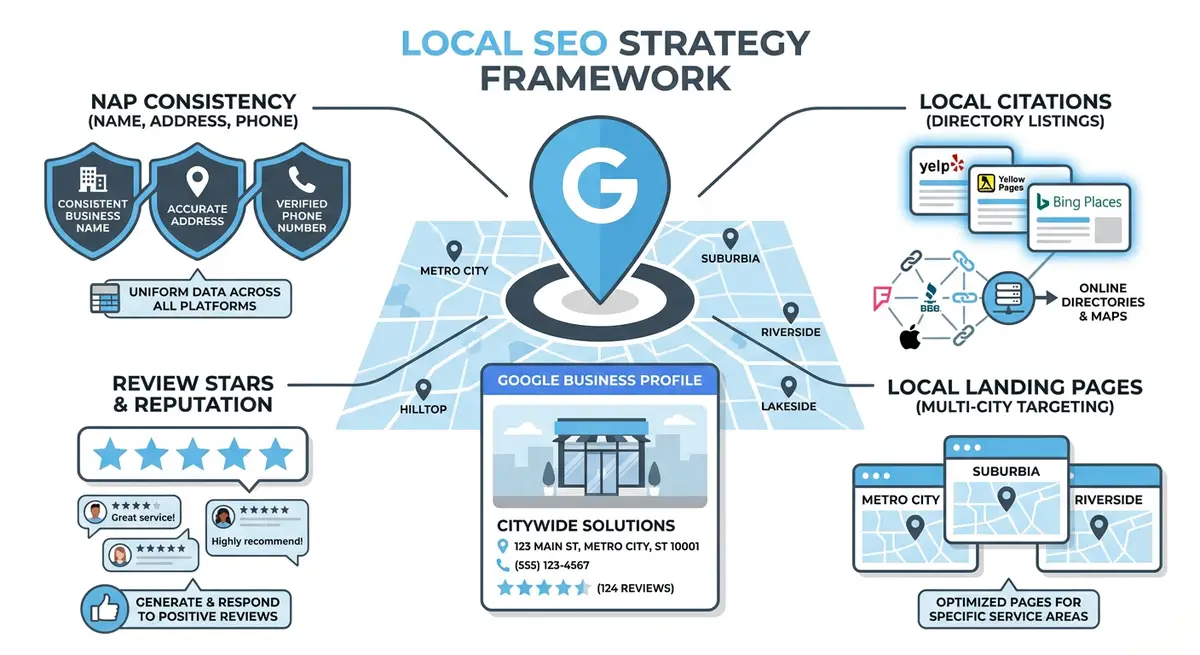
Google cross-references your business details across hundreds of websites to build confidence that your business is real, established and trustworthy. This verification process relies on NAP consistency: your business Name, Address and Phone number being identical across every online platform, directory, social profile and your own website. Even minor differences, "Street" versus "St", "Suite 4" versus "Ste 4", or using different phone number formats, create conflicting signals that can suppress your local rankings. Studies consistently show that NAP consistency is one of the top five local ranking factors. This lesson gives you the complete audit and correction process to ensure your business details are perfectly aligned across the entire web.
Why NAP Consistency Matters for Local Rankings
Google's local algorithm relies heavily on entity resolution: the process of determining that multiple mentions of a business across different websites refer to the same real-world entity. When your NAP is consistent, Google confidently associates all citations, reviews, backlinks and social mentions with your single business entity. When inconsistencies exist, Google's confidence drops and it may treat different listings as separate businesses, diluting your authority across fragmented profiles.
- Ranking impact: Moz's annual local ranking factors study consistently places NAP consistency in the top 5 local ranking signals. Businesses with high citation consistency outrank those with inconsistencies, all else being equal.
- Trust signals: Google uses NAP data from third-party sources to verify the information in your Google Business Profile. Consistent data across 50+ sources creates strong verification. Inconsistent data creates doubt.
- Knowledge Graph accuracy: your business entity in Google's Knowledge Graph is built from NAP data. Inconsistencies can prevent your Knowledge Panel from appearing or cause it to display incorrect information.
- Map Pack eligibility: businesses with conflicting address data may be excluded from the Map Pack entirely, as Google cannot confidently pinpoint their location.
- Review aggregation: reviews left on different platforms are associated with your business entity through NAP matching. Inconsistencies can prevent reviews from being attributed to your listing.
Creating Your Master NAP Document
Establishing your definitive business details
- Open a new document and title it "Master NAP - [Your Business Name]". This document becomes your single source of truth.
- Write your exact legal business name as it should appear everywhere. Decide whether to include "Ltd", "LLC" or similar. Most businesses omit it for cleaner branding, but choose one format and stick to it.
- Write your full street address with every detail specified: flat/suite number, building name, street number, street name (decide "Street" vs "St" and stick to it), city, county/region and full postcode.
- Write your primary phone number in a consistent format. Decide between formats: +44 161 123 4567, 0161 123 4567, or 0161-123-4567. Choose one and use it everywhere.
- Add your website URL (including https://www.), email address and any secondary phone numbers with their designated format.
- Document any business name variations that exist (trading names, abbreviated names) and note which is the canonical version.
- Include your Google Maps Plus Code and GPS coordinates for reference when setting up directory listings.
- Save this document in a shared location accessible to everyone who manages your business listings.
Conducting a Comprehensive NAP Audit
How to find every mention of your business online
- Search Google for your exact business name in quotes: "Your Business Name". Review every result on the first 5 pages, noting any directory listing, social profile or mention that displays your NAP.
- Search Google for your phone number (without quotes). This finds listings you may have forgotten about, especially older listings from previous addresses or phone numbers.
- Search Google for your street address (in quotes). This finds listings where your business name may differ but the address matches.
- Use BrightLocal's Citation Tracker (from approximately £29/month) to automatically scan hundreds of directories for your citations and flag inconsistencies.
- Use Whitespark's Local Citation Finder as an alternative. Enter your business name and city to discover citations across the web.
- Manually check the top 20 most important directories: Google Business Profile, Bing Places, Apple Maps, Yell.com, Thomson Local, Scoot, 192.com, FreeIndex, Yelp, Facebook, LinkedIn, Twitter/X, Instagram, Trustpilot, Companies House, your local Chamber of Commerce, TripAdvisor (if applicable), Checkatrade (if applicable), industry-specific directories.
- Check your own Wix site: contact page, footer, about page, location pages and structured data. Your own site inconsistencies are the most embarrassing and easiest to fix.
- Create a comprehensive audit spreadsheet with columns: Platform Name, URL of Listing, Business Name Listed, Address Listed, Phone Listed, Matches Master NAP (Yes/No), Login Available (Yes/No), Date Corrected, Notes.
The Most Common NAP Inconsistencies
- Business name variations: "Michael Andrews SEO" vs "Michael Andrews SEO Ltd" vs "M Andrews Digital" vs "Andrews SEO Services".
- Address abbreviations: "Street" vs "St", "Road" vs "Rd", "Avenue" vs "Ave", "Boulevard" vs "Blvd".
- Flat/suite formatting: "Suite 4" vs "Ste 4" vs "#4" vs "Unit 4".
- Phone number formats: "+44 161 123 4567" vs "0161 123 4567" vs "0161-123-4567" vs "(0161) 123 4567".
- Postcode spacing: "M1 1AA" vs "M11AA".
- Old addresses from before a business move that were never updated.
- Old phone numbers from before a number change that were never updated.
- Tracking phone numbers on some directories and the main number on others.
- Different information on the business's own website across different pages (contact page shows one address, footer shows a different format).
Fixing NAP Inconsistencies: Priority Order
How to systematically correct all inconsistencies
- Start with your own Wix website. Update your contact page, footer, about page and all location pages to match your Master NAP exactly. Update your LocalBusiness structured data.
- Fix Google Business Profile next. This is the most important external listing. Ensure every field matches your Master NAP precisely.
- Fix Apple Maps via Apple Business Connect. This is the second most important for iPhone/Siri users.
- Fix Bing Places. Third priority for Microsoft/Cortana users.
- Fix social media profiles: Facebook business page, LinkedIn company page, Twitter/X bio, Instagram business contact info.
- Fix top directories: Yell.com, Thomson Local, Yelp, Trustpilot, FreeIndex, Scoot.
- Fix industry-specific directories: Checkatrade, TripAdvisor, professional body listings.
- Fix local directories: Chamber of Commerce, local council business directories, regional listings.
- For platforms where you cannot log in, use the platform's "claim this listing" or "suggest an edit" feature. If neither is available, contact their support directly.
- For data aggregator-sourced listings you cannot edit, submit corrections to the four major data aggregators: Data Axle, Neustar Localeze, Foursquare and Factual.
- After fixing all listings, wait 4-6 weeks for changes to propagate across the web.
- Re-run your BrightLocal or Whitespark audit to verify all corrections have taken effect and no new inconsistencies have appeared.
Handling Past Addresses and Phone Numbers
If your business has moved or changed phone numbers, old citations with previous details are actively harmful. They create conflicting signals that confuse Google about your current location and contact information. Finding and correcting these legacy citations is critical.
- Search Google for your old address and old phone number to find legacy listings.
- Contact each directory hosting old information and request an update to your current details.
- If you cannot update a listing, request its removal entirely. A missing citation is better than an incorrect one.
- Set up a Google Alert for your old address and old phone number to catch any new citations that appear using outdated information.
- Submit your correct current details to all four major data aggregators to overwrite old data in the ecosystem.
NAP on Your Wix Site: Technical Implementation
- Display your full NAP in your site footer so it appears on every page. Use your exact Master NAP formatting.
- Create a dedicated contact page with your full NAP, embedded Google Map and contact form.
- Add LocalBusiness structured data to your site with your NAP details matching the Master NAP exactly.
- If you have multiple locations, each location should have its own page with its own NAP and LocalBusiness schema.
- Use HTML text for your NAP, not images. Google cannot read text embedded in images.
- Link your phone number with a tel: link so mobile users can tap to call.
- Ensure your Wix site's GBP link, Apple Maps link and directory links all use your canonical business name.
Ongoing NAP Monitoring
Setting up a quarterly NAP monitoring routine
- Set a quarterly calendar reminder to run a full NAP audit.
- Re-run your BrightLocal or Whitespark citation scan to check for new inconsistencies.
- Search Google for your business name, phone number and address to check for new or changed listings.
- Review your Master NAP document and confirm it is still accurate.
- Check that no team members have accidentally updated any directory with non-standard formatting.
- Verify that data aggregators have not overwritten your corrections with old data.
- Record audit results in your monitoring spreadsheet to track consistency over time.
FAQ: NAP Consistency
How many citations do I need for good local rankings?
Quality and consistency matter more than quantity. 30-50 consistent, accurate citations across authoritative directories is more valuable than 200 inconsistent citations. Focus on getting the top 50 directories right rather than chasing every obscure listing.
Does it matter if my business name includes "Ltd" on some listings?
Yes. Google treats "Michael Andrews SEO" and "Michael Andrews SEO Ltd" as potentially different businesses. Choose one format, document it in your Master NAP and use it everywhere. The business name should be identical character-for-character across all platforms.
Essential Tools for This Lesson
- BrightLocal Citation Tracker: Automated citation scanning across hundreds of directories with inconsistency detection
- Whitespark Local Citation Finder: Discover and audit your business citations across the web
- Moz Local: Check your NAP consistency score and manage listings across major platforms
- Google Business Profile: Verify and update your primary local listing NAP details
- SEO Fix in a Box: My Wix app. Free to install, it scans your site and shows what needs fixing, and paid plans write the fixes from your own Google searches
Was this lesson useful?
It takes 1 minute to tell me. The course is free and I want to keep it that way, and your feedback shows me what is working and helps other people find it.
This lesson on NAP consistency: Name, Address, Phone across every platform is part of Module 9: Local SEO Domination in The Most Comprehensive Complete Wix SEO Course in the World (2026 Edition). Created by Michael Andrews, a Wix Marketplace Legend Partner with 14 years of hands-on experience, 800 completed Wix SEO projects and 456 verified five-star reviews.