Multi-location SEO: ranking in multiple cities from one Wix site
Module 22: Advanced Wix SEO Strategies | Lesson 263 of 683 | 38 min read
By Michael Andrews, Wix SEO Expert UK
Businesses that serve multiple locations face a fundamental SEO challenge: how do you rank in different cities from a single Wix website? Creating a separate website for each location is impractical and dilutes your domain authority. But optimising a single page for multiple cities results in content that is too generic to rank anywhere. The solution is a structured multi-location strategy that creates dedicated city pages, implements location-specific schema markup, and builds local authority in each market without cannibalising your own rankings.
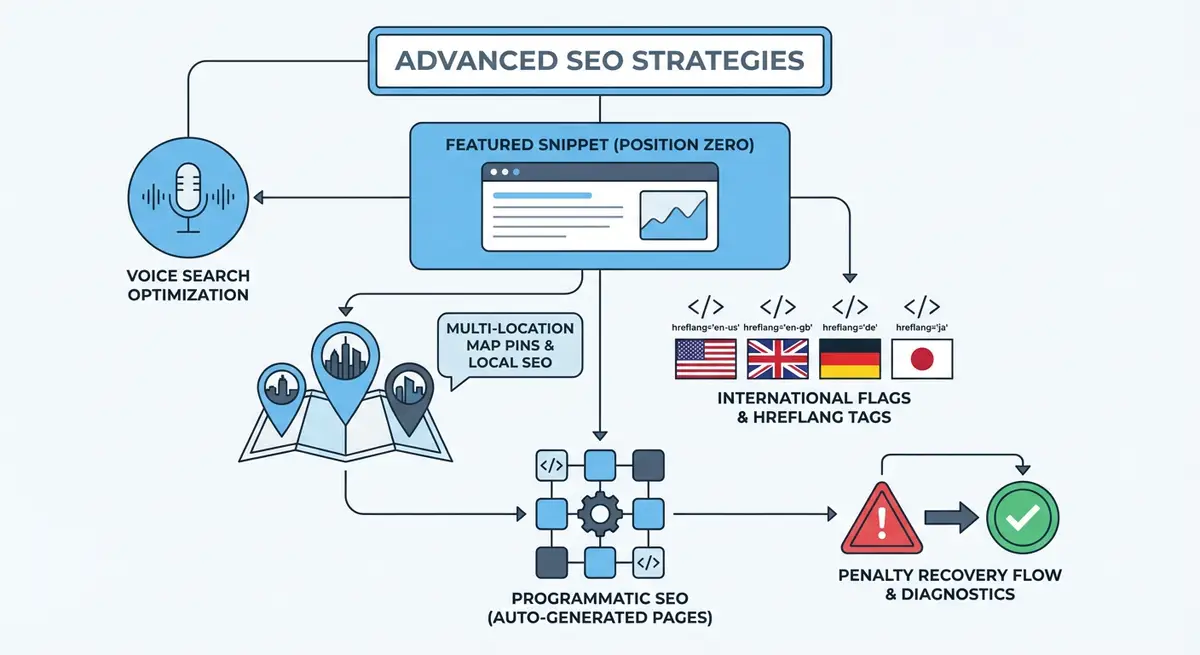
The Multi-Location Page Architecture
The foundation of multi-location SEO is creating dedicated pages for each city or area you serve. These are not thin doorway pages with the city name swapped out. Each location page must contain genuinely unique content that is relevant to that specific area. Google is exceptionally good at detecting templated location pages where only the city name changes, and it treats them as doorway pages that violate its quality guidelines.
Your site architecture should follow a clear hierarchy: a main service page that targets your primary keyword nationally or regionally, and individual city pages nested beneath it. For example, /seo-services as the parent page, with /seo-services/london, /seo-services/manchester, and /seo-services/birmingham as child pages. Each city page links back to the parent and to 2-3 related city pages.
Creating Genuinely Unique Location Pages
The difference between an effective location page and a penalisable doorway page comes down to unique value. A doorway page takes generic content and replaces [city] with each location name. An effective location page provides information specific to that city: local market conditions, area-specific challenges, local competitors, neighbourhood references, local landmarks and institutions, and case studies from clients in that area.
Content elements that make each location page unique
- Write a city-specific introduction that references local market conditions. "SEO for businesses in Manchester requires understanding the competitive digital landscape of the Northwest" is better than "We offer SEO services in Manchester".
- Include at least one case study or testimonial from a client in that specific city or surrounding area. This provides genuine local relevance.
- Reference local landmarks, business districts, or neighbourhoods when relevant. "We have helped businesses from the Northern Quarter to Salford Quays" demonstrates genuine local knowledge.
- Include local statistics or market data. "Manchester has over 98,000 registered businesses, with 67% now investing in digital marketing" adds unique value.
- Mention local business challenges specific to that city. Seasonal tourism impact in Brighton is different from the financial services focus in Edinburgh.
- Add a section about local competitors or the local competitive landscape without naming specific competitors.
- Include a Google Maps embed showing your office location or service area for that city.
- Write location-specific FAQs that address questions people in that city actually ask.
Location Page Title Tags and Meta Descriptions
Title tags for location pages should follow the format: [Service] in [City] - [Key Benefit] | [Brand]. For example, "SEO Services in Manchester - Grow Your Local Business | Andrews SEO". Each title must be unique and include the specific city name near the front for maximum relevance signals. Meta descriptions should mention the city, your key differentiator, and a call to action specific to that location.
- Include the city name in the title tag, H1, meta description, and URL slug.
- Use the exact city name that people search for. "London" not "Greater London Metropolitan Area".
- If you serve surrounding areas, mention them in the body content but keep the title focused on the primary city.
- For smaller towns near major cities, consider targeting the larger city in the title and mentioning the specific town in the content.
- Avoid keyword stuffing location pages with excessive city name repetition. Once in the title, once in the H1, and 3-5 times naturally in the body content is sufficient.
LocalBusiness Schema for Each Location
Each location page should carry its own LocalBusiness schema with the specific address, phone number, and geographic coordinates for that location. If you have physical offices in multiple cities, each schema should reflect the actual office details. If you serve a city remotely (a service area business), use the ServiceArea property to indicate the geographic coverage without implying a physical presence you do not have.
{
  "@context": "https://schema.org",
  "@type": "ProfessionalService",
  "name": "Andrews SEO - Manchester",
  "url": "https://yoursite.com/seo-services/manchester",
  "telephone": "+44-161-000-0000",
  "areaServed": {
    "@type": "City",
    "name": "Manchester",
    "containedInPlace": {
      "@type": "AdministrativeArea",
      "name": "Greater Manchester"
    }
  },
  "serviceType": ["SEO Services", "Local SEO", "Technical SEO"],
  "priceRange": "££",
  "aggregateRating": {
    "@type": "AggregateRating",
    "ratingValue": "4.9",
    "reviewCount": "47"
  },
  "parentOrganization": {
    "@type": "Organization",
    "name": "Andrews SEO",
    "url": "https://yoursite.com"
  }
}
Google Business Profile for Multiple Locations
Each physical location should have its own Google Business Profile. If you have offices in London, Manchester, and Birmingham, create three separate GBP listings, each with its own NAP data, photos, reviews, and posts. Link each GBP listing to the corresponding city page on your Wix site, not to the homepage. This creates a direct connection between your GBP presence and your location-specific landing page.
For service area businesses without a physical office in every city you serve, you need to be careful. Google only allows GBP listings for locations where you have a physical presence or where you travel to serve customers. You cannot create GBP listings for cities you serve remotely. Instead, rely on your location pages, local citations, and targeted content to build visibility in those markets.
Building Local Authority in Each Market
How to build local SEO authority in multiple cities
- Join local business directories and chambers of commerce in each target city. Each listing is a local citation that builds relevance.
- Get listed in city-specific business directories and industry directories for each location you serve.
- Create content about local events, news, or industry developments specific to each city. A blog post about "Digital Marketing Trends in Manchester 2026" builds local topical authority.
- Seek local backlinks from each city: local news sites, community blogs, business associations, and local event pages.
- Encourage location-specific reviews. When asking clients for reviews, suggest they mention the city in their review text, which adds local keyword signals.
- Sponsor or participate in local events in your target cities. Event sponsorship often includes a backlink from the event website.
- Create local partnerships with complementary businesses in each city for cross-referral and co-marketing opportunities.
NAP Consistency Across Locations
Name, Address, Phone (NAP) consistency is critical for multi-location businesses. Each location must have a consistent NAP across your Wix site, Google Business Profile, directory listings, and social media profiles. Inconsistencies confuse Google about which location information is accurate and can suppress your local rankings. Create a master NAP document for each location and use it as the source of truth for all listings.
Content Strategy for Multi-Location Sites
Beyond individual location pages, your content strategy should support multi-location visibility. Blog posts can target location-specific long-tail keywords: "best restaurants for SEO client meetings in Manchester" or "digital marketing scene in Birmingham 2026". Case studies tagged by location build topical authority in each market. Local guides and resources demonstrate genuine expertise in each area you serve.
Create a content calendar that rotates focus across your target cities. If you publish weekly blog posts, ensure each city gets at least one city-relevant piece per month. This prevents concentration bias where your content builds authority only in your primary location while other cities receive no supporting content.
Multi-Location SEO Tools
- BrightLocal: Local SEO platform for managing citations, tracking rankings, and auditing locations
- Whitespark: Local citation finder and Google Business Profile audit tools
- Google Business Profile Manager: Manage multiple GBP listings from a single dashboard
Complete How-To Guide: Multi-Location SEO for Wix
How to build a multi-location SEO strategy from a single Wix website
- Step 1: List all cities and regions you want to target. Prioritise by revenue potential and current demand. Select your top 3-5 cities to start with.
- Step 2: Create a main service page that targets your primary keyword nationally: /seo-services. This parent page covers your service broadly without location targeting.
- Step 3: Create individual city pages nested under the parent: /seo-services/london, /seo-services/manchester, etc. Use Wix page hierarchy to establish the parent-child relationship.
- Step 4: Write genuinely unique content for each city page. Include local market data, area-specific challenges, local case studies or testimonials, neighbourhood references, and a Google Maps embed.
- Step 5: Implement LocalBusiness schema on each city page with location-specific details: address (or service area), phone number, service types, and any location-specific reviews.
- Step 6: Create or claim a Google Business Profile for each location where you have a physical presence. Link each GBP to its corresponding city page on your Wix site.
- Step 7: Build local citations for each target city. Submit your business to city-specific directories, local chambers of commerce, and industry directories in each market.
- Step 8: Ensure NAP consistency for each location across your Wix site, GBP, and all directory listings. Create a master NAP document for each location.
- Step 9: Build a content calendar that creates city-specific blog posts and resources for each target location. Aim for at least one location-relevant blog post per city per month.
- Step 10: Seek local backlinks in each target city through business associations, local event sponsorships, community partnerships, and local press coverage.
- Step 11: Encourage location-specific reviews from clients in each city. Suggest they mention the city in their review to add local keyword signals.
- Step 12: Monitor rankings for location-specific keywords in each city using a rank tracking tool with location-based search settings. Track progress monthly and expand to additional cities once your primary locations are ranking well.
Was this lesson useful?
It takes 1 minute to tell me. The course is free and I want to keep it that way, and your feedback shows me what is working and helps other people find it.
This lesson on Multi-location SEO: ranking in multiple cities from one Wix site is part of Module 22: Advanced Wix SEO Strategies in The Most Comprehensive Complete Wix SEO Course in the World (2026 Edition). Created by Michael Andrews, a Wix Marketplace Legend Partner with 14 years of hands-on experience, 800 completed Wix SEO projects and 456 verified five-star reviews.