Local landing pages that dominate city and town searches
Module 9: Local SEO Domination | Lesson 112 of 683 | 60 min read
By Michael Andrews, Wix SEO Expert UK
Local landing pages are one of the most effective ways to expand your geographic reach without opening new offices or hiring local staff. A well-crafted local landing page targets "[service] + [city]" search queries, allowing your Wix site to rank in multiple locations simultaneously. The key word is "well-crafted." Google has become exceptionally good at detecting thin, template-based location pages where only the city name changes. These pages not only fail to rank but can actively harm your site's overall SEO performance through thin content penalties. This lesson teaches you how to create genuinely valuable local landing pages that pass Google's quality standards, rank competitively and convert local visitors into customers.
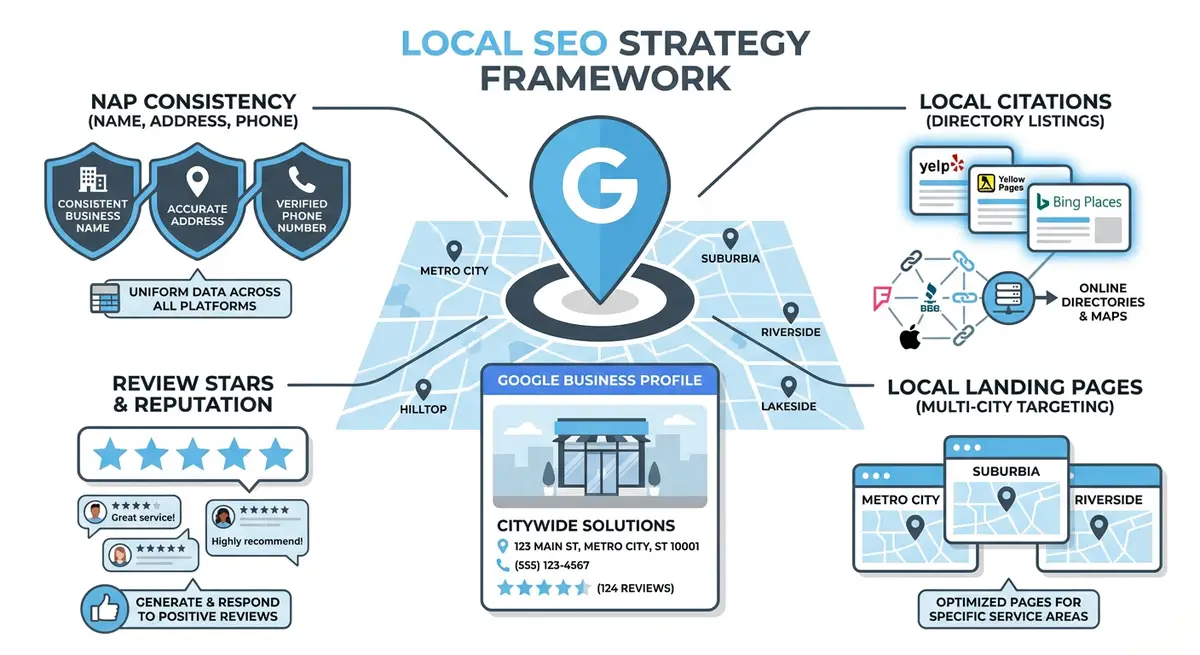
The Difference Between Good and Bad Location Pages
Google's Helpful Content system specifically targets low-quality location pages. The line between helpful and harmful is clear: a good location page provides genuine value to someone in that specific area, while a bad one is a template with the city name swapped in. Understanding this distinction is critical before creating a single page.
- Good location page: unique content about how your service relates to that specific area, local case studies, area-specific advice, references to local landmarks and conditions, genuine local knowledge that could only come from serving that area.
- Bad location page: identical body text across all location pages with only the city name changed, no local case studies, no area-specific information, generic stock photos, no evidence of actual service in that area.
- Google's quality test: could a human reader tell which city this page is about if the city name were removed? If the answer is no, the page is thin content.
- The minimum uniqueness threshold: at least 60% of the body content should be unique to each location page. The remaining 40% can share common service information, but the majority must be location-specific.
Choosing Which Locations to Target
Location selection process
- List every city, town and suburb where you have actually provided services or could realistically serve customers.
- Research search volume for "[your service] [location]" using Google Keyword Planner, Ahrefs or Ubersuggest for each potential location.
- Assess competition by searching each phrase manually. Note how many competitors have dedicated location pages and how strong their content is.
- Prioritise locations by: search volume, competition level, proximity to your base, existing client relationships in the area and revenue potential.
- Start with 5-10 highest-priority locations rather than creating 50 thin pages at once. Quality over quantity.
- Create a spreadsheet tracking: location, target keyword, monthly search volume, competition level, unique content angle and creation status.
The Local Landing Page Template
Every location page should follow a consistent structure while containing unique content. This template ensures completeness while making it clear what needs to be unique for each location.
- H1: "[Service] in [City]" - clear, keyword-rich and specific. Example: "Professional Plumbing Services in Manchester".
- Unique introductory paragraph (150+ words): describe how your service relates to this specific area. Reference local factors, conditions or needs.
- Why [City] businesses/residents need [service] section (200+ words): area-specific reasons, local challenges, local market conditions.
- Your experience in [City] section (200+ words): when you started serving the area, how many clients you have there, specific projects completed.
- Local case study (300+ words): a real project in or near that city with specific details, challenges, solutions and results.
- Local testimonial: a genuine review from a client in that area with their name and location attributed.
- Services available in [City]: your full service list with any location-specific variations or popular services in that area.
- Service area details: which surrounding areas, suburbs and postcodes you cover from this base.
- Embedded Google Map: showing your service coverage or office location in that city.
- LocalBusiness or Service schema: structured data with areaServed targeting that specific city.
- Internal links: to your main service page, related blog posts and adjacent location pages.
- Clear CTA: "Get a Free Quote for [Service] in [City]" with a contact form or phone number.
Writing Unique Content for Each Location
Creating genuinely unique content for 10-20 location pages requires research and local knowledge. Here are specific strategies for generating unique content for each area without resorting to template-swapping.
- Local area research: visit the council website for each target city and note local planning developments, demographics, housing stock characteristics and business environment.
- Local case studies: pull from your actual client history. Even if you have only served one client in an area, that single case study makes the page unique and credible.
- Local market conditions: describe the competitive landscape, typical pricing, common problems and unique needs specific to that area.
- Local landmarks and references: mention neighbourhoods, high streets, shopping centres, transport hubs and landmarks that locals recognise. This proves authentic local knowledge.
- Local statistics: include area-specific data such as population, number of businesses, property types, average property values or other relevant statistics from ONS or local council data.
- Local questions: research what people in that area commonly ask by checking Google's "People Also Ask" for "[service] [city]" searches.
- Seasonal considerations: mention any area-specific seasonal factors that affect your service (e.g., a coastal town may have different plumbing challenges in winter).
- Local partnerships: mention any local suppliers, partners or professional networks you work with in that area.
Creating Location Pages on Wix: Technical Setup
How to build location pages in the Wix Editor
- In the Wix Editor, create a new page for each location using Add Page > Blank Page.
- Set the page URL slug to a descriptive format: /your-service-city-name (e.g., /plumbing-services-manchester).
- Place the page in your site navigation under a "Locations" or "Areas We Serve" dropdown menu.
- Set the page title tag: "[Service] in [City] | [Business Name]" keeping it under 60 characters.
- Write a unique meta description for each page including the service, city and a call to action.
- Set the H1 heading using the "Heading 1" text style in the Wix Editor.
- Structure your content with H2 and H3 subheadings that include the location name where natural.
- Add your Google Maps embed using an HTML embed element with loading="lazy" for performance.
- Add images relevant to the local area with descriptive alt text including the location name.
- Add LocalBusiness or Service schema markup using Wix Custom Code placed in the page head.
- Link the location page from your homepage, main service page and relevant blog posts.
- Add breadcrumb navigation showing Home > Services > [City] Service for clear hierarchy.
Using Wix Dynamic Pages for Scalable Location Pages
If you need to create a large number of location pages (20+), Wix CMS dynamic pages can help you manage them more efficiently. However, you must still ensure each page has unique content. Dynamic pages template the layout, but the content in each CMS collection item must be individually written.
Setting up dynamic location pages with Wix CMS
- Create a new CMS collection called "Locations" with fields for: city name, URL slug, page title, meta description, intro text, main body content, case study text, testimonial text, map embed code, hero image and schema data.
- Fill in each collection item with genuinely unique content for every field. Do not copy-paste between items.
- Create a dynamic item page template that pulls data from each field in the collection.
- Connect each page element to the corresponding collection field.
- Preview several location pages to ensure the unique content renders correctly for each city.
- Set up SEO patterns in Wix so each dynamic page gets its unique title tag, meta description and URL slug from the collection data.
- Verify each page individually to ensure no two pages share duplicate content.
Local Schema Markup for Location Pages
{
  "@context": "https://schema.org",
  "@type": "Service",
  "name": "Plumbing Services in Manchester",
  "provider": {
    "@type": "LocalBusiness",
    "name": "Your Business Name",
    "telephone": "+44-161-123-4567",
    "url": "https://yoursite.com"
  },
  "areaServed": {
    "@type": "City",
    "name": "Manchester",
    "containedInPlace": {
      "@type": "AdministrativeArea",
      "name": "Greater Manchester"
    }
  },
  "description": "Professional plumbing services for homes and businesses across Manchester and surrounding areas.",
  "serviceType": "Plumbing"
}
Add this schema to each location page using Wix Custom Code in the page head. Customise the city name, service details and provider information for each page.
Internal Linking Between Location Pages
- Link from each location page to your main service page using descriptive anchor text.
- Link from your main service page to each location page in a "Areas We Serve" section.
- Cross-link between adjacent location pages: "We also serve nearby Birmingham" from your Manchester page.
- Link from relevant blog posts to location pages when the content is geographically relevant.
- Add a "Areas We Serve" section in your site footer linking to all location pages.
- Use breadcrumb navigation on every location page to create hierarchical internal links.
- Do not link every location page to every other location page; link only to geographically adjacent areas.
Content Refresh Strategy for Location Pages
Location pages need regular updates to maintain rankings. Local markets change, new competitors appear and your own experience in each area grows over time.
- Quarterly: review each location page for outdated statistics, old case studies or changed local conditions.
- After every project in a location: add the new case study to that location page.
- After every review from a location: add the testimonial to the relevant location page.
- Annually: refresh all location pages with current year data, new photos and updated market information.
- Monitor GSC performance for each location page. Pages showing declining traffic are priority refresh candidates.
FAQ: Local Landing Pages on Wix
How many location pages should I create?
Only create pages for locations where you can provide genuinely unique, valuable content. Start with 5-10 high-priority locations. If you cannot write at least 800 words of unique content for a location, do not create a page for it. Five excellent location pages outperform fifty thin ones.
Can I use AI to write unique content for each location page?
AI can help with research and initial drafts, but the unique value must come from your real experience: actual case studies, genuine local knowledge and authentic testimonials. Use AI to structure and polish, but inject your real experience into every page.
Should location pages target the Map Pack or organic results?
Location pages primarily target organic results for "[service] [city]" searches. Map Pack rankings are driven by your Google Business Profile, not your website pages. However, well-optimised location pages can support your Map Pack presence by reinforcing local relevance signals.
Essential Tools for This Lesson
- Google Keyword Planner: Research search volumes for "[service] [city]" keyword variations
- Google Search Console: Monitor indexing and performance of each location page
- Google Rich Results Test: Validate the LocalBusiness or Service schema on each location page
- ONS Area Statistics: Find local area statistics and data for unique location page content
Was this lesson useful?
It takes 1 minute to tell me. The course is free and I want to keep it that way, and your feedback shows me what is working and helps other people find it.
This lesson on Local landing pages that dominate city and town searches is part of Module 9: Local SEO Domination in The Most Comprehensive Complete Wix SEO Course in the World (2026 Edition). Created by Michael Andrews, a Wix Marketplace Legend Partner with 14 years of hands-on experience, 800 completed Wix SEO projects and 456 verified five-star reviews.