Keyword mapping: assigning the right keywords to every page
Module 3: Keyword Research Masterclass | Lesson 28 of 683 | 50 min read
By Michael Andrews, Wix SEO Expert UK
Keyword mapping is the process of assigning one primary keyword and supporting secondary keywords to each page on your Wix site. It is the bridge between keyword research and actual implementation. Without a keyword map, you end up with pages competing against each other (cannibalisation), pages with no clear keyword target (wasted SEO opportunity), and a site structure that confuses both Google and your visitors. A well-built keyword map is the most important strategic document in your SEO toolkit. It governs what content you create, how you optimise existing pages, and where you focus your link building efforts. This lesson teaches you how to build a comprehensive keyword map for your Wix site from scratch.
Why Every Wix Site Needs a Keyword Map
- Prevents Keyword Cannibalisation: Without a map, it is easy to accidentally target the same keyword on multiple pages. When two of your pages compete for the same keyword, Google has to choose between them, and often ranks neither well.
- Ensures Full Topic Coverage: A keyword map reveals gaps, keywords with no assigned page. These gaps represent missed traffic and revenue.
- Guides Content Creation: Instead of randomly choosing blog topics, your keyword map tells you exactly what content to create next and what keyword each piece targets.
- Aligns Team Efforts: If multiple people create content for your Wix site, the keyword map ensures everyone targets different keywords and works toward the same strategy.
- Measures Progress: With one primary keyword per page, you can clearly track whether each page is ranking well for its target keyword.
- Informs Internal Linking: Your keyword map shows the topical relationships between pages, making it clear which pages should link to each other.
- Prevents Wasted Effort: Without a map, you might spend hours optimising a page for a keyword that another page already targets better.
The Golden Rule: One Primary Keyword Per Page
Each page on your Wix site should target exactly one primary keyword. This does not mean the page only mentions that keyword. It means all the major SEO signals on that page, the title tag, H1 heading, meta description, URL slug, and the dominant topic of the content, are aligned with one primary keyword. Every page also gets 3-5 secondary keywords (semantic variations and related terms) that are used naturally throughout the content.
Primary Keywords vs Secondary Keywords
- Primary Keyword: The main keyword you want this page to rank for. It appears in the title tag, H1, meta description, URL, and first paragraph. Example: "wix seo services".
- Secondary Keywords: Related terms and semantic variations that support the primary keyword. They appear naturally in H2 headings, body text, and image alt text. Examples: "wix search engine optimisation", "seo for wix websites", "wix seo help".
- LSI (Latent Semantic Indexing) Keywords: Contextually related terms that help Google understand the topic comprehensively. They do not contain the primary keyword but are topically relevant. Examples: "organic rankings", "google search console", "meta tags", "backlinks".
- A single page should have: 1 primary keyword, 3-5 secondary keywords, and naturally incorporate 10-20 LSI terms.
Building Your Keyword Map: Step-by-Step
Step 1: Inventory Your Existing Wix Pages
How to create a complete page inventory
- Open a new Google Sheets or Excel spreadsheet
- Create columns: Page URL, Page Title, Page Type (service/blog/about/etc.), Current H1, Primary Keyword, Secondary Keywords, Search Volume, Difficulty, Current Position, Status
- List every page on your Wix site. Include: homepage, service pages, about page, contact page, blog posts, portfolio pages, location pages, and any other indexed pages.
- The easiest way to find all indexed pages: go to Google and search "site:yourdomain.com". Every result is an indexed page.
- Alternatively, go to Google Search Console > Pages to see all pages Google has indexed.
- Also check your Wix Dashboard > SEO > Pages for a complete list of pages with their SEO settings.
- Do not forget to include pages that are indexed but maybe should not be (thin pages, duplicate pages, test pages).
Step 2: Identify Current Keyword Assignments
How to find what keywords your pages currently target
- For each page in your inventory, check the current title tag and H1. These should reveal the intended primary keyword.
- Open Google Search Console > Performance. Click on each page in the "Pages" tab, then switch to "Queries" to see what keywords Google already associates with that page.
- If a page is getting impressions for keywords that do not match its intended target, there may be an intent mismatch or cannibalisation issue.
- For pages that rank for their target keyword, note the current position in the "Current Position" column.
- For pages that do not rank for any meaningful keywords, mark them as "Needs Keyword Assignment" in the Status column.
- For blog posts, the title often reveals the keyword target. For service pages, look at the H1 and meta description.
Step 3: Assign Primary Keywords to Every Page
How to assign the right primary keyword to each page
- Start with your homepage. Your homepage primary keyword should be your most important brand or service keyword (e.g., "wix seo expert" or "plumber manchester").
- Assign primary keywords to service pages next. Each service page should target one specific service keyword with transactional intent.
- Assign primary keywords to blog posts. Each blog post should target one informational or commercial investigation keyword.
- For location pages, assign location-specific keywords (e.g., "plumber didsbury", "plumber chorlton").
- CRITICAL: Check for duplicates after assigning all keywords. No two pages should share the same primary keyword.
- If two pages target the same keyword, decide which page is stronger and either redirect/merge the weaker one or change its primary keyword.
- For pages where no keyword fits well, consider whether the page adds value. If not, consider removing or consolidating it.
Step 4: Add Secondary Keywords
How to assign secondary keywords
- For each page, identify 3-5 secondary keywords that are semantic variations of the primary keyword
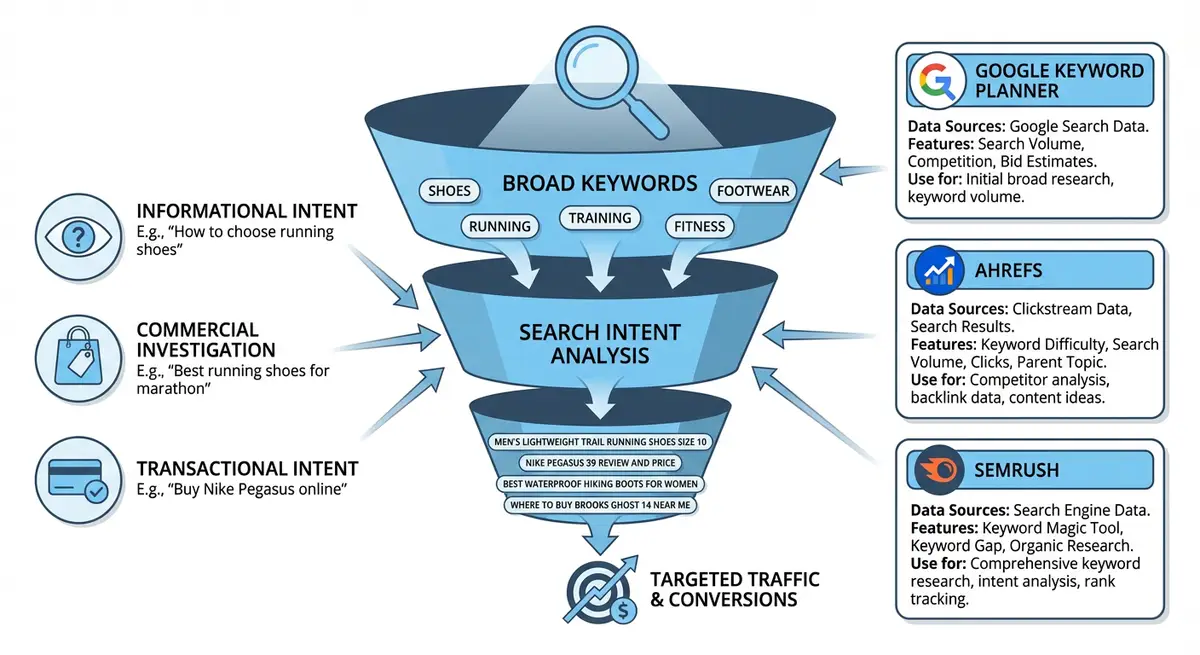
- Use keyword research tools (Ubersuggest, Google Keyword Planner, Ahrefs) to find related terms
- Check the "Related searches" at the bottom of Google for the primary keyword
- Check "People Also Ask" questions related to the primary keyword
- Secondary keywords should be close variations, not entirely different topics. If your primary is "wix seo services", secondary might be "wix seo help", "wix website seo", "seo for wix sites".
- Add these to the "Secondary Keywords" column in your spreadsheet
Step 5: Identify Keyword Gaps
How to find keywords that need new pages
- Review your master keyword research spreadsheet (from previous lessons)
- Compare every target keyword against your keyword map
- Any keyword that does not have an assigned page is a "gap"
- Create a new tab called "Content Gaps" listing all unassigned keywords
- Prioritise gaps by search volume and difficulty: high volume + low difficulty = create this page first
- For each gap keyword, decide the appropriate page type: blog post (informational), service page (transactional), comparison page (commercial), or location page (local)
- These gap keywords become your content creation calendar
Identifying and Fixing Keyword Cannibalisation
Keyword cannibalisation occurs when two or more of your own pages compete for the same keyword. This confuses Google because it does not know which page to rank, often resulting in both pages ranking lower than either would alone. Cannibalisation is one of the most common and damaging SEO issues on Wix sites.
How to Detect Cannibalisation
Cannibalisation detection methods
- Method 1 (GSC): In Google Search Console, go to Performance. Filter by a specific keyword query. Click the "Pages" tab. If multiple pages appear for the same keyword, you have cannibalisation.
- Method 2 (Google): Search "site:yourdomain.com [keyword]" in Google. If multiple pages appear, Google is confused about which page to show.
- Method 3 (Keyword Map Review): Scan your keyword map for any keyword that appears as the primary keyword for more than one page.
- Method 4 (Position Fluctuation): If a page position fluctuates between, say, position 5 and position 15, it may be swapping with another page on your site (Google is testing which one to show).
- Check your top 20 most important keywords for cannibalisation first, as these have the biggest impact on traffic.
How to Fix Cannibalisation on Wix
- Option 1 - Differentiate: Change the primary keyword of the weaker page to a related but different keyword. Re-optimise its title tag, H1, and content for the new keyword.
- Option 2 - Consolidate: Merge the content of both pages into the stronger page, creating one comprehensive page. Set up a 301 redirect from the weaker page URL to the stronger one.
- Option 3 - Canonical: If you need both pages to exist (e.g., a blog post and a service page on the same topic), add a canonical tag on the less important page pointing to the primary page. This tells Google which page to prioritise.
- Option 4 - Delete: If the weaker page is low-quality and provides no unique value, simply delete it and redirect to the stronger page.
- After fixing cannibalisation, monitor positions in GSC for 4-8 weeks. You should see the remaining page improve in rankings.
Keyword Map Template
Here is the exact spreadsheet structure I use for client keyword maps. Create this in Google Sheets for easy collaboration and updating.
- Column A: Page URL (the full URL of the page)
- Column B: Page Title (the current title tag)
- Column C: Page Type (homepage/service/blog/about/location/etc.)
- Column D: Primary Keyword (one keyword per page, no duplicates)
- Column E: Secondary Keywords (3-5 related terms, comma-separated)
- Column F: Search Volume (monthly searches for primary keyword)
- Column G: Keyword Difficulty (KD score from your tool of choice)
- Column H: Search Intent (informational/commercial/transactional/local)
- Column I: Current Position (from GSC, updated monthly)
- Column J: Target Position (your goal position for this keyword)
- Column K: Status (colour-coded: Green = ranking well, Amber = needs improvement, Red = not ranking, Blue = new page needed)
- Column L: Notes (any specific optimisation actions needed)
Maintaining Your Keyword Map Over Time
How to keep your keyword map current and effective
- Update positions monthly from Google Search Console data
- When you publish a new page, immediately add it to the keyword map with its primary keyword
- Before creating any new content, check the keyword map first to avoid cannibalisation
- Quarterly: review all unranked pages (red status) and decide whether to optimise, redirect, or delete them
- Quarterly: run a fresh keyword gap analysis to find new opportunities
- When you discover new keywords from GSC (accidental rankings), add them to the map and assign them to appropriate pages
- Share the keyword map with anyone who creates content for your site so they can check for conflicts before writing
- Archive outdated versions of the map quarterly so you can track progress over time
Keyword Mapping for Different Wix Page Types
Homepage Keyword Mapping
Your Wix homepage should target your most important brand or broad service keyword. For a local business, this is often "[service] [location]" (e.g., "plumber manchester"). For a broader business, it might be your brand name + primary service (e.g., "Michael Andrews Wix SEO Expert"). The homepage typically has the most authority on your site, so its primary keyword should be your most competitive target.
Service Page Keyword Mapping
Each service page targets one specific service keyword with transactional intent. Do not combine multiple services on one page if they have separate keyword targets. "Wix SEO Audit" and "Wix SEO Monthly Management" should be separate pages with separate primary keywords, not combined onto a single "Wix SEO Services" page.
Blog Post Keyword Mapping
Each blog post targets one informational or commercial investigation keyword. Plan blog posts specifically to fill keyword gaps in your map. A blog post about "how to add schema markup to wix" fills the informational gap for users who might eventually need your schema markup service.
Location Page Keyword Mapping
Each location page targets one "[service] [location]" keyword. For businesses serving multiple areas, create dedicated pages for each area with unique content. Do not simply swap the city name and reuse the same content, Google penalises duplicate content. Each location page should have unique testimonials, area-specific information, and relevant local details.
Complete How-To Guide: Creating a Keyword Map for Your Wix Site
This guide walks through building a keyword map that assigns primary and supporting keywords to every page, eliminating cannibalisation and revealing content gaps.
Follow these steps to create a keyword map for your Wix site
- Create a new Google Sheets spreadsheet with columns: Page URL, Page Title, Page Type, Primary Keyword, Secondary Keywords, Search Volume, Difficulty, Intent, Current Position, Target Position, Status, Notes.
- List every existing page on your Wix site by searching "site:yourdomain.com" in Google and checking your Wix Dashboard.
- For each page, check the current title tag and H1 to identify its intended primary keyword.
- Open Google Search Console Performance and check which keywords each page actually ranks for. Note any mismatches between intended and actual keywords.
- From your keyword research spreadsheet, assign one unique primary keyword to each page. No two pages should share the same primary keyword.
- Add 3-5 secondary keywords as semantic variations for each page using data from keyword tools and Google Related Searches.
- Fill in search volume and difficulty data for each primary keyword from your keyword research tools.
- Classify the intent of each primary keyword: informational, commercial investigation, transactional, or local.
- Search each primary keyword in GSC to check if multiple of your pages appear for the same query (cannibalisation). Flag any instances.
- For cannibalisation issues, decide which page should own the keyword and redirect, re-optimise, or delete the competing page.
- Compare your keyword map against your full keyword research list to identify gaps: keywords with no assigned page.
- Create a "Content Gaps" tab listing all unassigned keywords with their volume, difficulty, and intended page type.
- Prioritise gap keywords: high volume + low difficulty = immediate content creation priority.
- Colour-code the Status column: green for ranking top 3, light green for positions 4-10, amber for 11-20, red for 21+ or not ranking.
- Share the keyword map with all content creators to prevent future cannibalisation.
- Update positions monthly from GSC data and review the map quarterly for new gaps and opportunities.
Frequently Asked Questions
How many keywords should I target total on my Wix site?
Your total keyword count equals your total page count because each page targets one primary keyword. A typical small business Wix site with 20-30 pages targets 20-30 primary keywords. As you add blog posts and location pages, this number grows. There is no upper limit as long as each page provides genuine value.
What if two keywords are very similar but not identical?
Search the keywords in Google. If the same pages rank in the top 5 for both keywords, Google considers them the same intent and they should target the same page (one as primary, one as secondary). If different pages rank, they represent different intent and can target different pages.
Should I update my keyword map if a page starts ranking for a different keyword than intended?
Yes, but carefully. If Google ranks your page for a better keyword (higher volume, better fit), consider updating your keyword map to reflect this and re-optimise the page for the new keyword. If Google ranks it for an irrelevant keyword, this usually indicates a content or intent problem that needs fixing.
How does keyword mapping work with Wix dynamic pages?
Wix dynamic pages (like individual blog posts, product pages, or collection pages) each need their own keyword assignment in your map. The collection page itself targets a category keyword, while each item page targets a specific keyword. For example, a blog category page targets "wix seo tips" while each blog post targets a specific tip keyword.
Before you map a keyword to a page, check its intent. What is search intent? explains the four types and how to match each one to a Wix page.
Tools for Keyword Mapping
- Google Search Console: Essential: shows which keywords each page ranks for and identifies cannibalisation
- Google Sheets: Build your keyword map spreadsheet here for free collaboration and easy updating
- Ahrefs Site Explorer: Shows all organic keywords for any page or domain for competitor keyword mapping
- SEMrush Position Tracking: Automatically tracks keyword rankings over time for all your mapped keywords
- SEO Fix in a Box: My Wix app. Free to install, it scans your site and shows what needs fixing, and paid plans write the fixes from your own Google searches
Was this lesson useful?
It takes 1 minute to tell me. The course is free and I want to keep it that way, and your feedback shows me what is working and helps other people find it.
This lesson on Keyword mapping: assigning the right keywords to every page is part of Module 3: Keyword Research Masterclass in The Most Comprehensive Complete Wix SEO Course in the World (2026 Edition). Created by Michael Andrews, a Wix Marketplace Legend Partner with 14 years of hands-on experience, 800 completed Wix SEO projects and 456 verified five-star reviews.