International SEO on Wix: hreflang, subfolders and limitations
Module 22: Advanced Wix SEO Strategies | Lesson 264 of 683 | 35 min read
By Michael Andrews, Wix SEO Expert UK
International SEO enables your Wix site to rank in multiple countries and languages. Whether you are a UK business expanding into the US, Australian, and Canadian markets, or a service provider offering multilingual content, getting international SEO right determines whether Google shows the correct version of your site to the right audience. Wix provides built-in multilingual support through Wix Multilingual, but international SEO involves far more than translation. This lesson covers hreflang implementation, URL structure decisions, content localisation strategy, and the specific limitations you need to work around on the Wix platform.
Understanding Hreflang: The Foundation of International SEO
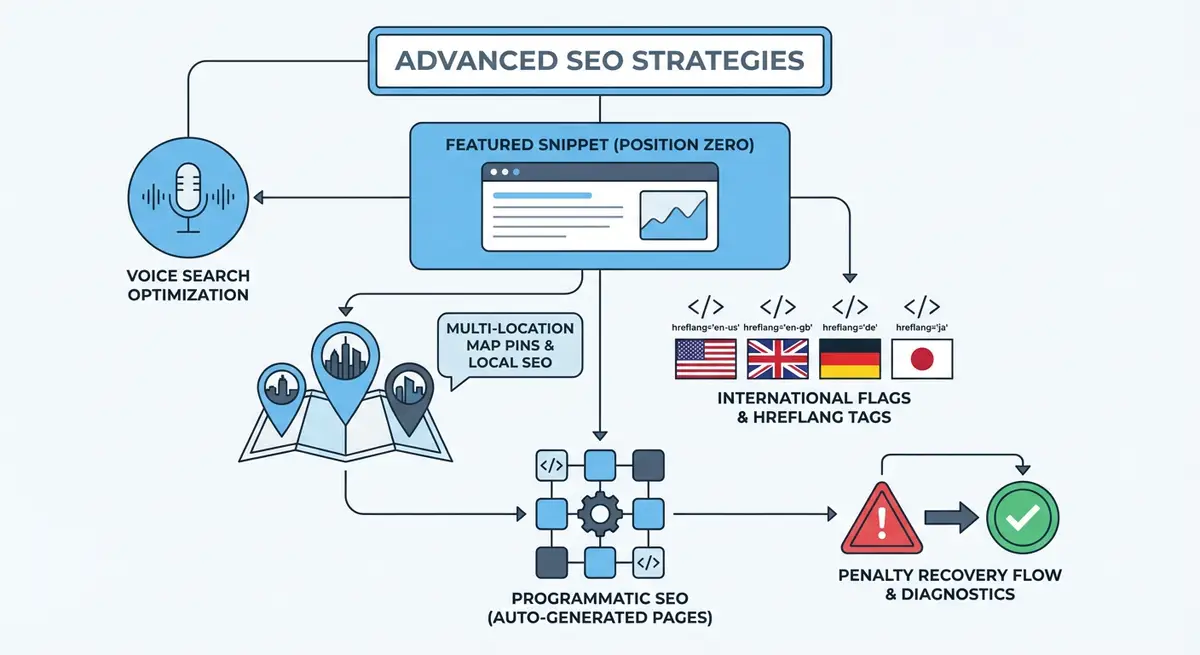
Hreflang is an HTML attribute that tells Google which language and geographic region a specific page targets. When implemented correctly, it ensures that French-speaking users in France see your French page, English-speaking users in the UK see your British English page, and English-speaking users in the US see your American English page. Without hreflang, Google guesses which version to show, often incorrectly, leading to the wrong language appearing in search results for a given market.
Hreflang uses a two-part code: language and optional region. "en" targets English speakers globally. "en-GB" targets English speakers in the UK. "en-US" targets English speakers in the US. "fr" targets French speakers globally. "fr-CA" targets French speakers in Canada. Every page that has alternate language or regional versions must include hreflang tags pointing to all versions, including itself. This bidirectional requirement is the most common source of hreflang errors.
<link rel="alternate" hreflang="en-gb" href="https://yoursite.com/services" />
<link rel="alternate" hreflang="en-us" href="https://yoursite.com/us/services" />
<link rel="alternate" hreflang="en-au" href="https://yoursite.com/au/services" />
<link rel="alternate" hreflang="fr" href="https://yoursite.com/fr/services" />
<link rel="alternate" hreflang="x-default" href="https://yoursite.com/services" />URL Structure Options for International Wix Sites
There are three main URL structures for international sites: country-code top-level domains (ccTLDs), subdomains, and subfolders. Each has distinct advantages and limitations on Wix.
- ccTLDs (yoursite.co.uk, yoursite.com.au): Strongest geo-targeting signal. Each domain builds authority independently, which means starting from zero for each new country. Expensive and complex to manage multiple domains on Wix.
- Subdomains (uk.yoursite.com, au.yoursite.com): Moderate geo-targeting signal. Google treats subdomains as semi-independent entities, partially sharing authority with the main domain. Not natively supported by Wix Multilingual.
- Subfolders (yoursite.com/uk/, yoursite.com/au/): Weakest inherent geo-targeting signal but benefits from the main domain authority. This is the structure Wix Multilingual uses and is the recommended approach for most Wix sites.
For the vast majority of Wix sites, subfolders are the correct choice. They consolidate all domain authority under one root domain, are natively supported by Wix Multilingual, and are the easiest to manage. The geo-targeting limitation of subfolders is offset by proper hreflang implementation and Google Search Console international targeting settings.
Using Wix Multilingual for International SEO
Wix Multilingual is the built-in translation tool that creates subfolder-based language versions of your site. When you add French as a language, Wix creates /fr/ versions of all your pages. The tool handles hreflang tags automatically, language switching in the navigation, and maintains the same URL structure across languages. It supports both manual translation and integration with machine translation services.
Setting up Wix Multilingual for SEO
- Go to your Wix Dashboard and navigate to Site Languages under Settings.
- Add your target languages. Choose both the language and the region if you are targeting specific countries: "English (United States)" rather than just "English".
- Set your primary language as the main language of your site. This is the version that appears at the root URL without a subfolder.
- For each secondary language, Wix creates a subfolder: /fr/, /de/, /es/. These are automatically configured with hreflang tags.
- Begin translating your content. Start with your highest-traffic pages and most important commercial pages.
- Translate page titles, meta descriptions, and URL slugs for each language version. Do not leave these in the original language.
- Translate alt text for all images on translated pages. Image alt text that remains in the original language is a missed SEO opportunity.
- Configure the language selector widget to appear in your navigation. Place it in the header where international visitors expect to find it.
Content Localisation vs. Translation
Translation converts words from one language to another. Localisation adapts the entire content to resonate with the target culture and market. For international SEO, localisation is far more effective. A page translated from British English to American English needs more than spelling changes: it needs pricing in dollars, references to local regulations, US-specific examples, and cultural context that resonates with an American audience.
For different languages, the gap between translation and localisation is even larger. A French version of your services page should not read like a translated English page. It should read like a page originally written for French businesses, addressing their specific challenges, referencing their market conditions, and using the terminology they actually search for. Machine translation fails here because it translates words without understanding cultural context.
- Adapt currency, measurement units, and date formats to the target market.
- Rewrite examples and case studies using references familiar to the target audience.
- Research target-market keywords separately. The direct translation of an English keyword may not be what people in France actually search for.
- Adjust tone and formality to match cultural norms. German business communication is typically more formal than Australian.
- Update legal references, compliance information, and regulatory details to match the target country.
- Replace UK-specific statistics and data with equivalent data from the target market.
- Use local social proof: testimonials from clients in the target market carry more weight than foreign testimonials.
Wix-Specific International SEO Limitations
While Wix Multilingual handles the basics well, there are specific limitations you need to be aware of and work around.
- URL slugs are shared across languages by default. You can manually translate slugs, but this requires editing each page individually.
- Wix Multilingual does not support ccTLDs or subdomain structures. You are limited to subfolders.
- Structured data (JSON-LD) is not automatically translated. You must add language-specific schema markup using custom code for each language version.
- Some Wix apps do not fully support multilingual content. Test every app on your translated pages to verify functionality.
- Blog post translations are managed separately from page translations and require additional configuration.
- Wix-generated sitemaps include all language versions, which is correct, but you should verify the hreflang annotations in the sitemap XML.
International SEO Without Wix Multilingual
If you target multiple English-speaking markets (UK, US, Australia, Canada) with the same language but different content, you may not need Wix Multilingual at all. Instead, create manual subfolders using Wix pages: /us/services, /au/services, /ca/services. Implement hreflang tags manually through Velo or custom head code. This approach gives you full control over content differentiation between markets without the overhead of a translation tool.
import { head } from 'wix-seo';

$w.onReady(function () {
  head.setLinks([
    { rel: 'alternate', hreflang: 'en-gb', href: 'https://yoursite.com/services' },
    { rel: 'alternate', hreflang: 'en-us', href: 'https://yoursite.com/us/services' },
    { rel: 'alternate', hreflang: 'en-au', href: 'https://yoursite.com/au/services' },
    { rel: 'alternate', hreflang: 'x-default', href: 'https://yoursite.com/services' }
  ]);
});
Google Search Console International Targeting
For each language subfolder, you can set geographic targeting in Google Search Console. Add each subfolder as a URL prefix property: yoursite.com/fr/, yoursite.com/de/, etc. Then set the international targeting for each to the appropriate country. This supplements your hreflang tags and gives Google an additional signal about which market each section of your site targets.
Common International SEO Mistakes on Wix
- Publishing half-translated pages where some sections remain in the original language. Either translate completely or do not publish.
- Forgetting to translate meta titles and descriptions. These appear in search results and must be in the target language.
- Using the same keywords across languages without local keyword research. Search behaviour differs significantly between markets.
- Not implementing x-default hreflang, leaving users from non-targeted regions without a clear fallback page.
- Redirecting users based on IP address to the "correct" language version. This prevents Google from crawling all versions and frustrates bilingual users. Let users choose their preferred language.
- Neglecting to build local backlinks in each target market. A French page with only English backlinks struggles to rank in France.
International SEO Tools
- Ahrefs International SEO: Keyword research by country and language for international targeting
- Hreflang Tag Generator: Generate correct hreflang tags for your page versions
- Google Search Console: Set international targeting and monitor performance by country
Complete How-To Guide: International SEO for Wix
How to implement international SEO on your Wix website
- Step 1: Define your target markets. List each country and language you want to target. Prioritise by revenue opportunity and existing demand signals from Google Search Console geography data.
- Step 2: Choose your URL structure. For most Wix sites, subfolders via Wix Multilingual are the best option. For English-speaking market variants, manual subfolders with Velo hreflang may be more appropriate.
- Step 3: If using Wix Multilingual, add your target languages in the Dashboard under Site Languages. Set primary and secondary languages with region-specific variants (en-US, en-AU, fr-FR).
- Step 4: Begin content localisation with your top 10 pages by traffic. Do not just translate. Localise currency, examples, case studies, regulations, and cultural references for each target market.
- Step 5: Conduct local keyword research for each target market. The direct translation of your English keywords may not match actual search behaviour in the target language or country.
- Step 6: Translate all SEO elements for each page: title tags, meta descriptions, URL slugs, image alt text, and structured data. These are frequently overlooked in translation workflows.
- Step 7: Verify hreflang implementation using the Google Rich Results Test or by viewing page source. Confirm that every language version references all other versions including itself and includes x-default.
- Step 8: Add each language subfolder as a separate property in Google Search Console. Set international targeting for each to the appropriate country.
- Step 9: Build local backlinks in each target market. Directory submissions, local partnerships, and market-specific content marketing generate the local authority signals needed to rank.
- Step 10: Add a visible language selector in your site header. Do not auto-redirect based on IP or browser language. Let users choose their preferred version.
- Step 11: Monitor performance by country and language in Google Search Console. Compare impressions, clicks, CTR, and average position across your international pages.
- Step 12: Expand to additional markets only after your first international market is performing well. Each new market requires the same level of content localisation, hreflang implementation, and local authority building.
Was this lesson useful?
It takes 1 minute to tell me. The course is free and I want to keep it that way, and your feedback shows me what is working and helps other people find it.
This lesson on International SEO on Wix: hreflang, subfolders and limitations is part of Module 22: Advanced Wix SEO Strategies in The Most Comprehensive Complete Wix SEO Course in the World (2026 Edition). Created by Michael Andrews, a Wix Marketplace Legend Partner with 14 years of hands-on experience, 800 completed Wix SEO projects and 456 verified five-star reviews.