A/B testing page elements on Wix with Velo for SEO experiments
Module 20: Wix Studio & Velo Advanced SEO | Lesson 252 of 683 | 30 min read
By Michael Andrews, Wix SEO Expert UK
SEO is not guesswork. The best practitioners run controlled experiments to validate changes before rolling them out site-wide. A/B testing page elements on Wix using Velo allows you to test different title tags, heading structures, meta descriptions, content layouts, call-to-action positions, and schema markup implementations to determine which variations produce better rankings, higher click-through rates, and more conversions. This lesson covers the methodology, technical implementation, and statistical rigour needed to run meaningful SEO experiments on Wix.
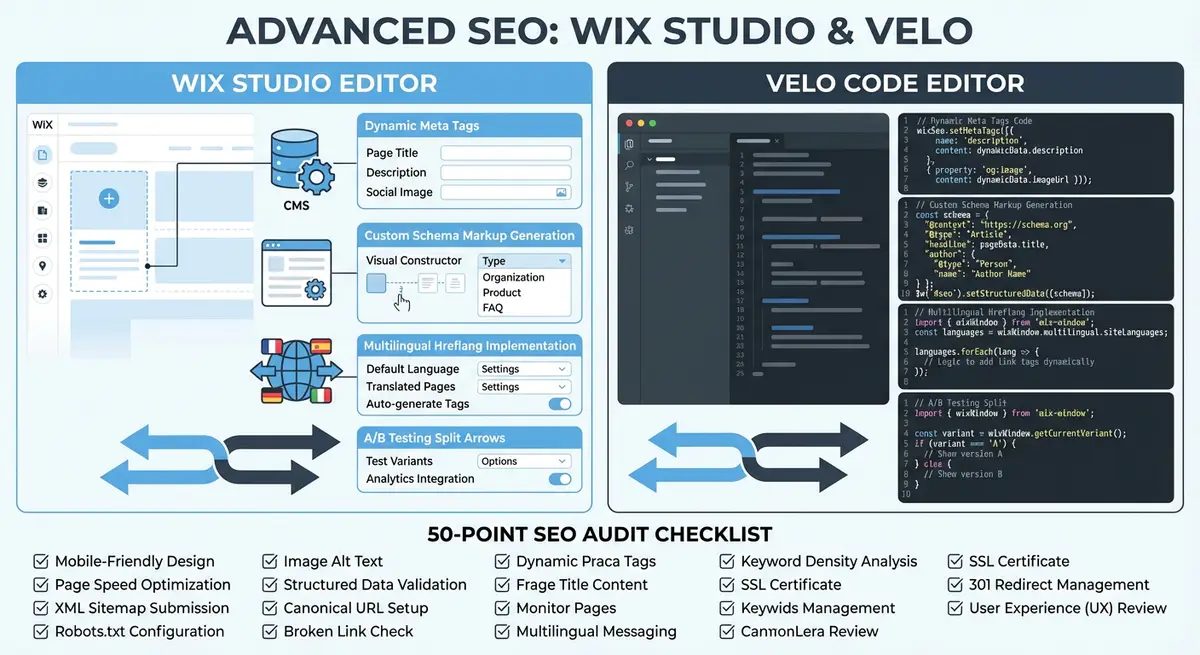
Why A/B Testing Matters for SEO
Most SEO advice is based on general best practices and industry observations. But your specific site, audience, and competitive landscape are unique. What works for one site may not work for yours. A/B testing removes the guesswork by letting you test hypotheses with real data. Instead of assuming that a title tag format change will improve CTR, you test it on a subset of pages and measure the actual impact before applying it everywhere.
SEO A/B testing differs from traditional conversion rate optimisation (CRO) testing. In CRO, you show different page versions to different users simultaneously. In SEO testing, you cannot show Google different versions of the same page. Instead, you test changes across groups of similar pages: apply the change to half your product pages (the test group) while keeping the other half unchanged (the control group). You then compare organic performance between the two groups over a defined period.
What You Can Test on Wix
- Title tag formats: Test whether including the year, a number, or a question format improves click-through rate. Example: "Wix SEO Guide 2026" vs "How to Do SEO on Wix" vs "10 Wix SEO Tips That Work".
- Meta description styles: Test whether descriptions with questions, statistics, or direct CTAs drive more clicks from search results.
- H1 variations: Test whether including the target keyword at the start vs. the middle of the H1 affects rankings for that keyword.
- Content structure: Test whether adding a table of contents, FAQ section, or comparison table to pages improves engagement metrics and rankings.
- Internal link density: Test whether pages with 5 internal links perform differently from pages with 10 internal links.
- Schema markup: Test whether adding Review or Product schema to pages changes click-through rates.
- Content length: Test whether expanding thin pages from 500 words to 1500 words improves their ranking positions.
- CTA placement: Test whether placing a contact form above the fold vs. after the first content section affects conversion rates from organic traffic.
Setting Up SEO A/B Tests with Velo
Velo gives you the programmatic control needed to implement SEO A/B tests on Wix. The approach involves using Velo code to conditionally modify page elements based on which test group a page belongs to. You define test groups in your CMS, write Velo code that applies different treatments to each group, and then measure the results through Google Search Console data.
import wixSeo from 'wix-seo';
import wixData from 'wix-data';

$w.onReady(async function () {
  const item = await $w('#dynamicDataset').getCurrentItem();
  const testGroup = item.testGroup; // 'control' or 'variant'

  if (testGroup === 'variant') {
    // Variant: test new title tag format
    wixSeo.title = `${item.name} (${new Date().getFullYear()} Guide) | Brand`;
  } else {
    // Control: keep existing title format
    wixSeo.title = `${item.name} - Complete Guide | Brand`;
  }
});
The Group-Based Testing Methodology
The key to valid SEO A/B testing is proper group assignment. You need two groups of similar pages that currently perform similarly. If your test group contains your highest-traffic pages and the control contains low-traffic pages, any performance difference could be due to the page quality, not your test change.
How to set up a proper SEO A/B test
- Choose a hypothesis to test. Be specific: "Adding the current year to product page title tags will increase organic CTR by 10% compared to pages without the year."
- Select your page population. You need at least 20 similar pages (ideally 50+) to achieve statistical significance. Product pages, blog posts, or location pages work well because you have many of the same type.
- Add a "Test Group" field to your CMS collection. Assign pages randomly to either "control" or "variant" groups, splitting them as evenly as possible.
- Before implementing the test, record baseline metrics for both groups: average CTR, average position, total clicks, and total impressions from Google Search Console over the previous 4 weeks.
- Verify that both groups have similar baseline performance. If one group averages position 5 and the other averages position 15, your groups are not comparable. Re-randomise until the baselines match.
- Implement the change on variant pages only using Velo code that checks the testGroup field. Control pages must remain completely unchanged.
- Run the test for a minimum of 4 weeks. SEO changes take time to propagate, and short tests produce unreliable results. For competitive niches, 6-8 weeks is better.
- After the test period, export Google Search Console data for both groups. Compare average CTR, average position, total clicks, and total impressions for the test period.
- Calculate the percentage difference between variant and control groups. Use a statistical significance calculator to determine if the difference is meaningful (aim for 95% confidence).
- If the variant outperforms the control with statistical significance, roll out the change to all pages. If there is no significant difference or the control wins, revert the variant pages and test a different hypothesis.
Measuring Results with Google Search Console
Google Search Console is your primary measurement tool for SEO A/B tests. The Performance report allows you to filter by page URL, which means you can compare metrics between your test and control groups. Export data for both groups covering the test period and the baseline period. The key metrics to compare are CTR (for title and description tests), average position (for content and structure tests), and total clicks (the combined measure of visibility and attractiveness).
When analysing results, account for external factors that may have influenced both groups equally: algorithm updates, seasonal traffic changes, competitor activity, or technical issues. If both groups dropped during the test period but the variant dropped less, the variant treatment may still be beneficial. Compare the relative performance difference between groups, not absolute numbers.
Common SEO Experiments to Run First
Start with tests that are likely to show measurable impact quickly. Title tag tests are the best starting point because they directly affect CTR, which is measurable within 2-4 weeks. Content structure tests (adding FAQs, tables of contents) can take 4-8 weeks to show ranking impact. Internal linking tests may need 6-12 weeks because crawl propagation and link equity redistribution happen gradually.
- Test 1 (Quick Win): Add the current year to title tags on half your blog posts. Measure CTR change after 4 weeks.
- Test 2 (Quick Win): Rewrite meta descriptions on half your service pages to include a specific number or statistic. Compare CTR.
- Test 3 (Medium Term): Add an FAQ section with FAQ schema to half your location pages. Measure impressions, CTR, and AI citation visibility after 6 weeks.
- Test 4 (Medium Term): Expand thin content pages from under 500 words to 1500+ words on half your product categories. Measure ranking position changes after 8 weeks.
- Test 5 (Long Term): Increase internal links from 3 to 8 per page on half your blog posts. Measure average position changes after 8-12 weeks.
Avoiding Common Testing Mistakes
- Testing too many changes at once: If you change the title tag, add FAQ schema, and expand content simultaneously, you cannot attribute the result to any single change. Test one variable at a time.
- Ending tests too early: A 1-week test is never long enough for SEO. Google needs time to re-crawl pages, re-evaluate rankings, and reflect changes in search results. Minimum 4 weeks.
- Ignoring statistical significance: A 5% CTR improvement sounds good, but if it is within the margin of error, it could be random noise. Always calculate confidence levels before drawing conclusions.
- Testing on pages with no traffic: Pages receiving fewer than 50 impressions per month do not generate enough data for meaningful analysis. Focus tests on pages with established organic visibility.
- Not documenting baseline metrics: Without accurate pre-test data, you cannot calculate the impact of your changes. Always record 4 weeks of baseline data before implementing any test.
- Forgetting to revert failed tests: If a variant underperforms, revert the changes immediately. Leaving losing variants in place hurts your organic performance.
How to Run an SEO A/B Test on Wix Using Velo
Running a controlled SEO experiment on Wix requires CMS field setup, Velo code implementation, and systematic measurement in Google Search Console. These steps walk you through a complete test from setup to analysis.
How to implement and measure an SEO A/B test on Wix with Velo
- Step 1: Log in to your Wix Dashboard and navigate to Content Manager. Open the collection you want to test (e.g. Blog Posts or Products). Click Manage Fields and add a new Text field called testGroup.
- Step 2: In the collection, assign pages randomly to either control or variant. Select half the items and set testGroup to control. Select the other half and set it to variant. Aim for groups of at least 20 pages each.
- Step 3: Open Google Search Console and navigate to Performance > Search Results. Filter by page type to show only the collection you are testing. Export 4 weeks of data (impressions, clicks, CTR, average position) as your baseline.
- Step 4: Open the Wix Editor and enable Dev Mode. Navigate to the dynamic page template for the collection you are testing. Open the page code file.
- Step 5: Import the wix-seo module: import wixSeo from 'wix-seo'; Inside $w.onReady, retrieve the current item and read its testGroup field: const item = await $w('#dynamicDataset').getCurrentItem(); const group = item.testGroup;
- Step 6: Write conditional logic for the variant. For a title tag test: if (group === 'variant') { wixSeo.title = item.name + ' (' + new Date().getFullYear() + ' Guide) | Brand'; } else { wixSeo.title = item.name + ' - Complete Guide | Brand'; }
- Step 7: Publish the updated template. Verify the change is live by visiting one variant page and one control page. View the page source (Ctrl+U) and search for <title> to confirm each page shows its group's title format.
- Step 8: Record the test start date and let the test run for a minimum of 4 weeks. Avoid making any other changes to the tested collection during the test period.
- Step 9: After 4 weeks, export a fresh 4-week performance report from Google Search Console filtered to the same collection pages. Download impressions, clicks, CTR, and average position.
- Step 10: In your spreadsheet, separate pages into control and variant groups. Calculate the average CTR and average position for each group. Compare the test period to the baseline period for both groups.
- Step 11: Use a statistical significance calculator (available free at neilpatel.com/ab-testing-calculator) to determine whether the difference between control and variant is statistically significant. Aim for 95% confidence before acting.
- Step 12: If the variant wins with statistical significance, update the Velo code to apply the variant format to all pages by removing the conditional check. If the test is inconclusive, document your findings and design a new test targeting a different variable.
SEO Testing Resources
- Google Search Console: Primary measurement tool for SEO A/B test results using CTR, position, and click data
- SearchPilot: Professional SEO A/B testing platform for enterprise-level experiments
- Statistical Significance Calculator: Free calculator to determine if your A/B test results are statistically significant
- SEO Fix in a Box: My Wix app. Free to install, it scans your site and shows what needs fixing, and paid plans write the fixes from your own Google searches
Was this lesson useful?
It takes 1 minute to tell me. The course is free and I want to keep it that way, and your feedback shows me what is working and helps other people find it.
This lesson on A/B testing page elements on Wix with Velo for SEO experiments is part of Module 20: Wix Studio & Velo Advanced SEO in The Most Comprehensive Complete Wix SEO Course in the World (2026 Edition). Created by Michael Andrews, a Wix Marketplace Legend Partner with 14 years of hands-on experience, 800 completed Wix SEO projects and 456 verified five-star reviews.